
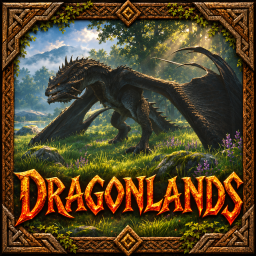
Dragonlands
Tame, saddle and ride wild dragons in the Plains, inspired by House of the Dragon and Game of Thrones. Immersive dragon riding and flying mount with Valheim's wind. Take off, glide, breathe fire and land wherever you like. Full controller support.Dragonlands
Dragonlands adds dragons to the Plains of Valheim. They are rare and dangerous beasts that you can tame, saddle and ride. Take off from the ground, glide over the land, breathe fire on your enemies and land again wherever you like. Full controller support.
Inspired by House of the Dragon and Game of Thrones, Dragonlands is all about immersion. The flight system uses Valheims wind system to impact flight and traveling. E.g. you will be slower or faster depending from which direction the wind blows(similar to the boat).

Finding the right balance for a new creature takes time and feedback from many different playstyles. Since extensive long-term testing is difficult for me as a solo modder, I intentionally do not provide creature balance configuration options. Instead, I would like balancing decisions to be driven by community feedback and discussion.
If you have suggestions, feedback, bug reports, or balance ideas, feel free to join my Discord:
Features
Finding and Taming
Dragons live deep inside the Plains. They are rare, so finding one can take some searching. A wild dragon defends itself with fire, both on the ground and from the air.
To tame one, drop Lox Meat nearby and stay out of its sight. Once it has eaten enough, it becomes tame.
Fire Breath
Wild dragons scorch whatever threatens them and can also strike from the air as they fly past.

A wild dragon breathes fire at whatever threatens it.
Saddle
Craft a Dragon Saddle and put it on your tamed dragon to ride it.
The saddle is crafted at a Workbench (level 3).
| Material | Amount |
|---|---|
| Black Metal | 15 |
| Linen Thread | 20 |
| Lox Pelt | 6 |
Riding and Flying
The dragon walks, runs and swims like any other mount. In the air you steer it with the camera.
| Action | Control |
|---|---|
| Take off | hold Jump until the dragon is in the air |
| Climb, speed up | Run |
| Glide | let go of Run |
| Air brake | Backward |
| Hover in place | Backward + Run |
| Land | Crouch |
| Breathe fire | Attack, aimed at your crosshair |
With a controller, every action uses Valheim's own gamepad button for it, so there is nothing to set up.
Only beating your wings (Run), hovering and breathing fire cost stamina. Gliding is free, so good riders will travel further. When the dragon is exhausted it can only glide, so plan your landing. Your Riding skill lets it fly further for less stamina. An overloaded dragon cannot take off.

In the saddle, high above the land.
The dragon follows Valheim's own riding rules. It gets tired, it has to land to rest, and it is no replacement for your ship on the open sea as you can not carry more than your carry weight allows.

A dragon in flight, seen from the ground.
Flying With the Wind
Dragonlands uses Valheim's own wind, the same wind that fills the sail of your ship. A tailwind carries you faster, a headwind slows you down and a crosswind pushes you off course. When the wind blows against a steep slope or cliff, the air rises and carries you, so you glide further without beating your wings.
While flying, Valheim's wind indicator appears on the right, the same one you know from sailing. Check it before a long flight. With the wind at your back you get much further on the same stamina.

In flight, Valheim's wind indicator on the right shows where the wind comes from.
Immersion First
Everything about the dragon is built to feel like a living creature in Valheim's world. Dragonlands is inspired by the dragons of House of the Dragon and Game of Thrones.
Stars
Like every creature in Valheim, dragons can spawn with stars. A dragon without stars is smaller and quicker, while a two-star dragon is the biggest and the strongest.
Multiplayer
Must be installed on the server and all clients (the server enforces the version).
Localization
The mod is available in English, German, Russian, Portuguese (Brazilian & European) and Chinese.
If you'd like to see the mod in your language, drop the translations on the Discord and I'll include them.
Prefab / Spawn Names
For console commands, spawners, or compatibility with other mods, the prefab names are:
| Item | Prefab name |
|---|---|
| Dragon (creature) | M2Dragon |
| Dragon Saddle (item) | SaddleM2Dragon |
Example: spawn M2Dragon spawns a dragon, spawn SaddleM2Dragon gives you a saddle.
Community Feedback
The balancing of this creature is intentionally community-driven.
Rather than providing extensive balancing configuration options, I prefer gathering feedback from actual gameplay and adjusting the creature based on community suggestions and discussion.
If you have ideas, balance suggestions, bug reports, or feedback, join the Discord:
Why Is There Only One Dragon?
Because every dragon costs money before it can fly.
The dragon model and its animations are commercial assets. I bought them myself and paid for them in advance so that Dragonlands could exist. Every new dragon needs its own model and animations, and those have to be bought first as well.
More dragons are planned, for example dragons for other biomes. When they arrive depends on whether enough support comes in through Ko-fi to buy the assets for them. If you want more dragons in Valheim, that is the most direct way to make it happen.
Check Out My Other Mods
- TalentTree — a radial talent tree with seven sectors and about 1,350 talents for creative builds
- SkillsReworked — RPG leveling with XP, attribute points, Rebirth and Prestige
- SocialSystem — friends, parties and guilds for multiplayer, with chat, party HUD and map markers
- ForgeOfEnchantment — set creature trophies into your gear at an ancient forge for magic effects and rarities
- VikingHorse — immersive rideable horses with coat variations and swappable saddles
- MaxFoodSlots — eat more than three foods at once, up to seven
Support my work
This mod, like all my mods, is free to use. If you'd like to support my work voluntarily, you can do so on Ko-fi.
The assets I build into my mods are ones I purchase commercially — your support helps me finance those assets and add new ones to my mods in the future. It's entirely optional and hugely appreciated. ❤️