

You are viewing a potentially older version of this package. View Latest Version
ArmorSlots
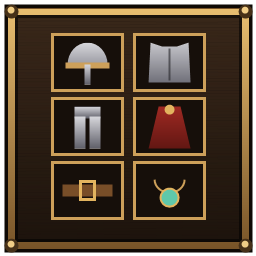
Client-side Equipment panel beside your inventory: worn helmet, chest, legs, cape, utility and trinket get their own slots and stop taking up inventory space. Saves stay vanilla-safe.Armor Slots
A client-side mod that gives worn gear its own Equipment panel next to the inventory, so your helmet, chest, legs, cape, utility item and trinket stop taking up inventory slots. Only you need it: it works on any server, adds no items, and changes nothing for other players.
How it works
- Equip armor as usual (right-click, double-click or a hotkey) and it moves out of the grid into its slot in the Equipment panel. Its old inventory square is free again.
- Click a filled slot to unequip it. It goes back into the first free inventory square.
- Pick up an item and click its slot to equip it. A wrong item gets a "doesn't go here" message.
- Hover a slot for the normal item tooltip. Durability and quality show just like in the grid.
- If you unequip something while your inventory is full, it waits dimmed in its slot until there's room.
Slots: Head, Chest, Legs, Cape, Utility, Trinket. Utility and trinket can be turned off.
Safe for your character
- Your save never depends on this mod. Every save writes worn armor back into free inventory squares (as long as there's room), so removing the mod never hides or loses gear.
- Death: worn items go into your tombstone like normal. The tombstone grows a row if needed, and "Take all" puts everything back into your inventory.
- Pickups and crafting never put items into the armor slots, and they count the freed squares as space.
- Inventory size changes (world modifiers): worn armor is protected from the "drop items outside the grid" cleanup.
- Turning the mod off in the config moves everything back into the grid.
Freeing up to 6 squares lets you carry a few more item stacks. Weight limits are unchanged.
Config
BepInEx/config/com.armorslots.valheim.cfg
| Setting | What it does | Default |
|---|---|---|
Enabled |
Use the Equipment panel | on |
IncludeUtility / IncludeTrinket |
Give those items a slot | on |
Placement |
Auto (first spot that fits on screen: right, left, then below), or force Right / Left / Below | Auto |
Offset |
Nudge the panel in pixels | 0, 0 |
Columns |
Slots per row | 2 |