

CleanHud
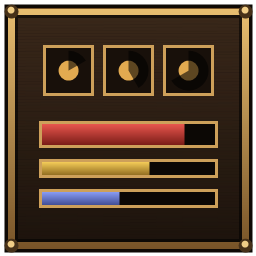
Client-side Norse-styled HUD: slim health/stamina/eitr bars with %, food timers, status effect timers, restyled hotbar and minimap with day/time, and tidy waypoint markers for your map pins.Clean HUD
A client-side HUD overhaul that tidies Valheim's interface while keeping its Norse look: dark wood plates, worn bronze rims, parchment text and the game's own Norse font. Only you need it: it works on any server and adds no items. Press F8 to switch back to the vanilla HUD at any time.
Features
Vitals (bottom left)
- Slim bronze-framed health, stamina and eitr bars, with
current / max percentbeside each one - A damage trail shows how much you just lost, and the health bar pulses below 25%
- The eitr bar only appears once you have eitr
Food and forsaken power
- Food tiles with an exact countdown and a sweep showing time used
- A tile glows amber when you can eat that food again, and its timer turns red in the last minute
- Your forsaken power gets a matching tile with its cooldown, or "Ready"
Status effects
- Matching tiles with a radial sweep and countdown, under the minimap (or top center, or above the vitals)
Hotbar and minimap
- Wood and bronze hotbar slots, a gold glow on equipped items, cleaner durability bars
- A wood and bronze minimap frame with a day and time plaque
Less clutter
- The small stamina bar in the middle of the screen is hidden (the corner bar already shows it)
Waypoint markers for map pins
- Your own pins and death markers show in the world with name and distance, and fade almost invisible when you aim straight at one
- Normal pins are temporary: reaching one deletes it from the map
- Persistent pins stay: on the big map, hover a pin and press P (or start its name with
*). The marker only hides while you stand on it. You can still right-click to delete it. - Bosses and Hildir's chests only show when you have line of sight
- At most 5 markers at once (nearest first); death markers always show
- Bed, player, ping and event pins never show
Keys
| Key | Action |
|---|---|
| F8 | Toggle clean / vanilla HUD |
| P (big map, hovering a pin) | Make a pin persistent / normal |
Config
Everything can be changed in BepInEx/config/com.cleanhud.valheim.cfg: size, position, what each
bar shows, which panels to hide, the marker limit, distances, keys and more.
Notes
- Vanilla HUD elements are only hidden, never deleted. F8 or turning a feature off restores them exactly.
- If something fails, the mod logs it once and falls back to vanilla for that part.
- Reached death markers are remembered in
BepInEx/config/com.cleanhud.valheim.reached.txt.