

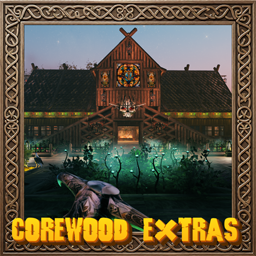
CoreWoodExtras
Adds a large variety of HD core wood build pieces, core wood furniture, greenhouse pieces, market stalls and more!HD Corewood Extras

****** ==Before Updating to v2.2.3== ******
Burt the trader now lists items from a json file stored in your "BepInEx\config\CoreWoodExtras" folder. The item configs have been removed from the config file, so you will need to delete your old config file and let the game create a new one.
Donations:
Please support this project if you can and prevent it from becoming abandoned!
Creating mods is a labor of love, a mix of long hours, personal investment, and a bit of green alchemy. From custom models to scripts and endless tweaks, each piece is hand-grown with care to enhance your Valheim experience.
If you enjoy the journey, the worlds, and the weirdness I create, there is a way to help keep the garden growing. Whether it is brewing up new features or snagging fresh assets, every bit of support helps keep the magic rolling.
Thanks for being part of the adventure. Stay lifted, stay curious!

Configuration:
Configuration options can be modified in-game (using Configuration Manager plugin).
Most settings apply straight away. Any setting that needs a restart or a rebuilt piece says so in its description.
Installation:
Automatic Install
- Plugin is created to be installed with r2modman or Gale. For Nexus downloads you will need to install manually.
Manual Install
- Un-zip and drag the
pluginsfolder into yourBepInExfolder.
Credits:
- blacks7ar for the original idea, and for the Seed Bed idea.
- firstD for the Picture Frame code.
Plugins Created by Magic Mike:
FAQs:
How do I get Mystical Seeds?
Mystical Seeds can be bought from the traders.How do I customise a Picture Frame?
To customise a picture frame you must first place the image you want to use in to your "BepInEx/config/CoreWoodExtras" directory. It is best to use a 16:9 ratio for the horizontal and vertical picture frames.When in game look at the picture frame and press your use key (default E). Now paste the name off the image you want to add in to the text box.
For example: image-1_h.jpg
Images/Frames can also be scaled by adding the "s" abbreviation.
For example: image-1_h.jpg:s=2 (you can put a pictureframe that is 2 times bigger).
If you would like to run a slideshow of your images, you will need to create a new folder within the "BepInEx/config/CoreWoodExtras" directory. And then use the "i" abbreviation.
For example: horizontalimages:i=5 (Play the images in the horizontalimages folder at five-second intervals).
How do I add/remove items from Burt the trader?
Edit BurtItems.json in the BepInEx\config\CoreWoodExtras folder to add extra items for Burt to sell.Each entry in the ""items"" array supports:
prefabName -------- the internal Valheim/mod prefab name for the item (not its display name).
stack ---------------- how many are sold per purchase.
price ---------------- coin price per stack.
requiredGlobalKey - leave empty to always be available, or set to a global key such as defeated_bonemass to gate it behind a boss kill.
enabled ------------set to false to keep an entry in the file without selling it.
Restart the game after editing BurtItems.json for changes to take effect.
How do I use the Seed Bed and change what it can grow?
The Seed Bed is in the Corewood-Greenhouse category. Press your use key while carrying enough seeds (or produce) to plant them, or use an item on the bed. When the timer finishes, press use again to harvest. The time it takes is the "Germination Duration" setting.Turn on the "Auto Harvest" setting if you want the Seed Bed to harvest itself when it is ready. No Farming or Herbalist XP is given for automatic harvests. Harvesting by hand always drops the produce at the bed.
With the "Auto Store" setting on (the default), the produce of an automatic harvest is stored in the nearest chest with room (within the "Chest Range" setting), moving on to the next nearest when one is full. Feeding troughs count too, for the food they accept (carrots, turnips, onions and berries), so the bed can keep your tames fed. If there is no chest in range, or they are all full, the produce appears at the bed instead. Turn "Auto Store" off if you always want it to drop at the bed.
Turn on the "Auto Replant" setting to have the Seed Bed start growing again after each harvest (by hand or automatic).
Items that give themselves back, like Barley or Dandelion, are replanted from the harvest, you get the rest.
Any other item (CarrotSeeds -> Carrot, or one that gives back no more than you plant) takes its seeds from a chest within the "Chest Range" setting instead, the nearest one with enough is used. Keep a chest with seeds near the bed. If the chest runs out the bed waits empty, and starts again as soon as you add more seeds.
The Seed Bed only uses chests that its builder could open, so a private chest belonging to someone else is left alone. Seeds are never taken from feeding troughs (that would empty the food for your tames), and tombstones are never used.
Edit SeedBedItems.json in the BepInEx\config\CoreWoodExtras folder to change what it can grow. The file is created for you and reloads when you save it.
Each entry in the ""conversions"" array supports:
from ----------------- the prefab name of the item you plant (for example CarrotSeeds).
to -------------------- the prefab name of the item you get back (for example Carrot).
seedAmount ------ how many you plant.
producedItems --- how many you harvest.
The ""herbs"" array lists the harvested items that give Herbalist XP. Each entry can be a prefab name (Dandelion) or a shared name ($item_dandelion). Leave the array out to use the default list, or leave it empty for no Herbalist XP.
If you play on a server, use the same SeedBedItems.json on the server and every client. Delete the file and restart if you want it regenerated with the defaults.
Comments/Suggestions/Help: Nexus.
Donations:
Please support this project if you can!


