

You are viewing a potentially older version of this package. View Latest Version
BetterUI
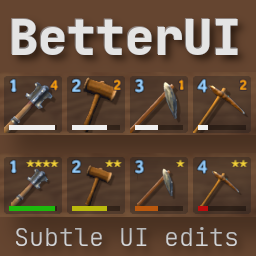
Adds minor edits to the UI.BetterUI for Valheim

This mod updates the game UI with few subtle edits.
You are able to edit and select what updates you want to use.

Feel free to check my other mod as well First-Person Mod

Table of Contents
Installation (manual)
If you are installing this manually, do the following (You will need Bepinex installed)
- Extract the archive into a folder. Do not extract into the game folder.
- Move the contents of
pluginsfolder into<GameDirectory>\Bepinex\plugins. - Run the game, it will generate automatically an configuration file into
<GameDirectory>\Bepinex\config
Preview


Config
[HUD]

## Toggle the use of custom enemy hud
# Setting type: Boolean
# Default value: true
useCustomEnemyHud = true

## Toggle if you want to hide the text with HP amount
# Setting type: Boolean
# Default value: false
hideEnemyHPText = false

## Choose how enemy lvl is shown. 0 = Default(stars) | 1 = Prefix before name (Lv. 1) | 2 = Both
# Setting type: Int32
# Default value: 1
enemyLvlStyle = 1

## Select Text size on enemyHud
# Setting type: Int32
# Default value: 14
enemyHudTextSize = 14

## How far you will see enemy HP Bar. This is an multiplier, 1 = game default. 2 = 2x default
# Setting type: Single
# Default value: 1
MaxShowDistance = 5

## Scale map pins by this factor. Ex. 1.5 makes the 150% of original size.
# Setting type: Single
# Default value: 1
mapPinSize = 1.2

[Item]

## Show colored durability bars
# Setting type: Boolean
# Default value: true
ShowDurabilityColor = true

## Show item quality as stars
# Setting type: Boolean
# Default value: true
showItemStars = true

## Show customized tooltips.
# Setting type: Boolean
# Default value: true
showCustomTooltips = true

## Scale item icon by this factor. Ex. 0.75 makes them 75% of original size
# Setting type: Single
# Default value: 0.75
ScaleSize = 0.7

[Settings]

## Change colorMode. Options: 0=Normal, 1=Protanopia
# Setting type: Int32
# Default value: 0
colorMode = 0

[UI]

## Show Character XP Bar.
# Setting type: Boolean
# Default value: true
showCharacterXP = true

## Show when you gain xp from actions.
# Setting type: Boolean
# Default value: true
ShowXPNotifications = true

## Toggle the use of custom skills UI
# Setting type: Boolean
# Default value: true
useCustomSkillUI = true

## Select text size on skills UI
# Setting type: Int32
# Default value: 14
skillUITextSize = 14

## Toggle the visibility of custom info on character selection
# Setting type: Boolean
# Default value: true
showCustomCharInfo = true

## Show all item stats when mouse is hovered over armour amount.
# Setting type: Boolean
# Default value: true
showCombinedItemStats = true

## Select duration display. 0 = Default, 1 = % Done, 2 = min:sec left
# Setting type: Int32
# Default value: 2
timeLeftStyleFermenter = 2

## Select duration display. 0 = Default, 1 = % Done, 2 = min:sec left
# Setting type: Int32
# Default value: 2
timeLeftStylePlant = 2

## Select duration display. 0 = Default, 1= % Done, 2 = min:sec left
# Setting type: Int32
# Default value: 2
timeLeftStyleCookingStation = 2

## Select how chest emptyness is displayed. 0 = Default | 1 = % | 2 = items / max_room.
# Setting type: Int32
# Default value: 2
chestHasRoomStyle = 2
Changelog
1.6.2
- Fixed issues with enemyHud draw distance defaulting to smaller than game default
- Skill percentage text is now scaled with skillUITextSize
1.6.1
- Fixed fishing rod causing skills to crash / losing session progress.
- Removed decimals from chest percentage.
1.6.0
- Added custom map pin size (for the 4k gang)
- More hovertext information (Cooking station, chest)
- Fixed issue with XP notification caused crashing
- More modification options on cofig.
1.5.1
- Fixed Player XP Bar scaling issues on > 16:9 resolutions. Please notify if you still have issues.
- Added custom hover text on plant & fermenter.
- Durability now supports Protanopia color palette.
- Other config edits.
1.5.0
- Added custom tooltips
- Updated recipe information. Show clearly what stats are improving when upgrading.
- Show all active item stats by hovering over your armour amount.
1.4.2
- Added skillUITextSize to config (Game still scales them)
- Padding fix on modded items quality stars
- Ability to toggle if chracter stats are visible
1.4.1
- Hotfix on config values
1.4.0
- Added Character Lvls + XP Bar to track progress
- More options to config
- Bug fixes on spawned items breaking items UI
1.3.1
- Fixed durability bars sometime showing as empty
- Small code optimization
- Updated Icon & README
1.3.0
- Added custom enemy hud
- Editable enemy hud visibility range.
- Ability to scale item image sizes. Defaulted to 75% of original size.
- Removed First Person Camera (There is an seperate mod for that, few updates coming soon.)
1.2.0
- Changed item levels to display as stars
- Added Character stats to character selection screen
- Minor tweaks on skill UI.
1.1.0
- Added Colored Durability Bars
- Added options to disable UI modifications
- Added config options to edit FPS Toggle and FOV
1.0.1
- Initial Release under Valheim Mods
1.0.0
- Initial Release, but went under the wrong section


