
You are viewing a potentially older version of this package. View Latest Version
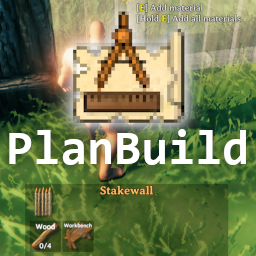
PlanBuild enables you to plan, copy and share your building creations in Valheim with ease. Introducing a new item, the Blueprint Rune, which can be crafted from a single stone and festering willpower given to you by the gods. The rune comes with two modes you can switch between by pressing P while having the rune equipped (can be adjusted via config file).

Plan the construction of pieces without the need to gather the resources first. Anyone can add the required resources to the planned structure later and finish the construction after it was placed.
You still need a Hammer and the required crafting station to finish the construction.
Planned pieces that are unsupported can not be finished. These pieces are also slightly more transparent so you can see what is and isn't supported. The planned pieces themselves do not require support, so you can build forever (if you can reach far enough).
Real pieces also snap to the planned pieces, so you could even use them as spacers or rulers.

Build a PlanTotem near your planned structures to be able to add resources in a centralized location for all individual pieces on the plan.
This needs to be build with the vanilla Hammer tool and costs you 5 Fine Wood, 5 Grey Dwarf Eye and 1 Surtling Core.

Includes the Skuld Crystal, a wearable item that removes the shader effect from the blueprints, so you can see what the construction will look like when completed.
Create it by combining a Ruby and a Grey Dwarf Eye.
Watch your step! The pieces are still not really there, and will not support you!

Copy existing structures into Blueprints and rebuild them as planned or regular pieces all at once. The blueprints are saved in and loaded from the filesystem as .blueprint files. Also supports .vbuild files (you can load and build your BuildShare saves with this mod)! After switching to the blueprint mode, the piece table of the Blueprint Rune offers two different categories:

The Blueprint Rune comes with a handful of tools to aid handling blueprint creation and building. Here is a handy list:
Create new blueprint: Create a blueprint of a construction. Planned pieces are captured as real pieces.
Snap point marker: Add snap point markers to all points you want to have as snap points in your blueprint. The rotation of the markers does not matter, only the center point. We highly suggest that you also use Snap points made easy so you can cycle through the snap points when placing the blueprint.
Center point marker: Add a center point marker to your blueprint to determine the center of the blueprint. This is where it will be anchored while placing it. If a blueprint does not have a center point marker, a bottom corner of the blueprint is found and used as the center.
Undo blueprint: Delete all plans that are associated with a placed blueprint. Plans that are already finished will not be removed. Resources that were already added to the unfinished plans will be refunded.
Remove plans: Delete plans in a radius, can be used to clean up after using it to measure distances, or as a general cleanup tool. Resources that were already added to the unfinished plans will be refunded.

Place a blueprint as planned pieces. Select your previously saved blueprint and place it anywhere in the world. This works just like any other vanilla building piece. Additionally there are some extra controls to make placing your structures exactly as you want them as easy as possible:

Manage and share your blueprints through a custom GUI added to the game. Rename your local blueprints and add a description to them. If a server has this feature enabled, upload your local blueprints to that server so others can download and build your creations as well. Players with admin rights on a server can also manage the server side list through that interface.
Fully compatible with:
The Hammer's PieceTable is scanned automatically, mods that add Pieces should be compatible. If you find a mod that adds pieces to the Hammer and they don't show up, try toggling the Blueprint Rune with P which will trigger a rescan. If it still doesn't work, please post a bug report with a link to the mod.
Use Vortex to install, or if you want to install it manually, drop the "PlanBuild" folder into BepInEx\plugins (so you end up with BepInEx\plugins\PlanBuild). Make sure to include all files, not just the DLL!
This mod adds interactable objects, so all clients & server will need this mod!
Most values are configurable:
Source available on GitHub: https://github.com/MathiasDecrock/ValheimMods/tree/master/PlanBuild. All contributions welcome!
You can also find us at the Valheim Modding Discord or the Jötunn Discord.
The original PlanBuild mod was created by MarcoPogo
Blueprint functionality originally created and merged by Algorithman & sirskunkalot
Blueprint Marketplace GUI created by Dreous#4588
All further coding by MarcoPogo & sirskunkalot
Made with Löve and Jötunn
