
This package has been deprecated and may no longer be maintained. We recommend looking for an alternative.
SkipIntroCinematic
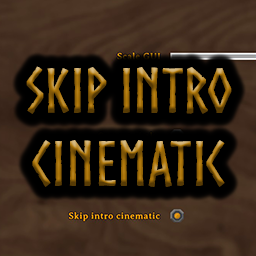
Skip Valheim's startup cinematic and control it from Settings > Accessibility.SkipIntroCinematic
SkipIntroCinematic skips Valheim's startup cinematic and adds an in-game option for it under Settings > Accessibility.
Features
- Skips the Valheim startup cinematic.
- Adds Skip intro cinematic to Settings > Accessibility.
- The option is enabled by default.
- Does not skip the Valkyrie/new-world intro, dreams, credits, or developer logos.
- Client-side only; servers do not need the mod.
Configuration
The config file is generated at:
BepInEx/config/Moopfam.SkipIntroCinematic.cfg
[Moopfam]
Enabled = true
Set Enabled = false to allow the startup cinematic to play.
The Skip intro cinematic option under Settings > Accessibility changes the same setting.
Installation
Vortex / Thunderstore Mod Manager / r2modman
Install SkipIntroCinematic through the mod manager. BepInEx will be installed automatically as a dependency.
Manual Installation
- Install BepInExPack for Valheim.
- Place
SkipIntroCinematic.dllinside:Valheim/BepInEx/plugins/ - Start Valheim.
Requirements
- Valheim
- BepInExPack for Valheim
Version
1.0.2
Removed per-frame polling and cached reflection lookups to prevent the FPS loss present in 1.0.1.
Changelog
1.0.0
- Initial release.
- Added automatic startup cinematic skipping.
- Added Skip intro cinematic to Settings > Accessibility.
- Option enabled by default.
1.0.1
- Updated compatibility for Valheim 1.0's split managed assemblies.
- Removed compile-time dependencies on
Valheim.SettingsGui,CinematicsManager, andFejdStartup.
1.0.2
- Removed per-frame reflection polling that could severely reduce FPS.
- Cached Valheim reflection handles.
- Cinematic-setting logic now runs only during startup, relevant patched calls, or when the setting changes.