You are viewing a potentially older version of this package. View Latest Version

ValheimMannequins
Player-shaped mannequins: dress them with real gear, pose them, name them and keep several gear sets. Swap a set with your own gear on Alt+number. Server + all clients.
Player-shaped mannequins for your base. Dress them with your real gear, pose them, give them a name and keep several gear sets on each one. Swap a whole set with what you are wearing in one key press.
Required on the server and on every client. Valheim 1.0 · BepInExPack · Jotunn.

Features
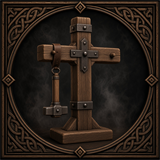 |
Build it. Hammer → Furniture → Mannequin. Rotate it like any piece, it uses the normal build system and ward rules. Default cost 20 Wood and 1 Iron, configurable. |
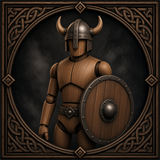 |
Dress it. Aim at it and press the hotbar key of an item: armor, cape, belt, weapons and shields appear on the mannequin exactly like on a player. Everything is a real item you can take back. |
 |
Gear sets. Up to 8 sets per mannequin (5 by default, change it with SetCount). The mannequin shows one set at a time. |
 |
Swap with yourself. Aim at it and press Alt + number. Your worn gear and the set trade places, weapons on the back come along. |
 |
Scroll to switch. Aim at it and use the mouse wheel to show the next set. |
 |
Name above the head. Shown exactly like another player's name. Every gear set has its own name, leave it empty to hide it. |
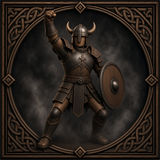 |
15 poses and a look of your own. Male or female body, hair style and colour, beard, skin tone and eye colour. |
How to use
Dress it
- Put an item on your hotbar, aim at the mannequin and press the item's hotbar key. It goes into the first free slot that fits.
- Slots: helmet, chest, legs, cape, belt, right hand, left hand, weapon on the back, shield on the back.
Manage it (press E)
- Set tabs at the top switch between gear sets.
- Take returns an item to your inventory.
- < > next to Pose changes the pose.
- Rename names the active gear set.
- Look opens the appearance settings.
Swap gear sets (aim at a mannequin, press Alt + 1…8, one key per gear set you have)
- Your worn gear (armor, cape, belt, both hands) moves into that set and the set's gear is equipped on you.
- The weapon or shield on the set's back slots goes to your inventory. The set remembers it and takes it back the next time you swap with the same set.
- If your inventory is too full, nothing changes.
Removing a mannequin drops every stored item of every set.
Configuration
BepInEx/config/morda.ValheimMannequins.cfg
| Setting | Default | Description |
|---|---|---|
Materials |
Wood:20,Iron:1 |
Build cost as Item:Amount,... |
DefaultPose |
0 |
Pose of a new mannequin |
SetCount |
5 |
Gear sets per mannequin (1–8) |
SwapModifier |
LeftAlt |
Key held together with the number. Use LeftControl if another mod already uses Alt + number |
ScrollSwitchesSet |
true |
Mouse wheel switches the shown set |
PanelScale |
1.6 |
Size of the management window |
NameDistance |
30 |
Distance up to which names are shown |
The build-menu icon is rendered once and saved as BepInEx/config/ValheimMannequins_icon.png. Replace it with your own picture or delete it to render a new one.
Installation
- Install BepInExPack Valheim
- Install Jotunn
- Install Valheim Mannequins on the server and on every client
Known limitations
- Tested in single player. Multiplayer and dedicated servers have not been tested yet.
- Texts are English only.
- Hair, skin and eye colours are presets.
Bug reports
Please attach BepInEx/LogOutput.log to your report.