
You are viewing a potentially older version of this package. View Latest Version
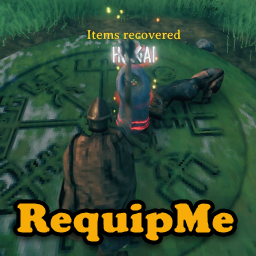
OK. You’ve died. It happens to us all. But that two-star that annihilated you is camping your tombstone. You don’t have time to leisurely dress – you need your armor and weapons – NOW!
RequipMe will automatically take everything from your tombstone, and instantly equip your best armor, weapons and Megingjord to give you your best chance of survival.
But what about if you've equiped your backup gear or picked up a few items on your way to your corpse and there's not enough room for your tombstone contents?
RequipMe still gets your tombstone contents, automatically re-equips your best gear, and moves your 'extra' inventory into your tombstone for later retrieval. If you don't want to leave a tombstone standing, you can configure RequipMe to drop the 'extra' items instead.
Of course, you can still trigger RequipMe with a keyboard shortcut, and it will equip you with the best of whatever is in your inventory at the time, even if you’re not in danger.
You can prioritize the weapon type to equip. Select one-handed, two-handed and bow, in any order. RequipMe will find the best weapon of a type, in the order you specify. If it doesn’t find a weapon of the first type, it will move to the second, and if needed, the third. If it slots a one-handed weapon, RequipMe will also equip your best shield in your off-hand (if you have a shield in your inventory, of course)
You can also configure RequipMe to automatically remove your map death pin once you've emptied the tombstone.
When tombstone content won't all fit in player's inventory, you can configure RequipMe to:
You can also set RequipMe to the original behavior:
All these options will instantly equip you, and trigger corpse run with weight bonus, even if the tombstone is not empty.
NOTE THAT SWAP IS THE DEFAULT BEHAVIOR
WeaponPriority: The weapon types, in the order you want RequipMe to try to equip. A comma separated list of OneHanded, TwoHanded and Bow. The best shield (if it exists) will automatically be equipped along with a one-handed weapon. Default is: OneHanded,TwoHanded,Bow
EquipShortcut: The keystroke to manually trigger RequipMe. Default is LeftAlt+Z
Strategy:
Basic: Default Valheim tombstone handling. RequipMe will auto-equip once the tombstone is emptied. This is the original RequipMe behavior.
Swap: Exchanges items in your inventory with those in the tombstone if there's not enough space to retrieve the entire contents. The tombstone remains with your 'extra' original inventory items, you recieve the corpse run bonus and RequipMe auto-equips.
Drop: Drops items in your inventory if there's not enough space to retrieve the entire contents. The tombstone is destroyed, you receive the corpse run bonus, and RequipMe auto-equips.
Take: Fills your inventory with as much of the contents as possible, without dropping or swapping your existing inventory. The tombstone remains with whatever is left, you receive the corpse run bonus and RequipMe auto-equips.
See additional notes below
RemoveDeathPin: If enabled, will automatically remove the death map pin for the fully emptied tombstone (pin will remain if configured to Swap or Take and items remain in the tombstone)
You can use Configuration Manager (or similar) mod to change the configuration without exiting the game. You can also edit the config file.
Valheim does not take into account what you could carry if you had Megingjord equipped. Since RequipMe will auto-equip Megingjord (if you have one), it will add the Megingjord bonus to the maximum carry weight, when calculating if the tombstone can be emptied.
Corpse run bonus is also added to the maximum carry weight calculation when determinining if you can carry the entire tombstone contents without being encumbered (at least until corpse run wears off)
Re-equip is always triggered for Swap, Take or Drop options. For the Basic option, re-equip is only triggered when the tombstone is emptied (but you can trigger manually)
When using Swap, Drop or Take modes, you will never be 'forced' into inventory management. Any 'extra' inventory will either be dropped, swapped into, or remain in the tombstone, as will any items that would cause you to be encumbered.
You will only be able to Swap or Take from a tombstone once. This is to prevent accidentally re-swapping out your inventory back into your tombstone. That would be bad. You can reclaim these items 'by hand'.
You can only get corpse run on a swapped tombstone once. Second or subsequent access will allow you to get the items and destroy the tombstone, but will not trigger a corpse run.
Tombstone contents is prioritized before it's moved to your inventory; utility items, weapons and armor are moved first, to ensure you have critical fighting items available. This is most relevant for Take mode, where you add tombstone items to your current inventory.
Note that if you have auto-pickup enabled in Drop mode, you may pick up whatever dropped items will still fit in your reclaimed inventory (and don't encumber you).
RequipMe will select your weapons based on the actual damage you can deal with the weapon, using your current skill with the weapon type. Your skill with a weapon may allow for higher damage than a ‘better’ weapon that only has the potential for higher damage.
The highest-level armor of a lesser type may have a better armor value than the lowest-level of a greater type. e.g., level 4 leather vs. level 1 bronze. In this case the higher value (but lesser type) will be equipped by RequipMe.
You can find all Neobotics released mods on:
Thunderstore: https://tinyurl.com/NeoboticsOnThunderstore
Nexus Mods: https://tinyurl.com/NeoboticsOnNexus
Your comments and feedback are always welcome. Please feel free to post on NexusMods or Discord: https://tinyurl.com/NeoboticsOnDiscord
