

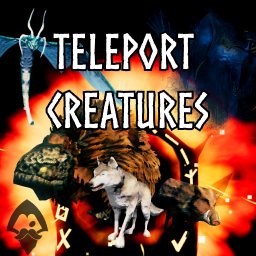
TeleportCreatures
Official OdinPlus Module of Teleport Everything! Bring your tamed allies or enemies along! Transport Creatures nearby: Wolves, Boars, Lox, custom creatures and more through portals, dungeons, and basements. Compatible with Valheim 1.0 (Deep North).TeleportCreatures
Bring your tamed companions through portals instead of leaving them behind. Choose which nearby allies travel with you, from following wolves to named farm animals.
Servers can also choose bringing nearby enemies along or block portal escapes when enemies are nearby - Enemy options are off by default.
Compatible with Valheim 1.0 (Deep North).

Default Left Shift + Left Arrow: Previous ally mode.
Default Left Shift + Right Arrow: Next ally mode.
TeleportCreatures independently transports eligible tamed allies through allowed portals, dungeons, and supported Basements transitions.
- Bring following, named, or other selected tamed allies along.
- Set personal creature filters and search distances.
- Let the server separately choose whether eligible enemies participate.
Getting started
Install BepInExPack for Valheim and install TeleportCreatures on the server and participating clients. Gale can install from the Hexium and Thunderstore catalogs. For an in-game settings panel, add TeleportEverything; the module works without it.
For manual installation, place TeleportCreatures.dll in Valheim/BepInEx/plugins/.
With TeleportEverything, open My Settings → Creatures → Allies to choose a mode and local restrictions. Press Shift + Left/Right (defaults) to cycle ally modes. Change these shortcuts in ConfigurationManager.
Configuration
In-game settings
- My Settings → Creatures → Allies: choose your ally mode and local restrictions.
- Server Settings → Creatures → Allies/Enemies: set server policy. Only the host or a native server admin can save it.
Use Save module to save Creatures or Save All for changed modules in the current scope. Reset defaults stages defaults until saved; Refresh reloads saved settings and asks before replacing changed drafts.
Ally modes
| Mode | Which allies travel |
|---|---|
| None | No allies. |
| AllTamed | All nearby tamed allies. |
| OnlyFollow | Allies following you. |
| OnlyNamed | Named allies. |
| AllTamedExceptNamed | Unnamed tamed allies. |
Enemy options
Enemy behavior is off by default and controlled entirely by the server; players cannot change enemy policy. These modes apply only to eligible alerted, hostile, untamed enemies, not every monster.
- TakeThemWithYou: allows eligible enemies through portals when server policy permits.
- VikingsDontRun: blocks portal use when eligible enemies are within the configured search area.
Separate server transition settings control enemy transport through dungeons and Basements. Personal enemy display settings only control messages and do not change server policy.
Filters and portal rules
The server sets maximum behavior; player ally preferences can only narrow it. Filters accept all or *, none, exact prefab names, and * / ? patterns. For portal rules, source tags match link text and prefabs match portal prefab names; when both are set, both must match. Lower priority numbers are considered first, with YAML order breaking ties. A matching Deny always wins over Allow.
YAML files
- Server policy:
BepInEx/config/odinplus.TeleportCreatures.server.yml. - Local ally preferences:
BepInEx/config/odinplus.TeleportCreatures.yml.
Edit the files directly or open ConfigurationManager → Advanced Configuration → Teleport Rules → Open YAML Configuration Editor. The server policy is editable on the server host. Invalid YAML is rejected and the last valid policy remains active.
The examples show the core ally settings and the server's enemy opt-in.
Player settings example
SchemaVersion: 1
Allies:
  # Enable or disable allied creature transport for this player.
  Enabled: true
  # None, AllTamed, OnlyFollow, OnlyNamed, or AllTamedExceptNamed.
  Mode: OnlyFollow
  # Search bounds in meters; the server caps both values.
  SearchRadius: 10
  SearchHeightRadius: 3
  # Creature prefab filters; Deny always wins over Allow.
  Allow: ["all"]
  Deny: ["Boar"]
  Teleport:
    Portals:
      Enabled: true
      # Optional portal-specific filters; server limits still apply.
      Rules:
        - Id: "farm-wood-portals"
          # Lower priority number wins (1 is strongest); ties keep YAML order.
          Priority: 10
          Source:
            # Tags match portal link text; Prefabs match portal prefab names.
            # If both are set, both must match. * matches any text (e.g. Farm North).
            Tags: ["Farm*"]
            Prefabs: ["portal_wood"]
          # Omitted/null inherits Allies.Allow; a list replaces it for this portal.
          # [] allows no allies.
          Allow: ["all"]
          # A matching Deny always wins over Allow.
          Deny: ["Boar"]
    Dungeons:
      Enabled: true
    Basements:
      Enabled: true
Server settings example
SchemaVersion: 2
Allies:
  # Enable or disable allied transport server-wide, regardless of player preferences.
  Enabled: true
  # Maximum player search distance and vertical range.
  MaximumSearchRadius: 20
  MaximumSearchHeightRadius: 8
  # Server-wide creature ceiling; Deny always wins over Allow.
  Allow: ["all"]
  Deny: []
  Teleport:
    Portals:
      Enabled: true
      # Rules further narrow the global Allow for matching source portals.
      Rules:
        - Id: "farm-wood-portals"
          # Lower priority number wins (1 is strongest); ties keep YAML order.
          Priority: 10
          Source:
            # Tags match portal link text; Prefabs match portal prefab names.
            # If both are set, both must match. * matches any text (e.g. Farm North).
            Tags: ["Farm*"]
            Prefabs: ["portal_wood"]
          # Omitted/null inherits Allies.Allow; [] denies every creature here.
          Allow: ["all"]
          # Deny always wins, including against an Allow match.
          Deny: ["Boar"]
    Dungeons:
      Enabled: true
    Basements:
      Enabled: true
Enemies:
  # Enemy transport is opt-in; this setting belongs to the server.
  Enabled: false
  # TakeThemWithYou transports eligible enemies; VikingsDontRun blocks portal use.
  Mode: TakeThemWithYou
Compatibility
| Compatible | Mod | Quick description |
|---|---|---|
| Yes | TeleportEverything / TeleportCarts / TeleportBoats | Each module retains its own transport behavior. |
| Yes | QuickTeleport | Creature transport observes native arrival. |
| Yes | TargetPortal | The selected destination is respected. |
| Yes | LetMeTameYou (AllTamable) | Eligible creatures still follow server and player filters. |
| Yes | OdinHorse | Horses can be included when allowed by policy (default allowed: all). |
| Yes | Basements | Creature transitions use the supported integration when installed. |
| Yes | OdinsUndercroft | Creature dungeon transitions are supported. |
Troubleshooting
- An ally stayed behind: check the selected mode, player filters, server policy, search distance, and whether the transition is enabled. Unsafe landing positions can leave an ally at the starting point.
- A portal was blocked: the server may have enabled VikingsDontRun and an eligible alerted hostile untamed enemy may be within its configured search area.
- A creature is missing from the picker or filter: use its prefab name or a supported
*/?pattern; filters do not make untamed creatures eligible as allies. - YAML was rejected: correct the reported file and save again. The last valid policy remains active.
- Need help diagnosing a skipped creature: enable local creature diagnostics in ConfigurationManager and include the relevant log when asking for help.
Languages
In-game text follows Valheim's selected language:  English,
  French,
  German,
  Brazilian Portuguese,
  Russian, and
  Spanish.
Support
TeleportCreatures is free. If you’d like to support maintenance and future development, you can leave an optional tip on Ko-fi.
For help, find Elg in the Odin Plus Discord.