

Draugrville UI
A full Viking makeover of Valheim's standard gameplay interface: a reductionist HUD with the in-depth detail menus a min-maxer craves, while staying true to the original Valheim aesthetic.Draugrville UI
Draugrville UI is a full Viking makeover of Valheim's standard gameplay interface. This mod marries a reductionist approach to the gameplay HUD with the in-depth detail menus a min-maxer craves. You can expect a brand-new yet familiar look for in-game systems like health, stamina, backpack, tooltips and more, while staying true to the original Valheim aesthetic. Perfect for anyone who wants to enjoy the beauty of Viking purgatory without their UI feeling like a punishment too.
Draugrville UI works as a client-side mod, but it is recommended to be shared with others for the best use of the extra features.
Screenshots
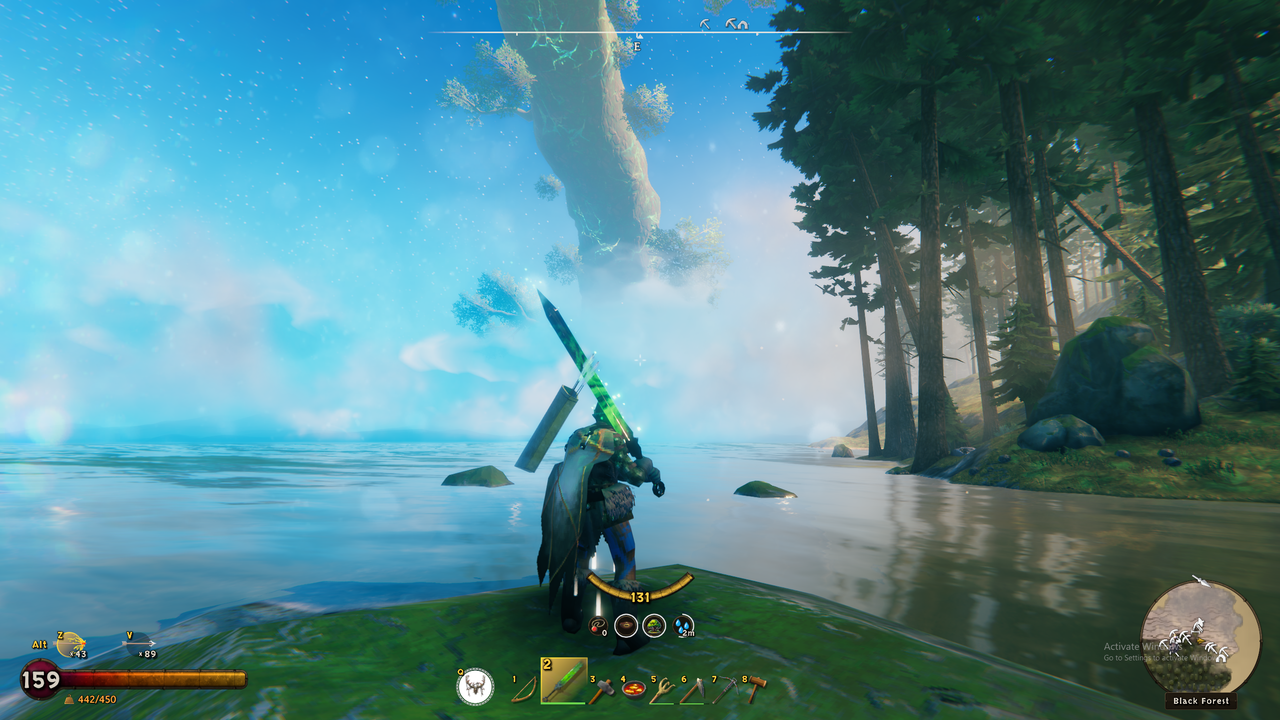
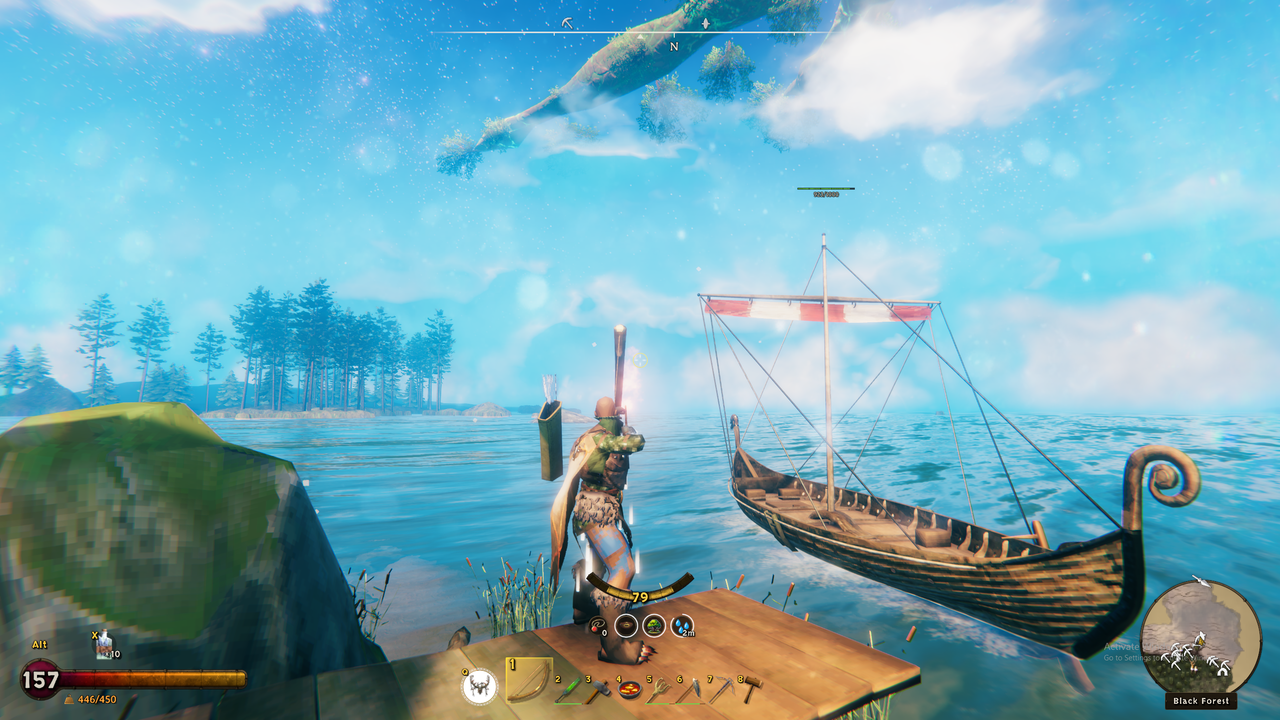
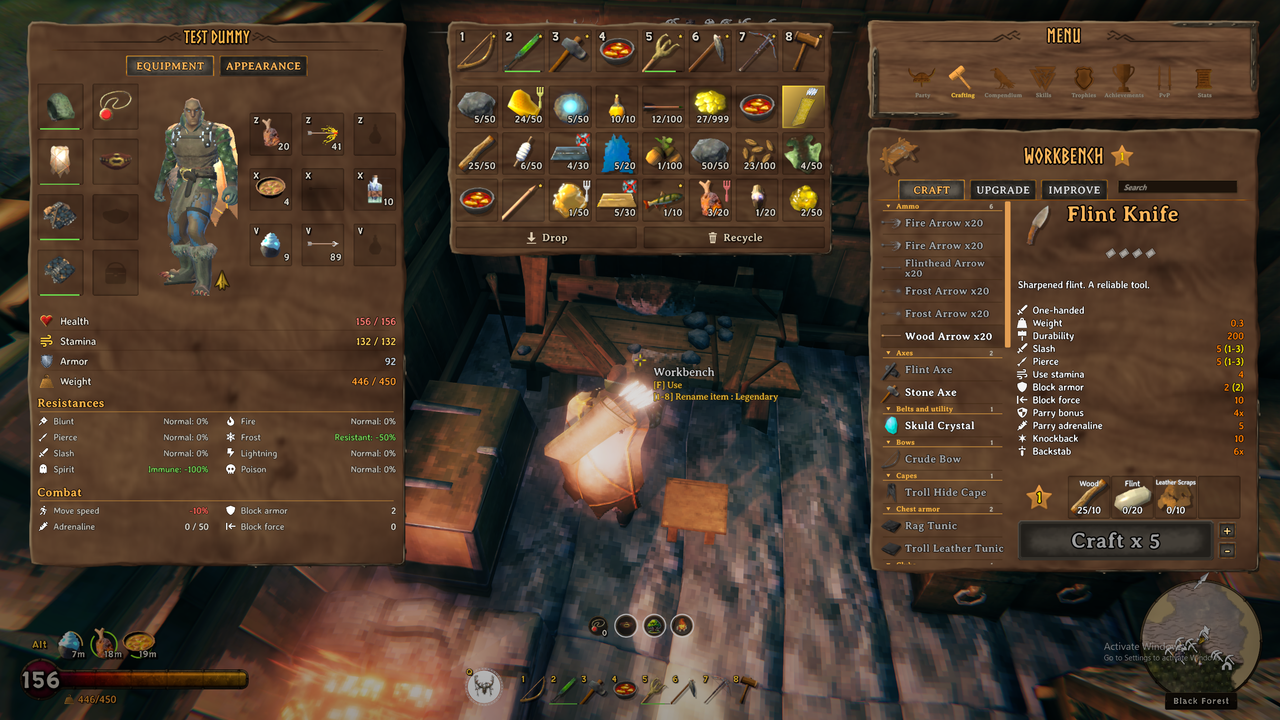
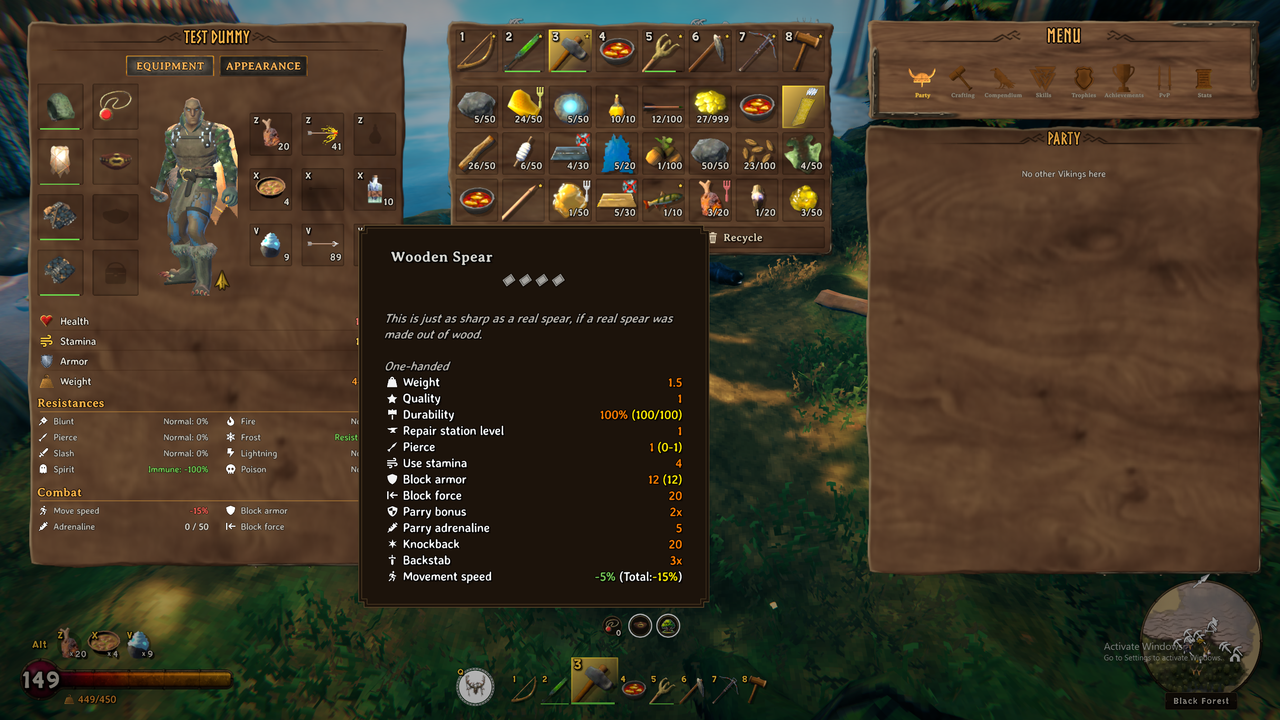
HUD
- Redesigned Vitals: A vintage health tincture look paired with a ring-like design for the stamina, eitr and stagger bars, complete with stylized effects for better clarity in the heat of battle.
- Better Hotbar: A minimalist, centered row for your 1-8 hotbar, so you can keep your eyes on the gameplay instead of the corners of your screen.
- Bars & Stars: See how worn and how well-crafted each item is at a glance, with colored bars and gold stars.
- Rounded Minimap: The bronze-encrusted minimap now features a cohesive rounded look in conjunction with the wind direction and biome name.
- Quick Slot Hotkeys: Keep the convenience of hotkey items without the mess of icons on your screen. Draugrville UI uses rotatable hotkey slots that let you cycle through hunger, arrows, potions and food hotkeys by selecting Alt. Switch on the fly to what you need without the hassle of memorizing 12 new buttons.
- Minimized Status Effects: Every buff and debuff now sits in a clean row of circled icons just above your hotbar, each one ringed by a timer that burns down as the status fades. Wear a trinket and your adrenaline fills its own ring as the battle rages, so you know the moment its power is ready.
- Weight Stats: Quickly see how close your weight limit is by peering just under your new health bar.
- And More: A Viking-themed power slot, quick radial menus, clearer and less intrusive pop-ups, more consistent styling, and more waiting to be discovered.
Inventory
- Synchronized Layout: Open your overhauled backpack to an organized, clean 3-column view for better character breakdown, backpack and menus in the OG Valheim look.
- Inspect Mode: While in your backpack, hover over any HUD element or item for a comprehensive tooltip breakdown.
- Transmog: Change your gear without sacrificing your appearance. You can now swap any previously unlocked style on the fly while keeping the stats of your optimal gear. Transmog includes a 3D model of your current character that you can rotate and zoom around.
- Reduce, Reuse, Recycle: Break down or delete your crafted gear for a fraction of its original materials right from your backpack.
- Quick Slots: New quick slot columns hang at your side, stocked with potions and food provisions for the road ahead. Strap on a quiver and a third column opens for your arrows.
- Character Sheet: See all your current values and resistances so you know which battles to pick ahead of time.
- Next Level Tooltips: Each item comes with a comprehensive tooltip complete with better readability, like unified descriptions, right-aligned, color-coded number values and icons beside each keyword. Draugrville UI also makes sure to show you stats that the vanilla game kept hidden.
- Party Like It's 1999: See your whole Viking crew at a glance. The Party tab shows a live tracker of each player's health, stamina, eitr, armor, power and active foods so you can raid accordingly.
- Stats Tab: Your legacy in numbers. Kills, deaths, crafting, building, gathering and travel records, all laid out in one place.
- Compendium and Achievements: Skills, Trophies, the Compendium and Achievements open right inside the menu in a cleaned-up, compact view.
Map
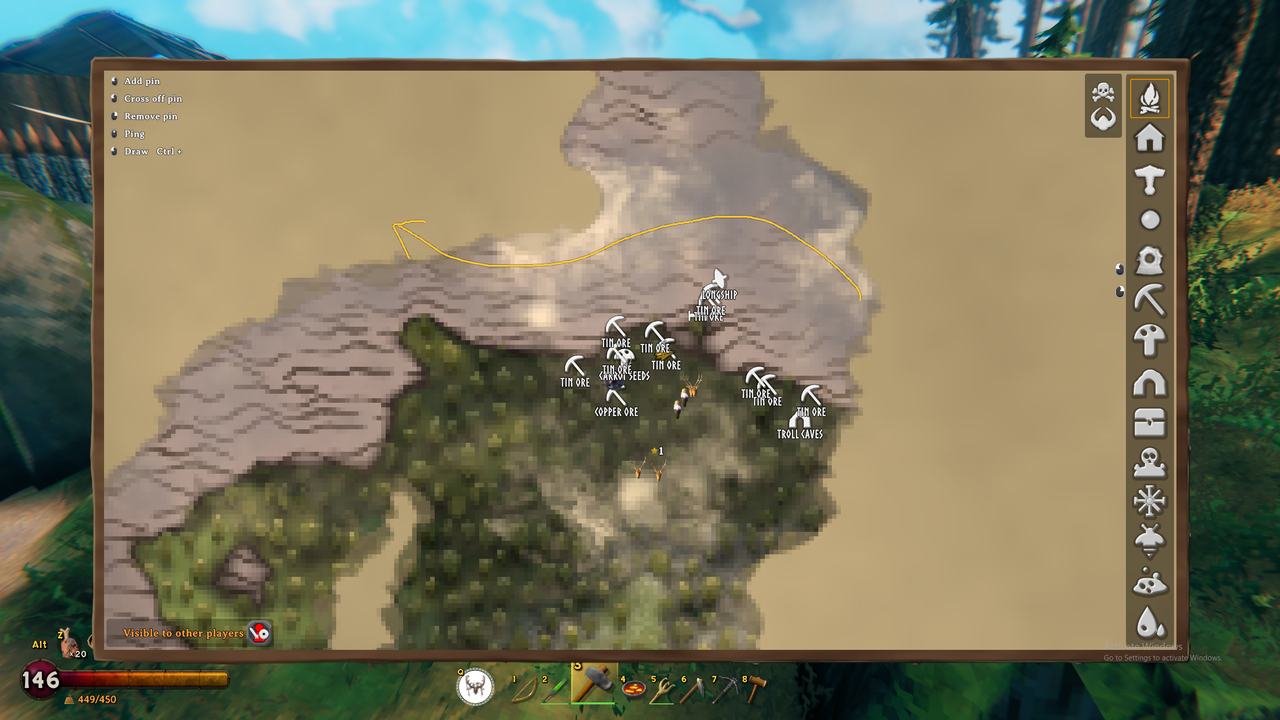
- Custom Player Markers: Customize your player's arrow on the map with color selection shared between all players.
- Draw Mode: Treat your map like a marker board by doodling your strategies and routes right on the map for others to see.
Crafting
- Organized Recipes: Recipes are sorted alphabetically and grouped by type under headings you can fold away, with a search bar to find anything fast.
- Batch Crafting: Queue multiple instances of an item without repeated clicking.
- Insta-Repair: Visiting a forge or workbench immediately repairs all your items.
- Upgrade Preview: See whether your next upgrade's stat jump is worth it, with each stat shown before and after.
Around the World
- Better Creature, Ship and Building Vitals: Cleaner vitals for enemies, ships and buildings, with color-coded bars for each stage of weakness.
- Timers: See the status and time left on your fermenters, plants, cooking stations and more.
- Chest Preview: See the available slots of a chest without having to open it.
Mod Compatibility
- Better Archery: Supported & recommended for use of the arrow quick slots.
- Balrond Runeforging: The Upgrade and Improve panels are styled to match the Craft panel.
- Simple Compass: Supported & recommended for that much-needed minimal compass that pairs with the minimal UI style.
Gameplay Changes
While Draugrville UI is intended to mostly be a QoL improvement to the original Valheim experience, it does feature small gameplay changes such as additional quick slots, the ability to use two equipment slots at once, and a satchel for your coins or keys. Odin approves. Probably.
Settings
Everything can be adjusted or turned off in BepInEx/config (the Draugrville UI file). The settings are grouped by area: HUD, backpack, crafting, look-at info, map and so on.
Installing
Install with r2modman or Thunderstore Mod Manager, or drop DraugrvilleUI.dll into BepInEx/plugins. Requires BepInExPack for Valheim.