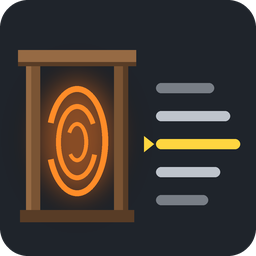
Portals without pairs: look at a portal and a wheel of all other portals appears at the crosshair, scroll and press E to travel. Shift+E: name, owner, icon, any colour, favourite. Portals are marked on the map. Needed on server and all players.
The portal window has Save and Cancel buttons at the bottom, in the game's own button style; Enter and Esc still
work and are noted next to them.
1.2.2
A portal can be public, with no owner: pick "— public, no owner —" in the owner list of its window. The wheel,
the portal's title and its map mark then say "public" instead of a name; public portals come right after your
own in the wheel. Versions before 1.2.2 show such a portal with an unknown owner.
1.2.1
Favourite portal is now chosen per portal: in a portal's window (Shift + E) pick any other portal from the list,
and the wheel at this portal starts on it, marked with a star. "— none —" clears it. Only yours.
The owner can be changed by anyone who may edit the portal (not under someone else's ward), like its name.
The server also learns player names from beds, wards and tombstones in the world, so owners who have not joined
since the update still show by name.
1.2.0
Own palette: next to the nine quick colours there is a palette with any colour (a square, a hue strip and the
colour code) and your ten recent colours. Once you pick a colour there, the palette button takes it.
Favourite portal: star a portal in its window (Shift + E), and the wheel at every other portal starts on it.
Every portal remembers where you last went from it: at the favourite itself, or when you have no favourite, the
wheel starts there. The favourite and this memory are yours only; other players have their own.
A portal under someone else's ward: its window opens, but only the star can be changed.
A small swirl in the corner of a map mark tells a portal mark from marks you placed yourself.
Server and all players must update together: older versions show own-palette colours as white.
1.1.0
The list is now a wheel around the crosshair: five portals visible, the chosen one right of the crosshair,
smooth turning, a soft shadow along the wheel.
Portal window on Shift + E: name, owner, icon (recent icons and all icons of the game with search) and colour.
Owners: whoever built a portal owns it and can hand it over. Your portals come first in the wheel, then other
players' portals grouped by owner.
Portals are marked on the map with their icon, colour and name; pointing at a mark shows the owner. With
ParchmentMap the marks appear on a parchment at a cartography table.
Server and all players must update together (the list format changed).
1.0.0
First release. Portals keep no destination and no pairs. Look at a portal: the list of every other portal in
the world appears next to the crosshair. Pick one with the mouse wheel (gamepad: d-pad left/right) and press
the use key to travel. Shift + use names the portal.
The server keeps the list of all portals and sends it to players when it changes.
The game's own pairing of portals with the same name is turned off; walking into a portal does nothing.
Thunderstore development is made possible with ads. Please consider making an exception to your adblock.