
You are viewing a potentially older version of this package. View Latest Version
EquipmentAndQuickSlots
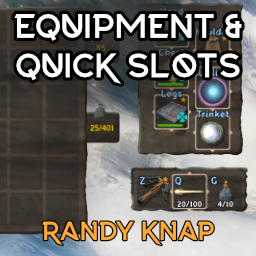
Give equipped items their own dedicated inventory slots, plus up to six hotkeyable quick slots.Equipment and Quick Slots
by RandyKnapp, rewritten by MidnightsFX
Version 3.0 is a complete rewrite.
Give equipped items their own dedicated inventory slots — Head, Chest, Legs, Shoulder, Utility and Trinket — plus up to six hotkeyable quick slots.
- Client-side installable; does not need to be on servers.
- When the server does run the mod (requires Jotunn), the balance settings (slot toggles, quick slot count, keep-on-death) are server-synced and admin-controlled.
- Existing 2.x characters are migrated automatically on first login. Do not downgrade to 2.x after saving under 3.0 — the automatic slot backup protects your items, but the old format is not written anymore.
- Quick slot hotkeys no longer trigger vanilla actions on the same key.
- Quick slots work on a controller: hold LB and press the D-pad (Up, Right, Down, Left for quick
slots 1–4). While a slot holds an item, its combo takes the D-pad press away from the game; with
the slot empty, the press does what it normally does. Change the modifier and each slot's button
under
Controllerin the config. On the Alternative 1 controller layout LB is also the game's alt key, so LB + D-pad camera and minimap zoom give way to the quick slots there. - Optional extra utility slots (
Equipment Slots / Utility Slot Count, 1–3, default 1): wear more than one belt, Wishbone or Megingjord. Off by default and server-synced, because it is a balance change. You can never wear two copies of the same item, and the extra items show on your character for everyone. - Configurable keep-on-death and auto-equip-on-gravestone-pickup behavior.
- Move the equipment panel or the chest window by holding Left Alt and dragging its background
(
Equipment PanelandContainer Windowin the config). Left Alt + right-click on the chest window puts it back in its automatic place below the inventory. The chest window always stays on the screen. - Other mods can add custom slots through the API — see docs/API.md.
Please report bugs on our discord: https://discord.gg/ZNhYeavv3C
Source: Github
Install with BepInEx:
copy EquipmentAndQuickSlots.dll into the BepInEx/plugins folder.
Console commands
eaqs_validate— revalidates the slots and relocates overlapping/out-of-grid itemseaqs_api— prints API version, endpoints and slot statesinvcheck— prints the inventory grid contentseaqs_restorebackup(cheat) — restores the automatic slot backup into free slotsbreakequipment,dropall(cheat) — testing helpers
Compatibility
- BetterUI works out of the box. While BetterUI's HUD editing is enabled (its default), BetterUI
positions the quick slot bar: move it with BetterUI's HUD edit key (F7 by default) and BetterUI
remembers where you put it.
Quick Slots Anchor/Quick Slots Positionin this mod's config only decide where the bar starts. If the bar sits somewhere odd after updating from 3.0.0, press F7 and drag it back, or reset BetterUI'suiDatasetting tonone. - Better Archery works out of the box. Its quiver used to add two hidden rows to the player
inventory, which showed up as a block of empty cells under the inventory and could swallow items.
Its quiver is now hosted as three ammo-only slots in the equipment panel, keyed to Better
Archery's own hotkeys; everything else it does is untouched. Set
Compatibility / Better Archery quiver integrationtofalseto switch its quiver off entirely instead and use the quick slots for ammo. - Item Favorite Framework is optional. When it is installed, the quick slot bar shows its star on
items you favorited (or that sit in a favorited quick slot) and its trash mark on items you flagged
as trash. Turn this off with
Quick Slots / Show favorite marks. Its own borders already show on the slots in the equipment panel. - Other slot mods — AzuExtendedPlayerInventory, ExtendedPlayerInventory, ExtraSlots, ComfyQuickSlots — are declared incompatible; BepInEx will not load this mod next to them.
AI Policy
We accept AI-assisted changes. All code, assets etc. Must be reviewed and tested before it will be merged or released.
Notes
The following things WILL NOT BE ADDED OR CONSIDERED.
- Player wardrobe features (instead use Advizes Armoire)
- Slots which provide: dedicated arrow, or food slots, stat changes per slot (instead use Extra Slots)
- 3D or otherwise interactable character model (use Azu Extended Inventory instead)