
Controller Support Plus
Valheim, the way it should feel on a controller. Plug and play: a controller hotbar, a pad-friendly inventory, HUD presets and a PRO button layout. Client-side, works on any server.🎮 Controller Support Plus
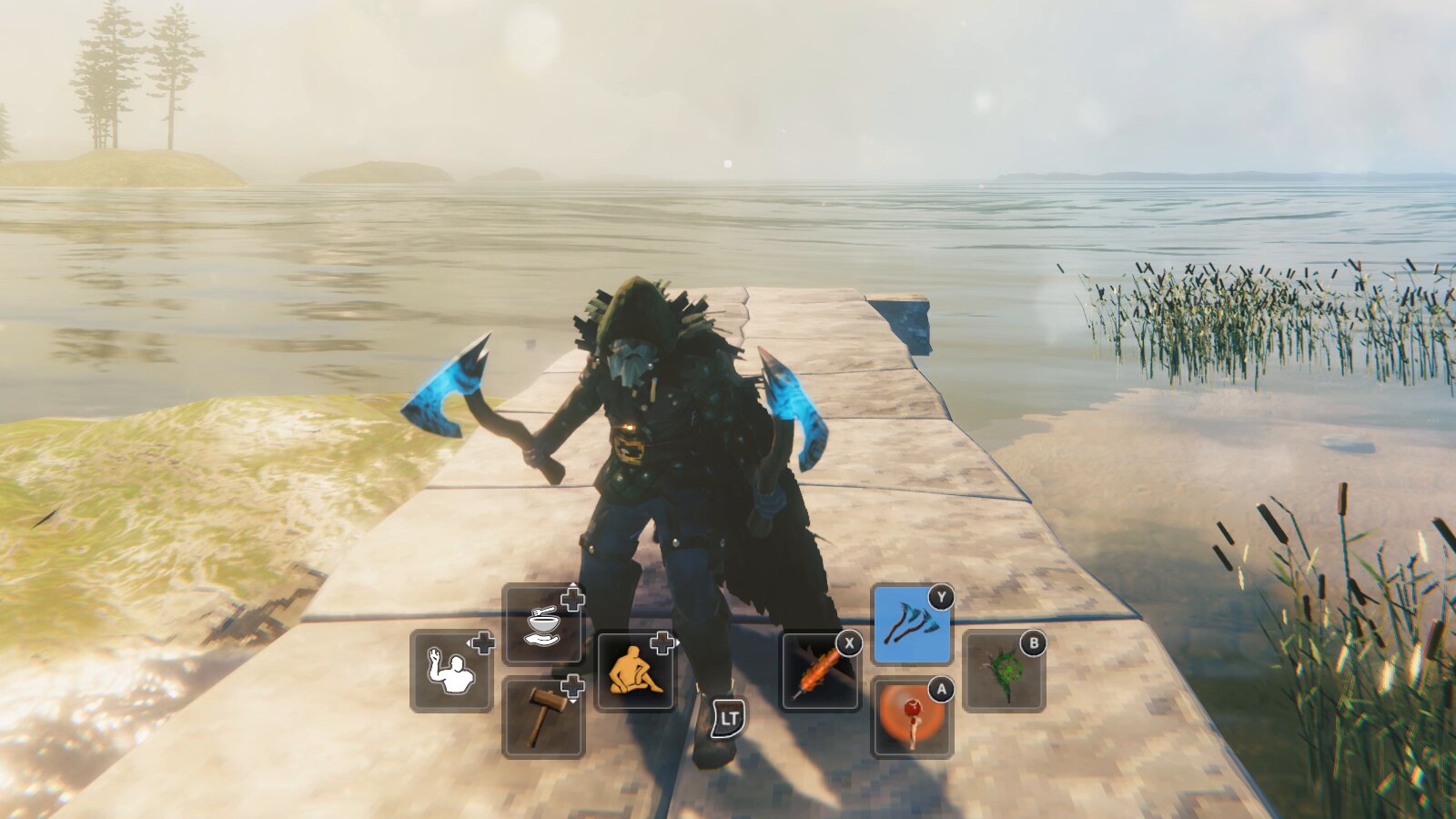
Valheim on a controller, the way it should have shipped. No new mechanics, no flashy tools: just a controller that feels right at home, in Valheim's own look and feel.
✅ Client-side: works on any server, and nobody else needs it.
✅ Keyboard and mouse stay exactly as they are.
🚀 Getting started
- Install with a mod manager (r2modman or Thunderstore Mod Manager). The only dependency is BepInExPack for Valheim, and your mod manager adds it for you.
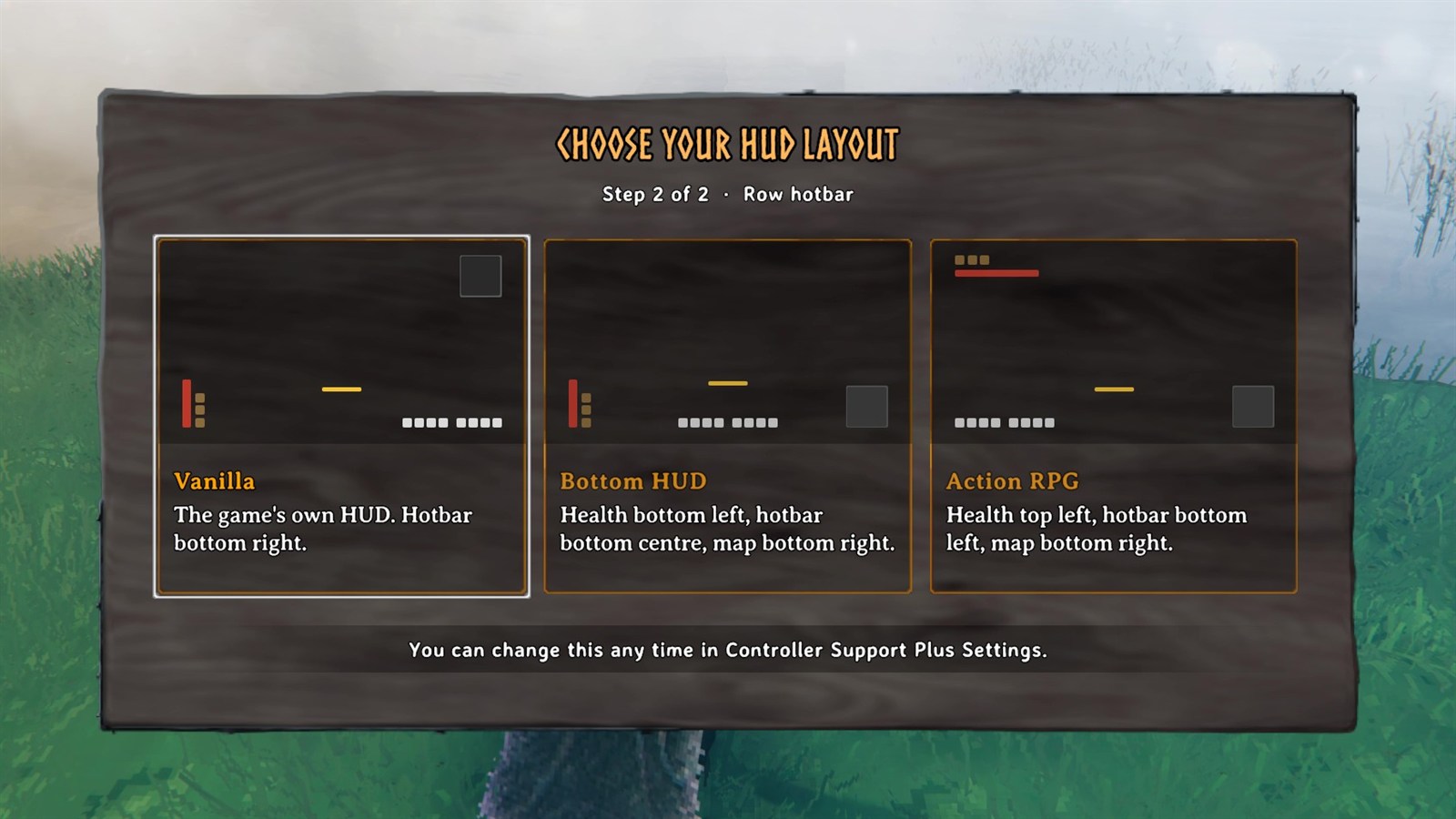
- Load into a world with your controller. Press Y on Begin Setup, then pick your hotbar and HUD layout. Each choice previews live.
- The mod adds its own controller layout, called PRO, and turns it on for you. The quick slots, the LT shortcuts and the extra buttons need it.
Button names use Xbox labels. On PlayStation: A = ✕, B = ○, X = □, Y = △, LB/RB = L1/R1, LT/RT = L2/R2, Select = Share/Create.
✨ Features
Controller Hotbar
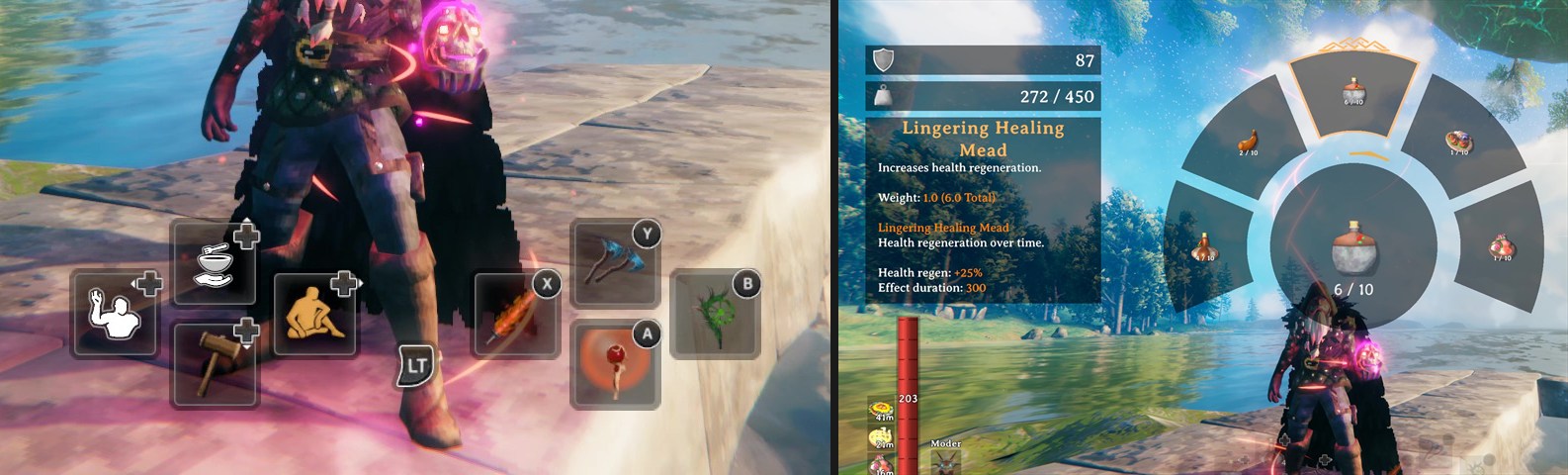
Eight items on your HUD: four on the D-pad, four more with LT and the face buttons.
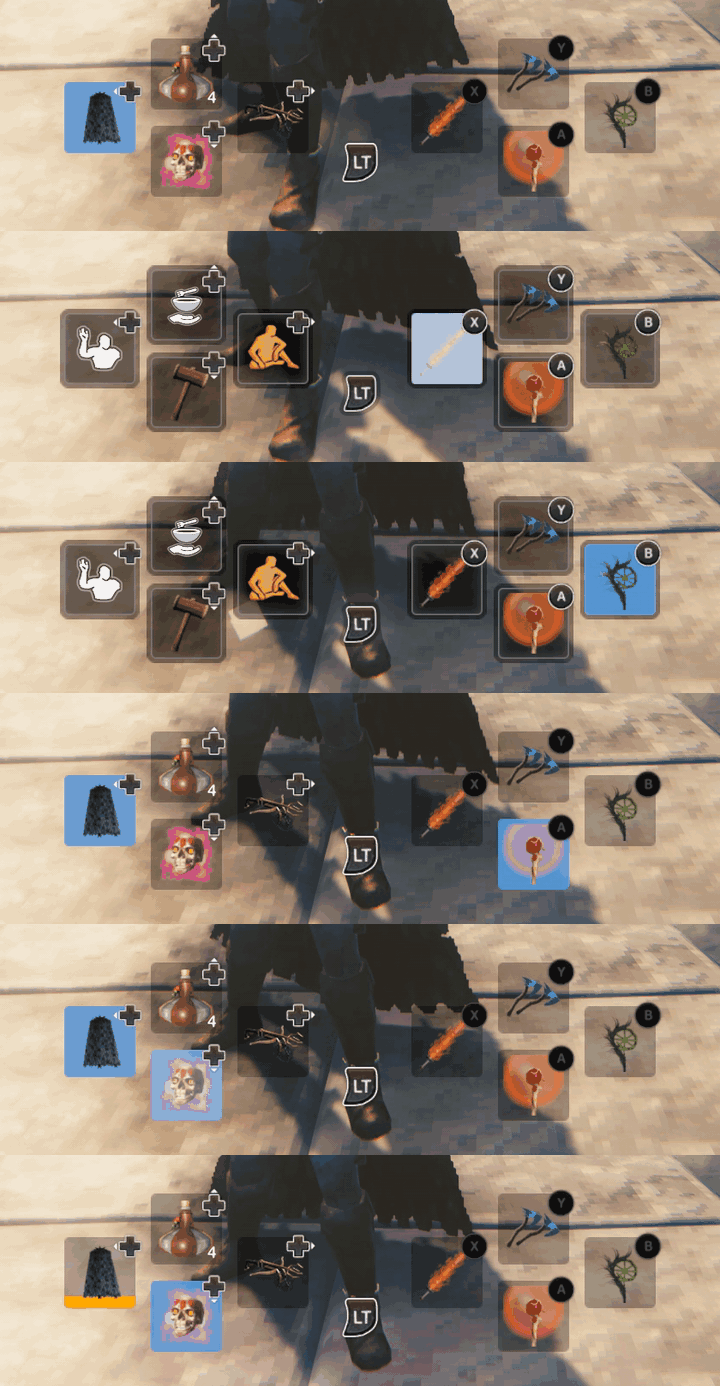
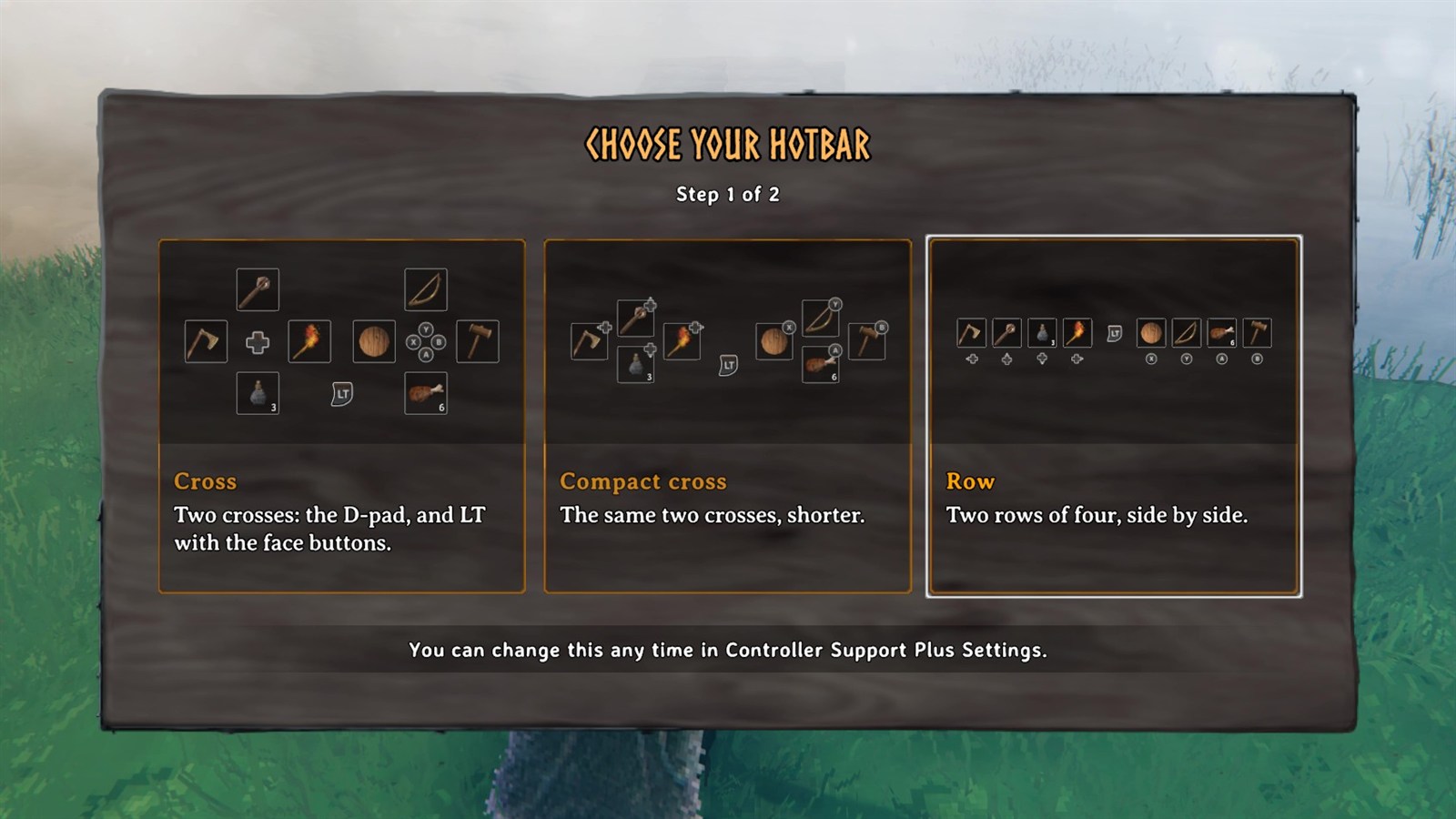
Three hotbar layouts
Cross, Compact cross or Row. All three hold the same eight items, so pick the shape that suits you.
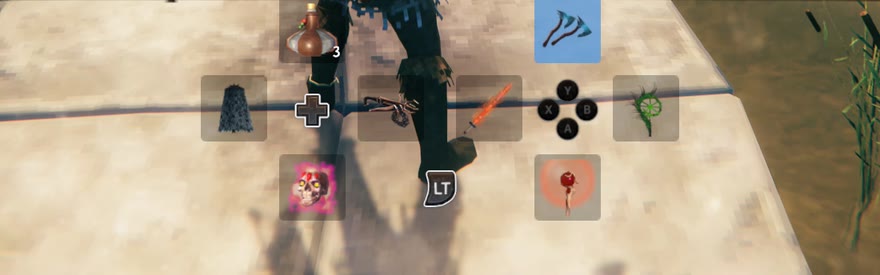
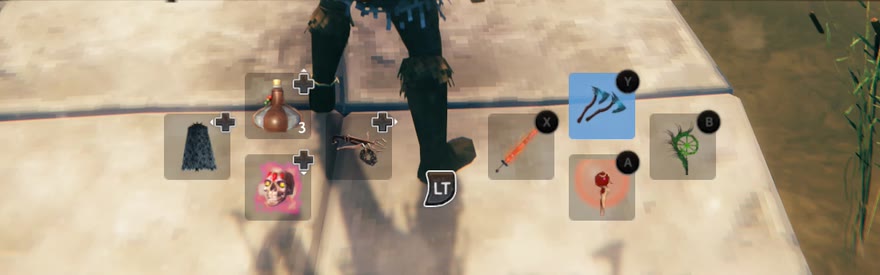
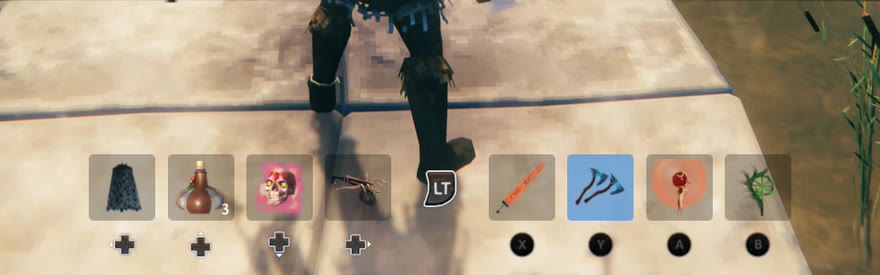
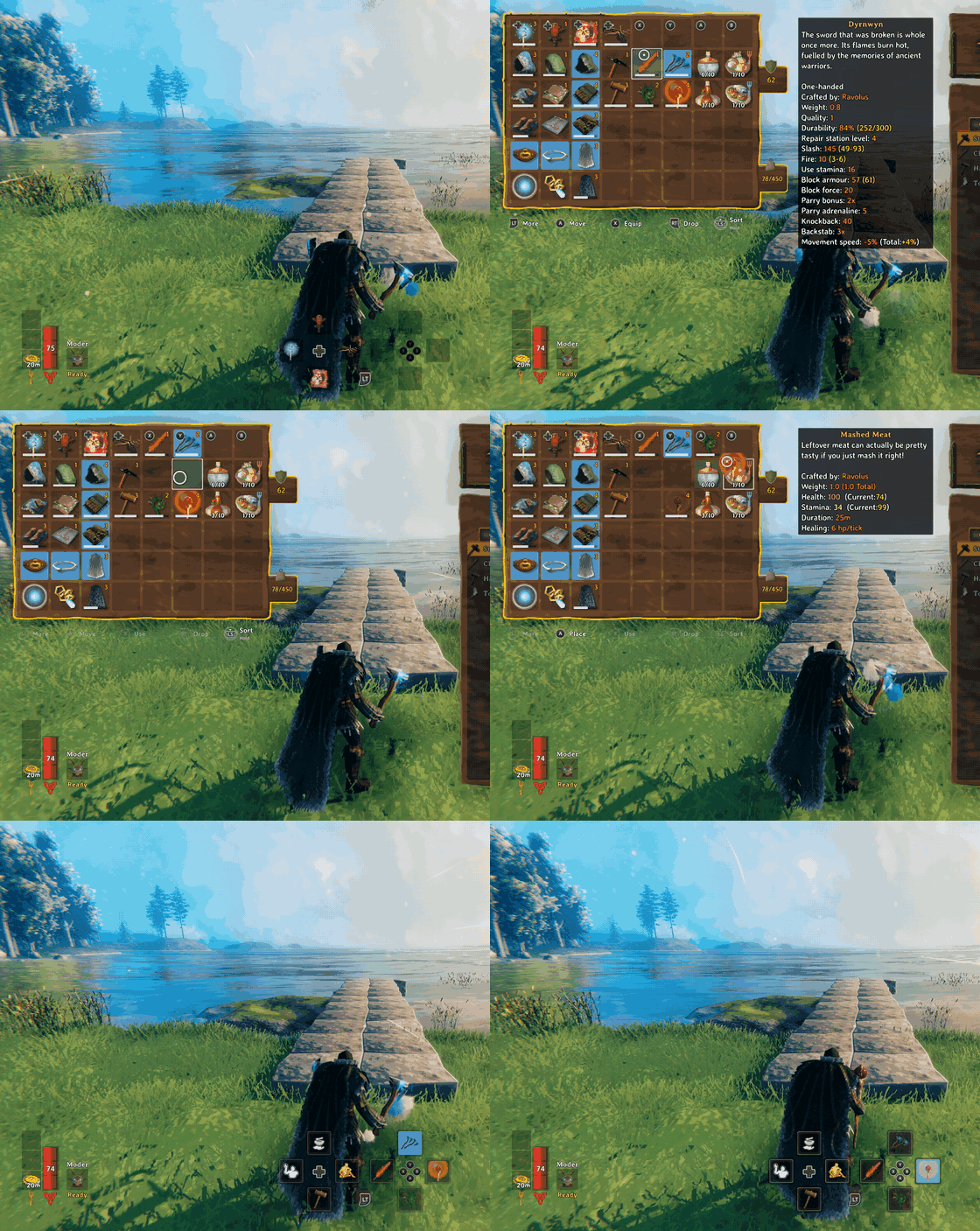
Putting items on the hotbar
Drag an item onto your bag's top row. The button shown in the slot's corner is the one that uses it, like 1 to 8 on keyboard.
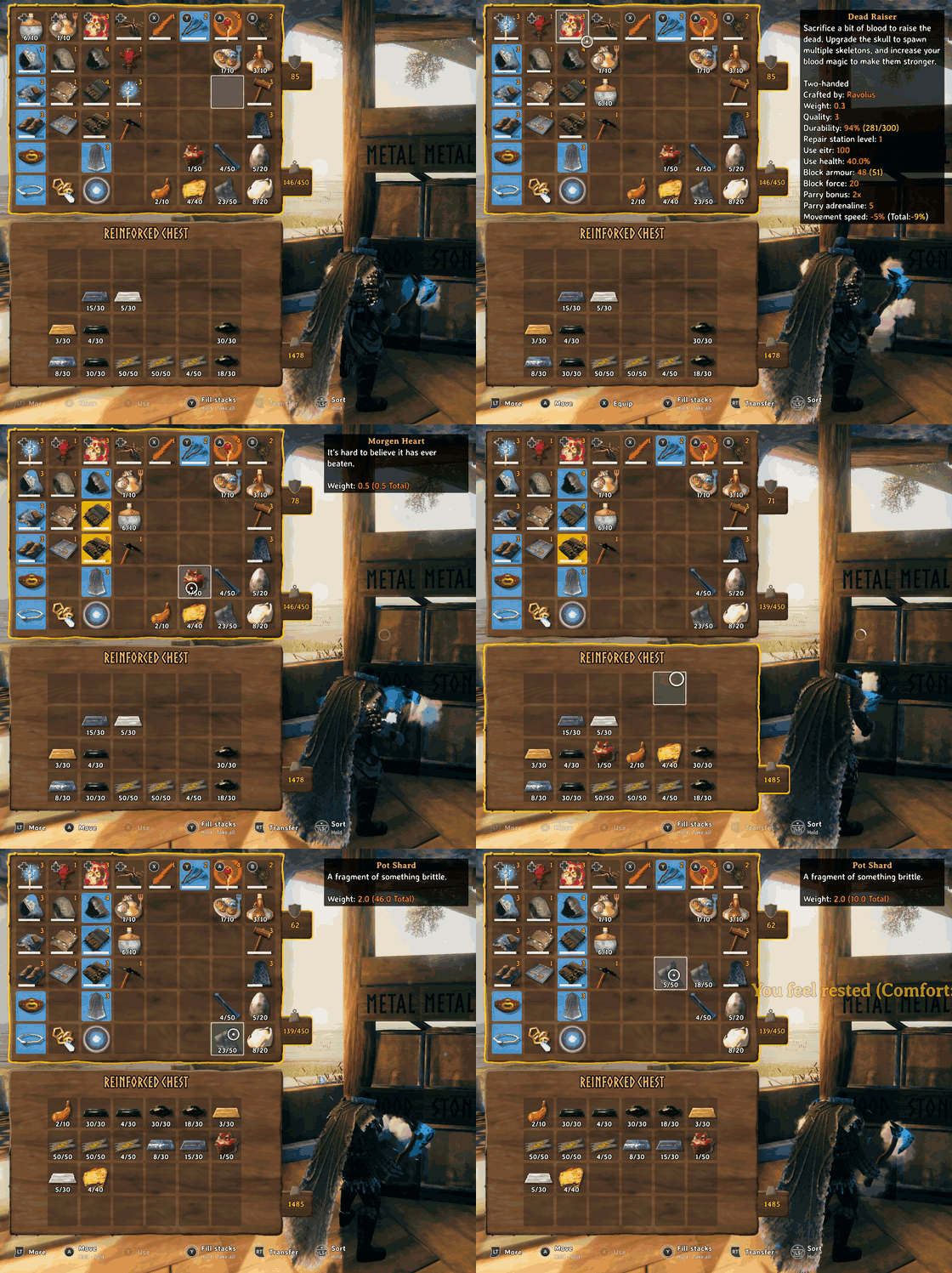
Inventory and menus
Move the left stick and the Controller Cursor appears in your bag, chests, the build menu and pickers. A button guide under the bag shows what each button does.
LT shortcuts
Hold LT and the D-pad opens your consumables or emotes, sits you down, or takes out the hammer.
First-launch setup
A quick setup on first launch, so everything's ready your way from minute one.
Optional styles for vanilla HUD elements
Buffs and debuffs, the pickup feed and equip progress can each stay vanilla or take the mod's style. You'll find them in Settings.
🕹️ Controls
Inventory and chests
| Button | What it does |
|---|---|
| RT | Send the item to the open chest, or back to your bag |
| LT + RT | Move a stack across and leave one behind |
| LT + A | Take a single item off a stack |
| Y | Tap to fill your stacks from the chest. Hold to take all |
| Press and hold left stick (L3) | Sort by type. Your hotbar row and equipped gear stay put |
| X on a mannequin, item stand, item frame or boss altar | Open it like a chest |
PRO layout buttons
| Button | What it does |
|---|---|
| B | Dodge (hold: sneak) |
| LB + RB | Use your Forsaken power |
| Right stick click | Sheathe or draw your weapon |
| Hold LT | Use the quick slots (hotbar 5 to 8) |
You can switch back to one of the game's own layouts anytime in its controller settings.
⚙️ Settings
Open the pause menu and press Select (View on Xbox, Share/Create on PlayStation), or pick the Controller Support Plus button in the pause menu. Switch tabs with LB and RB. Changes show on your HUD as you make them. The same options are in your mod manager.
Tip: turn on LT + Select to open the settings straight from play, and use Rerun setup to bring back the first-launch setup.
| Setting | Options |
|---|---|
| HUD preset | Vanilla, Bottom HUD, Action RPG |
| Hotbar layout | Cross, Compact cross, Row |
| LT + D-pad function | Function shortcuts, Item shortcuts |
| Buffs and debuffs | Vanilla, Detailed, Slim |
| Pickup notifications | Modern, Vanilla |
| Equip progress | Radial ring around the crosshair, Vanilla bar |
| Show button hints | On, Off |
| Keep HUD layout while using keyboard and mouse | On, Off |
🐞 Known issues
None known yet. Found a bug or have an idea? Open an issue on GitHub. I read every one.
💛 About
Made by a solo UX/UI designer getting into modding. I built Controller Support Plus with AI assistance and spent most of my time on the feel: smooth menus, clear prompts, and small touches that make playing on a controller satisfying.
If you enjoy the mod and want to support me:
