

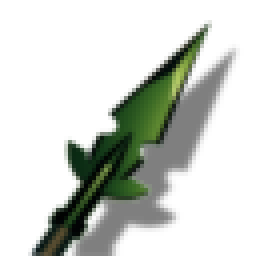
Blackmetal Spear
Adds the Blackmetal Spear to fill in the gap between the Fang and Carapace spears. Complete with a custom 3D model and fully balanced stats. I made the 3d model in Blender/Unity, the AI wrote the code to get it in gameBlackmetal Spear
This mod adds the Blackmetal Spear to Valheim, complete with an authentic custom 3D model and custom icon.
Created using the Jötunn library for seamless integration and maximum compatibility with other Valheim mods.
Balanced Weapons Stats
| Stat | Value | Level Upgrade |
|---|---|---|
| Damage Type | Pierce | - |
| Base Pierce Damage | 95 | +5 per level |
| Base Durability | 250 | +50 per level |
| Tool Tier | Blackmetal | - |
Crafting & Upgrade Recipe
Crafted and upgraded at the Forge (Requires Forge Level 4).
- 🪵 Fine Wood x10 (Fixed cost)
- 🔗 Black Metal x6 (+3 per upgrade level)
- 🧵 Linen Thread x5 (+3 per upgrade level)
How to Spawn with Devcommands
If you want to test the spear or play in creative mode, you can easily spawn it using Valheim's built-in console commands.
Spawning Steps:
- Enable the Console: Right-click Valheim in your Steam Library -> select Properties -> in Launch Options add
-console. - Open the Console: Launch the game, load into your world, and press F5 to open the console.
- Enable Cheats: Type
devcommandsand press Enter. - Spawn the Spear: Type the following command and press Enter:
spawn SpearBlackmetalWicked
Note: The spear's internal prefab identifier is SpearBlackmetalWicked.
Installation
Method 1: Automated (Recommended)
We strongly recommend using a mod manager such as r2modman or the Thunderstore Mod Manager:
- Open your mod manager and select your Valheim profile.
- Search for
Blackmetal Spear(orBlackmetal_Spear) and click Install. - Launch the game through the mod manager!
Method 2: Manual
- Download this package zip and extract the contents.
- Copy
BlackmetalSpear.dllinto your Valheim installation's BepInEx plugins directory:...\Steam\steamapps\common\Valheim\BepInEx\plugins\ - Launch the game!
Requirements
This mod requires the following libraries to function: