

SpearBlackmetal
Adds the Blackmetal Spear, a darker, sharper Norse spear forged of wicked blackmetal. Complete with a custom 3D model, custom materials, fitted physics, and fully balanced stats.Blackmetal Spear
A darker, sharper Norse spear forged of wicked blackmetal. This mod introduces a high-tier, fully balanced custom spear to Valheim, complete with an authentic custom 3D model, realistic in-game materials, customized physics, and custom icon assets.
Created using the Jötunn library for seamless integration and maximum compatibility with other Valheim mods.
Features
- Custom 3D Model & Materials: Swaps the default visuals with a beautiful custom spear model featuring authentic blackmetal blade and grip textures (no shiny or plastic shaders).
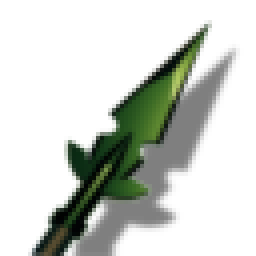
- Custom Icon: Features a dedicated hand-crafted icon in your inventory that matches the spear's in-game aesthetics.
- Fitted Colliders & Physics: Dynamic box colliders specifically fitted to the custom mesh for accurate physics behaviors when dropped or placed.
- Balanced Progression: Slots perfectly into the late-game blackmetal tier (sitting between the Wolf Fang Spear and Carapace Spear).
Balanced Weapons Stats
| Stat | Value | Level Upgrade |
|---|---|---|
| Damage Type | Pierce | - |
| Base Pierce Damage | 95 | +5 per level |
| Base Durability | 250 | +50 per level |
| Tool Tier | Blackmetal | - |
Crafting & Upgrade Recipe
Crafted and upgraded at the Forge (Requires Forge Level 4).
- 🪵 Fine Wood x10 (Fixed cost)
- 🔗 Black Metal x6 (+3 per upgrade level)
- 🧵 Linen Thread x5 (+3 per upgrade level)
How to Spawn with Devcommands
If you want to test the spear or play in creative mode, you can easily spawn it using Valheim's built-in console commands.
Spawning Steps:
- Enable the Console: Right-click Valheim in your Steam Library -> select Properties -> in Launch Options add
-console. - Open the Console: Launch the game, load into your world, and press F5 to open the console.
- Enable Cheats: Type
devcommandsand press Enter. - Spawn the Spear: Type the following command and press Enter:
spawn SpearBlackmetalWicked
Note: The spear's internal prefab identifier is SpearBlackmetalWicked.
Installation
Method 1: Automated (Recommended)
We strongly recommend using a mod manager such as r2modman or the Thunderstore Mod Manager:
- Open your mod manager and select your Valheim profile.
- Search for
Blackmetal Spearand click Install. - Launch the game through the mod manager!
Method 2: Manual
- Download this package zip and extract the contents.
- Copy
SpearBlackmetal.dllinto your Valheim installation's BepInEx plugins directory:...\Steam\steamapps\common\Valheim\BepInEx\plugins\ - Launch the game!
Requirements
This mod requires the following libraries to function: