

InventoryLimit
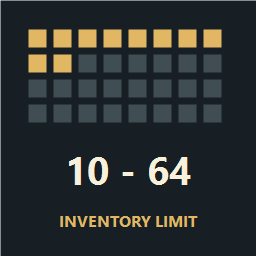
Keep vanilla-like inventory pressure in UI-focused modpacks. Set a server-wide main inventory limit of 10-64 slots to offset extra storage. Works standalone or with optional SeneaL UI 1.1.6.InventoryLimit
InventoryLimit lets a server host set the main inventory capacity from 10 to 64 slots, in steps of 1. It works with the standard inventory and includes optional support for SeneaL UI 1.1.6. The default is 32 slots.
Why use it in a modpack?
InventoryLimit was created for modpacks that improve Valheim's interface but also give players more inventory space. Extra rows and separate equipment or food slots can make a character more convenient to manage while also making it easier to carry supplies and bring home more loot in one trip.
The mod lets you compensate for that extra storage by reducing the main inventory. You can keep a supported interface's visual improvements and dedicated slots while preserving more of vanilla Valheim's inventory pressure: choosing what to carry, leaving room for loot, and deciding when to return to base.
Set 32 to restore the standard main-grid capacity. If your interface also provides separate equipment, food, or other storage, a limit below 32 lets you offset that additional space. Those dedicated slots remain available in the supported SeneaL integration.
This is a tool for tuning inventory-related difficulty. The right limit depends on your modpack; setting 32 does not recreate the complete vanilla balance when other storage features are still present.
Configuration
Open F1 → InventoryLimit → Inventory → Slots to change the limit. Configuration Manager provides the F1 settings interface.
There is one setting: the number of main inventory cells, from 10 to 64. For example, 10 gives you the first row of eight hotbar cells and two cells in the next row. Partial rows are supported.
Multiplayer
The host's setting is synchronized to connected players through Jötunn, including when hosting a world from your own PC. Ordinary guests cannot change the server setting; authorized server administrators can.
Install the same InventoryLimit version on every player and on a dedicated server, if used. Each player's local inventory layout follows the synchronized main-slot limit. Mixed SeneaL and standard-interface sessions still require in-game verification; see the testing note below.
Inventory behavior
- The limit applies to all cells in the main inventory, including the eight hotbar cells.
- Vanilla equipped armor remains in the main inventory and counts toward the limit; InventoryLimit does not create separate armor slots.
- Increasing the visible grid height does not increase the allowed capacity.
- When shrinking, items outside the target range are compacted into free cells without merging or dropping stacks.
- If more stacks are occupied than the target allows, enough cells are retained temporarily. For example, 14 occupied stacks with a target of 10 retain 14 cells until four stacks are removed. Those temporary cells cannot be refilled beyond the target.
InventoryLimit enforces the limit during normal inventory operations and overrides ordinary changes to grid height. It does not have universal priority over every mod: a mod that replaces inventory behavior or writes directly to item data may require a dedicated compatibility adapter.
Optional SeneaL UI support
The ZIP includes an optional adapter for SeneaL UI exactly version 1.1.6. It loads only when that version is installed and keeps SeneaL food, equipment, action, key, wallet, quiver, and other special slots outside the main inventory limit.
If a different SeneaL UI version is installed, InventoryLimit reports an error and does not apply the limit.
Installation
Install the required BepInExPack Valheim, Jötunn, and Configuration Manager dependencies, then install InventoryLimit through your mod manager.
For a local installation, open Settings → Install local mod and select InventoryLimit-0.2.0.zip. Replace an older InventoryLimit installation rather than keeping duplicate DLLs.
Compatibility and recovery
The standalone mode detects known conflicting special-slot layouts: Equipment and Quick Slots, AzuExtendedPlayerInventory, ExtraSlots, and an enabled BetterArchery quiver. It blocks inventory access for recovery instead of reassigning those cells. Restore the previous setup, empty its special slots, save and exit, then disable the conflicting feature. BetterArchery with its quiver disabled can use the standalone mode.
SeneaL compatibility mode requires SeneaL itself to manage the inventory. Its existing BetterArchery integration is retained; other inventory replacements are not automatically supported.
Before removing SeneaL UI, leave it installed while you move everything from its food, equipment, action, key, wallet, quiver, and other special slots into chests. Save and exit, then disable it.
If legacy special slots are already occupied without SeneaL UI installed, InventoryLimit preserves their data and blocks inventory access with a warning. Restore SeneaL UI 1.1.6 before continuing play, dying, or recovering a grave, then empty those slots safely.
Before removing InventoryLimit itself, return the limit to 32 and empty any remaining cells beyond the first 32. Back up the character and world before changing inventory mods.
Version 0.2.0 has build and static-test coverage. In-game Unity, multiplayer, and macOS behavior has not yet been verified for this release.