
You are viewing a potentially older version of this package. View Latest Version
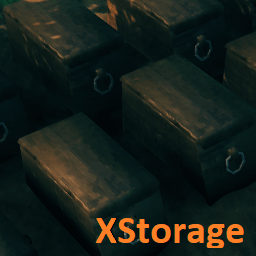
XStorage lets you open multiple chests at once, rename them, and move items/stacks to the most suitable chest.
By pressing alt-interact (Shift + E by default), you can give your chests a name. This name is shown when you hover over the chest, and also in the panel above the inventory when a chest is opened.
While XStorage is installed, chest names should show up everywhere your chests are mentioned, but if you uninstall XStorage, there will be no trace of that anymore. However, if you then install XStorage again, all those chest names will be back again, as they are permanently saved in your world file.
To display multiple chests, XStorage creates a new panel in the UI. Sadly there aren't enough pixels on the screen to make everything fit nicely, so there is a small overlap with existing UI panels. Hopefully I can address this in the future.
In theory there is no limit to how many chests XStorage can display. When the UI panel is full, XStorage makes the panel scrollable. In a future version, I might impose a restriction on how many chests can be opened though, as this could cause performance issues.
Also on the roadmap are config options that let you configure the distance and methods that decide which chests are opened. One such method I have in mind is chest linking, i.e. every opened chests searches for other chests near it, so that you could open an entire row of chests from either end. For now, XStorage opens any chest that is within 5 meters of the player (again, with no maximum amount of chests).
When you auto-move an item from your inventory (by Ctrl+clicking it), XStorage tries to find the most suitable chest to put the item/stack in. It does so by picking the chest containing the highest quantity of the item you are moving, from all opened chests that still have free space. So if you have a wooden chest with 499 stone in it, ctrl+clicking on a stack of stone in your inventory will move 1 stone to that chest. You have to then ctrl+click it again to make the rest go to the next most suitable chest.
Ctrl+clicking an item or stack in any of the chests will always make it go to the player inventory.
In multiplayer games, all players need to have XStorage installed, or it will not work. If you play on a dedicated server, the server also has to have XStorage installed.
There are a few things that, at this stage, XStorage does not do well, or at all:
Like most Valheim mods, XStorage is a BepInEx plugin. Make sure you have BepInEx installed.
XStorage makes use of the Jötunn library, so don't forget to install that first. Without it, XStorage will not even load.
To report a bug, please navigate to the Issues page, click New issue, choose Bug report, and fill out the template.
For feature requests, choose Feature request on the New issue page.
v1.0.1 (2023-02-28)
v1.0.0 (2023-02-28)
Please have a look at my other mod too! XPortal lets you select a portal destination from a list of existing portals, so that you don't have to match portal tags anymore.
My mods are free and will remain free, for everyone to use, edit or learn from. I lovingly poured many hours of hard work into these projects. If you enjoy my mods and want to support my work, don't forget to click the Like button, and please consider buying me a coffee :)

