
SteelhammerEssentials
Client-side Valheim QoL bundle: smart mouse-wheel hotbar, slot locking, crafting from nearby storage, equipment slots and three configurable quickslots.Steelhammer Essentials
A client-side quality-of-life bundle for Valheim.
Tested with:
- Valheim 1.0.14
- BepInExPack Valheim 5.4.2350
Features
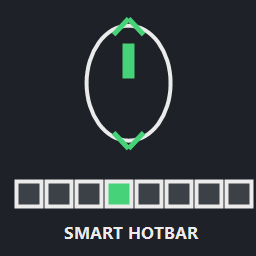
Smart Hotbar
Use the mouse wheel to switch directly between occupied hotbar slots.
- Empty slots can automatically be skipped.
- Wrap-around is supported.
- Building mode keeps the mouse wheel available for rotating pieces.
- Holding Left Control keeps normal camera zoom available.
- Scroll behavior is configurable.
Slot Lock
Protect individual inventory slots.
- Hold Left Alt and left-click an inventory slot to lock or unlock it.
- Locked slots receive a visible gold border.
- Locked slots are protected from Stack All / compatible automatic storage behavior.
- Locked slot positions are stored per character.
Craft From Storage
Craft, upgrade and build using materials stored in nearby containers.
- Configurable search radius from 1 to 500 meters.
- Combines player inventory and nearby storage when checking available materials.
- Materials are consumed from inventory/storage as needed.
- Optional processing-station feeding is available but disabled by default.
Equipment Slots
Dedicated slots outside the normal inventory area for:
- Helmet
- Chest
- Legs
- Shoulder / Cape
- Utility
- Trinket
Equipping compatible items automatically moves them to their dedicated slot.
Quick Slots
Three additional quick slots outside the normal inventory.
Default keys:
- Z
- V
- B
The keys are configurable through the BepInEx configuration.
Configuration
Configuration file:
BepInEx/config/at.steelhammer.essentials.cfg
Important options include:
- Smart Hotbar enabled/disabled
- Scroll direction
- Skip empty slots
- Wrap-around
- Scroll delay
- Slot Lock modifier key
- Craft From Storage search radius
- Processing-station feeding
- Quickslot keys
- Quickslot HUD
- Inventory slot labels
Important: removing or disabling the mod
Before disabling or uninstalling Steelhammer Essentials:
- Move all items out of the Z/V/B quick slots.
- Unequip equipment stored in the dedicated equipment slots and move it back into the normal inventory.
- Make sure both additional reserved inventory rows are empty.
- Save and log out normally.
- Only then disable or remove the mod.
Keeping a character backup is recommended before first use and before removing inventory-changing mods.
Multiplayer
Steelhammer Essentials is designed as a client-side mod and does not require a dedicated server component.
Other players do not need the mod in order to join the same server.
Compatibility
Steelhammer Essentials combines functionality that would otherwise commonly require several separate client-side QoL mods.
To avoid duplicate behavior, do not simultaneously enable another mod that provides the same hotbar scrolling, slot locking, craft-from-storage, equipment-slot or quickslot functionality.
AI-assisted development
Development, debugging and code review were performed with AI assistance. The mod was compiled and manually tested in Valheim before release.
License
MIT License.