

PingHeim
A craftable Ping Stone that puts creatures, traders, players, buildings and portals around you on your map, each with its own icon. Switch each kind on or off on the map. It recharges, and players you ping see it.PingHeim
A craftable Ping Stone that lights up everything around you on the map: creatures, traders, other players and buildings.
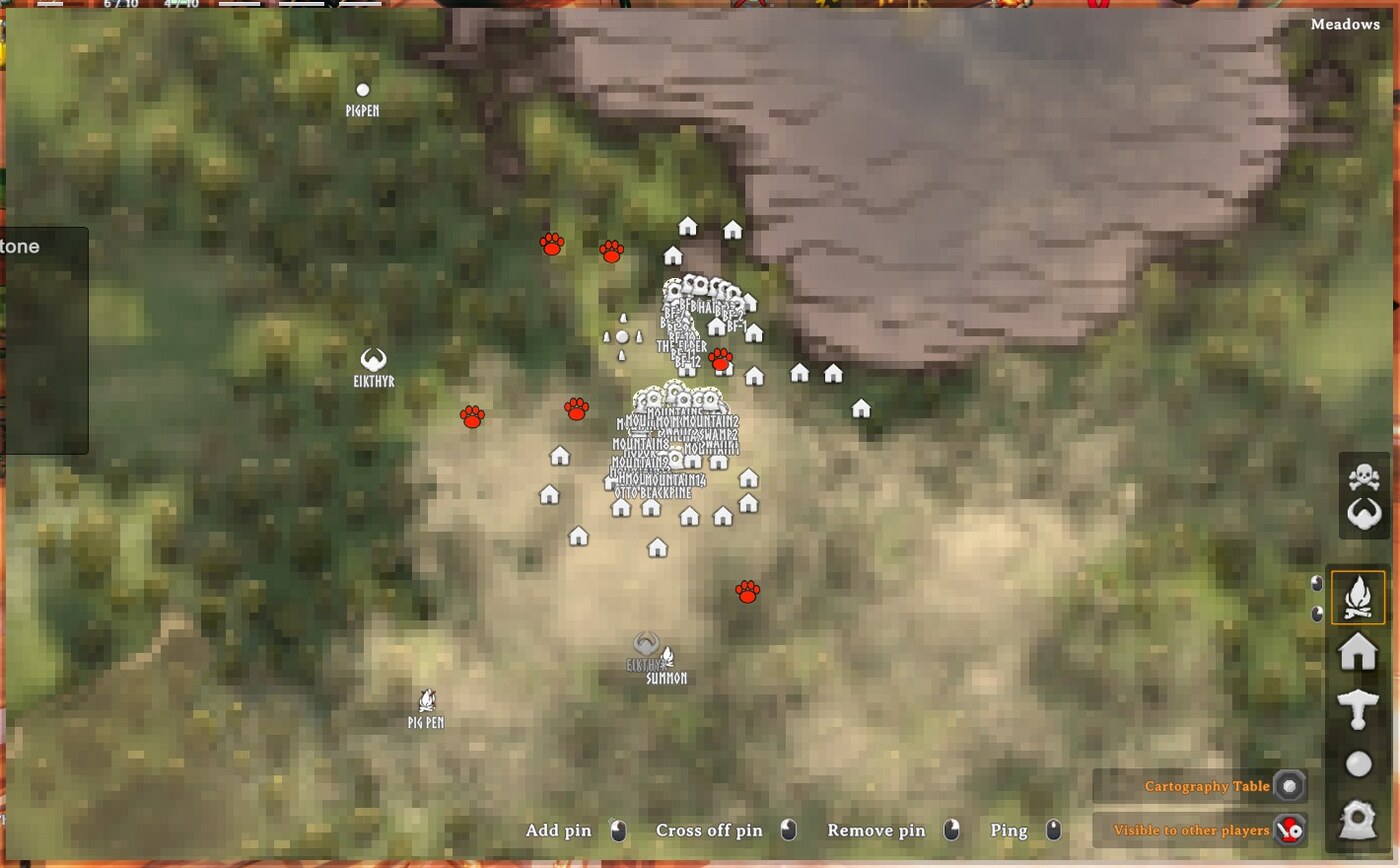
Use the stone and a sonar-style ping rolls out across your area. Everything it finds appears as a coloured dot on your map:
| Map icon | What it is | How long it stays |
|---|---|---|
| Red paw print | Creatures: monsters and animals | 3 minutes |
| White person | Traders (Haldor, Hildir, the Bog Witch) | 3 minutes |
| Blue person | Other players | 3 minutes |
| House (the game's own icon) | Buildings that players have built | Permanently |
| Portal (the game's own icon, with the portal's name) | Portals that players have built | Permanently |
Then the stone needs to recharge (10 minutes by default). A status icon with a countdown shows when it's ready again.
Contents
- Getting started
- Choosing what to show
- Pinging other players
- Examples
- What a ping can see
- Multiplayer
- Configuration
- Troubleshooting
Getting started
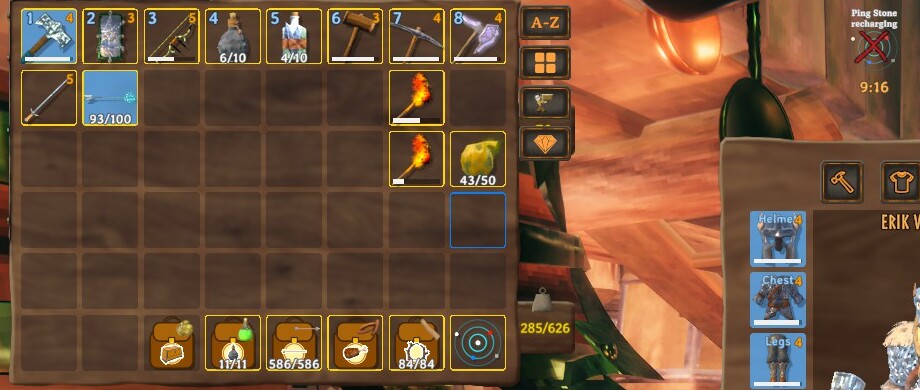
- Craft a Ping Stone at a forge: 3 Bronze, 5 Fine Wood, 1 Surtling Core.
- Carry it. Right-click it in your inventory (or put it on the hotbar and press its key) to use it.
- You hear the ping. Open your map: creatures, traders and players show as icons, and any player-built buildings and portals nearby are marked with the game's house and portal icons.
The stone is not used up. After a ping it shows a recharge timer in your status effects, and using it too early just tells you how many minutes are left.
Choosing what to show
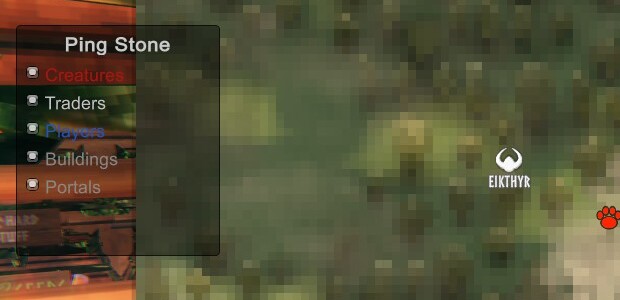
Don't want every kind of find? Open the map and you'll see a small Ping Stone box with a switch for each kind: Creatures, Traders, Players, Buildings, Portals. Click one to hide or show it straight away. You don't need to ping again: everything the last ping found is kept, and the switches only decide what's displayed.
You can also open the same box from the stone: hold Shift while you use it. It has a Ping now button too. Your choices are saved in the config file.
Pinging other players
A ping isn't silent. Any other player it detects gets a ping at your position, just like a middle-click on the map: the word PING appears in the world and on their map. They are told "Your name pinged you", and you show up on their map as a blue dot for 3 minutes, so a ping reveals you as well as them.
You can switch that off with Detect / NotifyPlayers, so the ping stays your secret (you will still see them).
Examples
Before you enter a swamp crypt: ping from the doorway to see what's wandering nearby, and which of your friends are close.
Scouting a base site: ping where you're thinking of building. The house icons show whether someone's already built close by.
Checking on the farm at night: a ping tells you whether anything is lurking around the pens.
Finding Haldor: he moves. A ping in a Black Forest clearing shows a white person if he's within range.
Group hunts: one player pings and everyone nearby sees them. Use it to meet up.
Quiet scouting: turn NotifyPlayers off and ping without alerting anyone you detect.
What a ping can see
- It reaches 120 metres around you by default (
Ping / Radius). Valheim only keeps track of the areas close to you, so in practice a ping finds things within roughly 64 to 128 metres, depending on where you stand in your area. You'll see more if you stand near the middle of an area than at its edge. - Creatures include animals and monsters. It skips creatures you have tamed unless you turn that on (
IncludeTamedCreatures), and you can limit it to hostile creatures (OnlyHostileMonsters) or add the creature's name beside each dot (LabelMonsters). - Buildings are grouped into one house icon per 16 metres (
StructureClusterMeters), so a whole base isn't covered in markers. They are remembered for good (in your character's save data), and repeated pings don't stack up duplicates. Only things that players built count, not ruins or dungeons. - Players show as blue people with their names. Portals show with their names, so you can find your way back to one.
Multiplayer
Install PingHeim on the server as well as every player: the Ping Stone is a new item, and a server without the mod removes items it doesn't recognise. Versions must match. Everything the ping does (the dots, the notice other players get) is between players' own games, so there is nothing for the server to do beyond having the mod installed.
Configuration
BepInEx/config/mbaya.PingHeim.cfg, or Gale's config editor:
| Section | Key | Default | Notes |
|---|---|---|---|
| Ping | Radius | 120 | Metres around you (limited by what the game knows, see above) |
| Ping | CooldownMinutes | 10 | Recharge time (restart the game to apply) |
| Ping | DotMinutes | 3 | How long creature, trader and player dots stay |
| Detect | Monsters | true | Show creatures (red paw prints) |
| Detect | OnlyHostileMonsters | false | Skip peaceful animals |
| Detect | IncludeTamedCreatures | false | |
| Detect | LabelMonsters | false | Show names beside red dots |
| Detect | Traders | true | Show traders (white people) |
| Detect | Players | true | Show players (blue people) |
| Detect | Structures | true | Show buildings (house icon) |
| Detect | Portals | true | Show portals (portal icon, with names) |
| Icons | BuildingIcon | Icon1 | Which of the game's map icons marks a building (the house) |
| Icons | PortalIcon | Icon4 | Which of the game's map icons marks a portal |
| Detect | StructureClusterMeters | 16 | One house icon per this many metres |
| Detect | NotifyPlayers | true | Detected players see your ping and you appear on their map |
| Sound | PingVolume | 0.8 |
Troubleshooting
- The stone isn't in the forge's crafting list. Check the mod is in the profile you launch from, and that you're at a forge with the Bronze, Fine Wood and Surtling Core.
- Nothing happens when I use it. Right-click it in your inventory. A message tells you if it's still recharging.
- I see no dots. Dots appear on the map: open it (M). Only things within the area the game keeps track of can be found, so try again from a more central spot.
- The icons disappeared. Creature, trader and player icons expire after
DotMinutes(3 by default). Buildings and portals stay. Also check the switches in the Ping Stone box on the map. - The house or portal icon looks wrong. The game's icons aren't named in its files, so
Icons / BuildingIconandIcons / PortalIconpick them by number. The game's icon names are written toBepInEx/LogOutput.logwhen you first open the map; send it to me if they're wrong. - A building icon is in the wrong place. Icons sit at the middle of each group of buildings (
StructureClusterMeters). - The server removes my Ping Stone. The server needs the mod too, with the same version.
- Something else. Open an issue at github.com/mattbaya/PingHeim and attach
BepInEx/LogOutput.log.
Works with
- PortalHeim SG1: ping your gates' surroundings before you step through.
- GearHeim and Bag O' Heim: keep your loadout and supplies ready for whatever the ping shows.