Valheim
Install with App

Details

Latest version
1.0.9
Last Updated
First Uploaded
Downloads
372
Likes
1
Size
132KB
Dependants
ADDatHost Valheim hosting
€1

Nearby Chests

Build

A client-side BepInEx mod for Valheim. It lets you craft and build straight from nearby chests, and makes the Stack button put your items away into the right chests for you.

Features

  1. Craft and build from nearby chests. Workbench/forge recipes, upgrades, and hammer builds can use materials sitting in chests within reach (30 m by default). The requirement counts in the crafting panel and build menu include those chests. Items you carry are spent first. After that the rest comes from the closest chests.
  2. Feed stations from chests. Coal and ore into smelters and kilns, wood into fires and hearths, fuel into cooking stations and ovens. If you're not carrying it, it comes out of a nearby chest within crafting range. One press adds one item, the same as vanilla. Food and mead stay manual: a cooking station takes several different dishes and a fermenter one mead base at a time, so the mod would be picking for you.
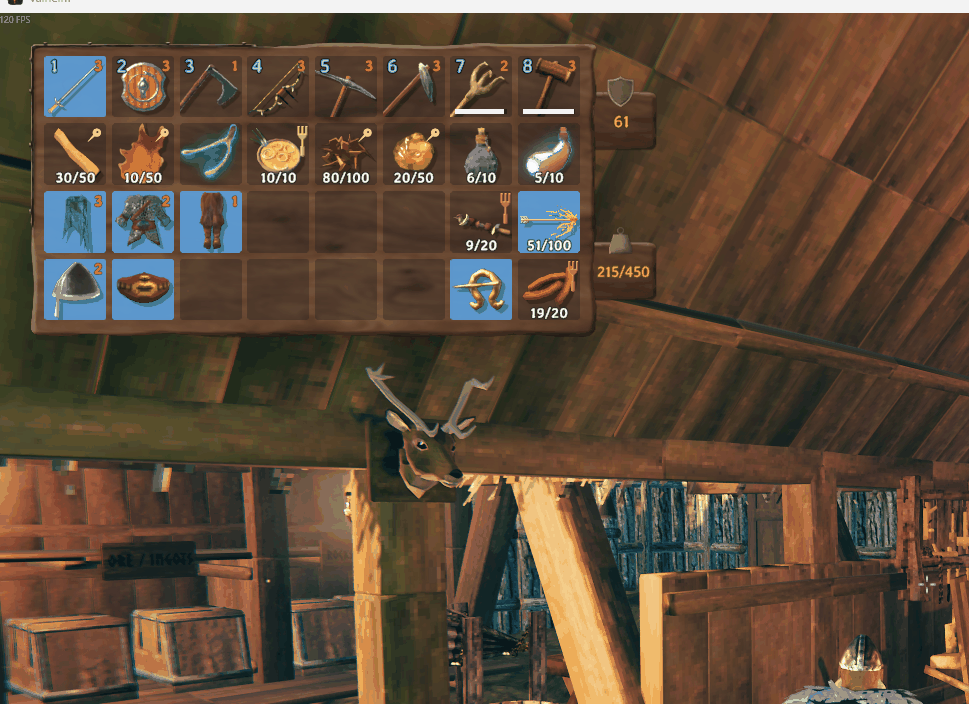
  3. Stack to every nearby chest. With a chest open, pressing Stack (or holding E on a chest) sends each stackable item in your inventory to every nearby chest that already holds that item (15 m by default). The chest you're using gets first pick.
  4. New items find a home. If no nearby chest holds an item yet (or its chests are full), the mod looks for somewhere similar:
    1. A chest with similar items. It picks the nearby chest holding the most items from the same group: metals, hides, wood, stone, raw ingredients, plants, cooked food, seeds, trophies, or materials from the same biome (Black Forest, Mountains and Swamp, Plains and Ocean, and so on). Items in no group at all share a single catch-all chest rather than taking a chest each.
    2. An empty chest. If no chest has anything from that group, the item goes into an empty chest. The one you're using comes first if it's empty, then the nearest. That chest becomes the group's home next time.
    3. A shared chest. Out of empty chests? A chest holding only one group takes this item's group as a second one, preferring a related group.
    4. Your inventory. If there's still nowhere to go, the item stays with you, and the on-screen message tells you how many were left over.
  5. Tidy chests. Every chest that receives items gets its partial stacks merged and its contents sorted by type, then group, then name.
  6. Tidy button. The chest window gets a small Tidy icon (three bars) just left of Place stacks. It cleans out the chest you have open:
    • The chest's category is whichever group it holds the most of, for example Metals.
    • Anything that doesn't match moves to a nearby chest of its own category.
    • If there's no chest for that category, it goes into an empty chest, which becomes that category's chest from then on.
    • If there are no empty chests left, it shares a chest: a chest holding just one group takes a second one, preferring a related group (the one listed next to it in the groups file, so Raw pairs with Plants and Wood with Stone). A chest holding exactly two groups counts as home for both, so Tidy leaves it alone.
    • Failing that, it goes to the catch-all chest: a chest that's mostly uncategorized items (materials that aren't in any group).
    • Anything left over stays where it is.
    • It also gathers strays: items of this chest's category are pulled in from chests where they don't belong (a shared chest's second group, a few bars in the wood chest, the catch-all chest). A group split over two chests is merged: whichever chest holds the most of it keeps it, and the chest you have open wins a tie.
    • Afterwards the chest is sorted.

Stacking leaves these in your inventory. Each has its own setting, and all are on by default:

  • Food, meads and potions: anything cooked, baked, crafted or brewed. Edible things you pick or harvest (berries, mushrooms, honey and so on) count as ingredients and still get stacked.
  • Ammo: arrows, bolts, bait.
  • Equipment: weapons, armor, shields, tools, torches, utility items, trinkets.
  • Your hotbar (the top row), and anything you have equipped.

Chests the mod never touches:

  • The Obliterator.
  • Gravestones.
  • Dungeon loot chests.
  • Chests another player has open.
  • Chests you can't open yourself (private, or behind someone else's ward).

Crafting and stacking have separate ranges: CraftingRange (30 m) covers crafting, upgrading and building, while StackingRange (15 m) covers Stack, Tidy and sorting, so putting things away only touches the chests around you.

Carts and ships are off by default.

Install

Download the latest zip from Releases:

File Use it when
NearbyChests-x.y.z-with-BepInEx.zip You don't have BepInEx yet. Includes BepInEx, already laid out for the game folder.
NearbyChests-x.y.z.zip You already have BepInEx installed.
  1. Open your Valheim folder, the one with valheim.exe in it. In Steam, that's right-click Valheim → Manage → Browse local files.
  2. Extract the zip straight into that folder. Windows' Extract All suggests a new folder named after the zip, so delete that last part of the path before you extract.
  3. Check the result: winhttp.dll, doorstop_config.ini and the BepInEx\ folder must sit right next to valheim.exe. If they're one folder too deep, BepInEx never loads.
  4. Launch the game. To check it loaded, open BepInEx\LogOutput.log and look for Nearby Chests x.y.z loaded.

Getting BepInEx from Thunderstore instead? The BepInExPack_Valheim zip has a BepInExPack_Valheim folder inside it. Copy what's inside that folder into your Valheim folder, not the top of the zip, which only holds Thunderstore's manifest.json, icon.png and README. Then extract the mod-only zip on top.

To uninstall, delete BepInEx\plugins\NearbyChests. To remove BepInEx entirely, also delete winhttp.dll from the Valheim folder.

Configuration

After the first launch, settings are in BepInEx\config\NearbyChests.cfg:

Section Setting Default What it does

| General | IncludeCartsAndShips | false | Also use cart and ship storage. | | Crafting | CraftingRange | 30 | Distance in meters a chest can be and still be used for crafting, upgrading and building (3–60). | | Crafting | CraftFromChests | true | Use chest materials at crafting stations. | | Crafting | BuildFromChests | true | Use chest materials when building. | | Crafting | StationsFromChests | true | Take fuel and ore from chests when feeding smelters, kilns, fires and cooking stations. Food and mead stay manual. | | Stacking | StackingRange | 15 | Distance in meters a chest can be and still be used by Stack, Tidy and sorting (3–60). | | Stacking | StackToNearby | true | Stack button pushes to all nearby chests. Turn off for the vanilla button. | | Stacking | KeepHotbar | true | Never stack items from the top row. | | Stacking | ExcludeFood | true | Never stack food, meads or potions (anything cooked, crafted or brewed). Raw ingredients still stack. | | Stacking | ExcludeAmmo | true | Never stack arrows, bolts, bait or other ammo. | | Stacking | ExcludeEquipment | true | Never stack weapons, armor, shields, tools, torches, utility items or trinkets. | | Stacking | PlaceUnassignedItems | true | Items with no home go to a chest of similar items, or an empty chest. | | Stacking | UnassignedItemTypes | Material,Trophy | Item types placed even when not in the groups file. They share the catch-all chest. Other options: Consumable, Ammo, AmmoNonEquipable, Fish, Misc. | | Stacking | FallbackToOpenChest | false | If there's no similar or empty chest, use the open chest instead of leaving items in your inventory. | | Stacking | SortAfterStack | true | Sort and merge chests that received items. | | Stacking | ShareChests | true | When a group has no chest and there's no empty chest, let a one-group chest take a second, related group. | | Stacking | TidyButton | true | Show the Tidy button in the chest window (restart to apply). | | Stacking | TidyGathers | true | Tidy also pulls stray items of this chest's category in from other chests. |

Item groups

Groups live in BepInEx\config\NearbyChests.groups.txt, one line per group:

Metals = CopperOre, Copper, CopperScrap, TinOre, Tin, Bronze, ...
Raw = RawMeat, DeerMeat, ..., ChickenEgg, Honey, ...
Plants = Raspberry, Blueberries, Mushroom, Carrot, ..., BarleyFlour, Spice*
Cooked = Cooked*, BakedPoteitr, BoarJerky, Bread, ...
Trophies = Trophy*
  • Names: item prefab names (the ones the spawn console command uses). Not case sensitive.
  • Wildcards: a trailing * matches any name starting with that text.
  • Order: if an item is listed twice, the first group wins.
  • Always placed: anything listed is placed even if its type isn't in UnassignedItemTypes. Meads and coins aren't listed, so they only move when a chest already holds them. Food, ammo and equipment are never stacked while their Exclude... settings are on, whatever group they're in.
  • Live edits: changes apply the next time you stack, with no restart needed.
  • Resetting: delete the file to get the latest defaults back.

How it works

The mod is written in C# and uses Harmony patches, like most Valheim mods.

Crafting from chests doesn't rewrite any of Valheim's crafting logic. The game already has methods that check whether you have a recipe's requirements (Player.HaveRequirementItems, Player.HaveRequirements(Piece, ...), Player.GetFirstRequiredItem, InventoryGui.SetupRequirement) and methods that spend them (Player.ConsumeResources, InventoryGui.DoCrafting). The mod marks when the game is inside one of those, with a "count scope" and a "consume scope". While a scope is active, calls on the local player's inventory are extended to nearby chests:

  • Inventory.CountItems / HaveItem add chest totals.
  • Inventory.GetItem falls back to a chest item.
  • Inventory.RemoveItem(name, ...) takes whatever the player is short of from chests, nearest first.

Outside those scopes, the inventory behaves exactly like vanilla. That keeps the patches small, and recipe changes in game updates mostly just work. Nearby chest lookups and item counts are cached for a second and invalidated whenever a chest's contents change, because the crafting and build menus ask many times per frame.

Feeding stations (StationPatches.cs) needs no station logic of its own, because adding fuel or ore is the game asking the player's inventory "do you have this?" and then "take one" - the same calls the crafting scope already extends to chests. The mod marks the station interaction (Switch.Interact/UseItem, which covers smelters, kilns, windmills, spinning wheels, eitr refineries, shield generators and the cooking station's fuel switch, plus Fireplace directly) and lets those patches do the rest. A cooking station's add-food switch is skipped, and CookingStation and Fermenter aren't patched at all, so food and mead stay manual. Ore is the exception: the game finds it with Inventory.GetItem(name) and spends it with RemoveItem(item, 1), passing the item instance. When the fallback hands back an item living in a chest, that call would find nothing to remove, so a patch on the instance overloads removes it from the chest it actually came from.

Stacking replaces the game's stack action where it's triggered: InventoryGui.OnStackAll (the button) and Container.RPC_StackResponse (holding Use on a chest). For each eligible item the mod:

  1. fills chests that already contain it,
  2. fills the chest holding the most items from the same group (ItemGroups.cs), or, for items in no group, the catch-all chest (the one that's mostly ungrouped items),
  3. fills an empty chest, which becomes that group's chest - or the catch-all chest - from then on,
  4. optionally falls back to the open chest (FallbackToOpenChest).

Chests that received items are then merged and sorted by type, group order, name, quality and stack size.

Tidy (Tidier.cs) adds its button by cloning the chest window's Stack button in an InventoryGui.Awake postfix. The clone is resized to a square, and its label is swapped for an icon drawn at runtime (TidyIcon). Its UIGamePad shortcut is removed so a controller press doesn't fire both buttons. The first time the chest window is shown, it's positioned just left of Stack using world-space corners, so it lines up at any resolution or UI scale. Each nearby chest's category is its most common group by stack count. Uncategorized items count as "junk", and ties go to the group listed first. Items in the open chest that don't match its category move to:

  1. chests of their category (dedicated chests first, then two-group chests holding it),
  2. an empty chest, which takes on that category,
  3. a one-group chest, which becomes a shared chest (closest group in file order first),
  4. junk chests.

Then it gathers: items of the chest's own category are pulled out of every nearby chest whose own category differs, which covers shared chests, strays and junk chests. Another chest of the same category is drained too, unless it holds more of the category than the open one, so a split group merges into one chest and can't bounce back on the next tidy.

A chest holding exactly two groups keeps its second group when there's no better home, so shared chests don't bounce items back and forth. A junk chest never passes items on to another junk chest, and uncategorized items never become a shared chest's second group.

Food detection: an item counts as food when it's a Consumable that the game can produce, meaning it's the output of an ObjectDB recipe or of a CookingStation (including ovens), Fermenter or Smelter conversion. Raw edibles aren't produced by anything, so they stay ingredients. This works with modded recipes too. "Isn't a recipe ingredient" was tried first, but it fails because cooked dishes like deer stew and sausages are feast ingredients.

Multiplayer

The mod is client-side, so only you need it and the server doesn't. Before changing a chest, it takes network ownership of it, the same way the game's own "Take All" does, and it skips any chest another player has open. There is a small timing window: if another player changes a chest in the same moment you craft from it or stack into it, one of the changes can be lost.

Building

Requirements:

  • .NET SDK 6 or newer.
  • A Valheim install to compile against. The game client or the free dedicated server both work.

The game's DLLs aren't in this repo, so you have to tell the build where Valheim is. Do one of these:

  • Pass it on the command line:
    dotnet build -c Release -p:ValheimDir="D:\Steam\steamapps\common\Valheim"
    
  • Create a ValheimDir.props file next to NearbyChests.csproj. It's git-ignored:
    <Project>
      <PropertyGroup Condition="'$(ValheimDir)' == ''">
        <ValheimDir>D:\Steam\steamapps\common\Valheim</ValheimDir>
      </PropertyGroup>
    </Project>
    
  • Install Valheim at the default Steam location, C:\Program Files (x86)\Steam\steamapps\common\Valheim, which the build uses automatically.

The DLL lands in bin/Release/NearbyChests.dll. To make the release zips:

python3 build/package.py 1.0.0 path/to/BepInExPack_Valheim.zip

lib/ holds BepInEx.dll (LGPL-2.1) and 0Harmony.dll (MIT) from BepInExPack_Valheim so the project builds without BepInEx installed. After a Valheim update, rebuild. If the game changed something the mod relies on, you get a build error rather than a mod that silently misbehaves.

CI and releases

On every push and pull request, the build workflow:

  1. downloads the Valheim dedicated server with SteamCMD,
  2. builds against its DLLs,
  3. uploads both zips as a workflow artifact.

To publish a release:

  1. Bump Version in src/Plugin.cs.
  2. Add a ## <version> - <date> section to CHANGELOG.md. The workflow uses it as the release notes and fails the release if the section is missing.
  3. Commit and push.
  4. Tag and push the tag:
    git tag v1.0.1 && git push origin v1.0.1
    

The workflow builds the tag and attaches the zips to a GitHub release. It fails if the tag doesn't match Plugin.Version.

License

MIT

DatHost — Valheim server hosting, first month for one euro