

Ravenview
Early Access. An MMO for Valheim: 100-player servers, guilds with territory and wars, parties, trading, PvP leaderboard, levels 1-250 with attributes, daily quests, creature levels and a full new UI.Ravenview
Author: TheBoredBard Downloads and patch notes: GitHub releases Bug reports and ideas: GitHub issues
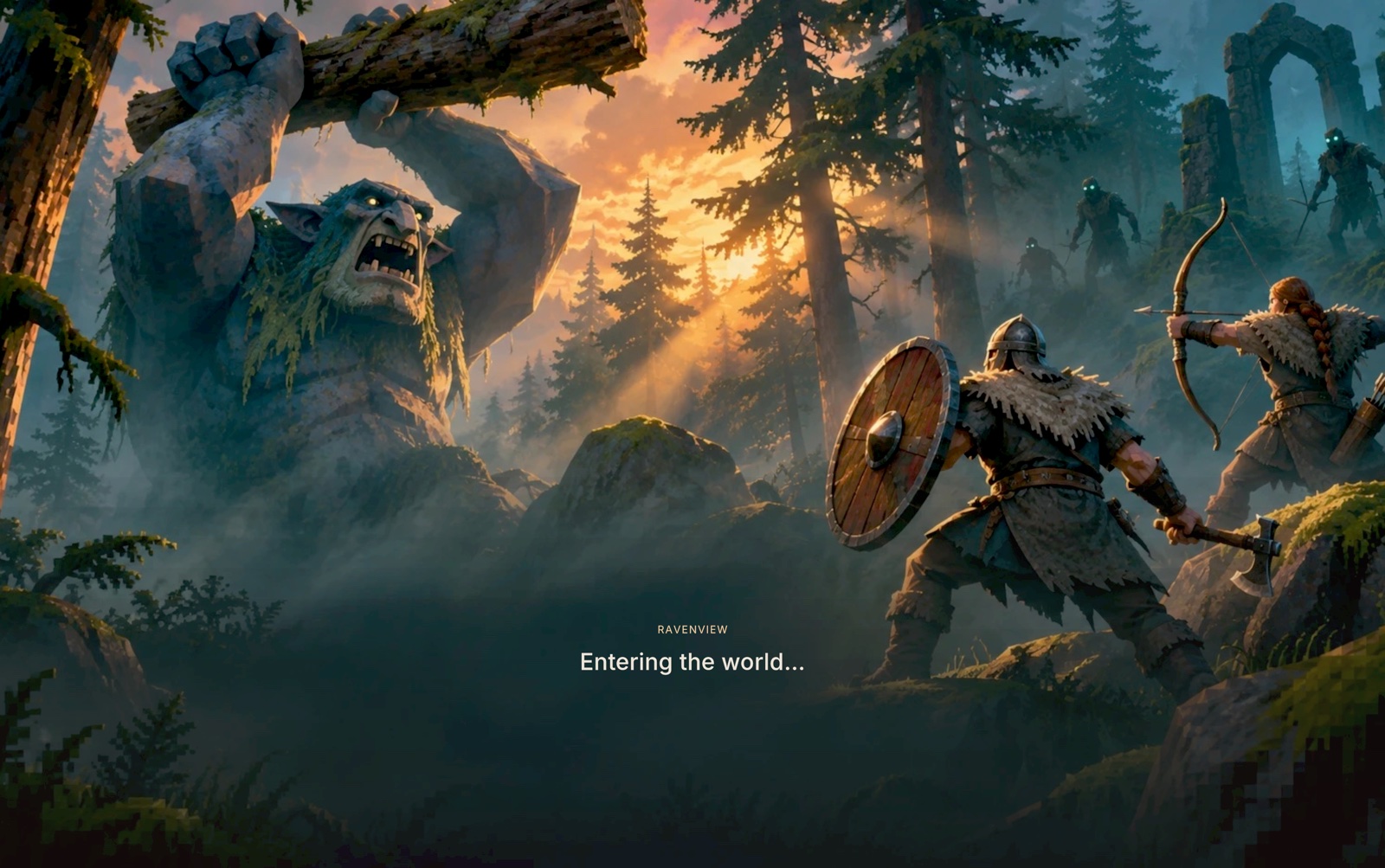
Ravenview turns a Valheim server into an MMO. Up to a hundred vikings share one world. They band together in guilds that claim land, raise banners and go to war. They form parties, trade and write to each other, and climb a PvP leaderboard. Each character levels from 1 to 250 and spends stat points on the attributes that fit their build, while creatures grow stronger the farther from the start you go. Everything comes in a full new interface, from the start screen to the inventory.
The mod is currently in Early Access. That means it's not done! Features are still being added, numbers are still being balanced, and some systems have only been tested with a handful of players. Please be patient, and if you want to help, report on the GitHub issues page:
- Bugs: check first that it isn't already reported, and attach
BepInEx/LogOutput.log - Balance: levels too slow or too fast? Creatures too strong or too weak? Attributes worth too much or too little?
- Multiplayer problems: guilds, parties, trading, PvP and anything else that needs several players
- Suggestions: features, UI improvements, and other mods you'd like to see supported
Ravenview is a multiplayer mod and runs on dedicated servers! The server and every player need the same version installed. The server decides the rules (levels, creature levels, guilds, combat) and sends them to everyone.
Features
Big servers
- Up to 100 players by default, configurable up to 1000.
- The Steam send rate, the world sync queue and the one-player-per-frame sync loop that break large servers are all raised.
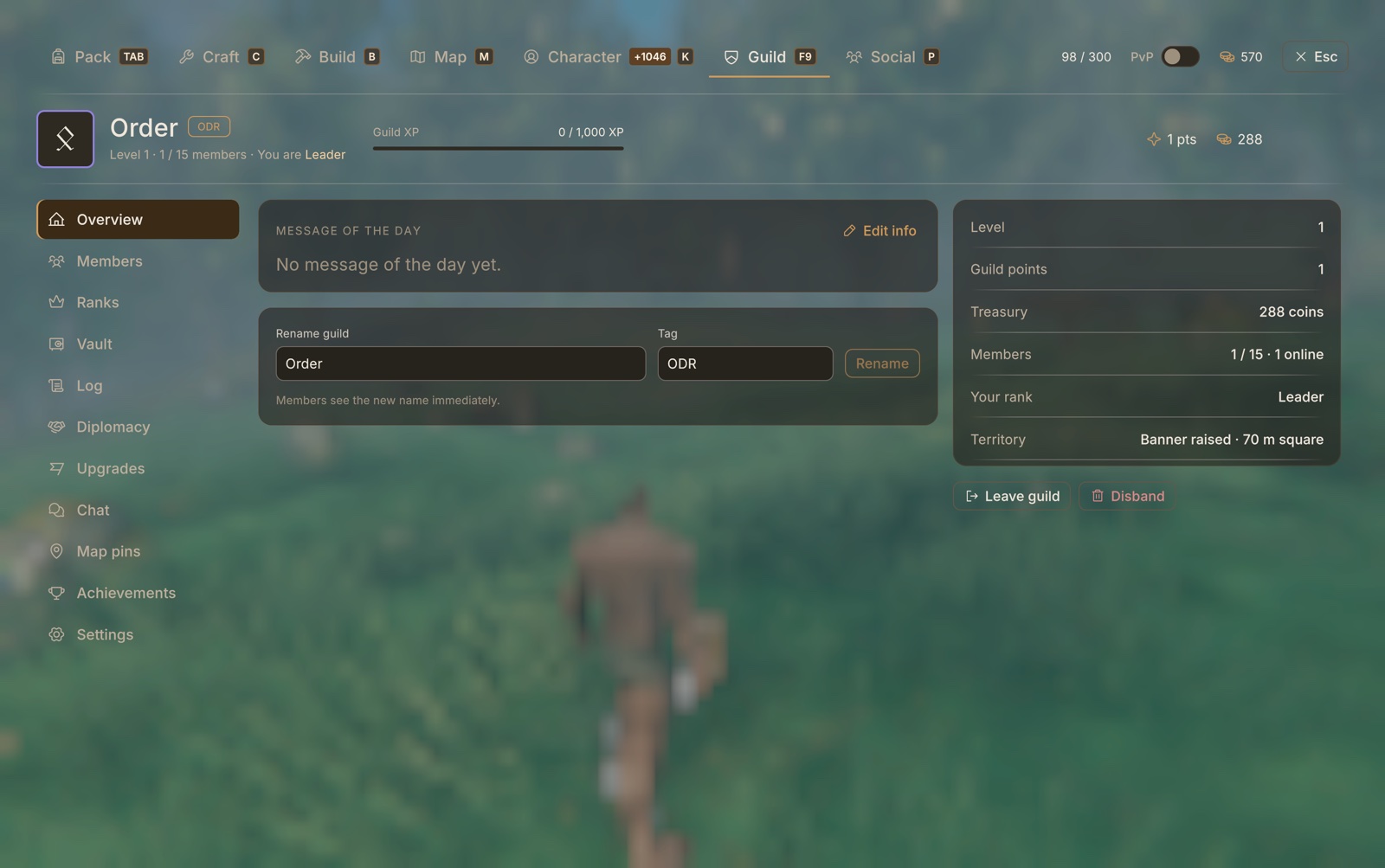
Guilds (F9)
- Create a guild with a name, tag and emblem. Ranks with their own permissions, invites and applications, a guild log, and guild chat (
/g). - A shared vault and treasury, guild levels, guild points and achievements.
- Territory: build a guild banner to claim a square of land, with enter and leave messages, intruder alerts and an optional barrier. Upgrades are bought at the banner: Territory, Vault, Members, Regeneration, Comfort, Monster Ward, Sturdy Walls, Workshops, Fertile Soil and Respawn.
- Diplomacy: alliances and wars.
- Guilds at war always fight: members' PvP is locked on until there's peace.
- Guildmates and allies can't hurt each other.
- Guildmates on the map, shared map pins, and guild tags on names and in chat.
Social (P)
- Parties of up to 4, with or without a guild. Party members share XP near kills, show on each other's map and can't hurt each other.
- Player profiles with a bio and 20 achievements in bronze, silver and gold.
- Private messages, kept on the server so they reach players who were offline.
- PvP leaderboard: kills, deaths, K/D and best kill streak, counted by the server.
Trading
- Right-click any item in your Pack to give it to a player within 10 m, choosing who and how many.
- The same menu splits stacks, uses or equips items, and drops them.
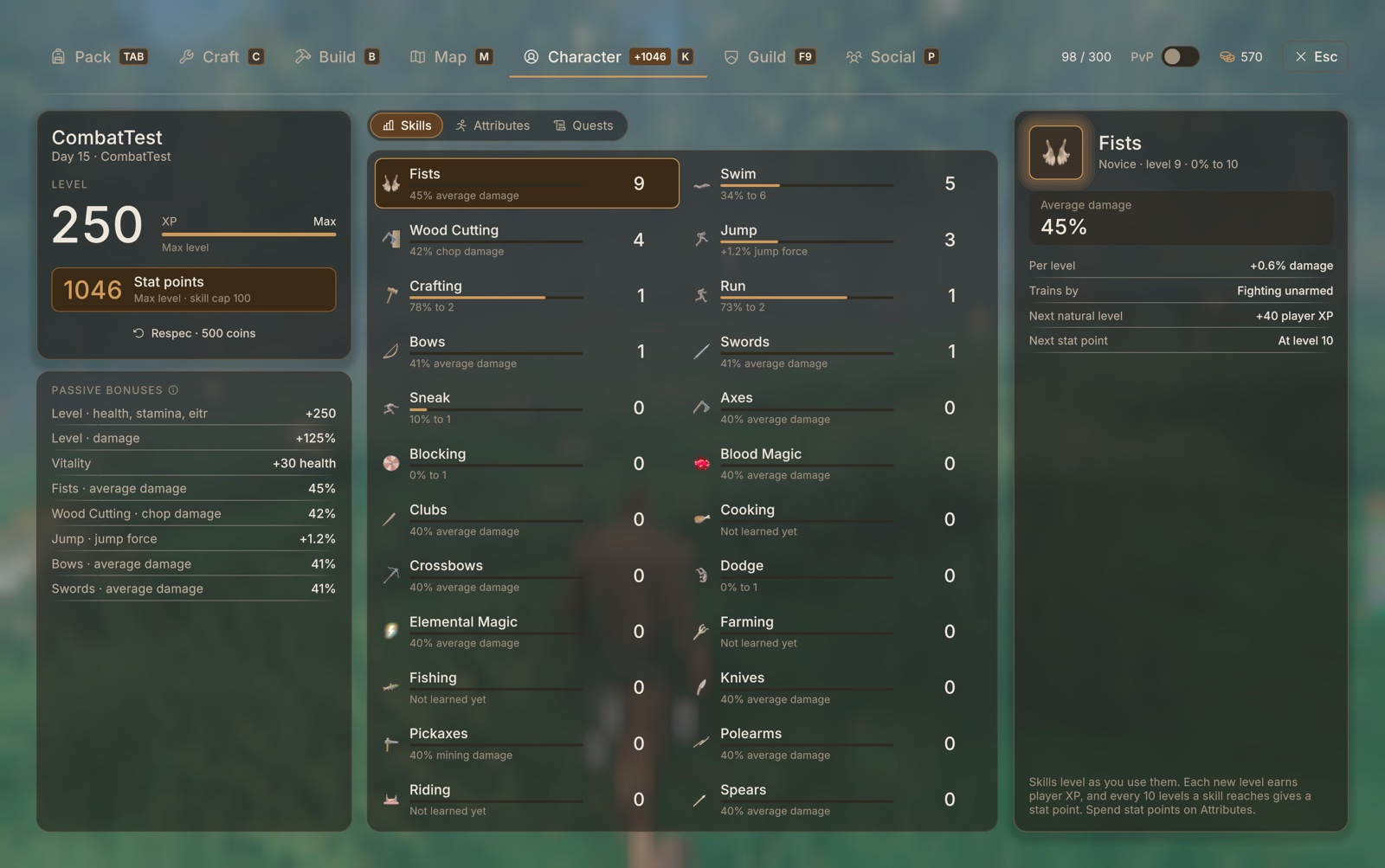
Levels and attributes (K)
- One level track from 1 to 250. XP comes from kills, gathering, daily quests and every skill level you earn.
- Skills level by use, up to 100.
- Every level gives stat points to spend on attributes: health, stamina, eitr, regeneration, carry weight, speed, armor, resistances, critical hits, damage and more. New attributes open up as you level.
- About 1,050 points by level 250, plus bonus points:
- one for every 10 levels a skill reaches
- five the first time you help kill each boss
- one for finishing all of a day's quests
- A level-up glow and messages when new attributes awaken.
Daily quests
- Three quests a day (practice, gather and hunt), picked for your biome and level.
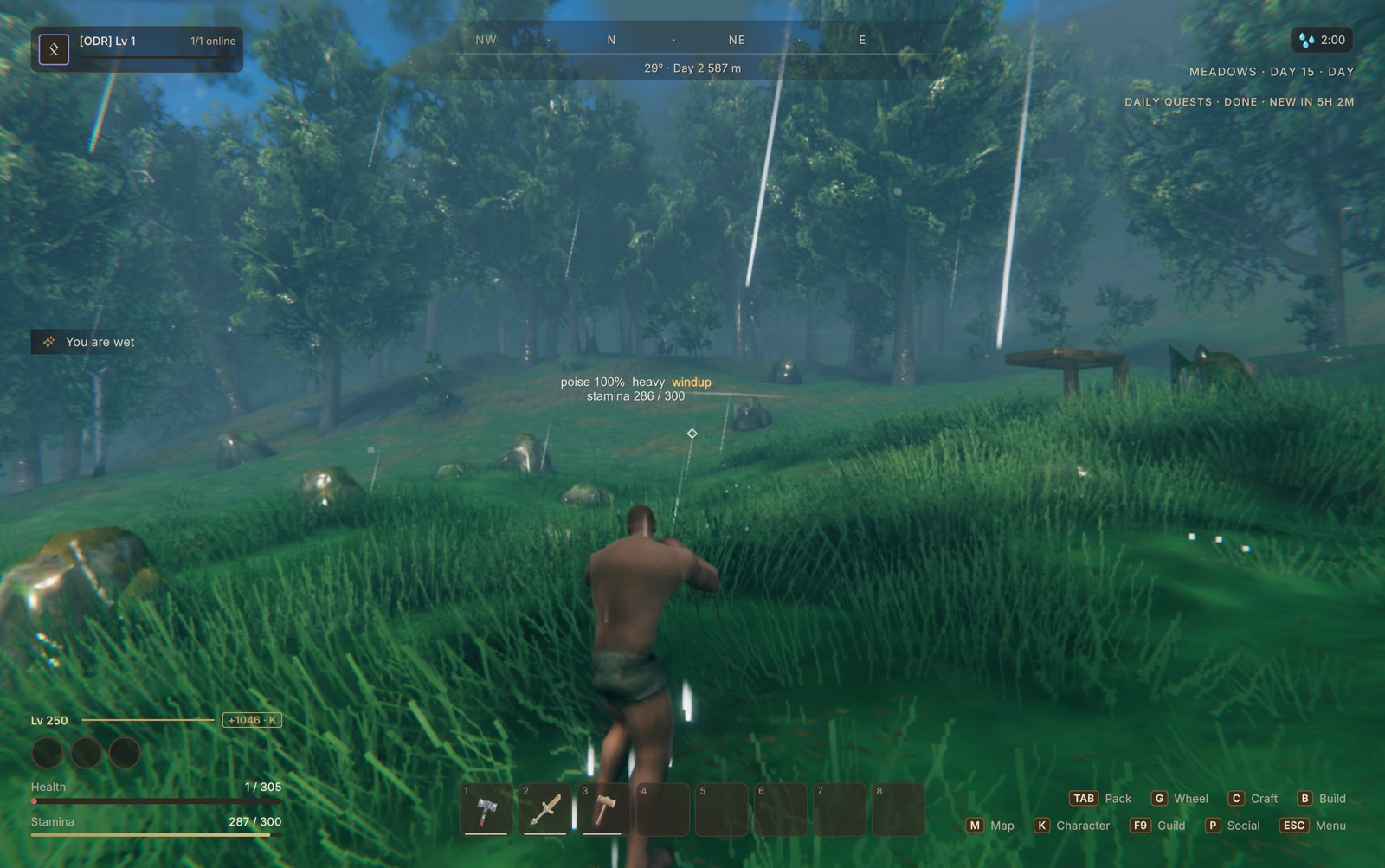
- Shown at the top right of the screen and in the Quests tab, with XP, coins and skill levels as rewards.
Creatures
- Creature levels: creatures get stronger the farther you go from the start, and never spawn far below the players near them.
- Elite and rare Ascended creatures, elemental infusions, and traits such as Quick, Armored, Regenerating, Vampiric and Blinking.
- Creatures that kill players grow stronger, and areas you fight in heat up.
- Loot grows with level.
Combat
- Poise and stagger, and weapon movesets with light chains, heavy attacks and specials.
- Charged heavy attacks: hold the secondary attack, release to strike.
- Running, jump and roll attacks.
- Heavier hit-stop for heavy weapons, and extra damage from behind.
- Dodge or block out of an attack's follow-through.
- PvP tuning: damage between players, stagger immunity and lag grace.
- A red PvP badge above anyone who can be attacked.
Building
- Right-click with the hammer for a compact build picker: eight favorites, Recent, All, search, material filters and Repair. You can keep walking while it's open.
- B opens the full build catalog.
- T picks the piece you're looking at.
A new interface
- A full reskin in one brown and amber style:
- the HUD, with compass, quests, level and an event feed
- Pack, Craft, Build, Map and Character
- traders, the pause menu and settings
- the start screen and loading screens
- An equipment wheel (hold G), camera distance presets, and see-through panels over a blurred world.
Works with other mods
Ravenview is not yet fully compatible with every mod. Mod support is being added one mod at a time, and Epic Loot is the first one that works fully today. Other mods may work, look out of place, or clash. Please report what you find.
- Other installed mods are read at startup, and their settings appear as tabs under Mods in Settings, drawn in Ravenview's style.
- Epic Loot support:
- rarity colours on items, and magic effects, shard slots and sets in the item panel
- its enchanting table as a Ravenview screen (Sacrifice, Convert, Enchant, Augment, Disenchant, Runes, Storage and Upgrade)
- its own windows restyled to match
Screenshots
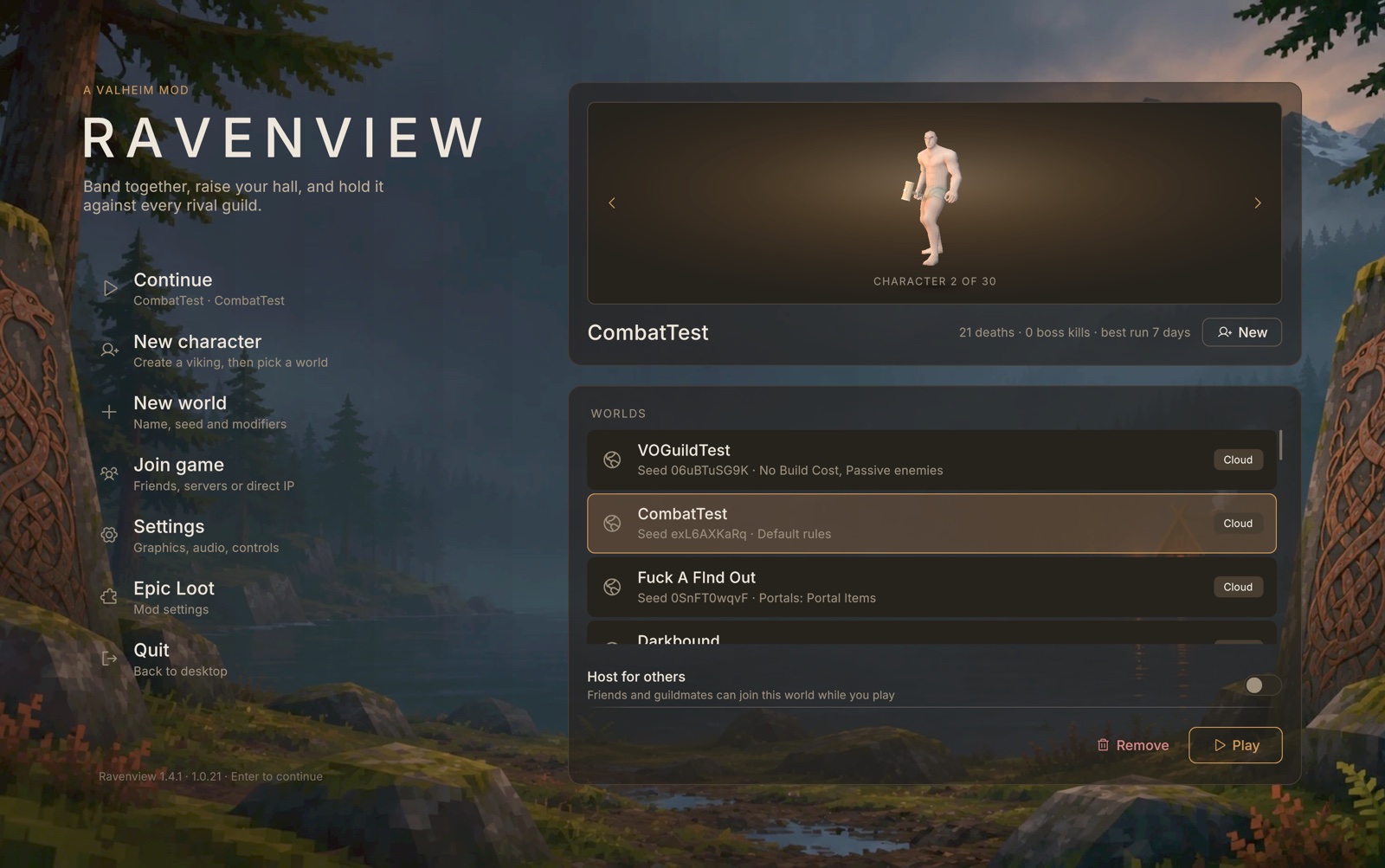
Start screen: Ravenview's menu over the rune stones.
 |
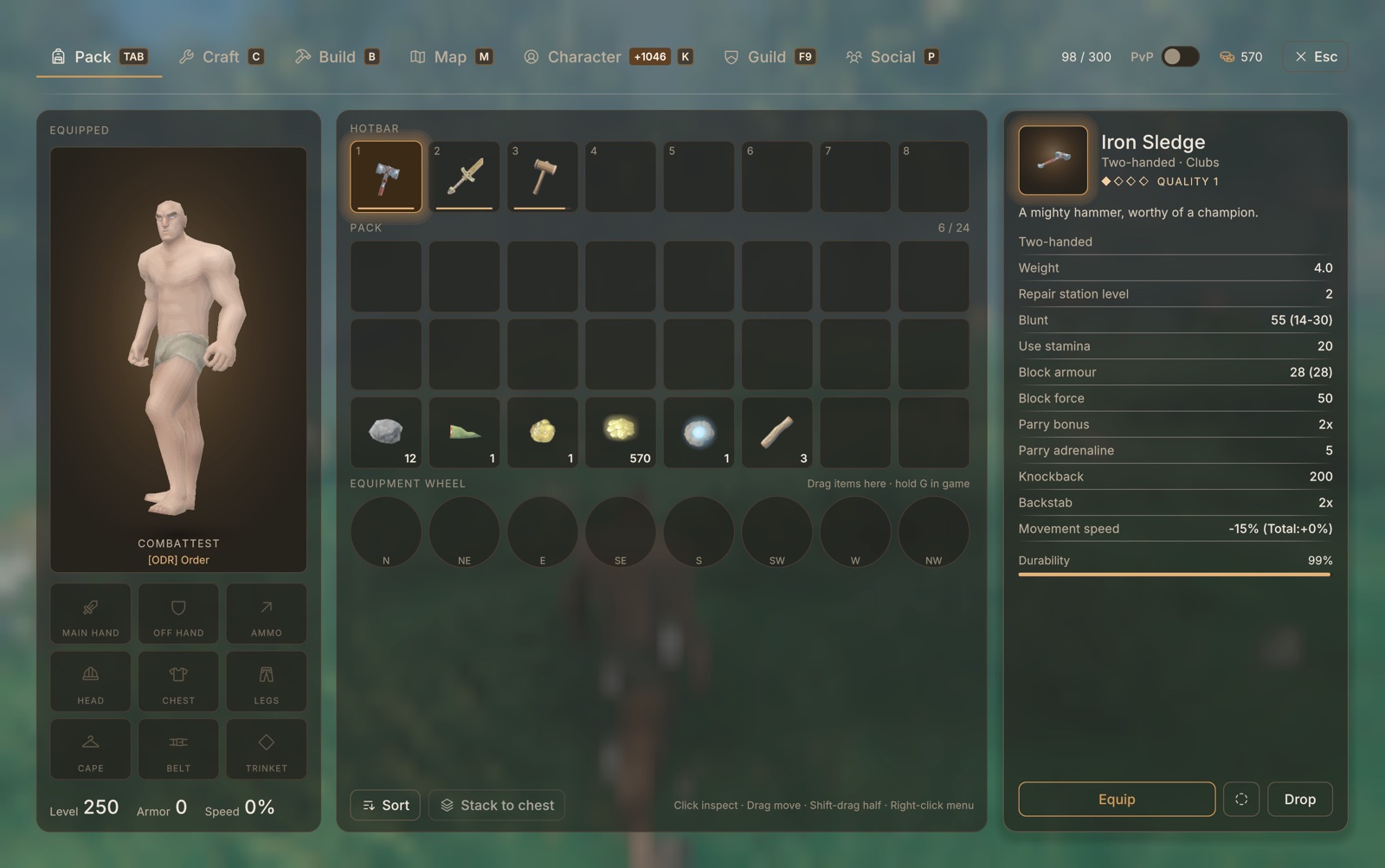 |
| HUD: compass, quests, level and stat points, hotbar | Pack: equipment, inventory and item details |
 |
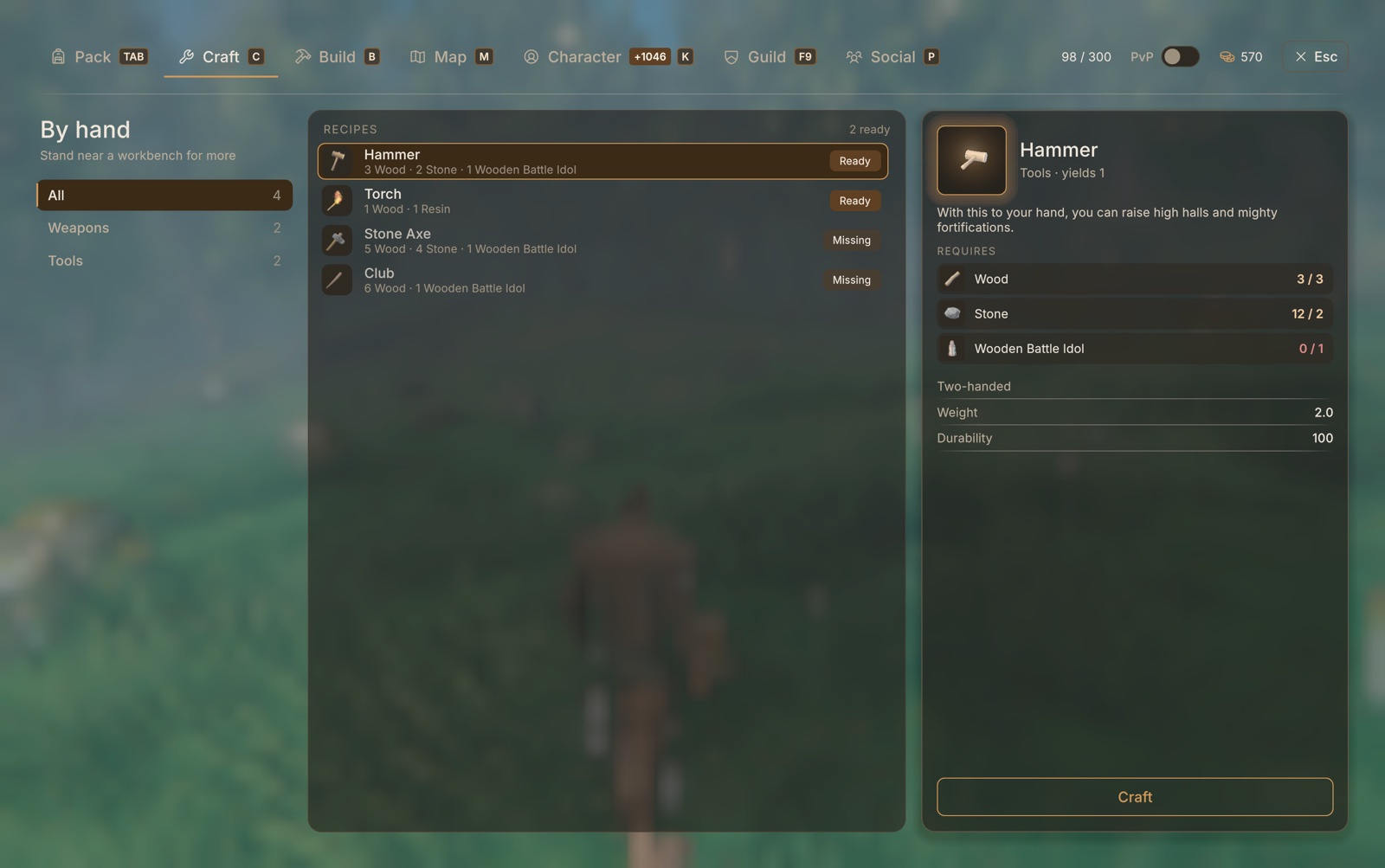 |
| Character: level 1–250, skills, attributes, quests | Craft: recipes with have / need |
 |
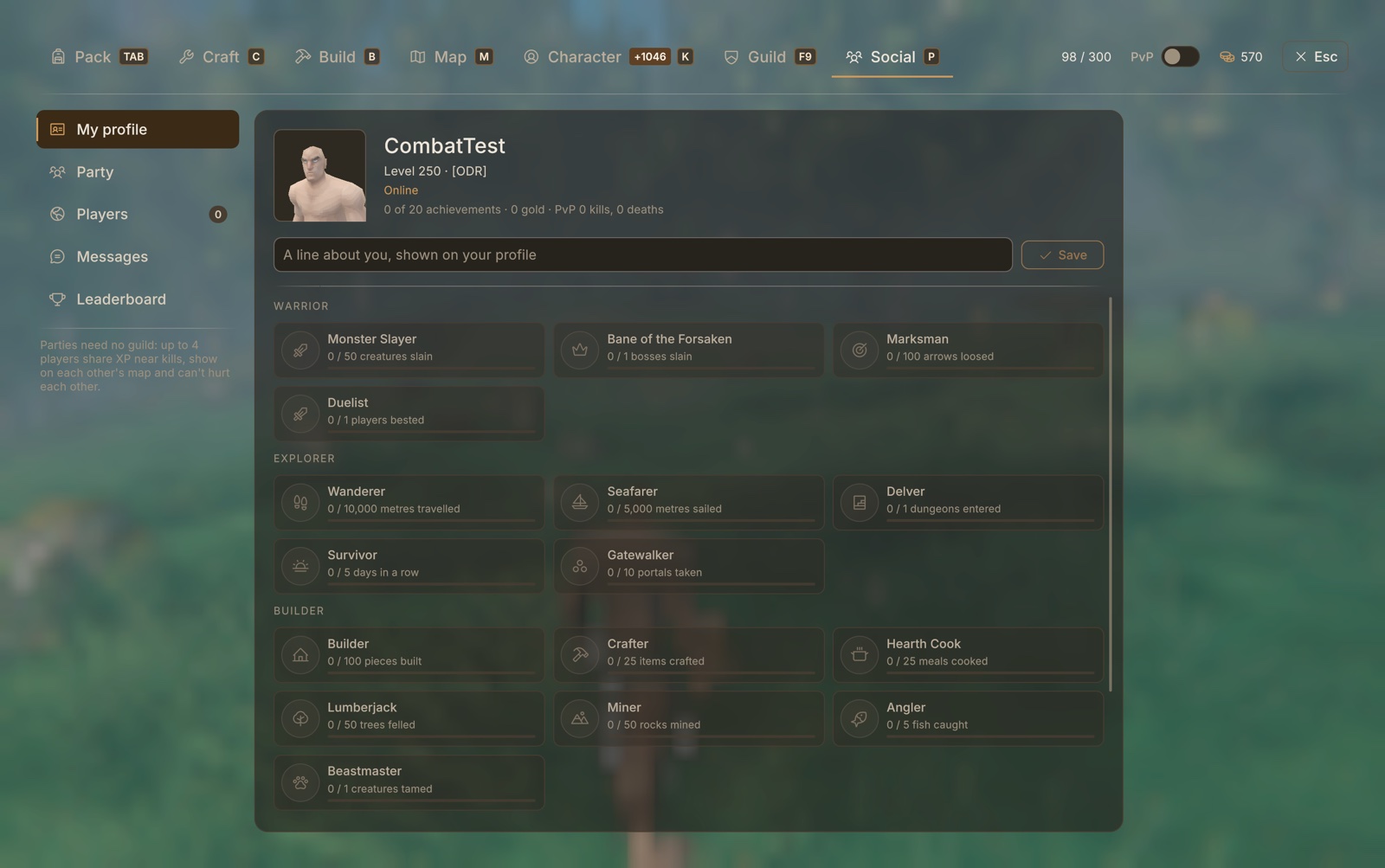 |
| Guild: members, ranks, vault, diplomacy, territory | Social: profiles, achievements, party, messages, leaderboard |
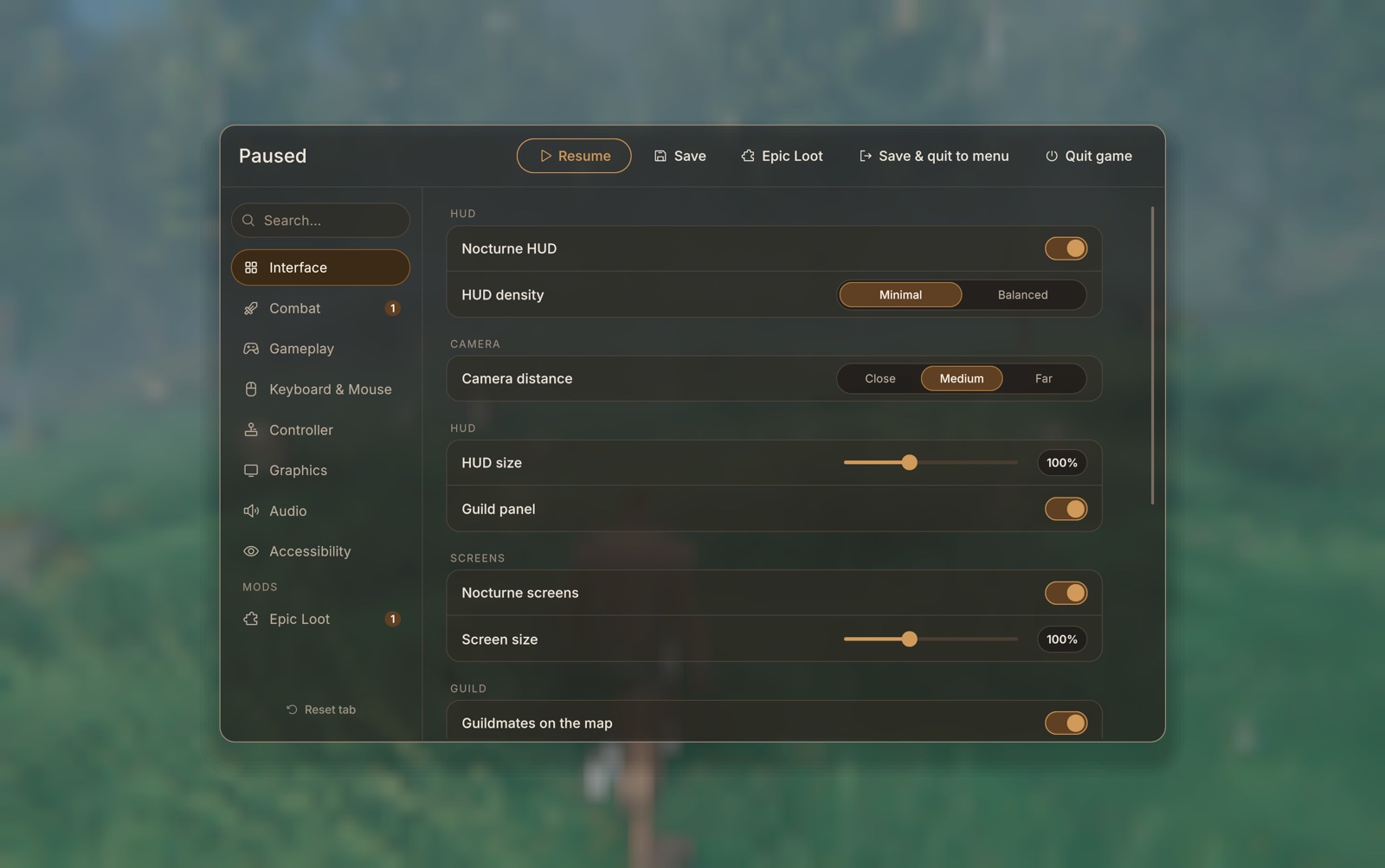
Settings: every option in one place, including other mods' settings under Mods.
Keys
| Key | Does |
|---|---|
| Tab | Pack (inventory) |
| C | Craft |
| B | Build catalog |
| Right-click (hammer out) | Build picker |
| T (building) | Pick the piece you're looking at |
| K | Character: level, skills, attributes, quests |
| P | Social: party, players, messages, leaderboard |
| F9 | Guild |
| M | Map |
| G (hold) | Equipment wheel |
| Right-click (item in Pack) | Item menu: use, split, give, drop |
All keys and options are in Settings, or in BepInEx/config/com.valheimonline.cfg.
Installation
Use r2modman or the Thunderstore Mod Manager. It installs BepInExPack_Valheim with Ravenview.
To install by hand, install BepInExPack_Valheim, then copy the contents of "plugins" into BepInEx/plugins, on clients and on the dedicated server.
Use one install method only: a Thunderstore manager or the Ravenview download from GitHub, so there's only one copy of the DLL.
This release is for Windows (and Linux through a Thunderstore manager).
Configuration
Most options live in BepInEx/config/com.valheimonline.cfg, and nearly all of them can be changed from Settings in game. Server rules (levels, creature levels, guilds, combat) are read on the server and sent to every player, so the host's values apply.
Admin console commands (with devcommands): vo_level <level>, vo_xp <amount>, vo_quest, vo_respec, vo_social, and guildadmin.
Current Known Mod Conflicts
Supported: Epic Loot (RandyKnapp). More mods will follow during Early Access.
- Other UI overhauls (Auga, BetterUI and similar): both mods replace the same screens. Use one or the other.
- Goo's Combat Overhaul: detected automatically, and Ravenview's own combat switches off so the two don't fight.
- Other levelling or creature-level mods: they overlap with Ravenview's levels and creatures. Expect odd numbers if both run.
Known Issues
- Features that need several players (trading, parties, guild wars, the PvP leaderboard) have had limited testing. Please report anything odd.
- Windows from mods without a Ravenview adapter keep their own look.
- Gamepad support follows the game's own, and some new screens are mouse-first.
Credits
- Built by TheBoredBard.
- BepInExPack_Valheim by denikson.
- Inter font by Rasmus Andersson, and Phosphor icons by Phosphor Icons (both open source).