

ConcernedCartographer
v1.0.4: Adds opt-in sailing Route Follow. The living atlas: durable roads, markers, routes, survey, search, sharing, walking Route Follow.Concerned Cartographer V1.0.4
V1.0.4 by The Concerned Cat adds opt-in sailing Route Follow, on top of the 1.0.3 dungeon-surveying fix and walking Route Follow, preserving vanilla movement, physics and safety boundaries, audited against Valheim 1.0.12.
Concerned Cartographer turns Valheim’s map into a living atlas.
The roads your Vikings build can map themselves. Existing pins can become durable, editable entries with notes, categories, tags, search, saved views, and recoverable deletion. Routes can follow your recorded road network, and selected atlas information can be shared with other players through an explicit preview-and-apply process.
Highlights
- Dirt paths and paved roads appear as separate map layers.
- Your successful Pathen and Paved construction actions record roads; walking existing terrain does not create road ink.
- Existing vanilla pins can be upgraded and edited without being recreated.
- The Atlas Drawer provides search, filtering, clustering, and saved views.
- Freehand and waypoint routes can follow recorded roads.
- Optional walking Route Follow can steer vanilla Q autorun along the selected route; it is OFF by default and manual input cancels immediately.
- Optional sailing Route Follow can steer the vanilla rudder along a route you marked as a sailing route while you hold the helm; it is OFF by default, your sails stay manual, and any helm input cancels immediately.
- Backups, restoration, migration, and sanitized support reports are built in.
- Multiplayer sharing is deliberate: nothing is applied without review.
- Fog of war is respected.
- World saves are never modified.
- Removing the mod leaves managed pins usable as ordinary vanilla pins.
See it in action
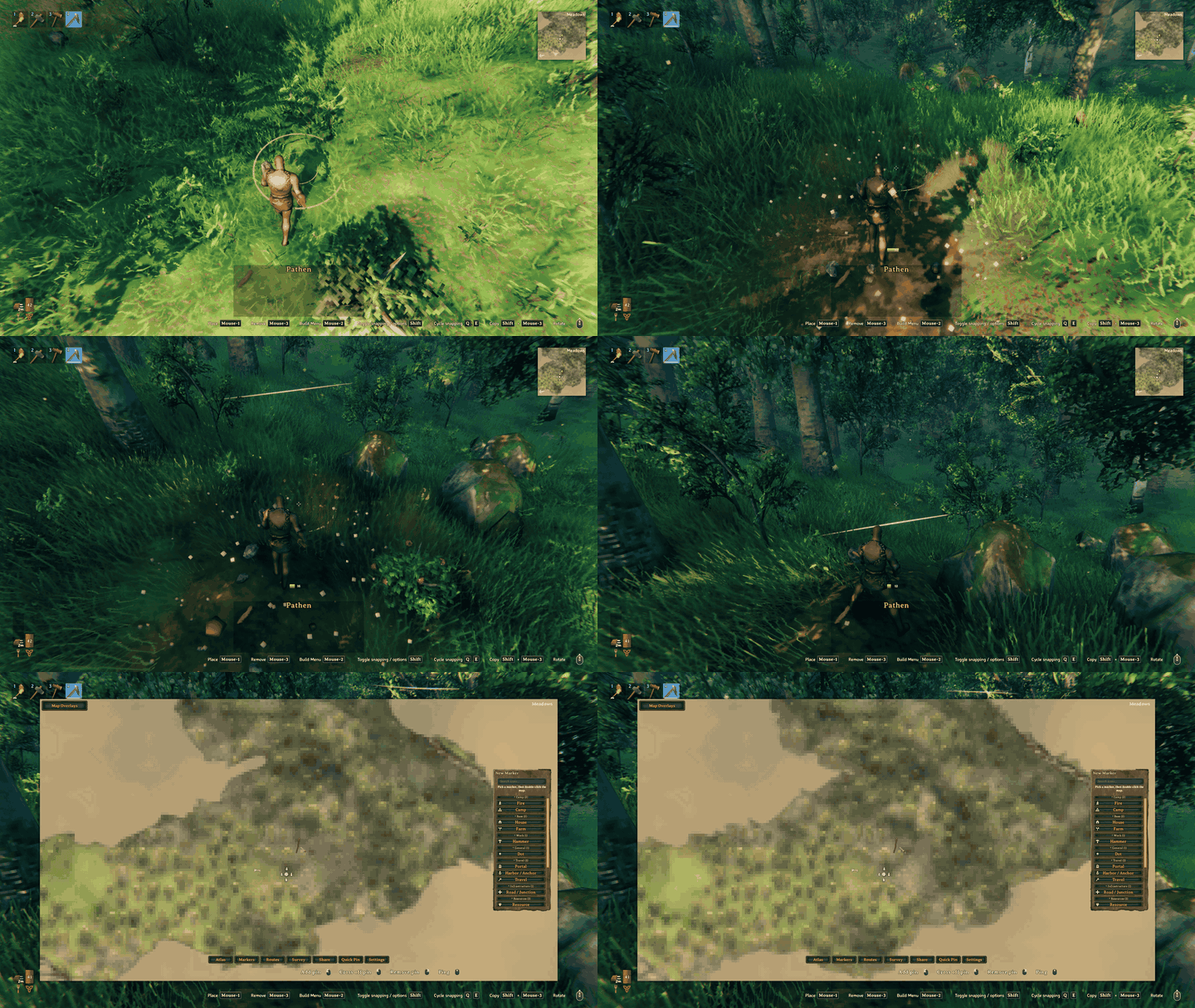
Build a path in the world, open the map — the road has already mapped itself.
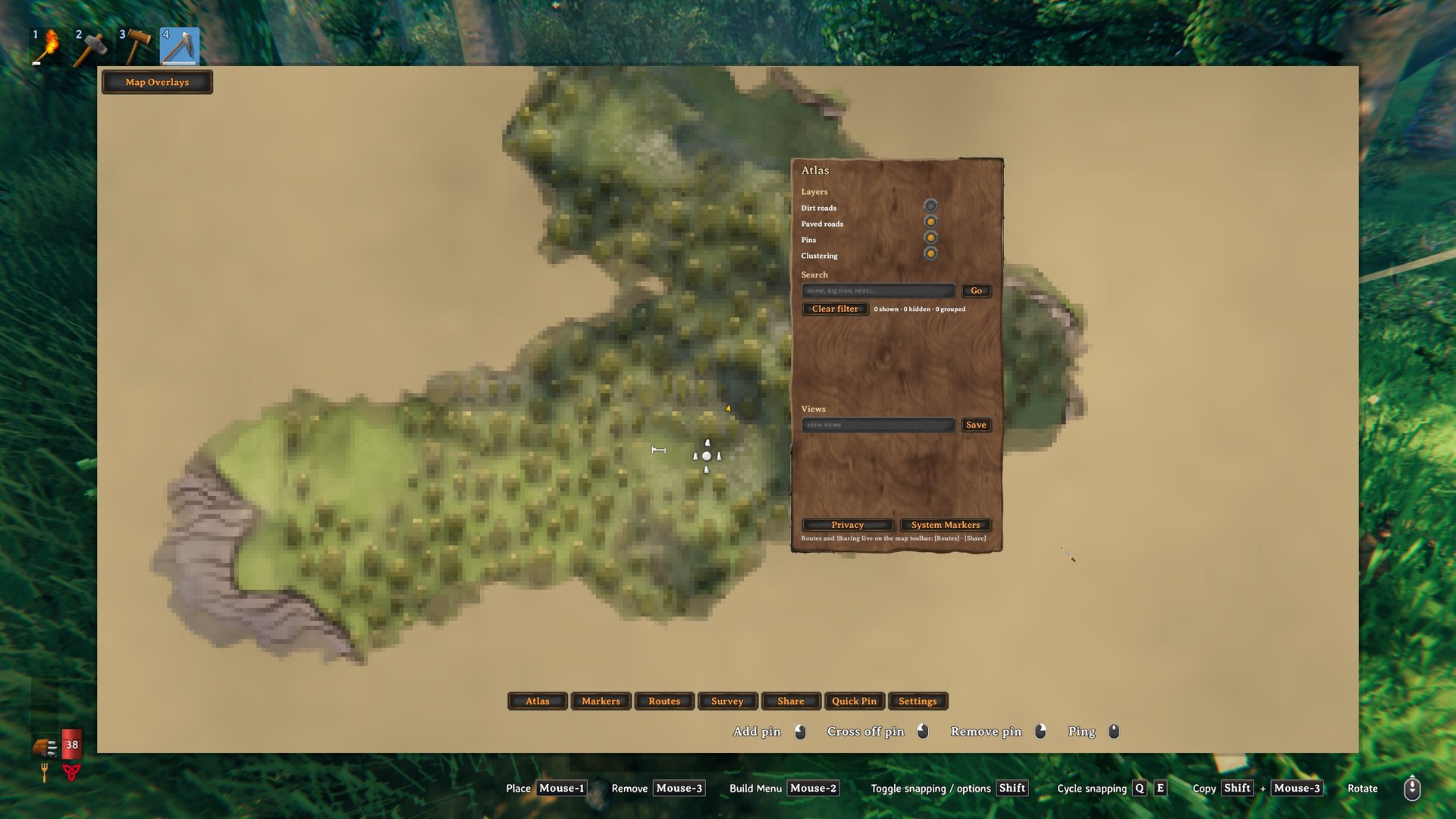
The Atlas Drawer: per-layer toggles, atlas search, clustering, and saved views in one panel.
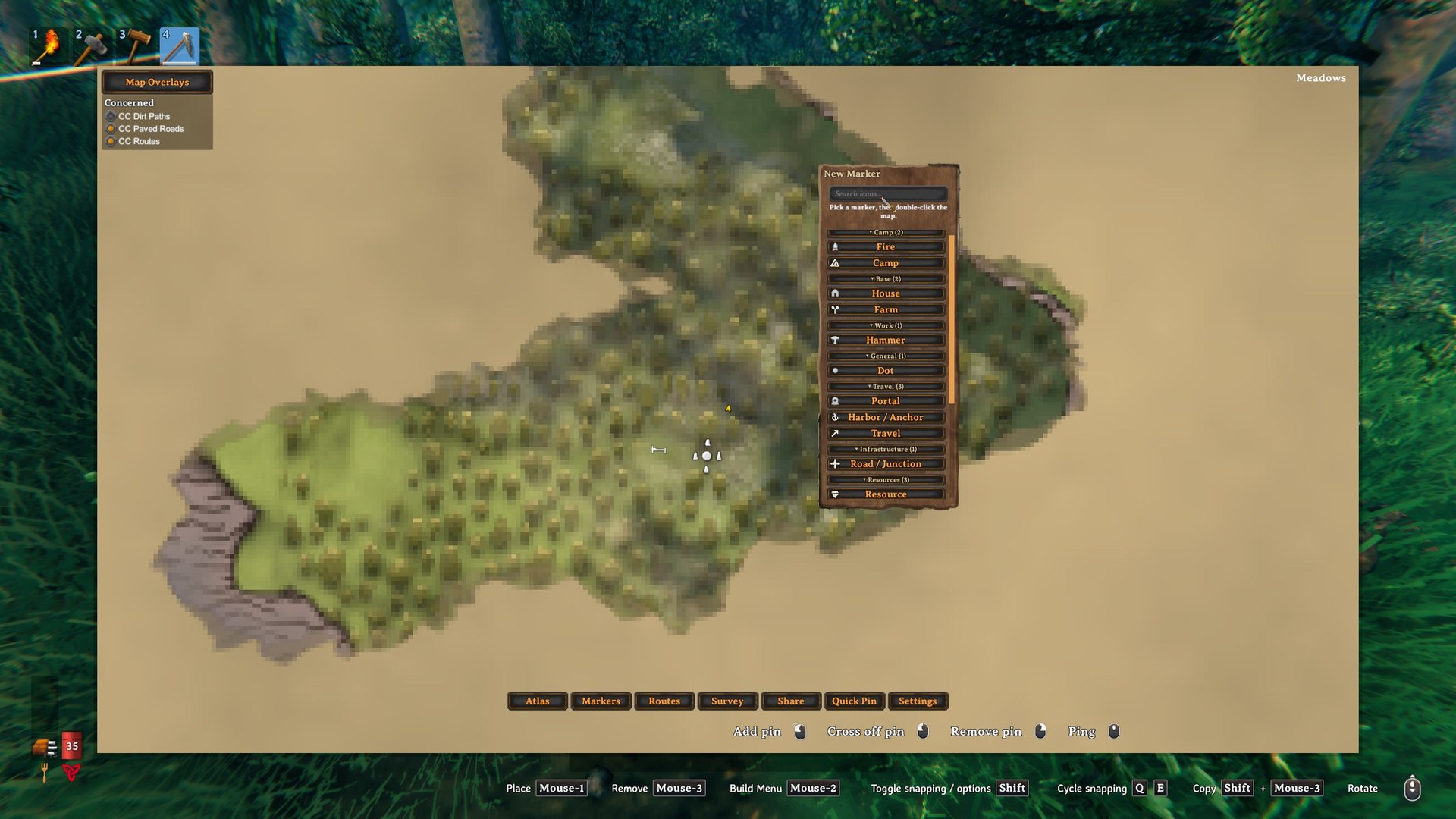
The marker palette: categorized, searchable marker types placed by double-clicking the map.
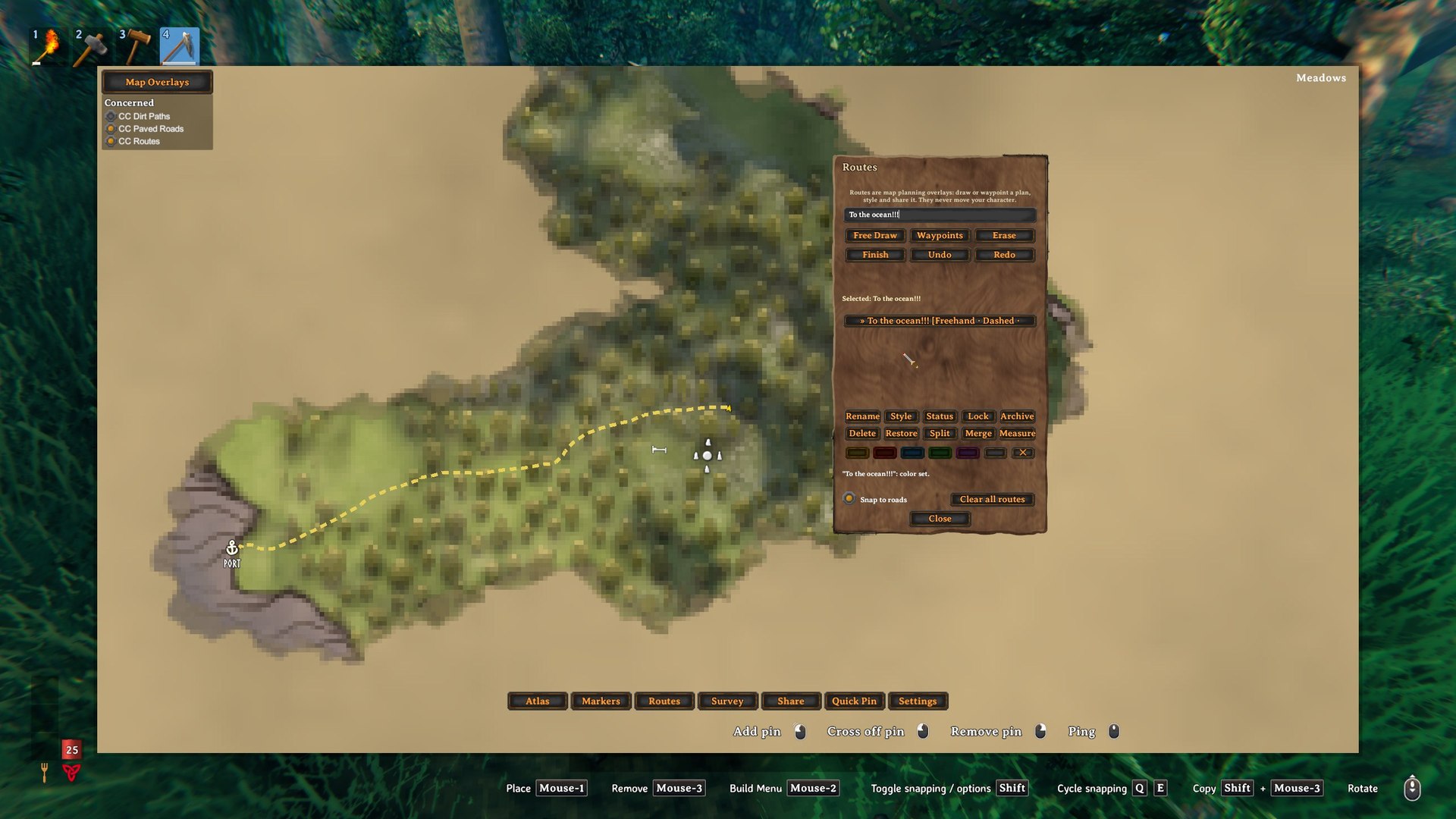
Routes are planning overlays — freehand or waypoints, styled and named, with snap-to-roads. When you explicitly opt in, Route Follow can steer vanilla Q autorun along the selected route on foot, or the vanilla rudder along a route you marked for sailing.
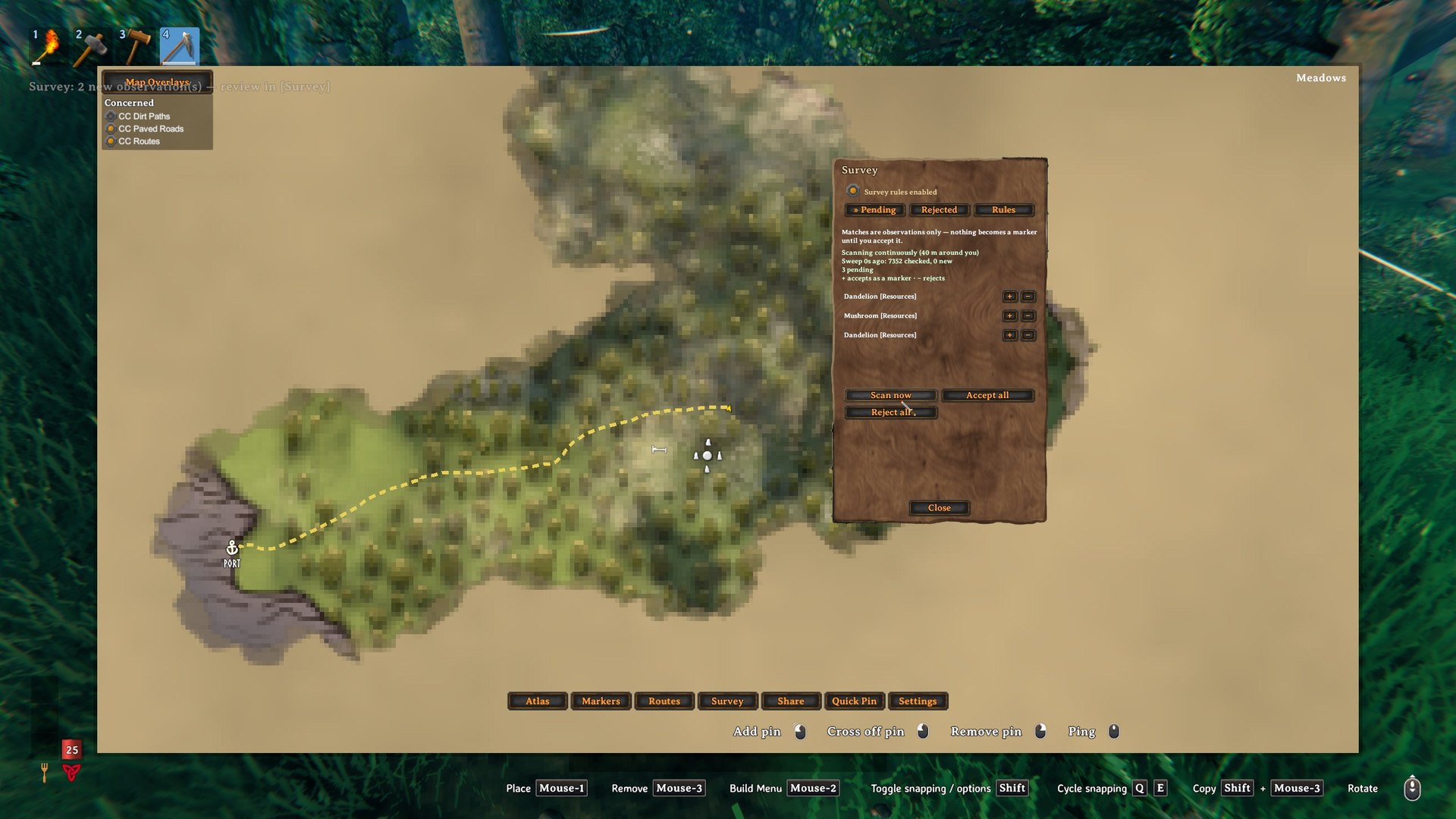
Survey finds nearby points of interest as pending observations — nothing becomes a marker until you accept it.
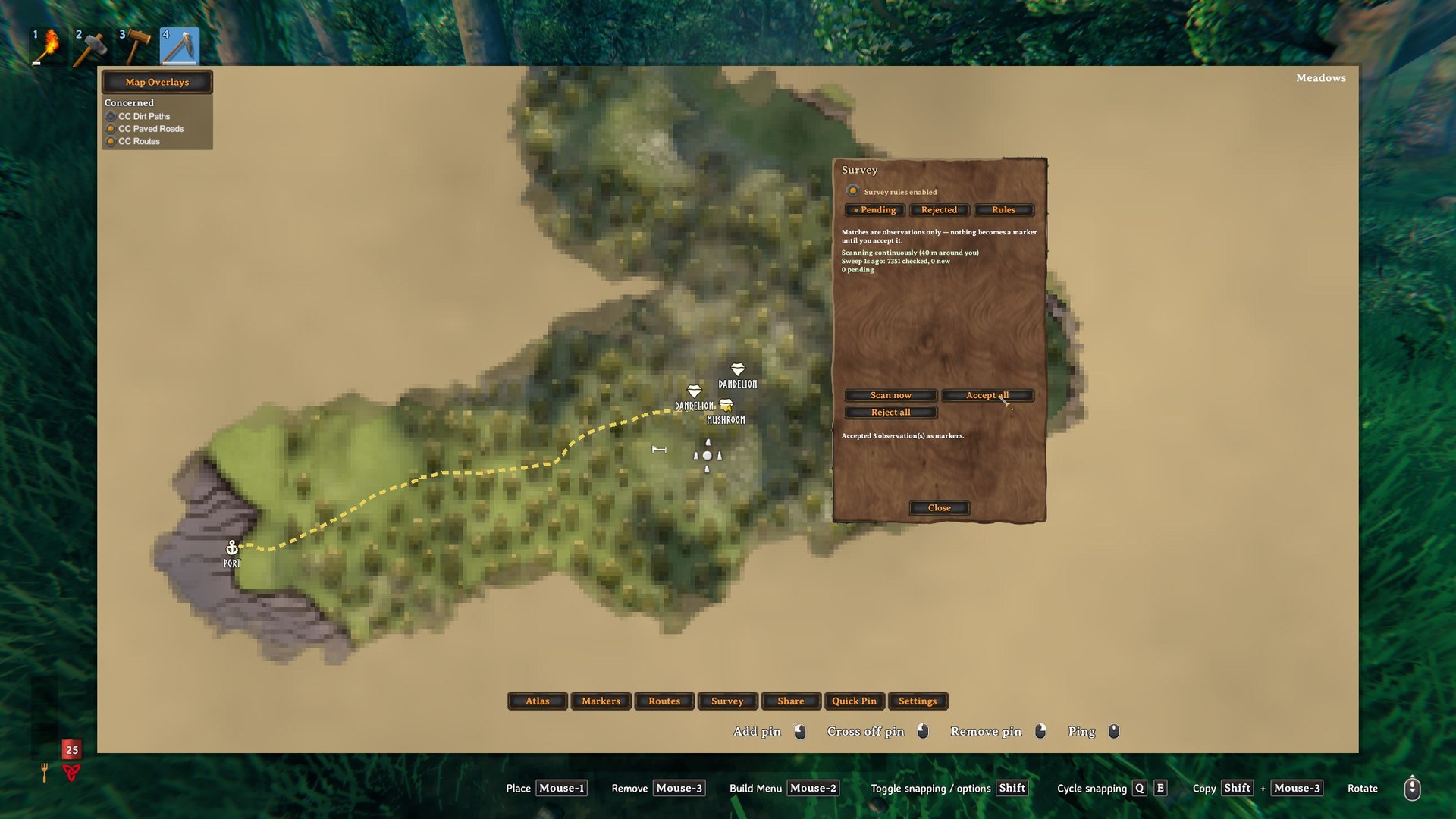
Accepted observations become ordinary editable markers on the map.
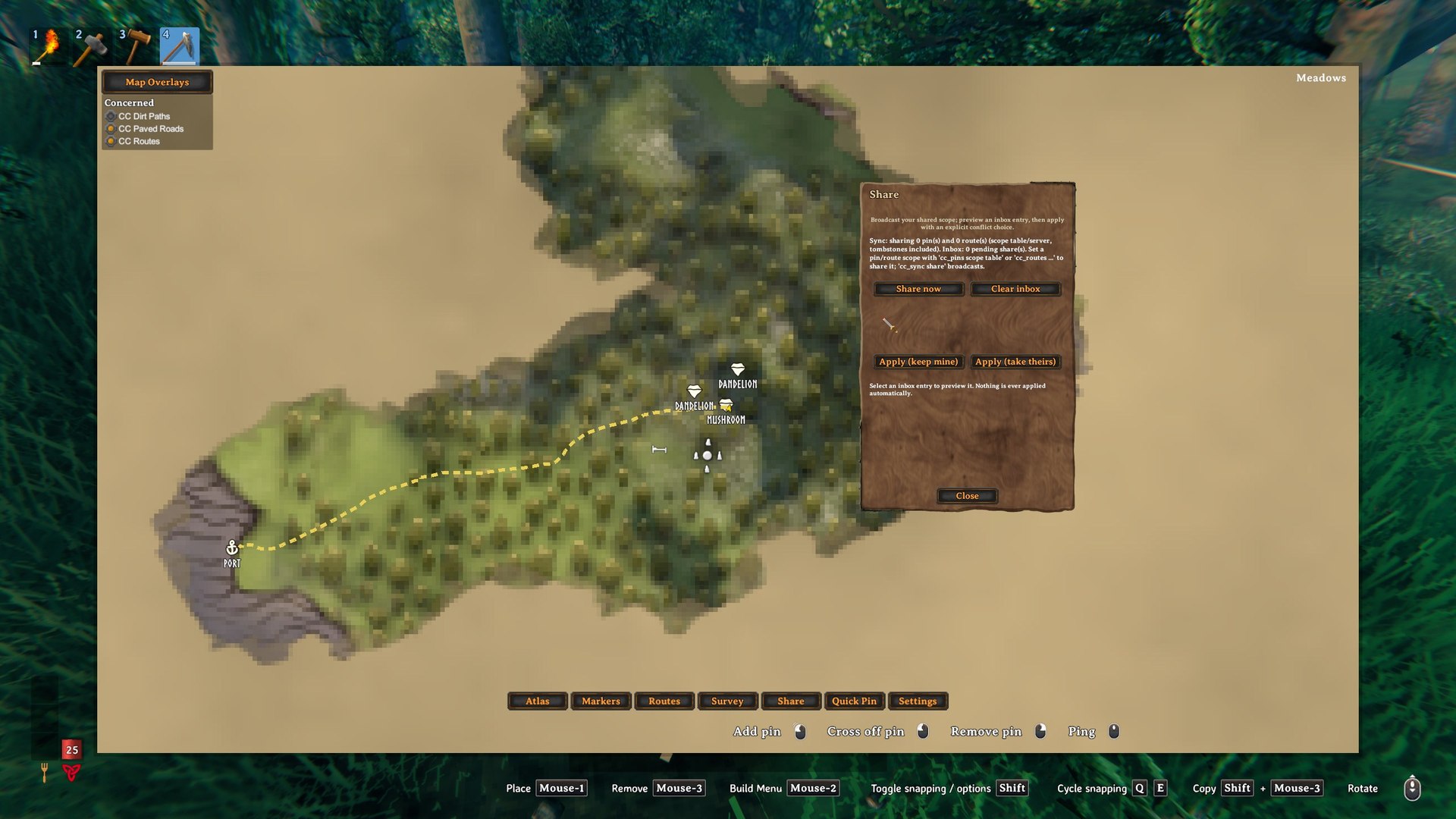
Multiplayer sharing is deliberate: preview every incoming share and choose how conflicts resolve — nothing is ever applied automatically.
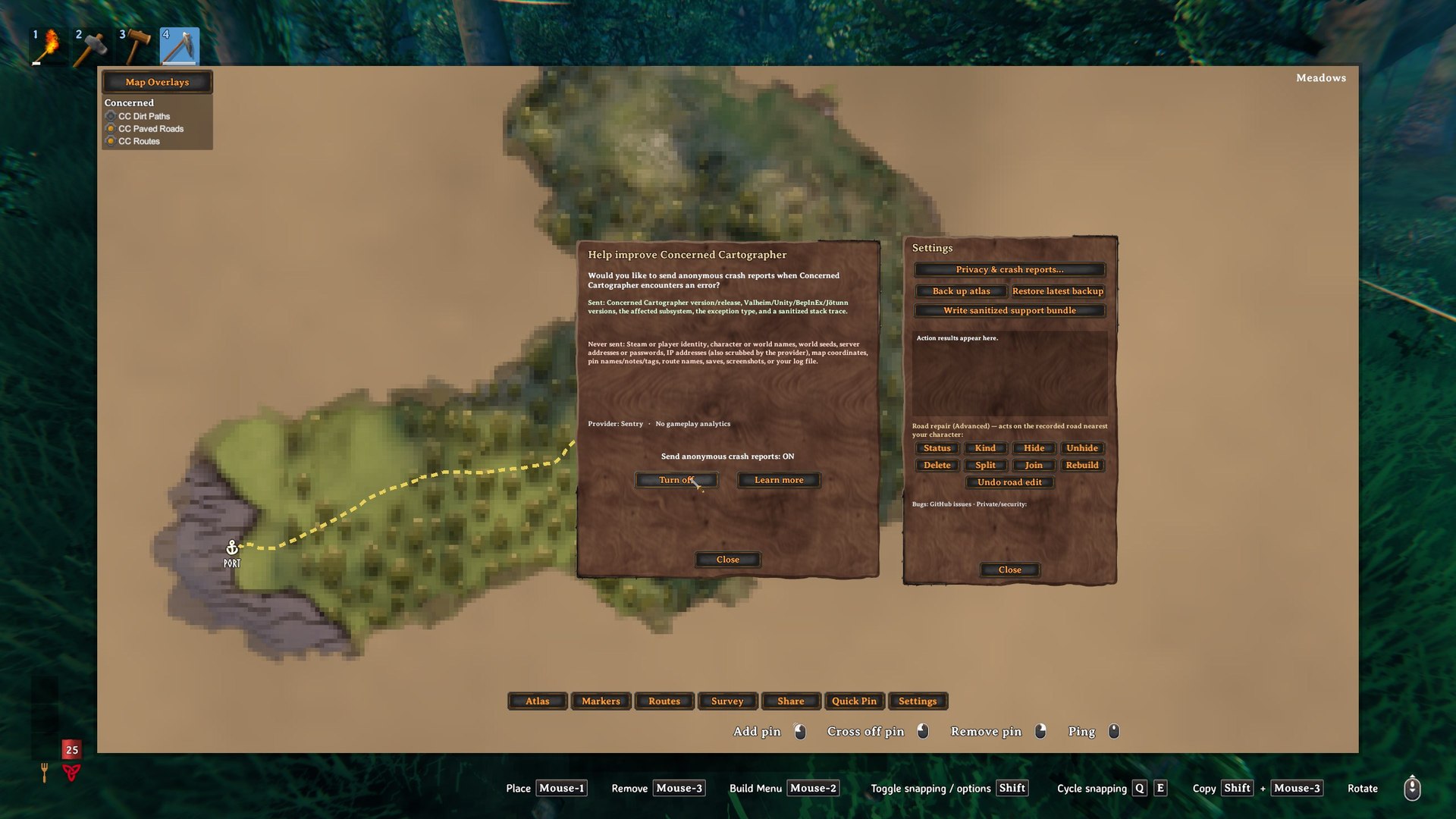
Settings with backups, a sanitized support bundle, road-repair tools — and opt-in crash reporting that spells out what is never sent.
Version 1.0.4 and support
Version 1.0.4 adds optional sailing Route Follow. Mark a route as a sailing route (Routes panel Sailing button, or cc_routes sailing on), enable Routes/SailingAutoFollowEnabled, take the helm with that route selected, and press Q. Cartographer feeds only the bounded rudder input a player supplies by holding the helm key. Your sails stay manual, and wind, physics, speed, collision, damage, ownership and network authority are untouched. Any helm input, any sail step, jump/attack/secondary/dodge, a second Q, leaving the helm, route changes, going too far off route, reaching the end, or 12 seconds without progress cancels it. There is no tacking, obstacle avoidance, docking or pathfinding. Live multiplayer verification of sailing Route Follow is still outstanding and is not claimed.
Version 1.0.3 fixed dungeon surveying: Burial Chambers, Troll Caves, Bear Caves, Sunken Crypts, Frost Caves and Hildir's crypt and cave are offered as pending observations when you walk up to them. They never were before, because the survey only examined networked objects and a Valheim dungeon entrance is not one.
Version 1.0.3 also added optional walking Route Follow. Enable it in the Routes panel, select a live route, close the map, stand near the route, and press Q. A second Q press, manual movement/look, route changes, unsafe lifecycle states, leaving the route, reaching its end, or making no route progress for 2.5 seconds cancels it. Ships, carts, mounts, speed, stamina, collision, fog, and multiplayer authority are never controlled. It carries forward the Valheim 1.0.7 HUD-message and high-resolution UI fixes from 1.0.2, verified against the current Valheim 1.0.12 build.
Development and compatibility support continue beyond v1.0. Confirmed crashes, data-loss risks, installation failures, stuck input, duplicated pins, and multiplayer consistency problems receive the highest priority.
Report ordinary bugs and compatibility problems through the GitHub issue tracker:
https://github.com/Weakened/ConcernedCatMods/issues
Run cc_atlas support to create a sanitized report containing versions, settings, and counts—but never coordinates, names, pins, routes, or notes.
For security vulnerabilities, privacy questions, or sensitive logs:
Crash reporting is optional, disabled until the player explicitly opts in, and contains no gameplay analytics.