
You are viewing a potentially older version of this package. View Latest Version
Shack Workbench Pack
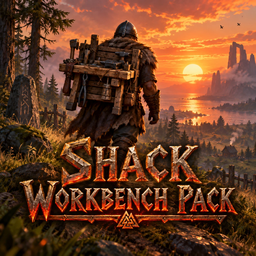
A workbench you carry: upgrade it at the workbench like gear, wear it and press Tab to craft from your back, or set it down as a small workbench. The server and every player need it.Shack Workbench Pack
A workbench you carry on your back. Craft it at the workbench, upgrade it there like gear, then take it with you: wear it and press Tab to craft, upgrade and repair right from your back, or set it down anywhere as a small workbench you can work at.
Getting one
- Craft the Workbench backpack at a workbench: 10 Wood + 2 Deer hide.
- Upgrade it at a workbench, in the Upgrade tab, from level 1 to 5. Each upgrade costs exactly what the matching workbench upgrade costs to build:
| Level | Packs | Upgrade costs |
|---|---|---|
| 2 | Chopping block | 10 Wood, 10 Flint |
| 3 | Tanning rack | 10 Wood, 15 Flint, 20 Leather scraps, 5 Deer hide |
| 4 | Adze | 10 Fine wood, 3 Bronze |
| 5 | Tool shelf | 4 Iron, 10 Fine wood, 4 Obsidian |
- Like any gear, upgrading to level N needs a workbench of level N, so you can only pack an upgrade after your real bench has it.
- The costs are read from the game's own workbench upgrades, so they always match.
Wearing it
- It goes in the utility slot (where Megingjord or the Wishbone go): right-click it in your inventory.
- It weighs 50 (worn or in your bag), and while you wear it you walk, run and swim 25% slower.
- A small workbench shows on your back, for everyone to see.
- Tab opens the workbench menu at the backpack's level, next to your inventory: craft, upgrade and repair on the go.
- The hammer can build around you, like near a real workbench (20 m at level 1, +4 m per level).
Setting it down
- In your hotbar or a quick slot: press its key. While you wear it: press G (you can change the key in F1).
- A ghost of the bench shows where you aim. Left-click sets it down, scroll turns it, right-click cancels.
- The set-down bench is a half-width, three-quarter-height workbench. It works like a workbench of the backpack's level: crafting, upgrades, repairs, and building around it.
- Shift + E packs it back up, at the same level, straight onto your back if your utility slot is free.
- Removing it with the hammer, or it getting destroyed, drops the backpack (at its level) instead of losing it.
- Only the player who set it down (or an admin) can pack it up or remove it. Wards and no-build areas apply as usual.
Works with
- Equipment & Quick Slots: worn gear lives in its own slots there, not the hotbar, which is why the G key exists.
- Craft From Containers: crafting from your back uses chests (and a cart you're pulling) within range, like at any workbench.
Settings
Set by the server admin in F1 (Shack Workbench Pack). The server's values apply to everyone.
1 - General
- Weight (50).
- Slower while worn (25%). 0 = no slowdown.
- Needs a roof (off): crafting at the backpack needs a roof, like the real workbench.
- Only the owner can pack up (on).
- Craft cost ("Wood:10, DeerHide:2"): what the level 1 backpack costs. Upgrades always cost the workbench upgrades.
2 - Building
- Build while worn (on): the hammer can build around a player wearing it.
- Build radius (20 m) and Build radius per level (4 m), like the real workbench.
Each player's own (0 - This PC):
- Set down key (G).
- Wear after packing up (on).
Multiplayer
The server and every player need this mod, at the same minor version. The backpack and the set-down bench are new things in the world, so everyone must know them; Jotunn turns away anyone without it. Removing the mod later removes every backpack and set-down bench.
Part of The Shack Pack.