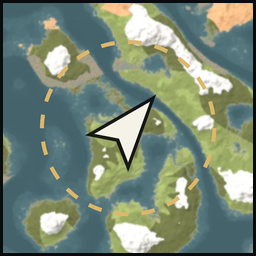
Installation and connection descriptions now use plain player language and clearer setup links.
Gameplay is unchanged.
1.5.2
The mod and its player guides now use the name Realtime Map from seed.
The installed mod display name and illustrated listing use the same name. Gameplay is unchanged.
1.5.1
The listing now pairs each advertised feature with a screenshot from the running game or connected website.
Installation links and the project summary are refreshed. Runtime behavior is unchanged from 1.5.0.
1.5.0
Every update carries mod, the mod's version, so the seed map can tell you when a newer one is out.
Buildings (experimental): the mod remembers every piece players have built that your game has loaded, and the
crops growing on your fields, per world in BepInEx/config/LiveSeedMap/, as it does the portals. The seed map draws
them from above in its Buildings panel, roofs over what they cover, with switches for roofs, a height tint, shadows
and stairs (GET /v1/buildings; every update carries buildingsVersion). Villages, ruins and camps the world
generated are left out.
Each built piece that keeps creatures from spawning around it (workbenches, fires, torches, beds, portals…) reports
that circle, so the seed map can show where your bases are safe.
1.4.0
Track in game: pick a place, a pin or a portal on the seed map and press Track in game. Your game shows it as a
ping only you see, with its name and distance, kept at the edge of the screen while it is behind you and on the
minimap and large map. It stays until you remove it on the seed map or track something else; the map can also
remove it once you arrive (within 10 m). POST and DELETE /v1/track; every update carries track. Nothing is sent
to other players. AllowTracking = false in [Track] turns it off; ClearWithin sets the arrival distance used
when the map does not send one (0, never, by default).
1.3.0
Portals: the mod remembers every portal your game has loaded, with its tag and the portal it connects to, and keeps
the list per world in BepInEx/config/LiveSeedMap/, so it survives a restart. On a server it asks for the far end
of a connected portal the way the game does near one, so pairs fill in as you play. The seed map lists them in its
Portals panel (GET /v1/portals; every update carries portalsVersion, so the map fetches the list only when it
changes). A portal leaves the list when it is destroyed, or when you stand near where it was and the game no longer
has it.
1.2.1
The seed map shows which key to press to show an item or creature on it: your ShowOnMapKey, sent with every
update as focusKey (nothing when the key is set to None).
Updates every 0.25 s instead of every second, so markers move smoothly. A new install gets Interval = 0.25; an
existing config keeps its value (set it to 0.25 for the same). The mod never goes below 0.1 s.
1.2.0
Ship: the ship you steer or stand on shows under your marker, turned by its heading, with its speed and sail.
Wind: the wind's direction and strength, as the in-game map's wind marker shows it.
Fog of war: the seed map can dim the ground your in-game map has not explored (GET /v1/explored), and fetches it
again only when your map changes.
GET /v1/nearby (for checking the seed map): the berry bushes, trees and rocks the game has loaded around you.
1.1.0
Pin sync: with AllowPinWrites = true the seed map can add, remove and check off your own fire, house, hammer, dot
and portal pins. Off by default; the map then only reads them.
Show on map: point at an item (inventory, chest, crafting list, on the ground) or a creature and press J
(ShowOnMapKey) to show it on the seed map.
1.0.1
The map always connects on port 45892, so the Port setting is gone: a
changed port left the map unable to find the game.
1.0.0
Live position and heading of your character on the thevalheim.wiki seed map.
Other players as the in-game map shows them.
Loaded creatures around you, with level and health, up to the range the game keeps loaded.
Your saved map pins.
The Haldor, Hildir and Bog Witch camp your world kept.
Thunderstore development is made possible with ads. Please consider making an exception to your adblock.