

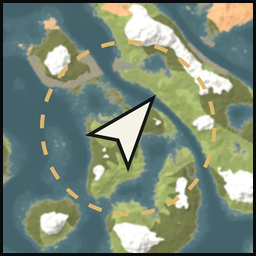
LiveSeedMap
Shows your running game on the thevalheim.wiki seed map: position, players, creatures, pins, portals and the trader camps your world kept, and tracks any place from the map in your game as a ping. Stays on your PC.Live Seed Map
Your running Valheim game on the seed map at thevalheim.wiki.
- Where you stand and which way you face, four times a second.
- Other players, when they show their position on the in-game map.
- Creatures around you within the range you choose, with their stars.
- Your map pins.
- Which Haldor, Hildir and Bog Witch camp your world kept. Each has ten possible sites; the first one your world generates stays and the others are removed.
- Nearest-first search from where you stand: copper, a Troll cave, Northern Salmon water.
- Point at an item or a creature in the game and press J: the seed map shows where to find it. The map reminds you of the key, also when you change it.
- Optional pin sync: your pins on the seed map and in the game stay the same, check marks included.
- Your ship under your marker, turned the way it sails, and the wind as the in-game map shows it.
- Optional fog of war: the ground your map has not explored yet, dimmed on the seed map.
- Your portals, listed by tag with where each pair leads and how far apart they are. Click a pair to see both ends on the seed map.
- Track in game: pick a place, a pin or a portal on the seed map and your game shows it as a ping only you see, with its distance, until you remove it.
Use
- Install with r2modman, Thunderstore Mod Manager or Gale and start Valheim modded. On a Mac, where those managers do not run, follow Valheim mods on Mac.
- Load your world.
- Open thevalheim.wiki/map and press Connect game. Chrome and Edge ask once whether the page may reach apps on this device.
When the map shows another seed, it offers the map of your world's seed. The connection is remembered, so next time the map finds your game on its own.
On your computer only
The mod answers only on 127.0.0.1, only to pages from thevalheim.wiki, and sends nothing over the internet. It reads the game and changes nothing in your world or character (it keeps the portals it has seen in BepInEx/config/LiveSeedMap/), unless you turn on AllowPinWrites: then the seed map may add, remove and check off your own map pins, and nothing else. A tracked target is a ping drawn only in your own game; other players never see it.
Settings
BepInEx/config/wiki.thevalheim.liveseedmap.cfg:
| Setting | Default | What it sets |
|---|---|---|
Interval |
0.25 |
Seconds between updates, at least 0.1 |
Origins |
https://thevalheim.wiki |
Pages allowed to read your game |
AllowPinWrites |
false |
Let the seed map add, remove and check off your fire, house, hammer, dot and portal pins |
ShowOnMapKey |
J |
Show the item or creature you point at on the seed map |
AllowTracking |
true |
Let the seed map show a target in your game as a ping with its distance |
ClearWithin |
0 |
Metres from a tracked target at which it is removed when the map does not say; 0 keeps it |
Multiplayer
On a server or as the host, other players appear the way the in-game map shows them: only those who share their position.
On a server your game only knows the portals near where you have been. The mod remembers each one it sees, and for a connected portal it asks the server for the other end, as the game does when you stand at a portal. Playing fills the list in.