

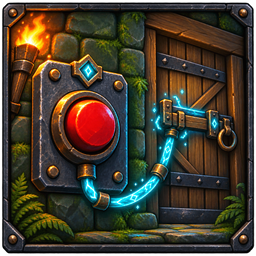
LatchLink
Remote switches for linked Valheim doors, gates, and compatible drawbridges.LatchLink
LatchLink adds buildable switches that remotely operate linked doors, gates, and compatible drawbridges.
Features
- Wooden Lever, Iron Button, and Rune Switch variants
- Toggle, Open, and Close operating modes
- Multiple doors can be linked to one switch
- Links and modes persist with the world
- Switch visuals follow the actual state of their linked doors
- Configurable link distance and link limit
Modded gates and drawbridges are supported when they use Valheim's standard Door component.
Recipes
| Switch | Materials |
|---|---|
| Wooden Lever | 4 Wood, 1 Resin |
| Iron Button | 2 Fine Wood, 2 Iron |
| Rune Switch | 4 Stone, 1 Surtling Core, 2 Greydwarf Eyes |
The required materials unlock each recipe. A nearby workbench is required to place a switch.
Controls
Look directly at a placed switch before using these controls.
| Input | Action |
|---|---|
| Use | Operate the linked group |
| Shift + Use | Enter or cancel link mode |
| Alt + Use | Cycle between Toggle, Open, and Close modes |
| Shift + Alt + Use | Remove every link from the switch |
| Escape | Cancel link mode |
After entering link mode, use the door or gate you want to add or remove. Link mode ends after that interaction. Repeat the process to link another target.
Installation
Install LatchLink with r2modman or Thunderstore Mod Manager.
For manual installation, install BepInExPack Valheim and Jotunn, then place LatchLink.dll inside BepInEx/plugins.
The mod must be installed on the server and every connecting client.
Configuration
Configuration is generated at BepInEx/config/com.tomtom.latchlink.cfg after the game starts once.
| Setting | Default |
|---|---|
| Maximum links per switch | 32 |
| Maximum link distance | 100 metres |


