

LatchLink
Remote switches for linked Valheim doors, gates, and compatible door mods.LatchLink
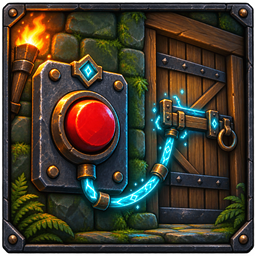
LatchLink adds buildable switches that remotely operate linked doors, gates, and compatible drawbridges.
Version 0.8.1 targets Valheim 1.0.7 and requires BepInExPack Valheim 5.4.2350 and Jotunn 2.30.0 or newer compatible releases.
Upgrading From 0.7.x or Earlier
Update LatchLink on the server and all clients. Old links require a one-time relink: Shift + Use the switch, then Use each intended door. The first new link replaces the obsolete numeric references, so link every intended door again. Restore any per-door switch-only settings with Alt + Use on the linked door in link mode.
Links now use persistent identifiers stored with each door and switch. Earlier versions saved temporary Valheim object IDs, which are reassigned when a world loads. Already-broken old references cannot be recovered reliably and are never followed to another object that reuses the ID. Temporarily unavailable new references are retained. Copied objects with duplicate identifiers are not resolved automatically.
Features
- Wooden Lever, Iron Button, Rune Switch, and Secret Bookshelf variants
- Toggle, Open, and Close operating modes
- Multiple doors can be linked to one switch
- Links and modes persist with the world
- Saved links remain usable across temporary ZDO loading gaps
- Switch visuals follow the actual state of their linked doors
- Configurable link distance and link limit
- Optional per-door switch-only mode
Modded gates and drawbridges are supported when they use Valheim's standard Door component. LatchLink operates targets through their normal interaction path, so access-control and door-behavior patches from mods such as WardIsLove are respected without requiring a hard dependency.
Keyed and one-way doors can be linked. They retain their normal restrictions: the activating player must have any required key, and a one-way door will not close through a switch.
Stoneveil
Stoneveil 0.3.0 converted panels are recognized from their saved hinge data, including on a dedicated server where the live Door adapter may not be loaded. Ordinary walls and panels with removed hinges are not accepted as Stoneveil doors. Install both mods on the server and all clients. Existing 0.8.0 persistent links do not need to be recreated for this update.
Stoneveil's normal interaction checks still apply, including its owner-side player-to-panel distance limit (the player's normal interaction distance plus 2 metres), ward access, and clear movement path. A switch farther away does not bypass that distance limit. This integration has automated recognition coverage; live-game and multiplayer testing remain pending.
The Secret Bookshelf uses the same controls and modes as every other switch. It uses a weathered vanilla Valheim shelf and muted leather-bound books; the red book pulls outward and tilts briefly whenever the shelf is activated.
Recipes
| Switch | Materials |
|---|---|
| Wooden Lever | 4 Wood, 1 Resin |
| Iron Button | 2 Fine Wood, 2 Iron |
| Rune Switch | 4 Stone, 1 Surtling Core, 2 Greydwarf Eyes |
| Secret Bookshelf | 10 Fine Wood, 4 Deer Hide, 1 Bronze |
The required materials unlock each recipe. A nearby workbench is required to place a switch.
Controls
Look directly at a placed switch before using these controls.
| Input | Action |
|---|---|
| Use | Operate the linked group |
| Shift + Use | Enter or cancel link mode |
| Alt + Use | Cycle between Toggle, Open, and Close modes |
| Shift + Alt + Use | Remove every link from the switch |
| Alt + Use on a linked door while in link mode | Toggle direct use of that door |
| Escape | Cancel link mode |
After entering link mode, use the door or gate you want to add or remove. To make an already-linked door usable only through its switches, enter link mode again and press Alt + Use on that door. Repeat the action to restore direct use. Link mode ends after either interaction.
Installation
Install LatchLink with r2modman or Thunderstore Mod Manager.
For manual installation, install BepInExPack Valheim and Jotunn, then place LatchLink.dll inside BepInEx/plugins.
The mod must be installed on the server and every connecting client.
Configuration
Configuration is generated at BepInEx/config/com.tomtom.latchlink.cfg after the game starts once.
| Setting | Default |
|---|---|
| Maximum links per switch | 32 |
| Maximum link distance | 100 metres |


