
PingMaker
Multiplayer 3D world ping system for Valheim with personal player color palette, creature silhouette highlighting, and distance indicators.Changelog
All notable changes to PingMaker will be documented in this file.
[1.2.4] - 2026-11-15
- Interactive Color Picker & HEX Code Tool:
- Added a full custom color creation studio in the Viking GUI settings. Players are no longer limited to 8 preset colors — choose from all 16.7 million 24-bit/32-bit RGB colors.
- HEX Code Input: Direct text input field for typing or pasting HEX codes (e.g.
#FF0055,#00FFCC,#FFAA00) with instant validation, live preview, and one-click "Вставить" / "Копировать" clipboard buttons. - HSV Spectrum Sliders: Interactive Hue (0°–360°), Saturation (0%–100%), and Brightness/Value (20%–100%) sliders with real-time preview.
- Dynamic "Свой цвет" Slot: Added a dedicated 9th custom color button in the palette grid displaying the active HEX code.
- Duplicate Color Prevention System:
- The mod now prevents multiple players on the same server from using the same or visually indistinguishable colors (Euclidean RGB distance check).
- When another player has already claimed a color preset, the button displays a red
[Занят: Ник]badge. - Attempting to pick an occupied color displays an on-screen warning: "К сожалению, данный цвет уже выбран игроком [Ник]! Пожалуйста, выберите другой цвет", keeping tactical player identification clear and unambiguous.
- Scrollable Window Layout:
- Added a smooth scrollview to the Settings GUI, ensuring all settings, color tools, audio sliders, and visual options fit comfortably on any resolution (1080p, 1440p, 4K, 720p).
- Pinned the "СОХРАНИТЬ И ЗАКРЫТЬ" button permanently to the bottom of the window.
- Custom Color Network Synchronization:
- Added
RPC_SYNC_HEXand ZDO string replication ("PingMaker_ColorHex") to broadcast exact custom HEX colors across clients and dedicated servers.
- Added
[1.2.3] - 2026-11-15
- Multiplayer Player Color Sync & Cache Poisoning Overhaul:
- Replaced non-deterministic
string.GetHashCode()fallback (which had randomized hash seeds per process in .NET Core, causing different players to see different random colors for the same teammate) with a deterministic cross-platform FNV-1a hash algorithm. - Fixed fallback cache poisoning: unverified default colors are no longer permanently written to
PlayerColorsMap, allowing remote players' actual colors to seamlessly apply as soon as their ZDO or RPC packet arrives. - Added automatic ZDO inspection via
ZNet.GetPlayerList()andZDOManto retrieve players' colors across the entire map, even when players are outside local GameObject loading distance. - Added automatic broadcast on local player spawn and respawn via
Player.OnSpawned, and whenever a new peer connects viaZNet.RPC_PeerInfo. - Added background periodic heartbeat (every 6 seconds) to ensure ZDO data integrity and request missing colors from connected peers.
- Added automatic color synchronization upon changing
ActiveColorIndexvia BepInEx config manager (SettingChanged).
- Replaced non-deterministic
- Radial Menu Accidental Switch Fix:
- Added minimum cursor displacement guard (32px from opening position) to prevent accidental color switching on slight mouse shifts or crosshair offsets.
- Linked radial menu confirmation directly to
NetworkSync.BroadcastLocalPlayerColor()andModConfig.Save().
- New Official Meme Icon:
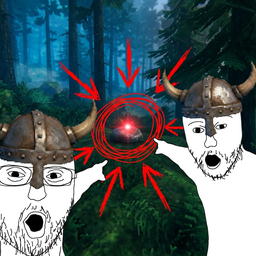
- Updated mod icon with high-visibility 256x256 meme artwork: Viking Soyjaks pointing at a laser designator red dot ping on a Valheim rock with red Paint circles and arrows.
[1.2.2] - 2026-11-15
- Procedural Sound Engine & Audio Presets:
- Added a lightweight procedural audio engine with real-time in-memory
AudioClipsynthesis (zero external audio assets required, preventing missing file errors and keeping mod footprint minimal). - 5 sound presets selectable directly in the Viking GUI:
0: Soft Click (Default) — Ultra-gentle 45ms tactical click (420 Hz -> 260 Hz sine decay). Ideal for frequent pings without fatigue.1: Classic Chime — Clean crystalline dual-tone chime (988 Hz + 1318 Hz).2: Nordic Horn — Atmospheric 220ms Viking horn with resonant harmonics (165 Hz fundamental, 330/495 Hz overtone body).3: Wood Knock — Crisp 60ms acoustic percussion (wooden axe/shield thump).4: Mute (None) — Completely silent pings.
- Added instant audio preview button (
▶) in the Settings GUI to audition presets before battle. - Integrated 90ms anti-spam throttling for sound playback.
- Added a lightweight procedural audio engine with real-time in-memory
- Independent Audio Volumes & Mute for Other Players:
- Added separate volume sliders for My Pings (
0% - 100%, default80%) and Friends' Pings (0% - 100%, default50%), scaled by master mod volume. - Added a one-click toggle: "Полностью отключить звуки пингов от других игроков" (Mute sounds from other players). Visual 3D markers and map pins remain visible while disabling remote sound signals.
- Added separate volume sliders for My Pings (
- Enhanced Settings GUI Layout:
- Expanded Settings GUI height with adaptive screen bounds (
Mathf.Min(820f, Screen.height - 40f)) to accommodate the new Sound & Volume control panel seamlessly.
- Expanded Settings GUI height with adaptive screen bounds (
[1.2.1] - 2026-11-15
- Fixed Crosshair Aiming & Resolution Scaling:
- Implemented exact screen-space crosshair raycasting (
cam.ScreenPointToRay(crosshairPos)), ensuring pings land precisely where the player's crosshair points regardless of display resolution, aspect ratio (16:9, 16:10, 21:9 Ultrawide, 32:9 Super-Ultrawide), or Valheim GUI scaling settings. - Replaced raw screen pixel positioning with
RectTransformUtility.ScreenPointToLocalPointInRectangleon the UI canvas, eliminating reticle and 3D marker drift/offset on 1440p, 4K, 720p, and custom DPI screens. - Fixed creature lock-on jumping/snapping to distant off-screen or off-crosshair creatures: direct raycast has top priority, and proximity search is strictly bounded to a 38-pixel screen radius with full line-of-sight verification (preventing targeting through rocks, trees, or walls).
- Implemented exact screen-space crosshair raycasting (
- Added Native ESC (Pause) Menu Button:
- Added a styled
"ᚱ PingMaker"button directly inside the Valheim pause/ESC menu next to the "Settings" button. Players can now open PingMaker configuration seamlessly both via the ESC menu and by pressing'/э. - Automatically matches native Valheim button textures, hover animations, click sounds, and vertical layout grouping.
- Added a styled
[1.2.0] - 2026-11-14
- Added tactical lock-on reticle for creatures (circle + diagonal pointing arrow
↘ ⭕) with 3 selectable operational modes. - Added laser designator 3D markers with soft pulsing laser haze bloom.
- Removed opaque skull icon from creature pings, keeping creatures fully visible.
- Added colored player overhead 3D nameplates and center crosshair hover names.
- Added true-color procedural radar ping sprite for minimap (eliminating blue tint color distortion).
- Excluded friendly players from creature lock-on targeting.
- Disabled radial color menu on hold by default and unbound secondary G key to prevent accidental color changes.
- Fixed
Character.GetHeadPoint()crash on creatures without head bones (e.g. Greydwarf Shaman).
[1.1.0] - 2026-11-12
- Added Viking-themed in-game GUI with Valheim gold styling and rune ornaments.
- Added custom colored player direction arrows on map and minimap (real-time heading tracking).
- Added multiplayer personal color sync across network via RPC.
- Fixed cursor unlock on menu open (no longer requires pressing ESC).
- Auto-cleaning of expired minimap pins.
[1.0.0] - Initial Release
- Initial implementation of the contextual 3D ping system.
- Added creature highlighting with threat color indicators.
- Added 3D world space distance and directional HUD markers.
- Added minimap and large map pin integration.
- Integrated ZRoutedRpc multiplayer networking for instant synchronization between players.
- Added radial ping wheel for categorized pings.
- Added BepInEx configuration and ConfigurationManager support.