
VRSAutomation
Rust-style automation for Valheim: connect chests and machines with pipes, conveyors, splitters and adapters. Server-driven, works while you are away.VRSAutomation
Item automation for Valheim, in the style of Rust's industrial pipes. Connect chests and crafting machines with visible pipes, put conveyors in the line, and items move on their own. It is built for dedicated servers: everything is calculated on the server and keeps running while nobody is nearby.
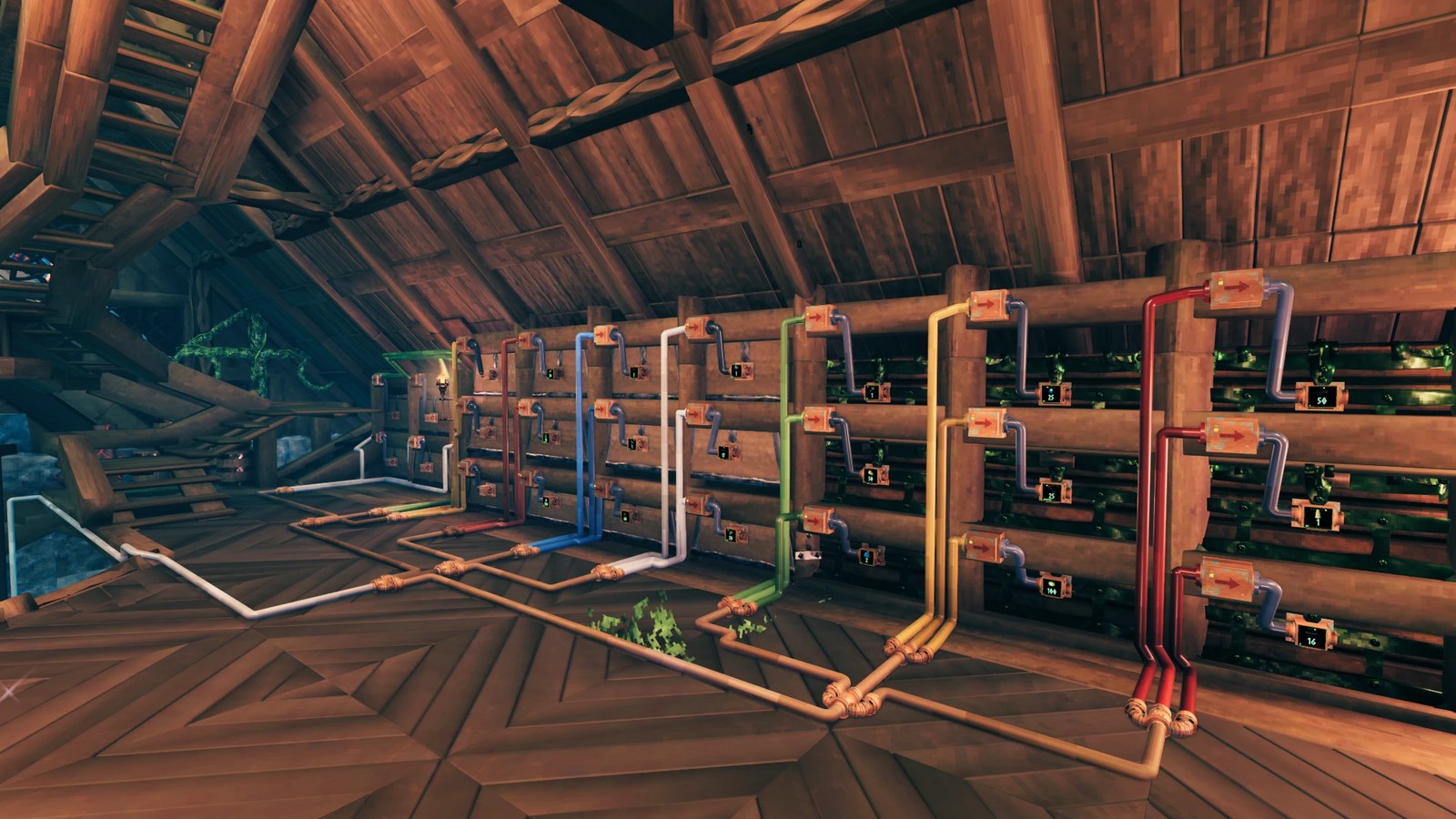
- Pipes, conveyors, splitters and combiners
- Adapters that bolt onto chests and machines
- Filters per conveyor, with minimum and maximum amounts
- Furnaces, kilns and other machines that work as storage boxes
- Machines that keep working while you are far away or logged out (on a server)
- Everything is shared: anyone can use, change or remove any pipe, conveyor or machine setup. Only the game's own wards apply.
Installing
Install with Gale or r2modman, or copy VRSAutomation.dll into BepInEx/plugins/VRSAutomation/.
Requires BepInEx and Jotunn.
Everyone must run the same version. Install it on the server and on every player's game. A player without the mod, or with a different version, cannot join a server that has it.
Getting started
- Craft the Link tool at a workbench (10 bronze, 2 wood by default).
- Build with the hammer. Open the Automation tab and place:
- Storage adapter on a chest. It has one input port and one output port.
- Input adapter and Output adapter on machines.
- Conveyor, Splitter and Combiner wherever you want them.
- Hold the Link tool (the pipe wrench) and draw pipes between ports.
- Turn the conveyor on with E. New conveyors start switched off.
Drawing pipes
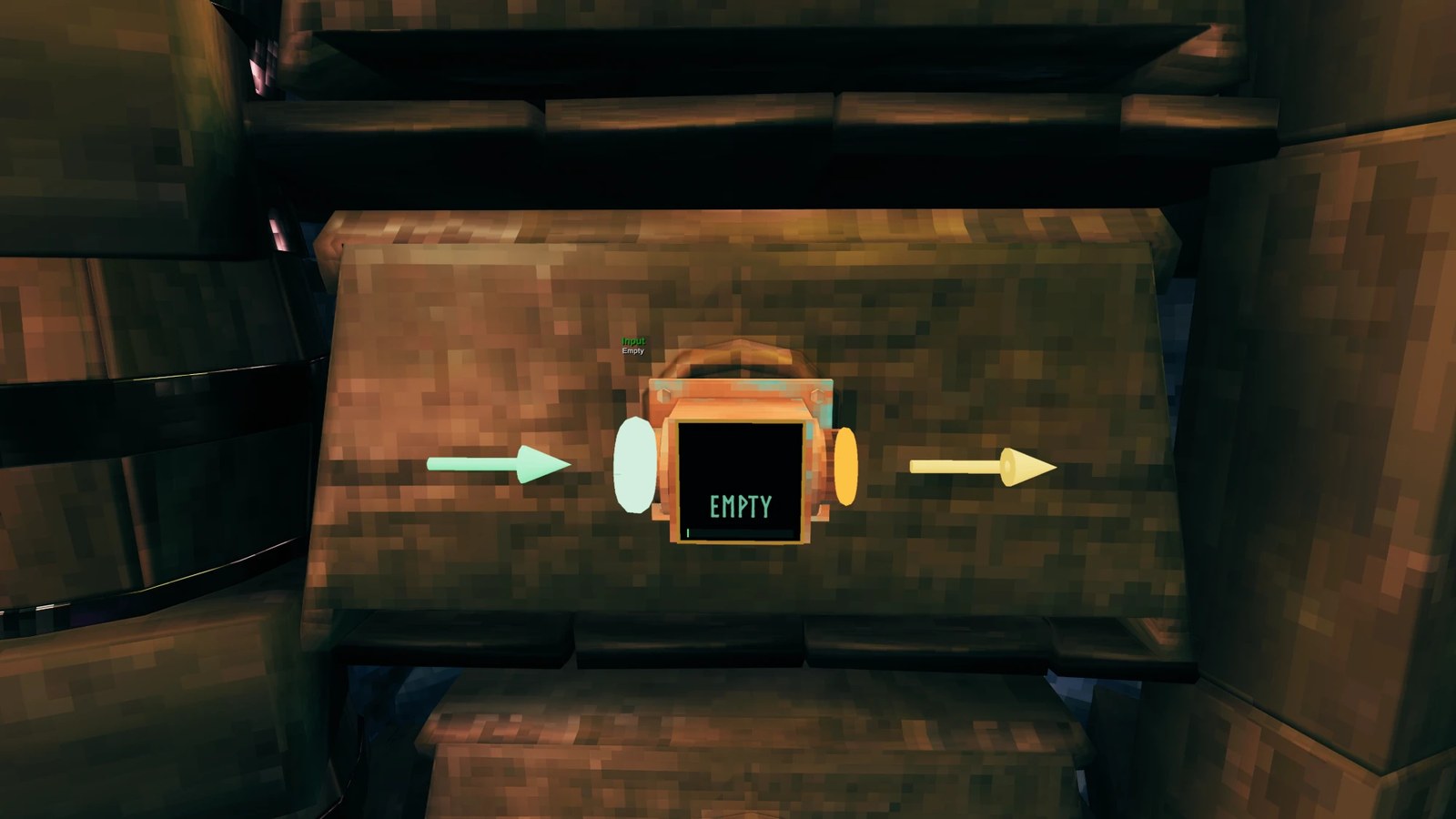
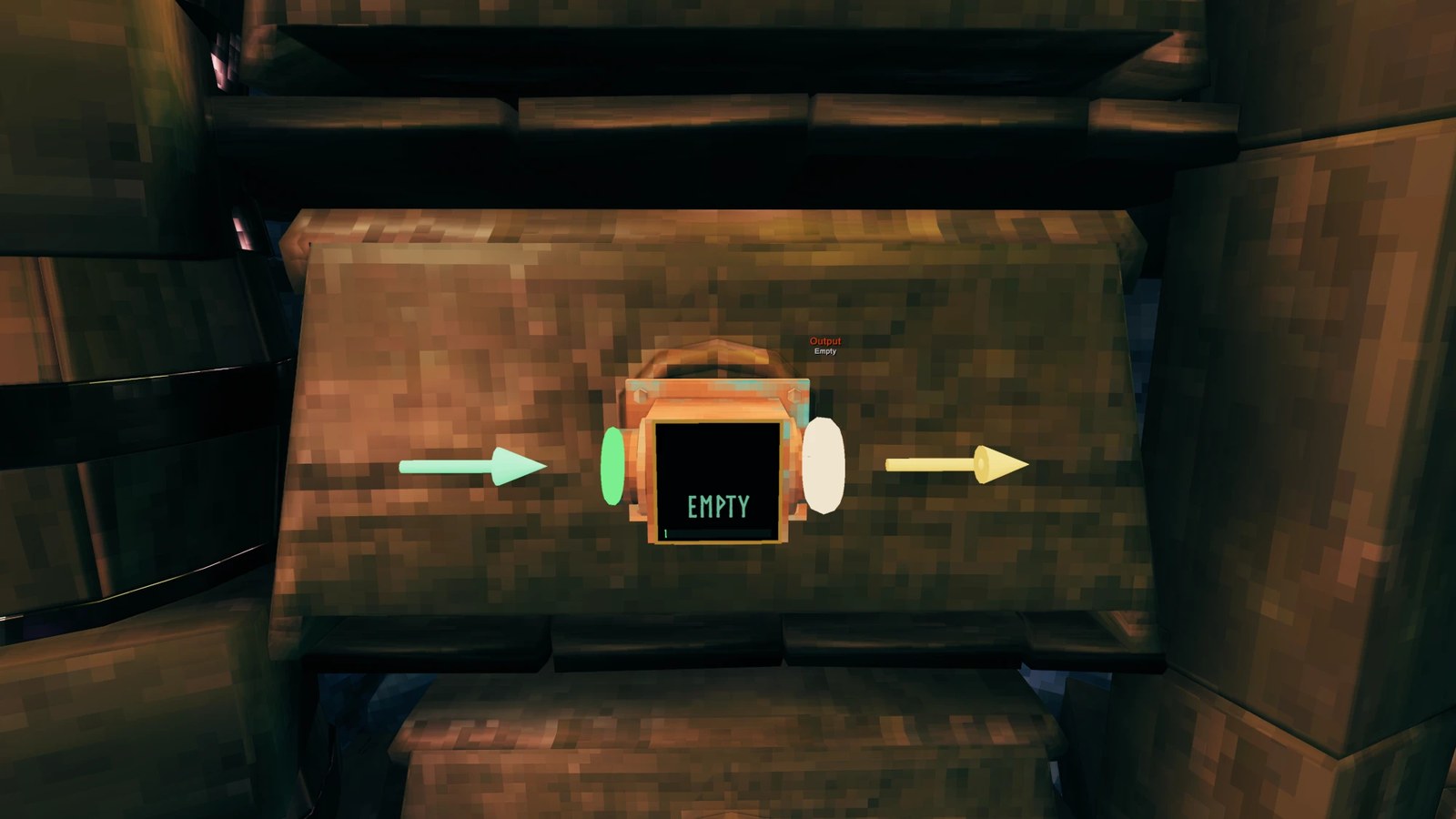
- Click a port to start, click surfaces to place bends, click a compatible port to finish. Output ports are orange and input ports are green, with arrows showing the pipe flow.
| Input port | Output port |
|---|---|
 |
 |
- Hold Shift to lock the pipe to a straight axis.
- Press Z to turn pipe hop on or off. With it on, a pipe lifts itself over any pipe it would cross.
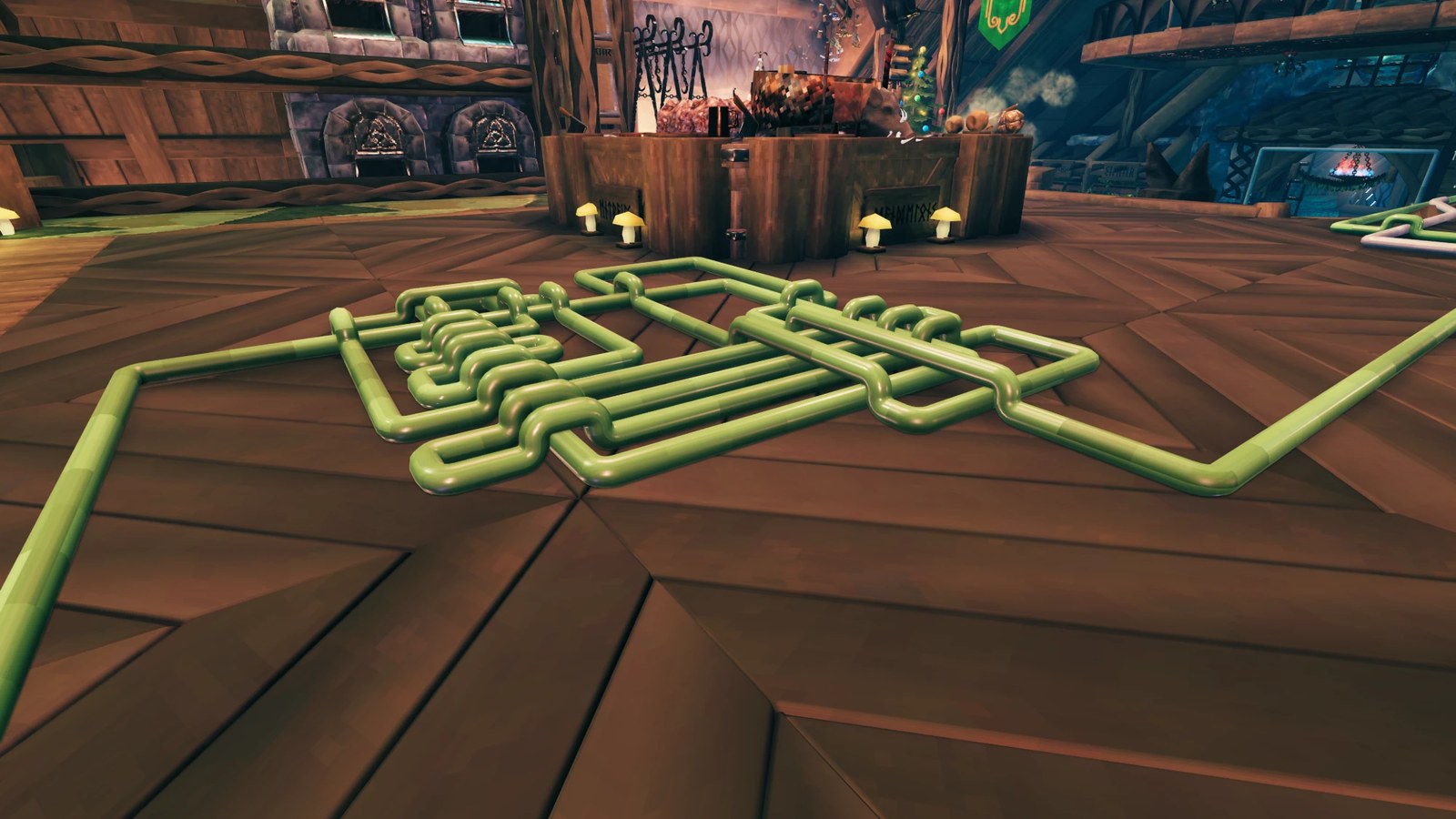
- Right-click undoes the last bend. Tap a placed pipe's end to pick it up again. Hold right-click to remove a pipe.
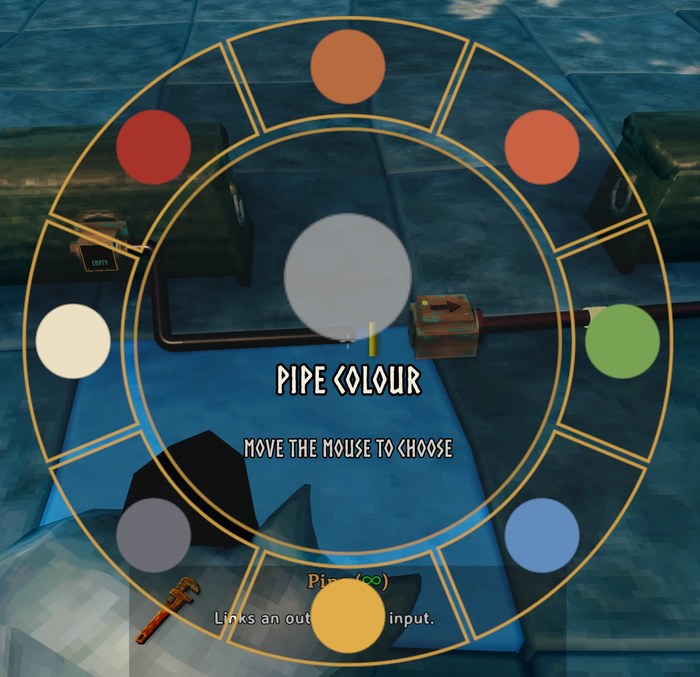
- Hold R for the color wheel. Alternatively, hold R to select a pipe color, then hold Ctrl and click an already placed pipe segment to recolor it.
Conveyors
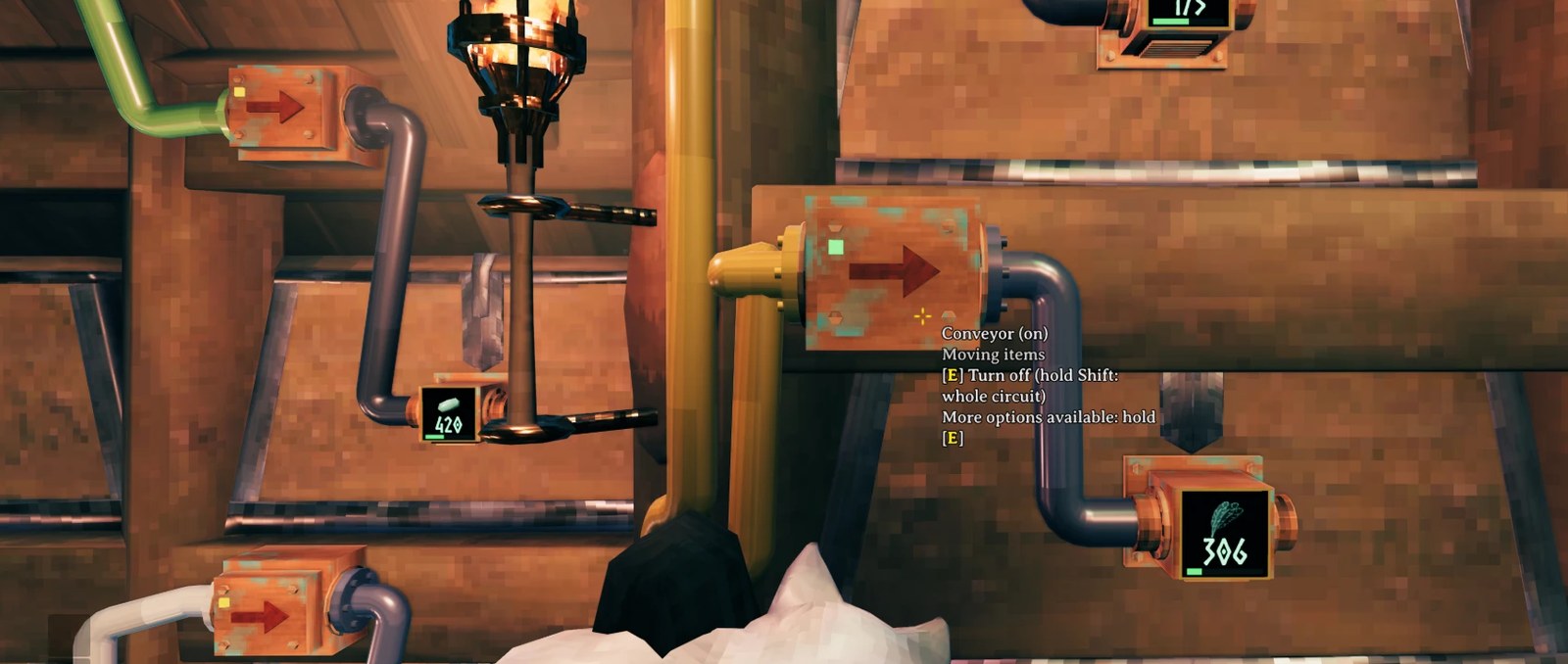
- Tap E to turn a conveyor on or off. Hold E on a conveyor to open the radial menu: turn on or off, or change item filters.
- Shift + tap E switches on/off every conveyor linked to it via pipe/combiner/splitter chains.
- The light on top shows the state: red is off, green is moving items, amber is on but waiting.
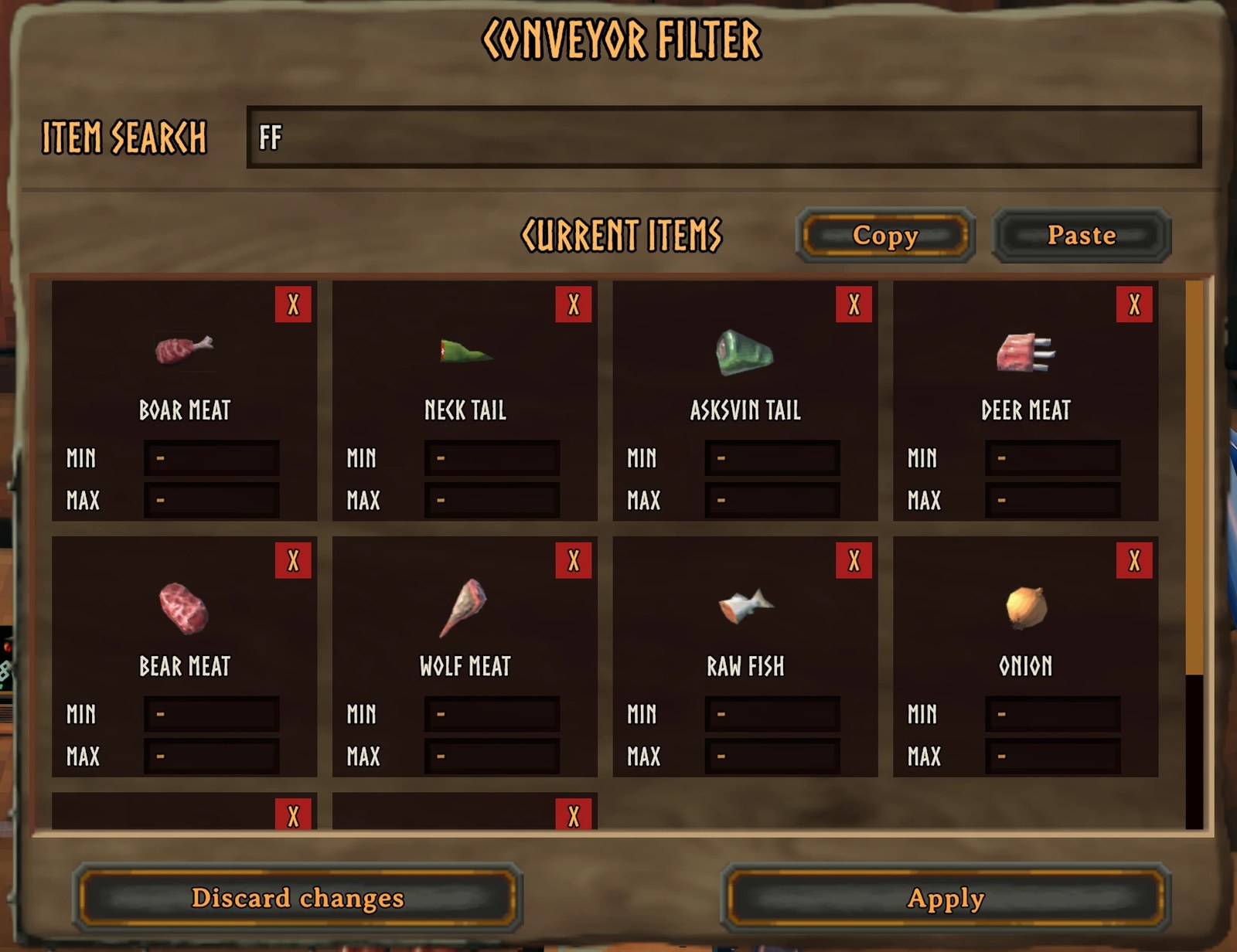
- The filter lets you list items or whole groups, with a minimum (amount to leave behind) and a maximum (amount the destination may hold) for single items.
- A conveyor moves a set number of items from each slot of the source box every few seconds. A box with wood, stone and coal in three slots moves one of each per move. These values can be changed in the config.
- Splitters, as their name suggests, split a conveyor's items between up to three outputs. Combiners bring up to three inputs into one.
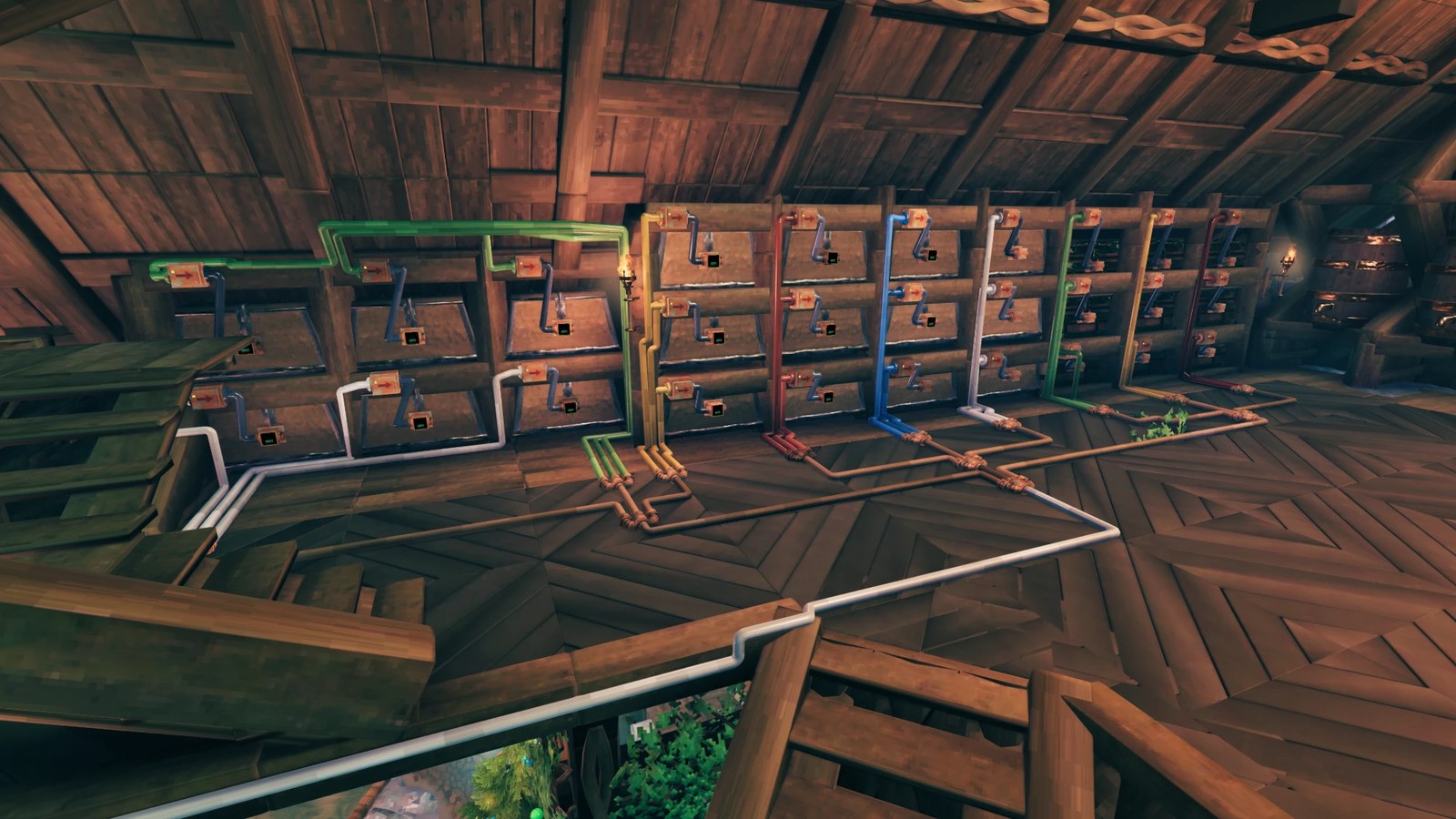
- Hold Shift while placing to snap conveyors, splitters and combiners to invisible rails, lined up with their neighbors with room left for pipes.
Machines
Supported: chests (wood, reinforced, black metal), furnace, blast furnace, charcoal kiln, eitr refinery, frigid kiln, spinning wheel, windmill, beehive, bird nest and sap extractor.
- Machines act as containers, pressing E on any of them open up their inventory slots (fuel/input/output). Finished items go to the output slots where they can either be grabbed manually or siphoned via an attached pipe/conveyor system
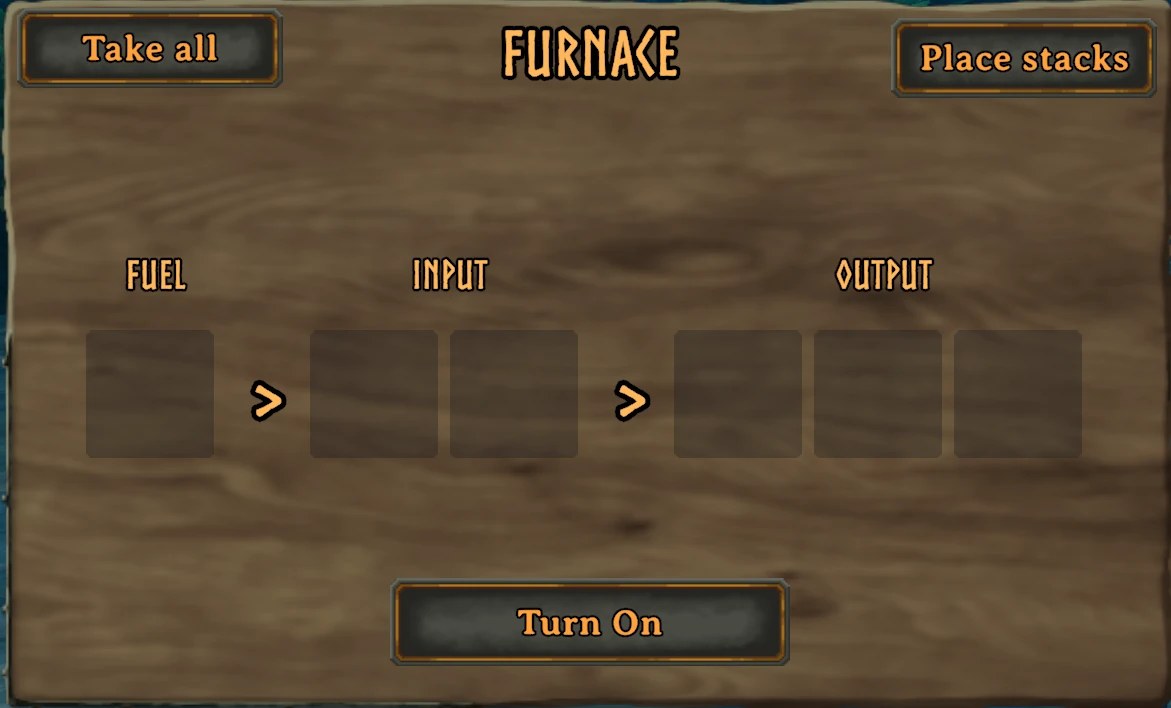
- Furnaces, blast furnaces, kilns, the eitr refinery and the frigid kiln have an on/off switch. Hold E for a radial menu to toggle on/off or view its inventory. The machines start "off" when placed initially.
- A machine that runs out of fuel switches itself off and switches itself back on when fuel arrives (this can be turned off).
- Machines with two inputs, such as the furnace, are sorted: one input takes ore, the other takes fuel. Look at a spot with the hammer or the Link tool and a label shows which.
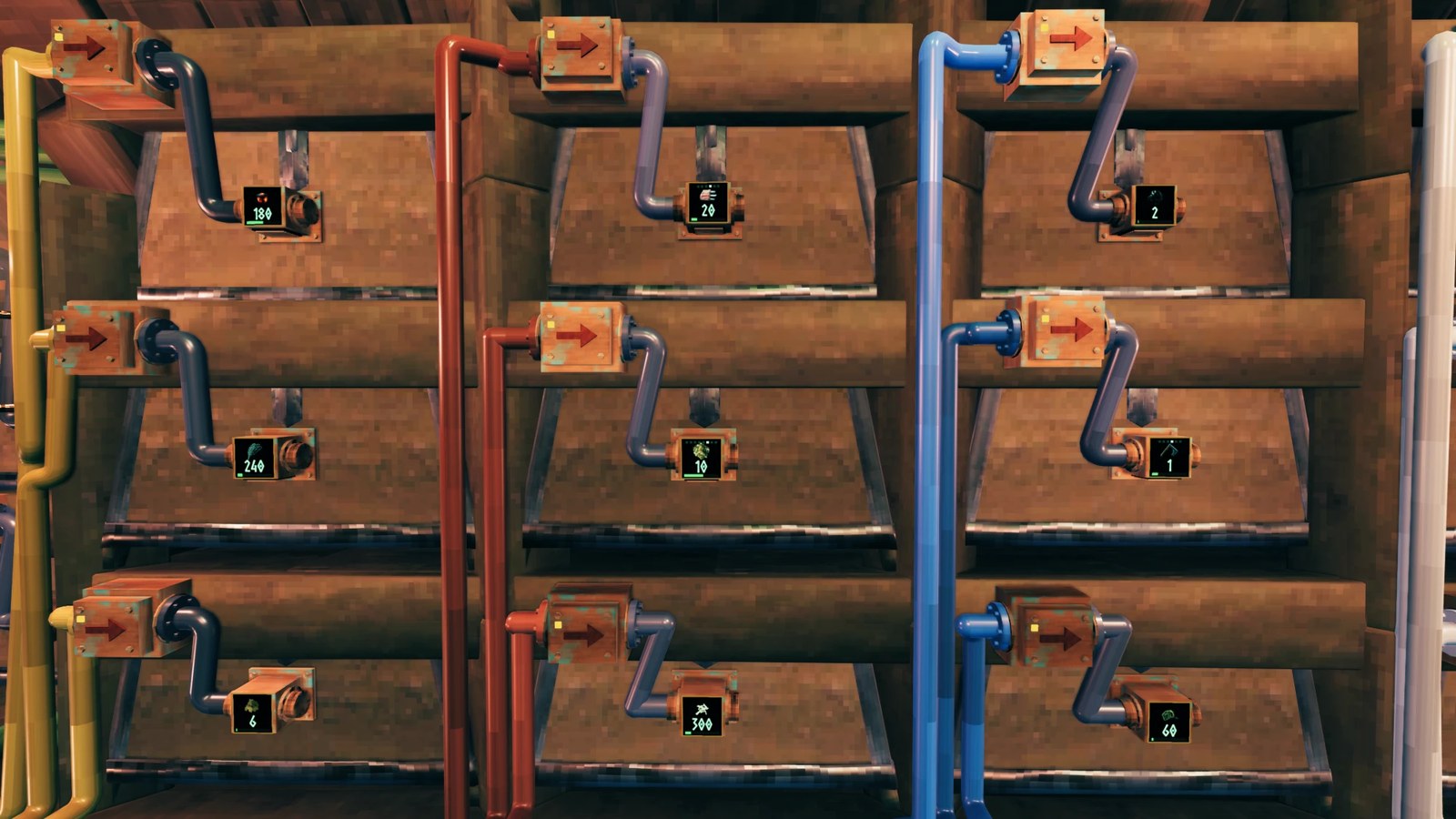
- Adapters on chests show the item and count on their top (can be turned off in the confid).
On a server
- Everything runs on the server, so chains keep working with nobody near them.
- When no player is nearby, the server works out what furnaces, kilns, the eitr refinery, spinning wheels, windmills, beehives, bird nests and sap extractors made in the meantime, and puts it in their output slots. A windmill is assumed to run at half speed while you are away, because the wind cannot be known.
- Settings marked server below are decided by the server. Players receive the server's values automatically.
- Pipes belong to the world. If a box, machine or adapter is destroyed, its pipes go with it.
Settings
All settings are in BepInEx/config/VRSMLTD.VRSAutomation.cfg, and work well with Gale's config editor or Configuration Manager.
Conveyor Behaviour
| Setting | Default | Notes |
|---|---|---|
| Items per slot per move | 1 | Server. How many items a conveyor takes from each slot every move (1 to 50). |
| Seconds between moves | 2 | Server. Needs a restart (0.2 to 30). |
| New conveyors start off | on | Server. |
Machine Automation
| Setting | Default | Notes |
|---|---|---|
| Auto resume | on | Server. Machines switch themselves back on after refueling. |
| Server catch-up | on | Server. Works out what unloaded machines made while you were away. |
| Windmill power while away | 0.5 | Server. Assumed wind power while no player is near. |
Pipe Drawing
| Setting | Default | Notes |
|---|---|---|
| Max pipe length | 50 | Server. Metres between the two ends (5 to 200). |
| Flow animation | on | Pulses travelling along pipes while the Link tool is out. |
| Pipe hop | on | Lifts a pipe over any pipe it crosses. |
| Pipe hop key | Z | Toggles pipe hop while drawing. |
Placement Snapping
| Setting | Default | Notes |
|---|---|---|
| Rail snapping | on | Hold Shift while placing conveyors, splitters and combiners. |
| Rail extra clearance | 0.03 | Extra space in meters between pieces on a rail. |
Display
| Setting | Default | Notes |
|---|---|---|
| Adapter screen | on | Item icon and count on storage adapters. |
| Screen cycle seconds | 2.5 | How long each item type shows on a box with several. |
| Spot labels | on | Names above machine input spots (Ore, Coal, and so on). |
Automation Build Pieces (server)
What each piece costs, as item:amount pairs separated by commas, using the game's item names.
| Piece | Default |
|---|---|
| Link tool | Bronze:10,Wood:2 |
| Conveyor | Bronze:2,Wood:2 |
| Splitter | Bronze:3,Wood:3 |
| Combiner | Bronze:3,Wood:3 |
| Storage adapter | Bronze:1,Wood:1 |
| Input adapter | Bronze:1,Wood:1 |
| Output adapter | Bronze:1,Wood:1 |
A few timing values are also available under Advanced and are hidden in Configuration Manager unless advanced settings are shown. The defaults are fine.
Using other mods with machines
Machines keep their items in real containers. Mods that craft from nearby containers (for example AzuCraftyBoxes) may therefore take items out of a machine's slots while you craft. Nothing is lost or duplicated, but a smelt can stop or a machine can run out of fuel. If you do not want that, use the other mod's own container exclusion settings and list the machine prefabs: smelter, blastfurnace, charcoal_kiln, eitrrefinery, piece_spinningwheel, windmill, piece_FrostKiln.
The mod has been tested next to a set of popular mods (container size, extended inventory, placement and building mods), but compatibility with every other mod cannot be guaranteed. If you find a conflict, report it together with the list of mods you use.
Mods that change how machines are fed, such as ones that automatically fill smelters from chests, can conflict with the machine slots.
Known limits
- Pipes between two boxes are limited by the maximum pipe length setting.
- Windmill and sap extractor catch-up on a server is an estimate. The windmill assumes half wind and the sap extractor only catches up after a player has stood near it once.
- Bonus yield and cooking skill do not apply to anything a machine makes on its own.
- Fermenters, cooking stations, carts and ships are not supported.
- Removing an adapter or a machine removes the pipes connected to it.
Credits
Made by VRSMLTD with the extensive help of Claude.