


DevTools
Adds a spawn60 developer console command that spawns 60 materials for testing.DevTools
This BepInEx plugin adds the spawn60 cheat command for testing. It spawns one each of 60 different materials near your character using Valheim's built-in spawn command.
Install
Install this package with Gale, r2modman, or Thunderstore Mod Manager. The manager installs its Valheim BepInEx pack dependency. Launch Valheim with Start modded.
Manual installation
Install the Valheim BepInEx pack first. Download this package's ZIP, extract it, and place the extracted folder under the active Valheim profile's BepInEx/plugins directory. Keep DevTools.dll inside that folder; manifest.json, README.md, and icon.png can stay there too. Remove any older copy of DevTools.dll elsewhere in BepInEx/plugins, then launch Valheim modded.
Enable the developer console
In Gale, select the Valheim profile where you installed DevTools and click the Settings gear in the far-left sidebar:
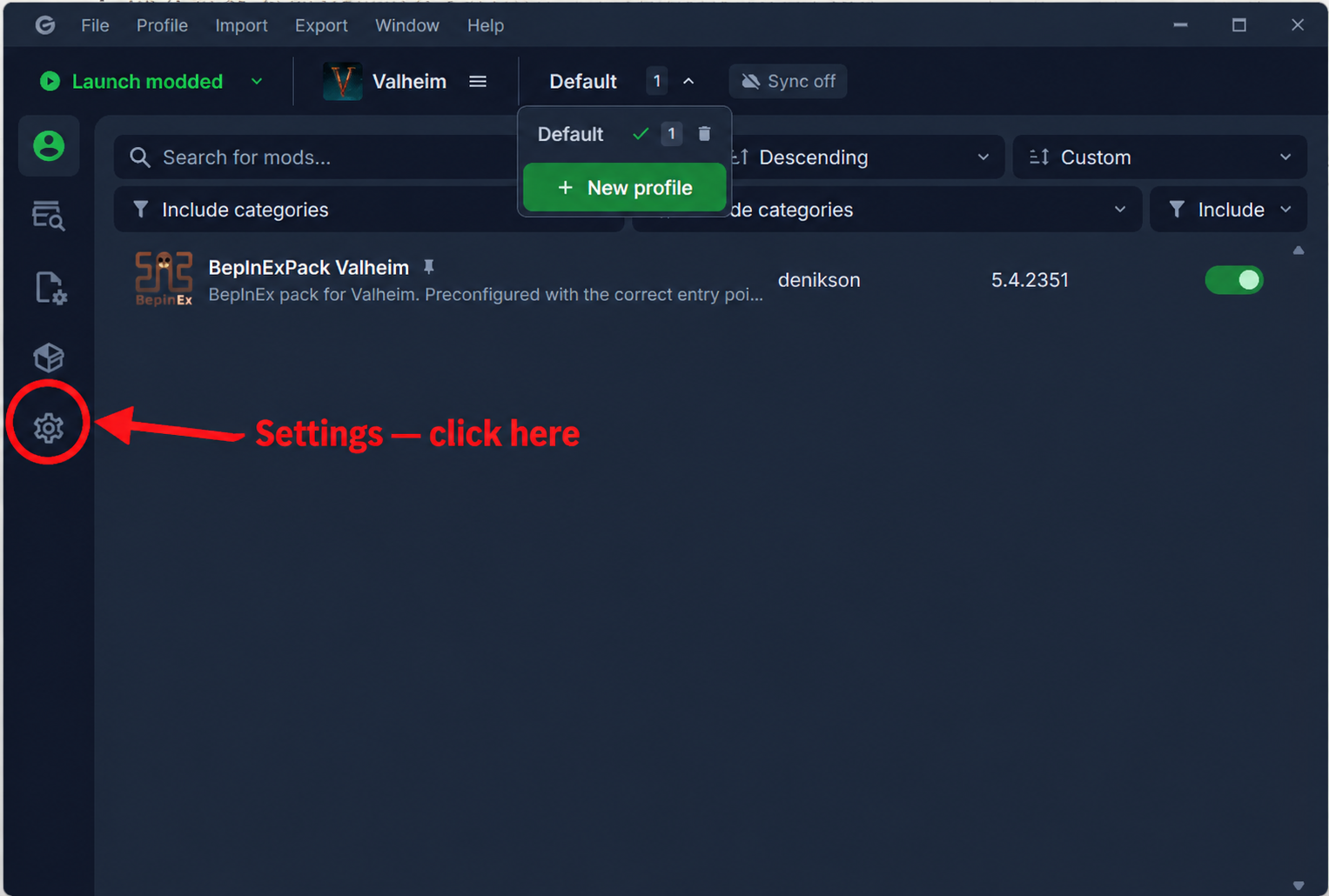
On the Settings page, check Valheim settings → Launch → Launch mode:
- If it is Direct, scroll to Profile settings → Launch → Custom launch arguments and enter
-console. - If it is Platform (Steam), add
-consolein Steam → Valheim → Properties → General → Launch Options instead.
Launch the game modded through Gale. In your own world, press F5 to open the console and enter devcommands. Enter spawn60 to spawn the materials. If Valheim asks you to confirm cheats, enter confirmcheats and then repeat spawn60.
Cheat commands and spawned items can affect achievements in Valheim 1.0.
Build from source
Run dotnet build .\ValheimMods\ValheimMods.sln from the repository root. The shared build target copies the plugin DLL to the selected Gale profile.
License
GNU GPL v3.0 only (GPL-3.0-only). See the repository license.