


Travel Totems
Travel Totems
Created by [email protected].
Introduction
Adds a new interconnected teleportation system! Travel Totems are added to new worlds as random locations to be discovered. Players can build Travel Totems to expand the network. Temporary Totem Bombs can be crafted or sold by merchants. Fully customize the behavior for your server!
Travel Totems
Totems are platforms that allow teleporting to any other unlocked Totem. They can be added to worlds through random locations or by players building them. Once a Totem is created it can only be destroyed though cheats! Place your Totems wisely. Totems can NOT connect to regular portals (vanilla or modded versions).
Totems spawned from locations will use one of three prefabs: VV_TravelTotem, VV_TravelTotemMistlands, VV_TravelTotemAshlands. This document will refer to these as public Totems in some places.
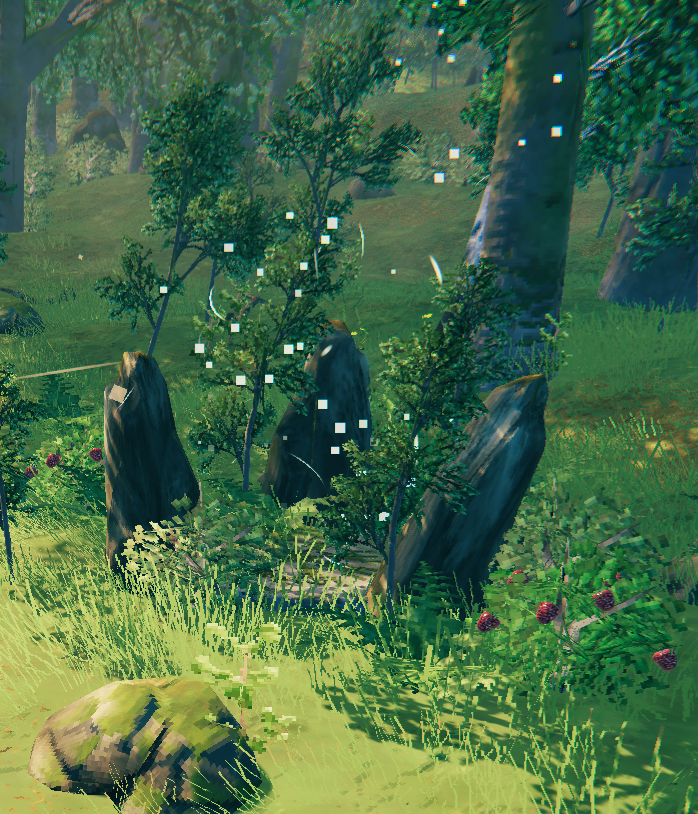
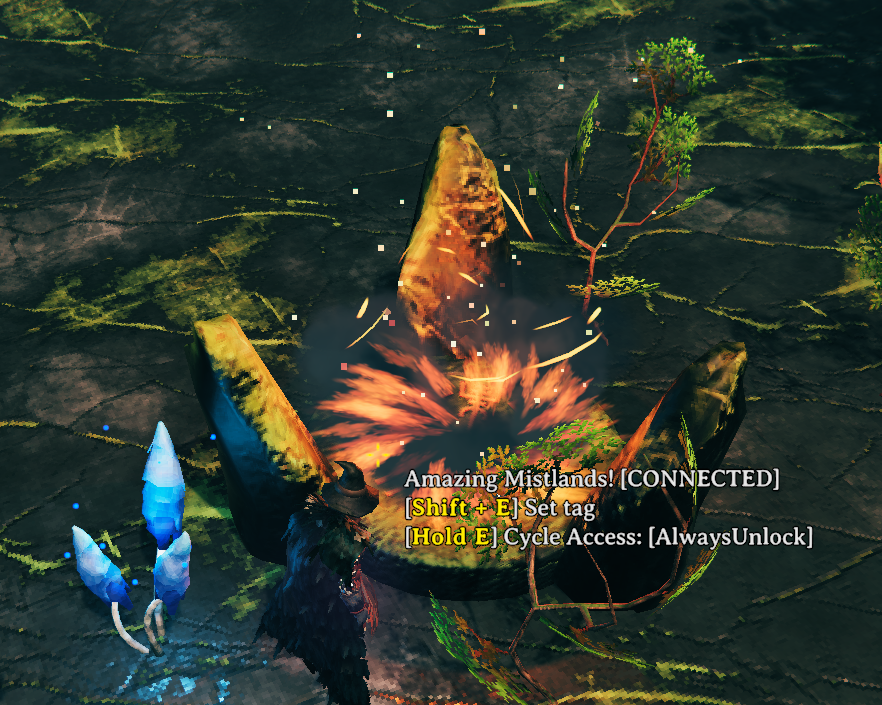
Totems that can be built by players will use one of three prefabs: VV_TravelTotemPiece, VV_TravelTotemPieceMistlands, ``VV_TravelTotemPieceAshlands`'. These each have configurable build costs.
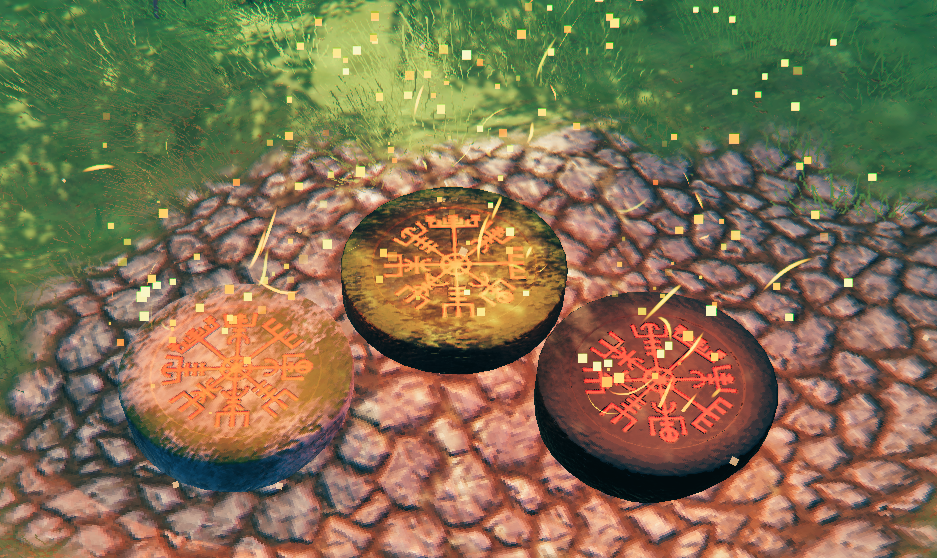
Totem Teleporting Basics
Once unlocked Totems can be used by walking into them such as walking into a vanilla portal. This will bring up a map that will display all unlocked Totem teleport points. Click on the desired icon to perform the teleport.
- When the
AllowSelectDefaultSpawnconfiguration is true the spawn stones can be selected as a valid teleport location. - When the
AllowSelectBedconfiguration is true the Player's bed can be selected as a valid teleport location. - When the
AllowSelectTradersconfiguration is true the Trader icons can be selected as a valid teleport locations. (Compatible with Multiplayer Tweaks trader pins)
Totem Map Pins
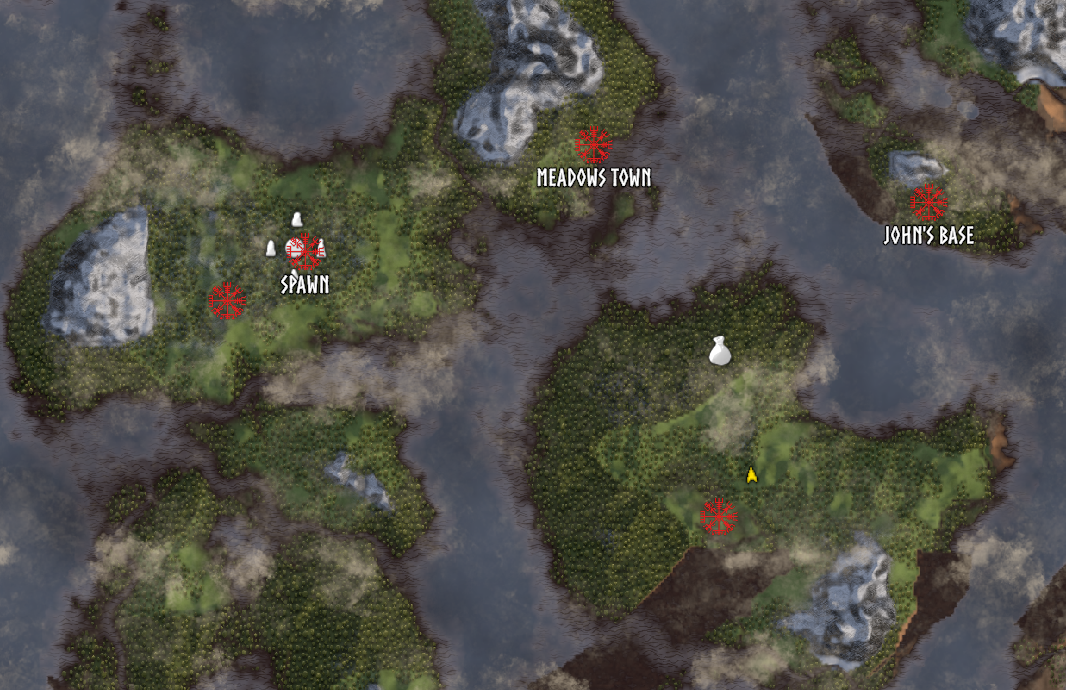
Totems will appear as a new red map pin type. The pins will display with the name assigned to them for all players that have access to it.
The ShowMapPins client configuration can show all Totem map pins at all times, not just when using a Totem.
Totem Types
New Totems will automatically have the type of ServerDefault. The default is set by changing the TotemAccessDefault configuration.
Change individual Totem types by hovering over them and using the Hold E (for half a second) action to cycle the type. Perform this action until it displays the one you desire. Players can change any Totem they place, and admins will have access to change any Totem when the AdminBypass configuration is true.
| Type _______________ |
Description _____________ |
|---|---|
| ServerDefault | Use the value set in the server configuration file. |
| AlwaysUnlock | Always allow ALL players to access this Totem once it is found by anyone. |
| FindUnlock | Players must each find and touch the Totem and pay any configured cost to unlock it. |
| AlwaysLock | No players will be able to use the Totem unless they own it or have previously unlocked it. |
Totem Claiming
When the AllowTotemClaiming configuration when set to true will allow unclaimed public Totems of type FindUnlock to be claimed by the first Player that unlocks it. All subsequent visiting players will NOT have to pay a cost to unlock the Totem. Totems claimed by players can have their type and name changed by that Player.
When admins are using the bypass feature they will not be able to claim Totems in this manner until the bypass is turned off.
Note: Totems built by players are automatically claimed by the player regardless of the above setting.
Totem Naming
Any Totem placed or claimed by a Player can be renamed by interacting with the totem with Shift + E. When the TotemNamingAccess configuration is true any public Totem will be able to be renamed by all Players. This is the name that the map pin will display.
Unlock Requirements
The TotemUnlockRequirements configuration when set will require players to pay a one time cost to unlock Totem types of FindUnlock. Leave blank to make all Totems free to unlock.
Semi-Private Totems
So you want to make a private Totem at your base and give your friends access... Totally doable!
- As the Totem owner cycle the access to
TouchUnlockorAlwaysUnlock. Note AlwaysUnlock will make the Totem visible to all players. - Have the players touch (or teleport to) the Totem to add it to their known Totems.
- Set the type to
AlwaysLockto prevent new players from gaining access.
Totem Destruction
This mod has made it impossible for Totems to be destroyed without cheats. This was very intentional. Each time a Totem is created it increments the ID on the server. Creating and destroying a Totem many times in a row, especially if done many times compounded by many players, will quickly increase the data size needed to track unlocked Totems. Larger data can cause complications when using mods that sync character data with the server.
There is an extra safeguard to ensure only owners of the totem build piece, or admins using admin bypass, can destroy them when made possible.
If you decide to use another mod to allow Totem pieces to be destroyed please keep this in mind. The author will not support bugs or networking issues caused by allowing rampant Player Totem destruction.
Teleporting Metal and blocked items?
If you have another mod (Like World Advancement & Progression) that can change the global result of the vanilla teleport check Player.IsTeleportable() it should work with this mod. If you cannot find another mod that does what you want that feature can be discussed and supported by request. Please reach out to the author in discord.
Totem Pieces
The three totems added to the build menu can be configured with PieceCost, PieceMistlandsCost, and PieceAshlandsCost. Set these to blank values to disable the ability for Players to build Totems. If using another mod to configure these build pieces set PieceRecipeOverridesEnabled to false to avoid conflicts.
Totem Bombs
Totem Bombs items have a prefab name VV_BombTotem.
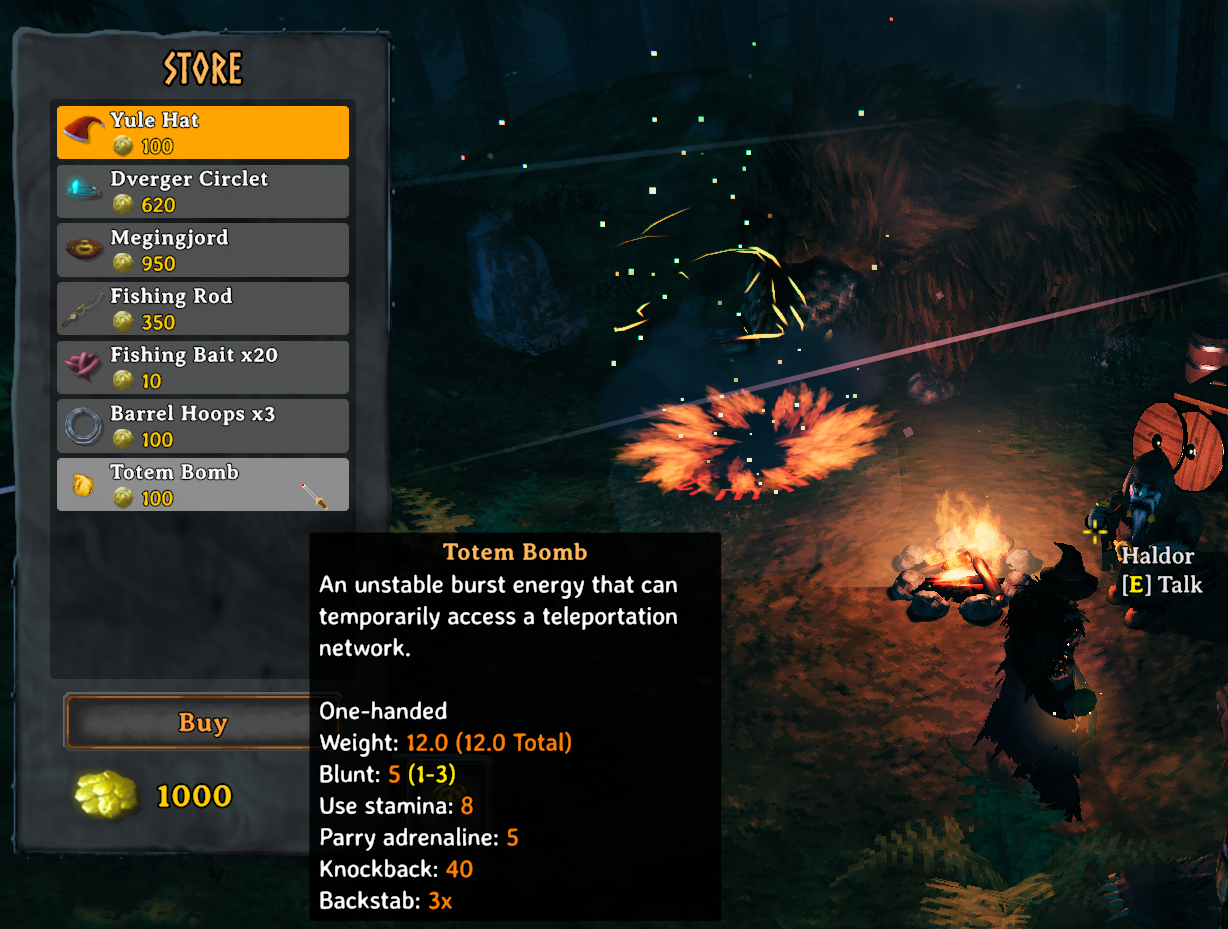
Totem Bombs are an item that when thrown spawns a temporary Travel Totem. These Totems will be active for 30 seconds before vanishing. They will not be added to the existing teleport network - they are a one way trip to any unlocked Totem.
When the TradersSellTotemBomb configuration is enabled all the Traders will sell Totem Bombs. Their cost can be set with the TradersSellTotemBombCost configuration. It is recommended to leave these enabled when the AllowSelectTraders configuration is true since players can teleport to traders and potentially get stuck there.
Totem Bombs can be crafted at the workbench and their crafting cost can be configured with the TotemBombCraftCost configuration. If the setting is left blank they will be uncraftable. If using another mod to configure this item set ItemRecipeOverridesEnabled to false to avoid conflicts.
Totem Locations
Each biome has a unique location added to it for spawning Travel Totems with prefab names:
- VV_TravelTotemLocation_Default (An undecorated stone totem location that can spawn in any biome, disabled by default)
- VV_TravelTotemLocation_Meadows
- VV_TravelTotemLocation_BlackForest
- VV_TravelTotemLocation_Swamp
- VV_TravelTotemLocation_Mountain
- VV_TravelTotemLocation_Plains
- VV_TravelTotemLocation_Mistlands
- VV_TravelTotemLocation_Ashlands
Locations are compatible with the Location Reset mod and will not disappear from the teleportation network upon a reset.
Location Effects
Totems added from locations will have the same demonic whisper as the greydwarf nest when locked so they can be easier to find.
Adding Locations
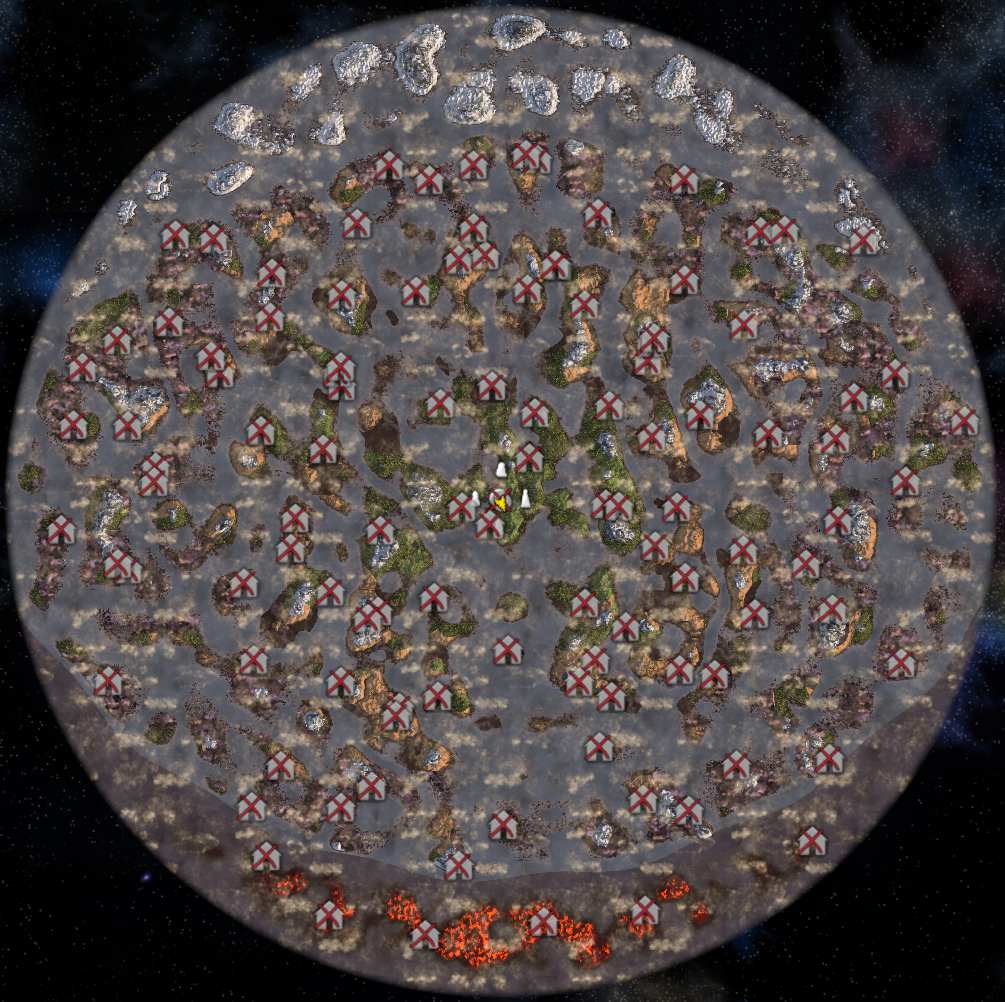
The spawn number of each Totem location type can be tweaked individually in the configuration file. To disable locations set their spawn numbers to 0 before launching the game and generating a new world.
The LocationSpacing configuration will determine how close these Totems can spawn next to each other. This only applies to Totems from the same biome. For example, a Meadows Totem and Black Forest Totem may spawn within viewing distance even when spacing is set to a number above that distance (such as 300). If totems are failing to place the total amount this can be due to having a bad seed or spacing being set too high for the amount set to spawn.
- If creating a new world with this mod installed the totems will be added automatically on world generation.
- If you are adding this to an existing world you can run the vanilla
genloccommand to add totems to unexplored areas of the map. Be aware this can change the positions of unexplored boss locations and can make your map pins inaccurate. - If your map is heavily explored you will need to use another mod to automatically add the locations to explored areas.
Totem spawning with the default settings will look similar to this map:
Commands
This mod adds a command clearknowntraveltotems anyone can use to clear the saved Totem data for their Player. Optionally add a Totem ID such as clearknowntraveltotems 1:16 to only remove a specific Totem.
The command addknowntraveltotem is a cheat and can add a Totem ID if known. Be aware if you use an invalid number for the ID it can add multiple Totems, or Totems that do not exist yet. Valid Totem IDs are powers of 2.
Totem IDs can be viewed when the AdminBypass or ShowTotemID configuration is true.
Server Ideas
What's possible with this mod? Get creative!
Exploration Focused
Disable building Totems and make players find the Totems scattered about the world. This can also help spread out larger servers (everyone wants a portal at their base right?)
TotemAccessDefaultset toFindUnlockPieceCost,PieceMistlandsCost,PieceAshlandsCostset to blank values to disableAllowTotemClaimingset to True
Community Progress
Encourage working together. Once a Totem is found everyone can use it.
TotemAccessDefaultset toAlwaysUnlock
Portal Alternative
Can be used in conjunction with the "No Portals" vanilla world modifier to replace portals with the interconnected Totem system. Travel Totems still work when portals are disabled.
Soft No Map Mode
Can be used in conjunction with the "No Map" vanilla world modifier. The map will be available when accessing a Totem. If a Player gets lost they can find their way home through a Totem or Totem Bomb. This mod will not work without opening the map for traveling purposes. If you use other mods for no map mode and run into issues please reach out for a compatibility patch!
There are no current plans to make this mod entirely no map, but may be a future possibility if desired by a community (and no alternative mods work).
Installation
This mod needs to be on both the client and server; the mod will enforce installation. Players without the mod will NOT be able to connect to the server. Config Syncing is included with Jotunn. The server with enforce the same mod configuration for all players (minus a few client side configurations). Live changes to the configurations should take immediate effect.
If the mod is removed from the server after pieces have been placed they will disappear.
Future Improvements
- Localization
- Teleporting metal options (if another mod cannot satisfy this)
- Requests from the community
Contributing
All issues can be reported on the project Github. To report issues please be as specific as possible and provide the following:
- Version of this mod you are using.
- List of the other mods being used.
All feedback, ideas, and requests are welcome! You can message me at my discord Venture Gaming.