MapBuildings
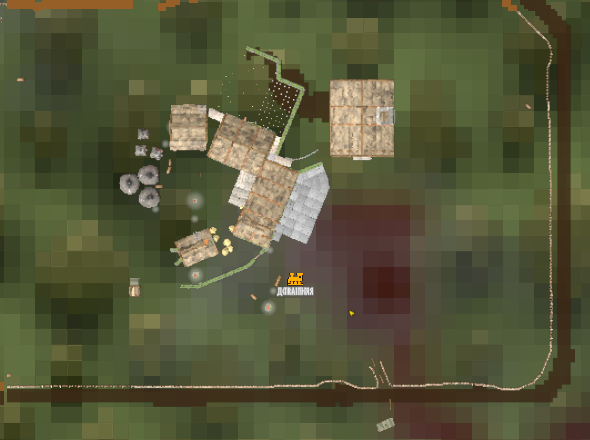
Your bases on the big map and the minimap, as they really look from above.Buildings on the Map
Your bases on the big map and the minimap, as they really look from above.
Your game takes a photo of the buildings near you from straight above, by day, and the server shares it with every player. Until a place has a photo, it shows as small marks: walls and roofs in the colour of their material, and deep trenches. The map also lets you zoom in 4 times closer.
A switch hides the roofs, so you see the inside of a house. Another one shows the ground where no mob spawns, round workbenches, fires and other pieces, so you see the holes in the defence of your base.
The server keeps the photos, so the mod has to run on the server and in the game of every player. In a world you host yourself, your game is the server.
Settings
The settings are in BepInEx/config/vladasz.mapbuildings.cfg, and a config manager in the game shows them too. A change counts at once.
Buildings,RoofsandNoSpawnshold the state of the 3 switches on the big map. Set them in the file to choose how the map starts.SmallMapoff shows the buildings only on the big map.CloserZoomoff keeps the zoom of the game, for example when another mod changes the zoom.NoSpawnsColorandNoSpawnsLineColorset the color of the ground where no mob spawns and of its line. The last 2 digits are the strength, 00 is clear.ShowBuildings,ShowRoofsandShowNoSpawnshide a switch from the map.MoveRightandMoveUpmove the switches, for example away from the switches of another map mod. 1 row of switches is 51 high.
Manual install
Put the MapBuildings folder into BepInEx/plugins, on the server too.