

Voxheim
Voxelizes terrain. Lets you build caves and overhangs freely.Voxheim
Discord: Voxheim Discord | Patreon: patreon.com/Voxheim | Ko-Fi: ko-fi.com/voxheim
If you feel like supporting this project, thank you kindly in advance!
If you don't, plague be upon you, your dog, your dog's brother, your dog's brother's cousin.. wait, no. Just enjoy the mod, and please do share your cool underground buildings with the world. The mod is free and always will be.
Features
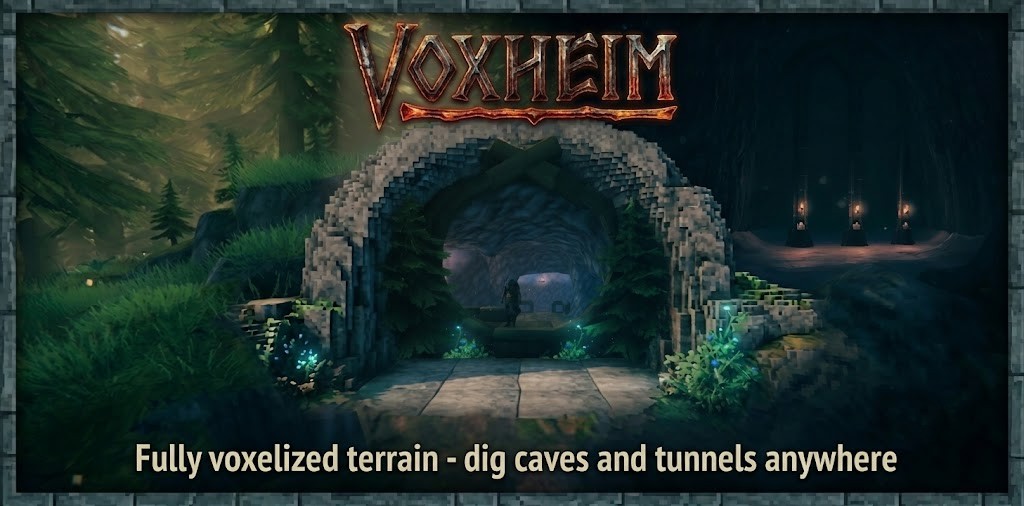
This mod lets you dig proper caves, and create cliffs/overhangs/terrain arches and bridges just about anywhere.
How? It replaces Valheim's terrain engine with a voxel-based system.
- Building inside caves is supported.
- Viking make fire! Fire good! Even inside caves, fire good. Fire in your caves is supported.
- Don't try to hide from mobs inside your little chicken cave. They'll find you (sometimes). Pathing inside caves is supported.
- Multiplayer is supported - all players and the server itself will need to have this mod installed.
ALPHA VERSION - BE CAREFUL
This is a big mod that re-writes a lot of things. You are about to play the very first public version of it.
Please expect THERE WILL BE BUGS:
- If you are using this with an existing savegame, make a BACKUP of your save before you run this mod.
- During the early days of this mod in particular, there is an absolute chance a savegame may get corrupted, or future versions need to change in a way that isn't compatible with prior savegames
In short: While the mod is still young, please plan for any savegame you are playing on to be disposable in case of issues.
If you encounter bugs, I'd appreciate if you could report them in the Voxheim Discord's Bug channel.
Cave building 101
- You can use your pickaxe to dig caves. Carving out terrain will now no longer remove all the upper terrain layers anymore.
- The Hoe is your real weapon of choice, however.
- By default, your hoe now has 6 upgrade levels
- Starting from level 4, it will give you a new "Carve" ability to remove spherical terrain
- Starting from level 5, it will give you a new "Add" ability to add spherical terrain
- Higher hoe levels increase the maximum radius of your carve and add abilities
This mod is highly configurable - use your BepInEx config manager of choice.
Configurability
This mod is highly configurable. Among many other things, use your favorite BepInEx config manager to change:
- How many hoe levels there are, and what their upgrade requirements are
- At which levels you're getting the carve and add abilities, respectively
- What their maximum radius should be for each level
- Stamina usage
- Resource usage
... and much more.
Installation
Ideally, use a plugin manager to install the mod and all dependencies.
If you'd rather do it manually, install the following dependencies:
Then, extract all contents within the 'plugins' folder of your zip file into <Valheim installation directory>\BepInEx\plugins\Voxheim.
When done, your Valheim game directory should contain BepInEx\plugins\Voxheim\Voxheim.Core.dll and BepInEx\plugins\Voxheim\Voxheim.dll.
Compatibility
Voxheim is compatible with the 1.0 Update - the Deep North.
Patch 0.1.8
Thanks to all of the Valheim community for giving this mod a whirl, and reporting bugs on the Voxheim Discord!
Many thanks to Adam and Marius, the mod's first official Patreon supporters — may your caves shelter you from the strongest snowstorms! Your support is very much appreciated.
Alright folks, this is a bit patch. Lots of goodies:
- New "Remove Water" tool, available on the Hoe right click menu
- Lets you place shapes (sphere, cube, cylinder) into the world
- Inside those shapes, the ocean will be removed. So you can "cut holes" into the ocean
- Ever tried to dig a cave, but been stopped by the sea level? You can circumvent that now - just remove the water there and keep digging.
- While the "remove water" tool is active, already placed shapes are visible to you - focus them and click the middle mouse button to remove one
- If you are building below water, you usually do not need to cover the whole area with "remove water". If you have a cave roof over your head, Voxheim counts you as dry/not in water. So typically, you only need to remove water directly where your cave crosses the water.
- New "Undo" operation
- While The "Carve" and "Add" tool modes are active, pressing the middle mouse button attempts to undo the latest carve/add operation
- New Hoe brush shapes: Sphere (default), Cube or Cylinder brush, and for Carve and Add specifically, also three ramps (45°, 22.5° and 11.25°)
- Turn the mouse wheel (without Shift) while a Hoe operation is selected to open the shape picker; keep turning to move between shapes, then left-click or wait half a second to select
- Cube and cylinder stay upright; the cube turns with your camera so you always look straight at one of its faces. The radius is the cube's half-edge and the cylinder's radius and half-height
- Ramps turn with your camera too: Add builds a ramp rising away from you, starting at the crosshair; Carve digs one descending away from you. Smooth does not offer ramps and uses the sphere while one is selected
- New Hoe tool next to Carve and Add: Smooth, with three modes Erode, Blend and Fill (from Hoe level 4 by default)
- Hold the left mouse button to apply it continuously: Blend gradually smooths the terrain, Erode gradually wears away edges and overhangs and only ever removes material, Fill gradually fills pits, seams and gaps and only ever adds material
- Press the middle mouse button to switch the mode: the shape picker opens with a separate "Mode" row; keep pressing to move between modes, then left-click or wait half a second to select. The selected-piece info always shows the current mode ("Smooth: Blend")
- Resize the sphere with Shift+mouse wheel like Carve/Add (one radius shared by all three modes)
- Hold Shift while applying it to work about 3x faster (at 3x the stamina and durability cost per tick; factor configurable via SculptBoostFactor)
- Configurable as usual: per-level radius, stamina, durability and reach for each mode in [Hoe.Level N] (a maximum radius of 0 turns that mode off), resources and the tick rate (SculptTickInterval) in [Hoe], and server settings ErodeStrength, BlendStrength, FillStrength and ErodeRoughness. SmoothTool in [Hoe] hides the tool for you
- Drag to size Carve and Add: hold the button on the terrain and drag to shape the brush before it applies
- The view stays still while you drag. Sphere: drag in any direction to grow it. Cube: drag left/right/up/down to pull that face out, and scroll to push the far face away (or pull it back). Cylinder: left/right widens it, up/down moves its top or bottom. Ramp: left/right widens it, up/down makes it longer along its slope (higher at the far end, same incline)
- Release to apply, right-click to cancel. A plain click still applies the preset size (Shift+scroll) as before
- Sizes snap to 0.25 m and never exceed the Hoe level's maximum Carve/Add radius on any axis; stamina, durability and resources are charged once, as for a click
- Works with a controller too (right stick drags, piece rotation sets the cube's depth)
- Can be turned off via DragResize in [Hoe], and per Hoe level via DragResize in [Hoe.Level N] (both on by default)
- The key hints at the bottom of the screen now show the actual controls of Carve, Add, Smooth and Tear instead of the unrelated vanilla build hints (snapping, rotation, ...)