

LevelAtFeet
Fixes 'Level Ground' so it actually flattens terrain to your feet, lets you resize the tool with Ctrl + [ / ], and can remove the game's hidden height-change limit. Doesn't touch rocks, ore, or trees.LevelAtFeet
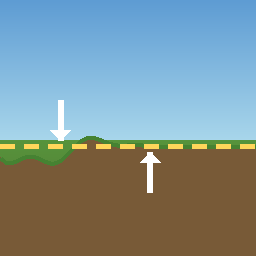
Fixes the hoe's Level Ground tool so it actually flattens terrain to the height you're standing at — even next to rocks, cliffs, or steep drops, where it normally gets stuck. Can also raise the game's hidden, permanent limit on how much terrain height can ever change.
The problem this solves
Vanilla "Level Ground" aims at whatever point is right under your cursor. That point shifts slightly with every click, so the ground never quite settles at one flat height — especially near obstacles. Two more vanilla quirks make it worse:
- Near a rock or cliff, the game can silently treat your click as "invalid" — nothing happens, no error message, you just keep clicking for nothing.
- Every point of terrain has a hidden, permanent limit on how far it can ever move from its original height. Once a deep pit or tall mound hits that limit, no tool can move it any further — ever. That's by design, not something more clicking fixes.
Features
- Levels to your feet — every click aims at the height you're standing at, not the point under your cursor, so clicks actually add up to a flat result instead of drifting.
- Never silently blocked — clicking near rocks or cliffs always registers now.
- Raises the hidden height limit (optional) — lets you fully level out deep pits and tall mounds instead of getting stuck partway forever.
- Resize on the fly — hold Left Ctrl (or whatever you set in the config) and tap ] / [ to shrink or grow the tool's radius (same convention as brush-size hotkeys in image/3D editors). A live circle is drawn around the ghost showing exactly how big an area will be affected, and an on-screen number updates instantly as you resize — the actual leveled area always matches what you see. The scroll wheel is untouched, so camera zoom always works normally. (Not arrow keys — on macOS, Ctrl+arrows are reserved by the OS for Mission Control / switching Spaces.)
This mod only changes terrain height. It does not destroy rocks, ore, trees, or anything else nearby — clearing those is still up to your pickaxe or axe, on purpose.
Installation
- Install BepInExPack Valheim.
- Place
LevelAtFeet.dllinBepInEx/plugins/LevelAtFeet/. - Launch the game — a config file is created automatically on first run.
Configuration
Config file: BepInEx/config/com.matviy.levelatfeet.cfg (appears after the first run).
| Setting | Default | What it does |
|---|---|---|
LevelToPlayerHeight |
true |
Master switch for "level to your feet" + "never blocked near obstacles". Set to false to get vanilla behavior back. |
MaxStepPerClick |
1 |
How many meters the ground can change per click. Raise it (e.g. 1000) to flatten big drops or mounds in a single click instead of gradually. |
RemoveVanillaHeightCap |
true |
Raises the game's built-in lifetime height-change limit. Needs a game restart to take effect. |
MaxHeightDeltaLimit |
10000 |
The new limit, in meters, when the setting above is on. |
RadiusScrollEnabled |
true |
Lets you resize the tool by holding the key below and pressing ] / [. |
RadiusScrollKey |
LeftControl |
The key to hold while pressing ] / [ to resize. Change it here to whatever you like (LeftAlt, LeftShift, CapsLock, etc.) — this no longer uses the scroll wheel, so any key works fine, Shift included. |
RadiusScrollStep |
0.5 |
How many meters the radius changes per ] / [ press. |
RadiusScrollMin / RadiusScrollMax |
1 / 20 |
The smallest and largest radius you can scroll to. |
About
I made this for my own world and my brother's, mainly to stop fighting with lumpy building sites near rock outcrops — sharing it in case it's useful to anyone else.
Українською
Мод, що виправляє інструмент "Вирівняти землю" (хоу), щоб він дійсно рівняв рельєф до висоти, на якій стоїть гравець — навіть біля каменів, скель чи крутих перепадів, де ванільний інструмент зазвичай застрягає. Також може підняти прихований, назавжди збережений ліміт зміни висоти рельєфу.
Яку проблему це вирішує. Ванільний інструмент цілиться в точку прямо під курсором, а вона щоразу трохи зміщується — тому ділянка ніколи не рівняється до кінця, особливо біля перешкод. Дві додаткові особливості ванільної гри лише погіршують ситуацію:
- Біля каменя чи скелі гра може мовчки визнати клік "невалідним" — нічого не відбувається, жодної помилки, ти просто клікаєш даремно.
- Кожна точка рельєфу має прихований, назавжди збережений ліміт того, наскільки її висота може відхилитись від початкової. Щойно глибока яма чи висока гора впирається в цей ліміт — жоден інструмент більше її не зрушить, ніколи. Це так задумано розробниками, а не баг, який лікується додатковими кліками.
Що робить мод:
- Рівняє до висоти під ногами — кожен клік цілиться в висоту, на якій стоїть гравець, а не в точку під курсором, тому кліки дійсно сходяться до рівного результату, а не "гуляють".
- Клік більше не блокується мовчки — біля каменів і скель усе тепер спрацьовує.
- Знімає прихований ліміт висоти (опційно) — дозволяє повністю довести до кінця глибокі ями чи високі гори, замість того щоб застрягати на півдорозі назавжди.
- Зміна радіуса на льоту — тримай Left Ctrl (або іншу клавішу, яку сам налаштуєш) і тисни ] / [ (як гарячі клавіші розміру пензля в графічних/3D-редакторах), щоб зменшити чи збільшити радіус інструмента. Навколо примарної моделі малюється жива окружність, яка чітко показує межі ділянки, що буде вирівняна, а число на екрані оновлюється миттєво при кожному натисканні — реальна вирівняна ділянка завжди відповідає тому, що видно. Колесико миші тут більше не задіяне, тож зум камери завжди працює як звично. (Не стрілки — на macOS Ctrl+стрілки зарезервовані системою під Mission Control/перемикання Spaces.)
Мод змінює лише висоту рельєфу. Він НЕ знищує каміння, руду, дерева чи будь-що інше поруч — це свідомо залишено кирці й сокирі.
Встановлення:
- Встанови BepInExPack Valheim.
- Закинь
LevelAtFeet.dllуBepInEx/plugins/LevelAtFeet/. - Запусти гру — файл конфігу створюється сам при першому запуску.
Налаштування — у файлі BepInEx/config/com.matviy.levelatfeet.cfg після першого запуску. Опис кожного пункту — у таблиці вище, назви ключів ті самі:
LevelToPlayerHeight— головний перемикач для "рівняти до ніг" + "не блокувати біля перешкод".false— повертає ванільну поведінку.MaxStepPerClick— на скільки метрів рельєф може змінитись за один клік (за замовчуванням1). Постав більше (напр.1000), щоб великі перепади рівнялись за один клік, а не поступово.RemoveVanillaHeightCap— знімає вбудований ліміт зміни висоти. Потребує перезапуску гри.MaxHeightDeltaLimit— новий ліміт у метрах, якщо пункт вище увімкнено.RadiusScrollEnabled— вмикає зміну радіуса клавішами]/[(з утриманням клавіші нижче).RadiusScrollKey— яку клавішу тримати разом з]/[(за замовчуваннямLeftControl). Постав будь-яку іншу (LeftAlt, LeftShift, CapsLock тощо) — колесико миші тут більше не задіяне, тож Shift теж підходить без проблем.RadiusScrollStep— на скільки метрів змінюється радіус за одне натискання]або[.RadiusScrollMin/RadiusScrollMax— найменший і найбільший радіус, до якого можна докрутити.


