
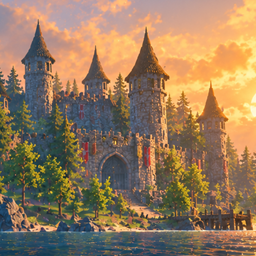
ValheimEnhancedEdition
Unofficial. More frames in big bases, looking and playing exactly like vanilla. Optional far view to the fog, now on dedicated servers too (install on the server).Valheim Enhanced Edition
More frames in big bases, with the game looking and playing exactly as it does without it. And, optionally, your builds and the world around them visible all the way to the fog, now on dedicated servers too.
Unofficial mod, not affiliated with Iron Gate. A performance and far view mod, not a ReShade preset.
New in 1.1.0
- Far view on dedicated servers. Install the mod on the server as well, and players with far view on see every base on the server out to the fog. Before, it was single player and hosts only. See Server far view.
- Far view for very big worlds. On a test world with a million building pieces it stays within bounded memory, disk and graphics memory.
- Memory stays flat at about 11 GB; before, it passed 20 GB at 40% loaded and kept climbing.
- It allocates 6 MB/s instead of 229 MB/s.
- Its main-thread cost once loaded is about 0.1 ms a frame.
- A new simplifier for distant buildings (Quadric, the default). It draws 68–80% fewer far triangles and uses 45–55% less graphics memory for them, at the same frame rate and with no visible difference.
- Presets for weaker PCs. Far view picks its reach and detail from your graphics card, processor and free memory, or you choose one.
- Smoother loading. Far view's own work is spread over frames, 1 ms at a time. Its worst frames while a big world loads dropped from about 100 ms to about 50 ms.
- Fog: distant bases no longer pop out of view as fog thickens.
- Debug views are public: colour views of what the mod draws, with a legend on screen, in the console and on a hotkey. See Debug views.
What it does
Big bases are slow in Valheim mainly because the game draws every building piece as its own object. The mod draws the plain pieces of an area as one merged mesh per material instead. Each piece stays a real piece: you can still damage it, repair it, remove it, open it and build onto it. The moment anything about a piece changes, it is drawn the game's own way again. Nothing about the picture changes: we checked it frame by frame against the unmodded game.
It also removes some smaller per-frame costs, each producing exactly the game's own result:
- Merged buildings: one mesh per material per area instead of one object per piece. This is the big one.
- Object streaming: skips the game's 30-times-a-second check for objects to create or remove when nothing near you has changed.
- Water:
- water surfaces update their animation without asking Unity for their material every frame;
- the water height under floating things (boats, items, swimmers) is worked out with the per-frame values looked up once. Checked against the game's own heights 1.35 million times, with 0 differences.
- Zones: a faster check of whether a zone still holds objects before it is unloaded.
- Terrain: keeps more finished terrain builds, so zones you come back to don't rebuild their terrain from scratch.
Before and after, drag to compare: https://claude.ai/artifact/Eb7gJWfsmjmnZF6gJCUQh5
How much faster
Measured with the frame rate unlocked, same spot and same camera path, on an Intel Core Ultra 9 285K with an RTX 5090. In big bases Valheim is limited by the CPU, so on a slower CPU the frame times are longer and the gain in milliseconds is bigger:
| Scene | Without | With the mod | Change |
|---|---|---|---|
| Island Castle (a public world save with 25,850 pieces) | 32 fps | 46 to 52 fps | +46 to +58% |
| A large lived-in base (about 4,500 pieces in view) | 53 fps | 65 fps | +23% |
| Meadows next to a big base | 76 fps | 108 fps | +42% |
| Loading into Island Castle (time spent in slow frames) | 5.8 s | 2.4 s | 58% less |
On 2 and 4 cores, at low and high settings, and from 1080p to 4K it was faster everywhere, by 6 to 28%. How much you gain depends on how many building pieces are in view: big bases gain the most, and open wilderness little or nothing.
Island Castle world: castle build by Hjalmere (Nexus Mods). Used for the measurements and the video with thanks.
Installation
Install with r2modman or the Thunderstore Mod Manager; BepInExPack Valheim is installed automatically.
Manual install: put ValheimEnhancedEdition.dll in Valheim\BepInEx\plugins\ValheimEnhancedEdition\.
Multiplayer: the performance features are client-side. Players with and without the mod can play together, on servers with or without it. On a dedicated server the drawing features switch themselves off, and the rest work as usual. For far view on a server, install the mod on the server too (next section).
Server far view
Far view needs every base's pieces, but on a dedicated server a client only receives the objects near it. With the mod installed on the server too, the server sends the piece lists of distant areas to players who have far view on. Their game builds the far copies itself, from the prefabs every client already has. No meshes are sent.
- Install: the same
ValheimEnhancedEdition.dllin the server'sBepInEx\plugins\ValheimEnhancedEdition\. Nothing else to set up:Far builds / ServeClientsis on by default. - Who gets it: only players with this mod and far view on. Vanilla players and players with far view off never
ask, and the server sends nothing to them. On a server without the mod, far view stays off (or shows only the bases
you've passed, with
VisitedOnServers). - What is sent: each building piece as about 17 bytes (prefab, position to about 1 mm, rotation, snow), per 64 m area, compressed. Terrain edits (flattened, raised, dug, paved ground) come the same way. Ships, carts, trees and rocks don't: trees and rocks are generated by the client itself.
- Bandwidth: at most about 64 KB/s per player, and only while they catch up. One request is in flight at a time, nearest areas first, so normal game traffic goes first. A world with about a million pieces comes to about 8 MB of lists, delivered over a few minutes.
- Server cost: the server reads its world's piece records in 2 ms slices a frame, again every 20 s while anyone is subscribed. Island Castle: 12.9 ms of main thread over 7 frames. A world with 1.18 million objects: about 0.24 s in total, spread the same way. It never takes piece data from clients: they only send the area ids they want.
- Coming back: the client keeps its far copies in its cache with the hash each area was built from. On the next visit only the areas that changed are fetched again.
- It uses the game's own routed calls, so it doesn't depend on how players connect. Tested over a normal Steam connection; crossplay goes through the same calls but hasn't been tested yet.
Server setting ([Far builds]) |
Default | What it does |
|---|---|---|
| ServeClients | true | Send piece lists to players with far view on |
Client setting ([Far builds]) |
Default | What it does |
|---|---|---|
| Enabled | false | Far view on (or perf far on) |
| VisitedOnServers | false | On a server without the mod: keep far copies of the bases you pass |
Console commands (F5)
| Command | What it does |
|---|---|
perf fps |
A small readout (top left): average fps, 1% low and frame time over the last 10 s |
perf fps big |
The filming overlay: fps, frame time, draw calls, batches and triangles |
perf off / perf on |
Every feature of the mod off (the game as it is without the mod) / back as it was, live, to compare |
perf merge on|off (and streaming, water, floaters, zones, terrain, far, foliage) |
One feature at a time |
perf viz <view> |
A colour view of what the mod draws (see Debug views) |
perf simplifier quadric|cluster |
How far view's distant buildings are simplified (they are built again) |
perf preset auto|low|medium|high |
Far view's preset (see Far view presets) |
perf tune |
Stand still in your base for about two minutes: measures which settings are fastest on your PC and saves them |
perf status |
What's on, and how much is merged |
perf reset |
Every setting back to its default |
perf works without cheats, and Tab completes its subcommands. With devcommands on, there are also short forms whose
choices complete with Tab: perfviz, perffps, perfsimplifier and perfpreset.
Debug views
Colour views of what the mod draws, to see it working or to report a problem. While one is on, a legend on screen (bottom left) explains the colours and counts what is drawn. They cost nothing while off. Because they draw with their own materials, the frame rate in a colour view says nothing.
| Command | What it shows |
|---|---|
perf viz pieces |
The game's own drawing, with every building piece its own colour: how many objects vanilla draws |
perf viz cells |
Every merged mesh area in one colour. Pieces still drawn on their own (moving, burning, being built) keep their real look |
perf viz far |
Far view by tier: orange single far cells, teal 64 m chunks, blue 256 m chunks (darker: coarser), magenta ships and carts |
perf viz lod |
Far view by detail level: green finest, then yellow and orange, red coarsest; cyan single far cells. The legend names the simplifier in use |
perf viz foliage |
Far trees and rocks in green |
perf viz off |
Back to the real look |
Hotkey: Debug views / CycleKey steps through the views (pieces, cells, far, lod, foliage, then off). It's unset by
default; F7 is free in the vanilla game. It doesn't react while you type in the console or chat.
Settings
BepInEx\config\com.chase.valheimenhancededition.cfg (r2modman: Config editor). Every feature has its own switch. The defaults
are what we recommend.
| Setting | Default | What it does |
|---|---|---|
| Merged buildings / Enabled | true | The building merge |
| Merged buildings / CellSize | 32 | Size of the areas merged into one mesh (16, 32 or 64 m; perf tune can pick it) |
| Merged buildings / FrameBudgetMs | 2 | Most time a frame spends building merged meshes |
| Object streaming / SkipIdleChecks | true | Skip the create/destroy check when nothing changed |
| Water / CacheMaterials, FastFloaters | true | The two water features |
| Zones / FastUnloadCheck | true | The faster zone unload check |
| Terrain / BiggerBuildCache | true | The bigger terrain build cache |
| Far builds / Enabled | false | Far view |
| Far builds / Distance | 2000 | How far far view reaches (metres). At the default it follows RenderHeim and FarLands further, and the preset's cap applies |
| Far builds / Preset | Auto | Far view's reach and detail by PC (next section) |
| Far builds / Simplifier | Quadric | How distant buildings are simplified: Quadric or Cluster (the 1.0.1 method) |
| Far builds / ServeClients | true | Server: send piece lists to players with far view on |
| Far builds / VisitedOnServers | false | Client on a server without the mod: keep far copies of bases you pass |
| Debug views / CycleKey | (none) | Hotkey that steps through the debug views |
Far view (experimental, off by default)
Far view shows your builds, the ground you've flattened, dug or paved, trees and rocks, and ships and carts far
beyond the game's normal range, as far as the fog lets you see. Sail towards your base and it is on the horizon
long before the game would normally draw it. Switch it on with perf far on (or Far builds / Enabled in the
config).
- It draws simplified copies with the game's own materials, so fog and lighting match. Detail drops with distance so that the error stays under about a pixel. Close up, the real pieces take over without a gap.
- Single player and hosts: it builds from the world's save. On a dedicated server: from the piece lists the server sends, if the server has the mod too.
- It follows the weather. In thick fog or mist (the Mistlands, storms, night) nothing past the loaded area can be seen, so it goes idle there and costs nothing. Distant bases are drawn to a little past where the fog hides them, so they disappear into it instead of popping out as it thickens.
- It watches its own cost and draws less far out if a scene gets too heavy.
- With RenderHeim installed, it follows RenderHeim's thinner fog and longer camera range, and leaves the trees and rocks inside RenderHeim's own range to it.
- Works with FarLands (Ivvty): FarLands draws the land, forests and rocks to the horizon but no buildings; this mod adds your builds on top. With FarLands drawing, far builds reach as far as its land (up to 6 km), its forest replaces our far trees where it draws them, and our far terrain edits stand down. No settings needed: leave far view's Distance at its default and it follows FarLands.
- FarLands 1.0.3 and later draw far buildings of their own (
[Buildings] Enabled, on by default). With both on, every far base is drawn twice. Switch FarLands' off: set[Buildings] Enabled = falseinru.ivest.farlands.cfg. While it's on, this mod says so once per world, in the log, the console and on screen: "FarLands far buildings are on: set [Buildings] Enabled = false in ru.ivest.farlands.cfg, or bases are drawn twice." It never changes FarLands' settings itself. - Cache:
BepInEx\cache\ValheimEnhancedEdition\far, capped at a tenth of the drive's free space (16 GB at most). The files furthest out of reach go first, and nothing is written while the drive is nearly full. Island Castle needs about 0.4 GB; a world with a million pieces about 5.7 GB. Caches of worlds not played for 60 days are removed. - Within 1.5 km buildings keep full far detail; beyond that only a coarse copy is kept, which keeps a big world's cache and memory down. A coarse copy is rebuilt in full when you come closer.
Far view presets
Far builds / Preset (or perf preset). Auto picks by your PC: the lowest preset that any of the graphics card's
memory, the processor's threads or the free memory allows. The choice is written to the log.
| Preset | Picked for | Reach | Full detail within | Builders | Graphics memory for far chunks |
|---|---|---|---|---|---|
| Low | 4 GB cards, 4 threads, 8 GB RAM, or under 4 GB free | 1.5 km | 600 m | 1 cell, 2 chunk | 10% of the card |
| Medium | 6–8 GB cards, under 12 threads, 16 GB RAM, or under 10 GB free | 3 km | 1 km | 2 cell, 2–4 chunk | 12% |
| High | 12 GB cards and up | full (up to 6 km with FarLands) | 1.5 km | 2 cell, up to 6 chunk | 12% |
A Distance set by hand wins over the preset's reach.
Distant buildings: the Quadric simplifier
Each distant detail level is built by collapsing edges by how much each one would move the surface, kept under ¾ of a pixel at the distance where that level is drawn. Hard edges, texture seams and open edges are kept, no face is turned over, and thin parts like beams don't vanish. A new chunk first gets a quick Cluster copy; its Quadric levels follow in the background, on a third of the chunk builders at low priority. So for a few minutes after you arrive in a big world, some CPU keeps working on them.
Cluster (the 1.0.1 method, grid snapping) is still there: perf simplifier cluster, or the setting.
Far view on a big world: measured
On a test server with a million building pieces (bot-built bases out to 6 km and 30 copies of Island Castle), client on a 285K / RTX 5090:
| before this update | 1.1.0 | |
|---|---|---|
| Client memory | 20.5 GB at 40% loaded, still growing | about 11 GB, flat |
| Allocation | 229 MB/s | 6 MB/s |
| Far cache | about 2.9 MB per area cell | about 0.7 MB per cell (5.7 GB) |
| Far view main-thread cost, settled | up to 4.4 ms while building | about 0.1 ms |
| Areas never finished loading | about 200 | 0 |
Once settled, the client ran at 47–48 fps at the castle, where the game's own work at 25,000 pieces sets the pace.
Quadric against Cluster on the same world, settled:
| Cluster | Quadric | |
|---|---|---|
| fps / 1% low frame time | 47 / 34 ms | 47 / 33 ms |
| Far triangles drawn | 12.8 M | 4.1 M |
| Graphics memory for far chunks | 2.0 GB | 1.1 GB |
Same-camera shots at 800 m, 1.8 km and 2.5 km showed no visible difference.
Known issues
- Far view is experimental and off by default. The first visit to a big world builds its far copies for a few minutes, with some stutter. After that they load from the cache. Leave far view off if you notice it; the rest of the mod doesn't depend on it.
- Very big worlds: the first minute after arriving is still rough, at about 25 fps with stutters on the million-piece test world. That cost is the game itself placing and settling thousands of pieces, plus garbage collection; far view's own share is about 3 ms a frame.
- Updating from 1.0.1: existing far caches are rebuilt once (new format).
- Low preset: chosen and checked on a fast PC; not yet tried on a real low-end one.
- Weather: far view stops at the fog. In rain that's about 1.3 km.
- RenderHeim: supported, but lightly tested so far.
Reports are welcome, with your BepInEx\LogOutput.log.
Compatibility
- Works with VPO, RenderHeim, FarLands and most other mods.
- FarLands 1.0.3+: set
[Buildings] Enabled = falseinru.ivest.farlands.cfg, or bases are drawn twice (see Far view). - Next to another mod that merges or batches building pieces itself (PUP FPS, Valheim Performance Overhaul, Valheim Build Optimization with renderer batching on), this mod's merged buildings stand down, with a line in the log, and its other features stay on.
- With RenderHeim installed, this mod's far terrain stands down. With FarLands drawing, it stands down too (FarLands draws the land as generated, so a heavily levelled or raised base can sit a few metres off it far away).
Like other mods, this marks your game as modded, as Iron Gate asks of mod authors.