

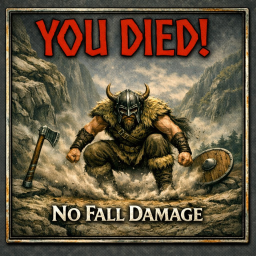
NoFallDamage
No fall damage. Character takes zero fall damage. By YouDied.No Fall Damage — Valheim Mod
Author: YouDied
Version: 1.0.0
Zero configuration. Install and forget — your character takes absolutely no fall damage.
How it works
Valheim tracks the highest altitude a character reaches while airborne in a field called m_maxAirAltitude. When the character lands, the engine subtracts the landing Y position from that peak to get the fall distance, then applies damage.
This mod patches Character.UpdateGroundContact via Harmony. Every frame, it resets m_maxAirAltitude to the character's current Y position, so the engine always sees a fall distance of zero → no damage.
Prerequisites
- BepInEx 5.x installed in your Valheim folder
- .NET SDK (6.0 or later) for building
- Valheim installed via Steam
Build
-
Open
NoFallDamage.csprojin a text editor and update<ValheimDir>to your Valheim install path if it differs from the default. -
Build from the project folder:
dotnet build -c ReleaseThe compiled DLL ends up in
bin\Release\netstandard2.1\NoFallDamage.dll.
Install
Copy NoFallDamage.dll into:
<ValheimDir>\BepInEx\plugins\
Launch Valheim. You'll see this line in BepInEx\LogOutput.log confirming it loaded:
[Info : No Fall Damage] No Fall Damage loaded — fall damage disabled.
Uninstall
Delete NoFallDamage.dll from the BepInEx\plugins\ folder.
Compatibility
- Works in single-player and multiplayer (client-side only; the server doesn't need it).
- No config file, no settings, no dependencies beyond BepInEx.
- Safe to add or remove mid-playthrough.