ContainerCustomizer
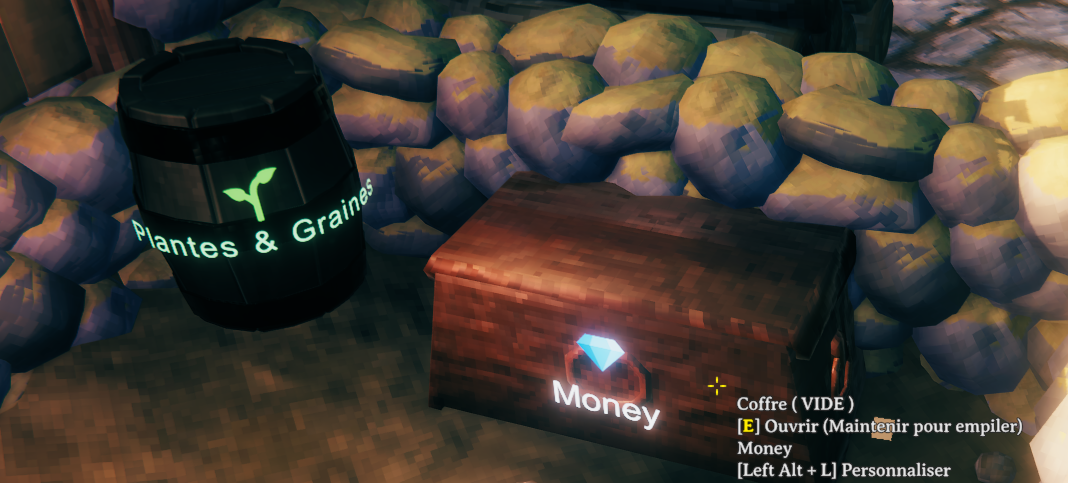
Personalize chests and barrels with names, colors and emoji. Search stored items with glowing highlights and optional through-wall markers. FR/EN interface.ContainerCustomizer
Name your storage. Give it a color and an emoji. Find your items.
Customize Valheim chests and barrels, then search nearby storage without opening every container. By Zephyrfit. Interface in French or English.

Install with Gale
- Open Gale, select Valheim and your profile.
- Search for ContainerCustomizer by Zephyrfit in the online mod list and install it. The required BepInEx dependency is installed automatically.
- Launch Valheim from Gale.
Install on each player's client to display and edit the markings. No installation is required on the dedicated server. Keep participating clients on the same mod version.
Upgrading from a local preview? Remove the old local ContainerCustomizer package from that Gale profile before installing the online version. Avoid loading two copies of the DLL. Saved container styles remain compatible.
Controls
| Shortcut | Action |
|---|---|
| Left Alt + L | Look at a chest or barrel to open its customization menu. Close its inventory first. |
| Left Alt + F | Open item search; press again to close the search window. From exploration mode, return to editing the query. |
| Escape | Close the editor or stop the search. |
Both shortcuts are configurable. Shift+E is not used.
Colors and labels
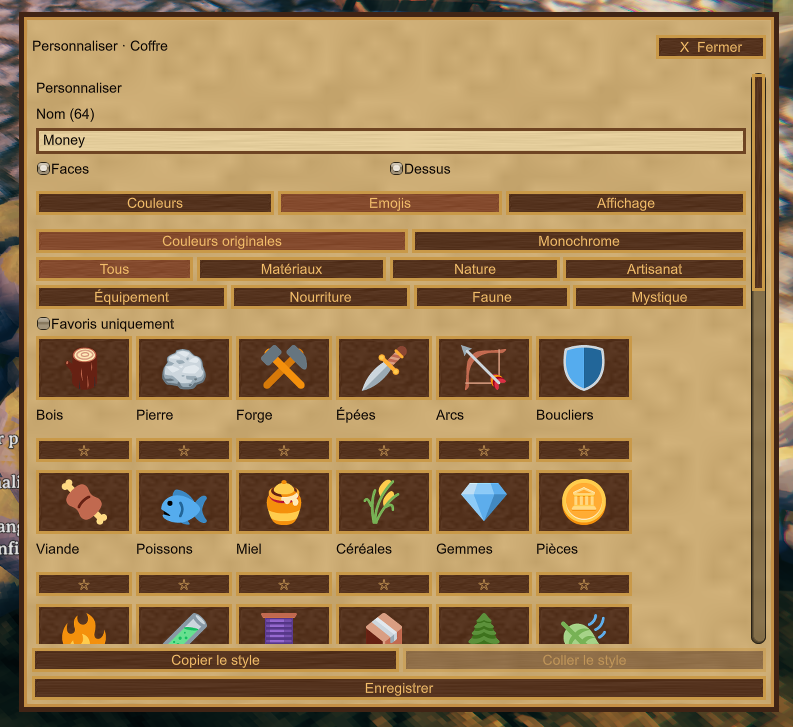
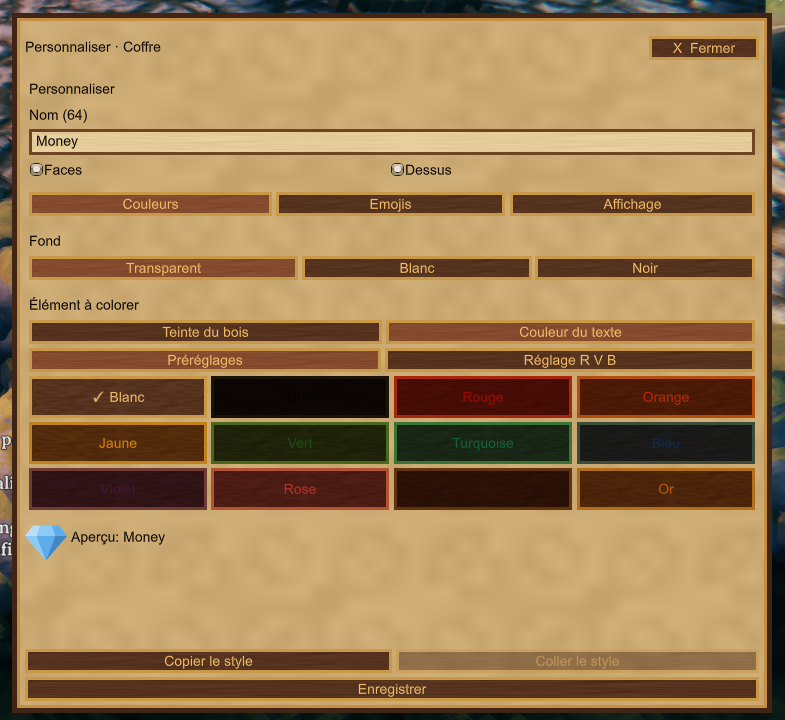
Set a name, choose the marked faces and top, and adjust wood tint, text color and background. Use color presets or RGB sliders, then copy and paste a style to other containers.
Text size ranges from 50% to 300%. Barrel labels follow the curved surface; long names on small chest faces shrink to fit. Label visibility defaults to 5 metres from your character, adjustable from 1 to 15 metres.

Emoji library
Choose from 53 emojis, with filters for resource and item families, subcategories and favorites. Display original colors or use a recolorable monochrome emoji. The normal editor width keeps six emojis per row.

Find stored items
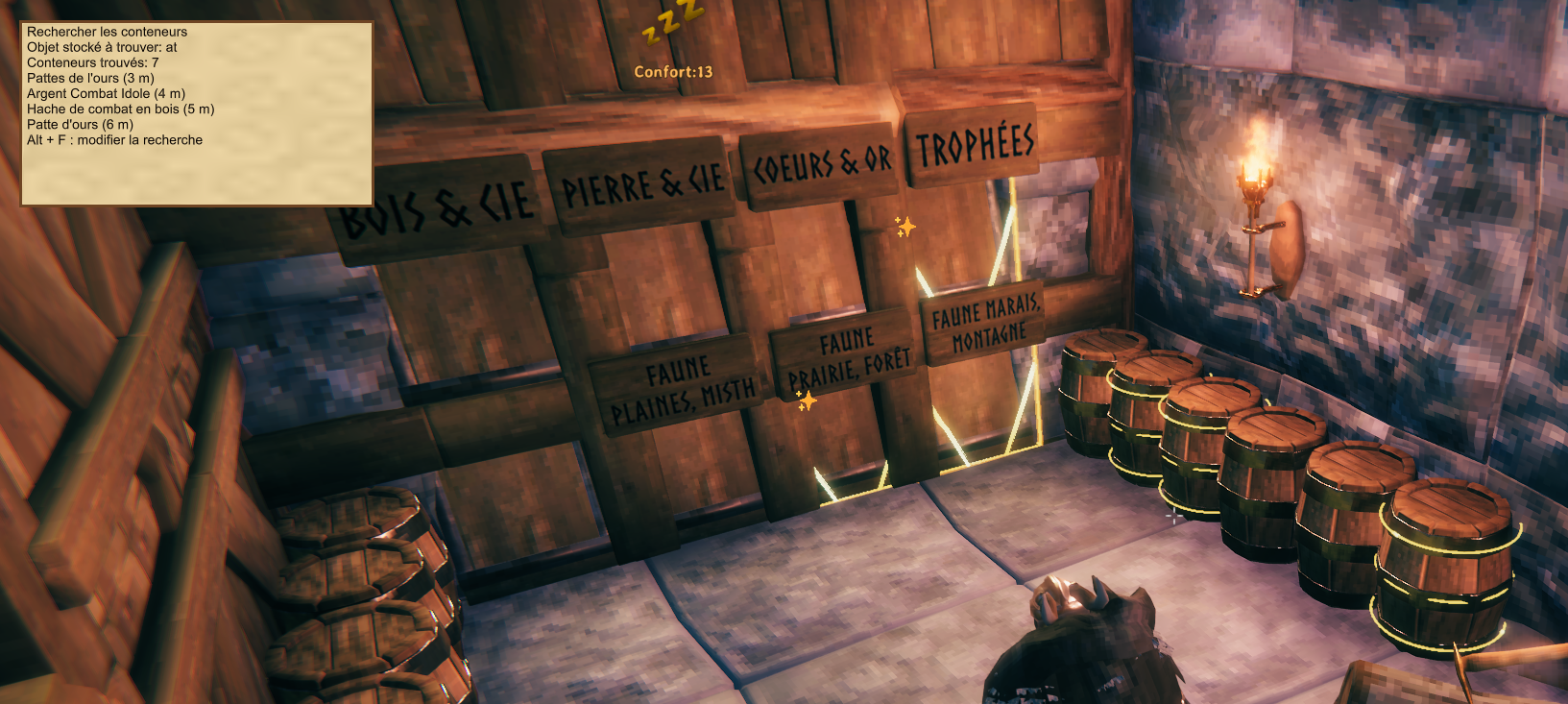
Use Alt+F and type an item name, or select one from the detected item list. Results show matching stored items and container distance. Search covers loaded containers within the chosen radius, up to 50 metres.
Click outside the search window or choose Explore with results displayed to move and interact while keeping a compact result list. Matching containers shine; optional gold stars reveal hidden chests and barrels.
The Locate containers through walls checkbox controls these stars independently of the visible highlights. Its setting and the search window position are saved locally. While an interactive menu is open, the wheel is reserved for scrolling. Camera compatibility includes FirstPersonMode.

Screenshots show the development build. The released editor is smaller and includes the new through-wall marker checkbox.
Multiplayer and settings
- Container styles are saved in the world and shared with clients running the mod.
- The piece creator can edit it; if SimpleAccessControl assigns an owner, that owner is used. Unowned containers can be customized. Public access alone does not grant edit permission.
- This mod changes presentation and adds search. It does not change inventory capacity or access rules.
- SimpleAccessControl and FirstPersonMode are optional, not required downloads. Custom storage must expose Valheim's container and piece components; unusual models may need visual adjustments.
- Search is limited to the nearest 256 loaded containers. It is not a search of unloaded areas of the world.
Configuration: BepInEx/config/zephyrfit.containercustomizer.cfg in your active profile. French game language selects French; other languages use English. Custom container names are never translated.
Manual installation
The recommended route is Gale's online installation above. For a manual install, download and extract the Thunderstore ZIP, then copy BepInEx/plugins/ContainerCustomizer/ContainerCustomizer.dll into your BepInEx plugins folder. BepInEx must already be installed. Use only one installation method per profile.
The optional Windows source installer is maintained separately and is not included in the Thunderstore package. Contact zephyrfit on Discord if you need it.
Help, bug reports and suggestions
Discord: zephyrfit · User ID: 251341133085540352.
Contact me for installation help, bugs or improvement ideas. For a bug report, include the mod and Valheim versions, steps to reproduce, a screenshot when relevant, and your profile's BepInEx/LogOutput.log. For camera issues, also name any camera mods you use. Never send account tokens or passwords.
FR : installation recommandée depuis Gale, en recherchant ContainerCustomizer — Zephyrfit. Alt+L personnalise le conteneur ciblé ; Alt+F recherche les objets stockés. L'interface suit la langue du jeu. Assistance, signalement de bugs et suggestions : zephyrfit sur Discord, en français ou en anglais.
Credits
Emoji artwork: Twemoji, CC BY 4.0. Resized artwork and monochrome variants are used; attribution and the full graphics license are included in the download. Original mod artwork and development: Zephyrfit.