
Declutter
Cut through the clutter and find what you need faster. Sort, filter, and search all crafting and cooking menus by category, biome, and availability. Works at every crafting station, including cauldrons, kettles, and with most popular mods.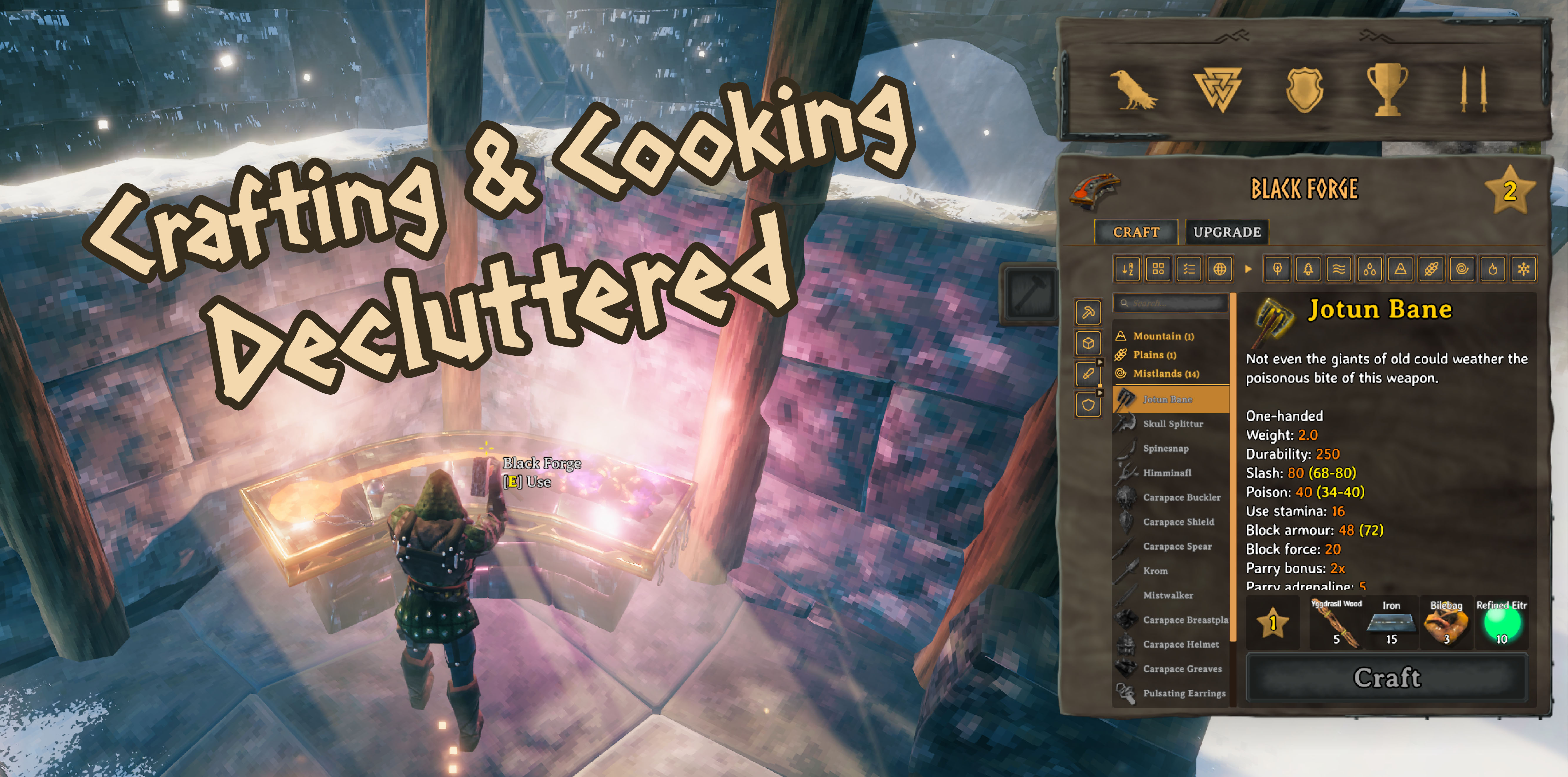
Cut through the clutter and find what you need faster. Sort, filter, and search every crafting and cooking menu by category, biome, and availability. Works at every crafting station, including cauldrons and ketills, and tons of other modded stations. Look out, Marie Kondo.
Features
- Sort by:
- Alphabetical
- Category: (list and filter out specific tools, materials, weapons and armor, or by food and mead types)
- Craftability: (if you've got the materials on hand already, reorder to show all current craftables up top)
- Biome: (reorder all craftables by the biome that unlocks the recipe)
- Filter out what you don't need. Hide the materials and categories you never make.
- Live search can narrow down the list as you type.
- Works on all crafting stations: every crafting and cooking station, modded station, and across most popular mods.
- Client-side, so you can install this without needing to sync with the server.
1. Primary toolbar
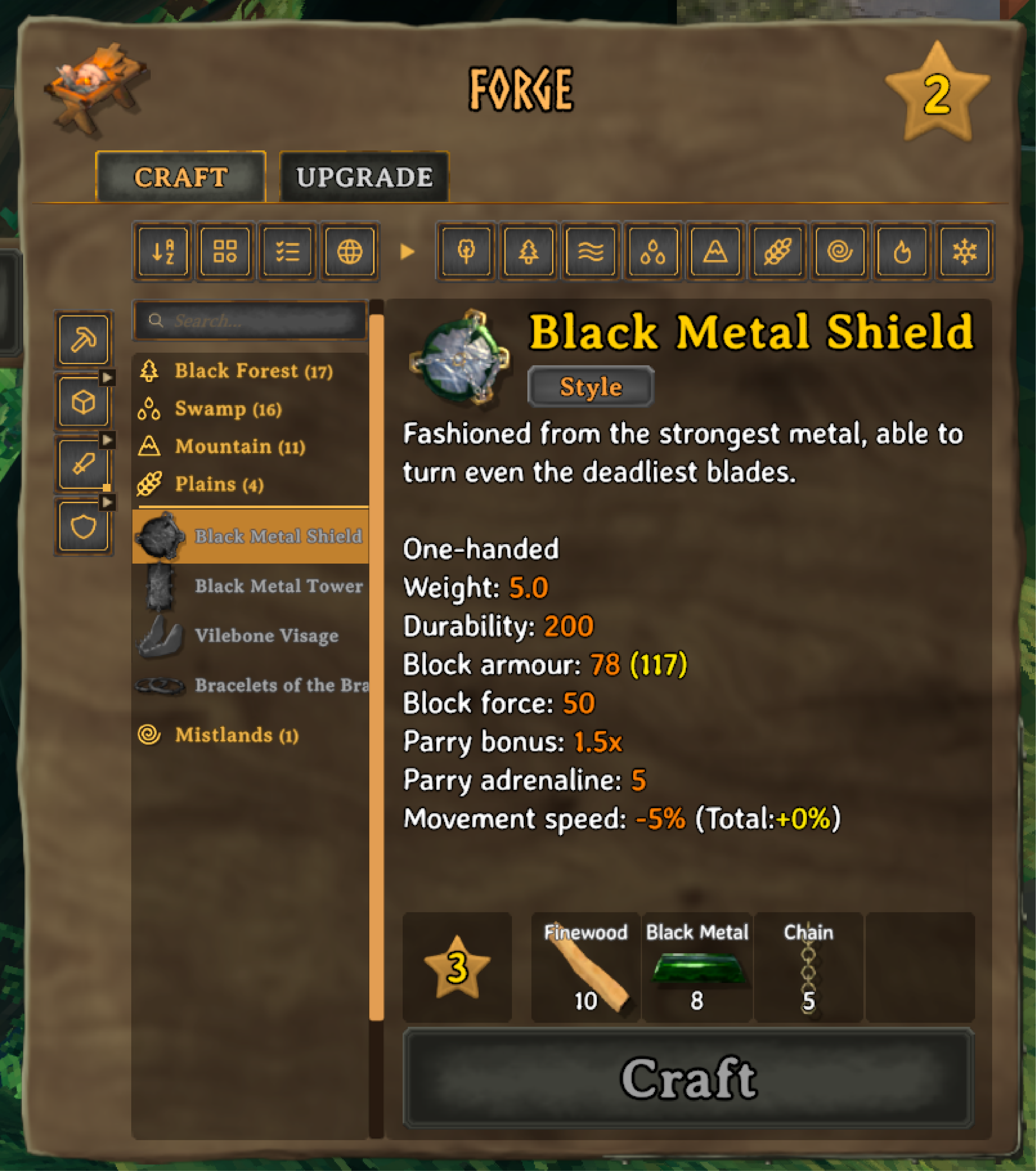
The primary toolbar lives under the Craft and Upgrade tabs on the main crafting screen. It's made up of four-ish different sections:
- a horizontal bar with two clusters of buttons:
- four main sort buttons (left)
- nine biome filters (right)
- a search bar above the crafting window
- a vertical column of category filter buttons.
1a. Sort buttons

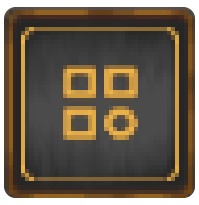
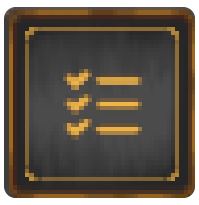
Toggle on and off the four sort buttons (Alphabetical, Category, Craftable, and Biome) in any order or combination to get started.
 |
Sort: Alphabetically |
 |
Sort by: Category |
 |
Sort by: Craftable first |
 |
Sort by: Biome |
1b. Biome toggles

Nine buttons on the right side of the menu let you reorganize any craft station's recipes based on the biome where those recipes are unlocked.
Biome headers in the crafting window show the biome's icon and available recipes based on the filters you've got toggled on. Click a header to collapse it. Double-click any header to collapse or expand them all at once.
Category buttons
With Sort by: Category toggled on, you can interact with a vertical row of buttons to the left of the crafting window to show or hide specific recipes you want craft more often, or avoid crafting. Perfect for those who are sick of having to craft sausages from bits of Draugr or found in ancients chests in swampy dungeons that probably don't have the best food safety ratings. Different stations may have different buttons combinations depending on the types of items you craft there:
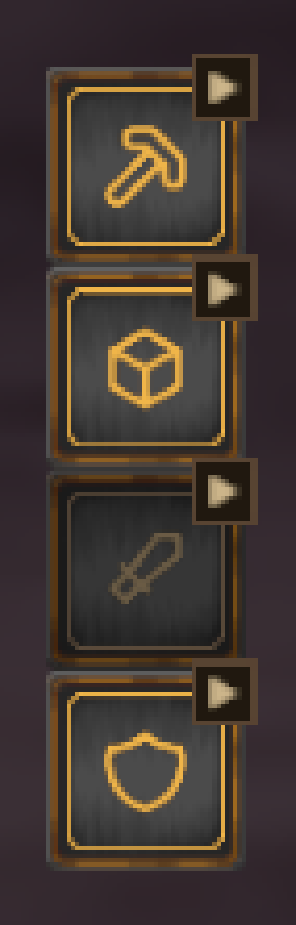 |
Workbench, Forge, Black Forge, Galdr Table, Artisan Table Tools, Materials, Weapons and Armor. Click the small arrow on different buttons to open a checklist and filter by specific subcategories. |
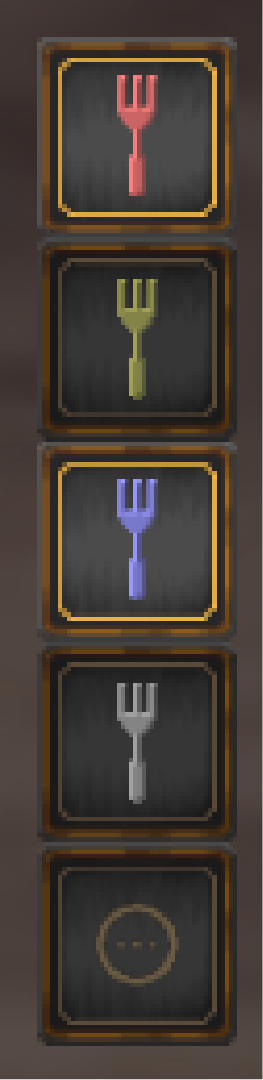 |
Cauldron, Food Preparation Table Health, Stamina, Eitr and Balanced food, as well as miscellaneous options for things you (probably) shouldn't put in your mouth. |
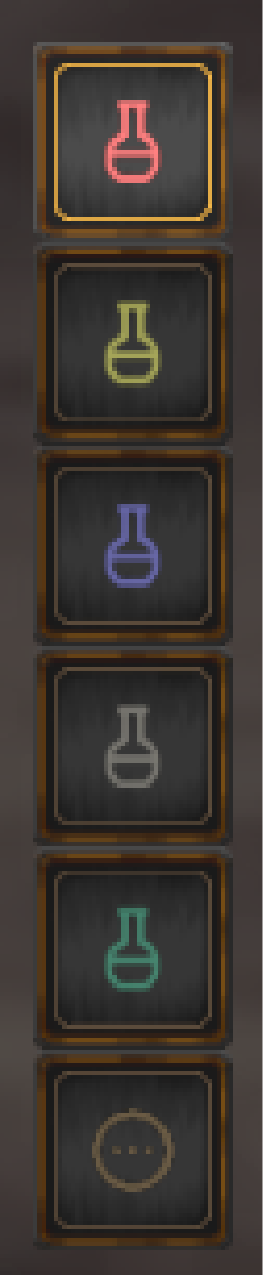 |
Mead Ketill Health, Stamina and Eitr meads, as well as categories for Resistance meads and Utility meads unlocked from the beautiful and very articulate Bog Witch. |
Subcategory checklists
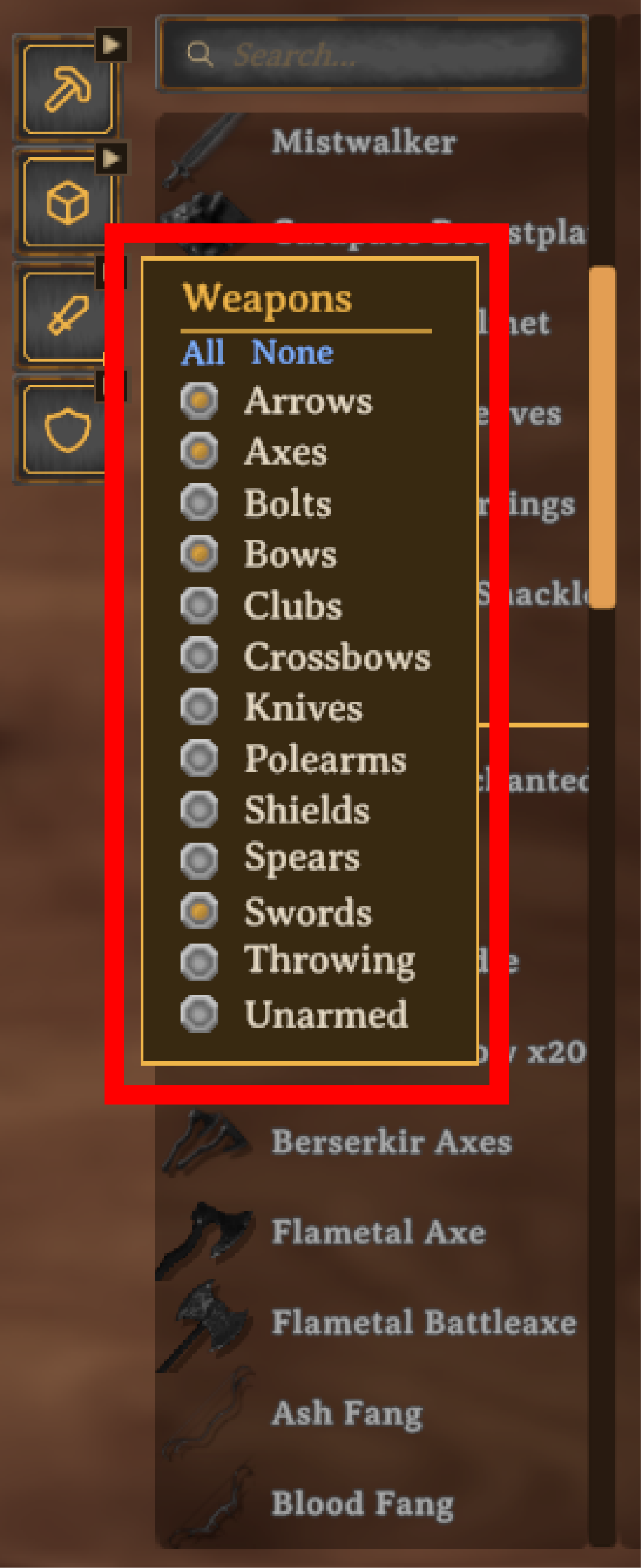 |
At stations with large lists of weapons, armor, and material craftables, you can click a small arrow next to one of the category buttons to open a filter checklist. Check or click-and-drag to toggle on and off only what you want to see.
|
Live search
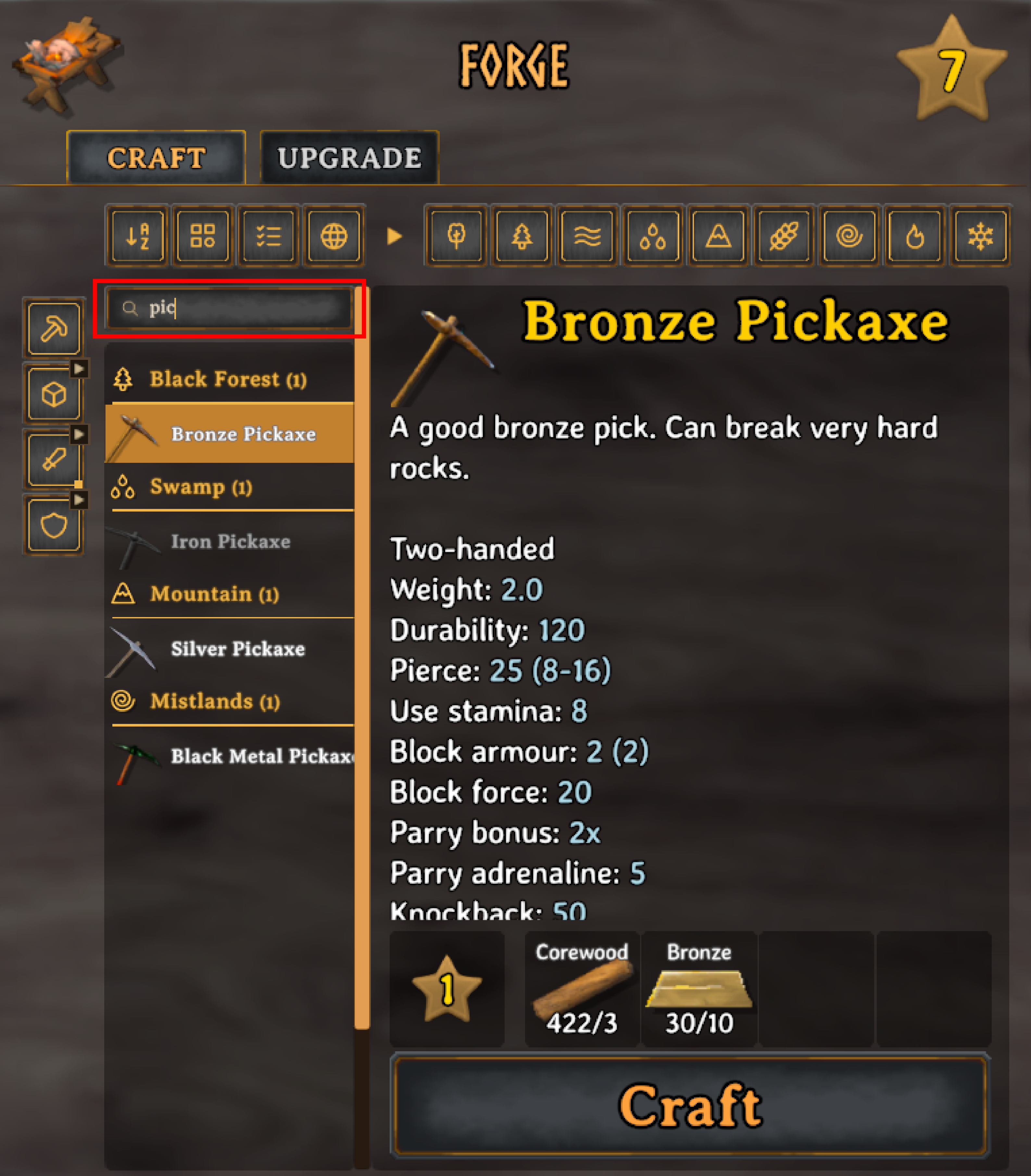 |
A search box at the top of the list filters by item name in real-time as you type.
|
Other features
- Click and drag works on the biome buttons and category buttons too for bulk toggle on/off states.
- Primary buttons combine. With Alphabetical on, everything visible is A-Z: under each biome header if Biome is on, and split into craftable then uncraftable if Craftable first is on. Category only filters what you see. With Alphabetical off, Category groups items by category instead.
- Saved per station: meaning that your choices, decisions to hide early-game biome foods, and/or hatred for spears carries over across sessions.
Modded items
Vanilla biomes and categories come from the Valheim Wiki. Items the wiki doesn't cover, including items from other mods, follow the same rules:
- Craftable items take the latest biome among their ingredients and the crafting station (and upgrade level) needed to make them. A sword made with Black Metal is a Plains item, available only after you unlock black metal.
- Raw materials take the earliest biome they spawn or drop in.
- Categories come from the item's type, weapon skill, armor slot or food stats.
Any item can be moved to a different biome with an override (see Configuration).
Configuration
Settings are in the mod config menu (F1), which needs a Configuration Manager mod. Sizes are percentages with 100% as the default, and ranges are capped so nothing extends past the crafting panel.
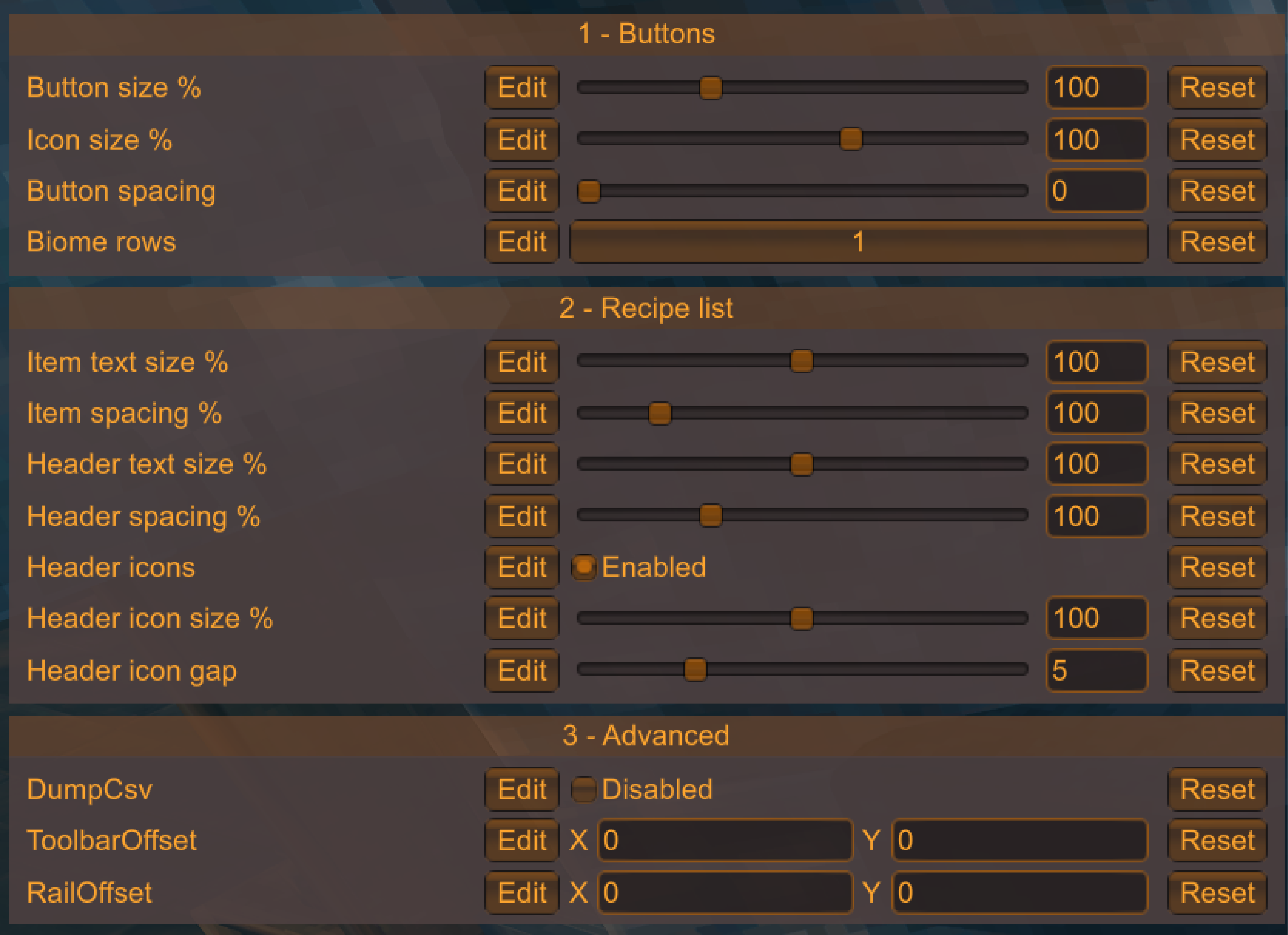
1 - Buttons
| Setting | Default | Range | Description |
| Button size % | 100% | 60 to 200 | Toolbar and category button size. Above 100% is designed for 2-row biome setups. |
| Icon size % | 100% | 60 to 125 | Icon size inside each button. |
| Button spacing | 0 px | 0 to 10 px | Gap/padding between buttons. |
| Biome rows | 1 | 1 or 2 | 2 splits the biome buttons into rows of 5 and 4, for narrow screens or larger buttons. |
2 - Recipe list
| Setting | Default | Range | Description |
| Item text size % | 100% | 60 to 140 | Crafting recipe name size. |
| Item spacing % | 100% | 90 to 150 | Space between recipe rows. |
| Header text size % | 100% | 60 to 140 | Biome header text size. |
| Header spacing % | 100% | 80 to 150 | Space/padding within each biome header. |
| Header icons | On | On / Off | Biome icon on each header. |
| Header icon size % | 100% | 50 to 150 | Header icon size. |
| Header icon gap | 5 px | 0 to 20 px | Space between the header icon and its text. |
3 - Advanced
| Setting | Default | Description |
| ToolbarOffset CategoryOffset | 0, 0 | Nudges the toolbar or category buttons if another UI mod moves the crafting panel. |
| DumpCsv | Off | Writes BepInEx/config/Declutter.dump.csv, listing every recipe's biome, category and source. |
Overrides
To move an item to a different biome, add a line to BepInEx/config/Declutter.overrides.txt:
# PrefabName = Biome
SwordIron = Swamp
Use the item's prefab name, listed in the dump file. Lines starting with # are ignored. Biomes: Meadows, BlackForest, Ocean, Swamp, Mountain, Plains, Mistlands, AshLands, DeepNorth.
Compatibility
Client-side only. Other players and the server don't need it.
Tested alongside the following mods:
- AzuExtendedPlayerInventory by Azumatt
- AzuCraftyBoxes by Azumatt
- Epic Loot by RandyKnapp
- Warfare, Armory, Wizardry and Monstrum by Therzie
- MultiCraft by MaxiMods
- Quick Stack Store Sort Trash Restock by Goldenrevolver
Other mods that sort or filter the crafting menu are unlikely to work alongside this one.
If a UI mod moves the crafting panel, the toolbar should follow it. Use offset settings in the advanced setting panel to fine-tune the position.
Installation
Mod manager: install with r2modman, Gale or Thunderstore Mod Manager.
Manual: install BepInExPack Valheim, then put Declutter.dll in BepInEx/plugins.
Credits
- Biome and category data: the Valheim Wiki and its editors.
- Icons: Tabler Icons (MIT) and Lucide (ISC). License files are included.
- Food markers and checkboxes are the game's own sprites.