
OreHitboxVisualizer
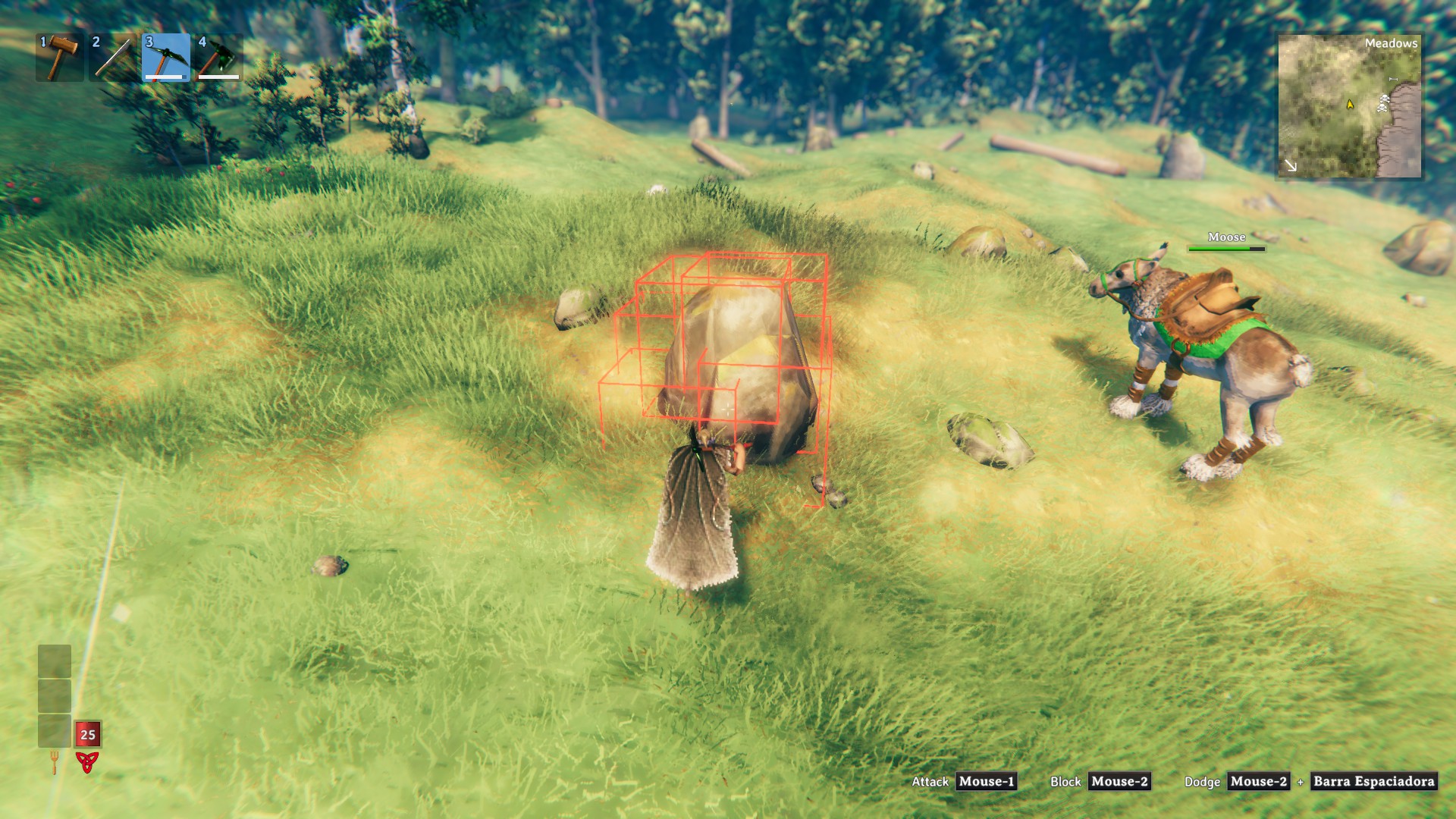
Hit an ore deposit with your pickaxe and see the support hitbox of every piece: red when it collides with something, green when it touches nothing. Toggle with L. Client-side only.OreHitboxVisualizer

Copper, silver and big rocks break apart piece by piece, and a piece that is no longer touching anything falls off on its own. OreHitboxVisualizer shows you the hitbox the game uses for every piece as soon as you hit the deposit with your pickaxe, so you can see which pieces are held and which ones are free.
How it works
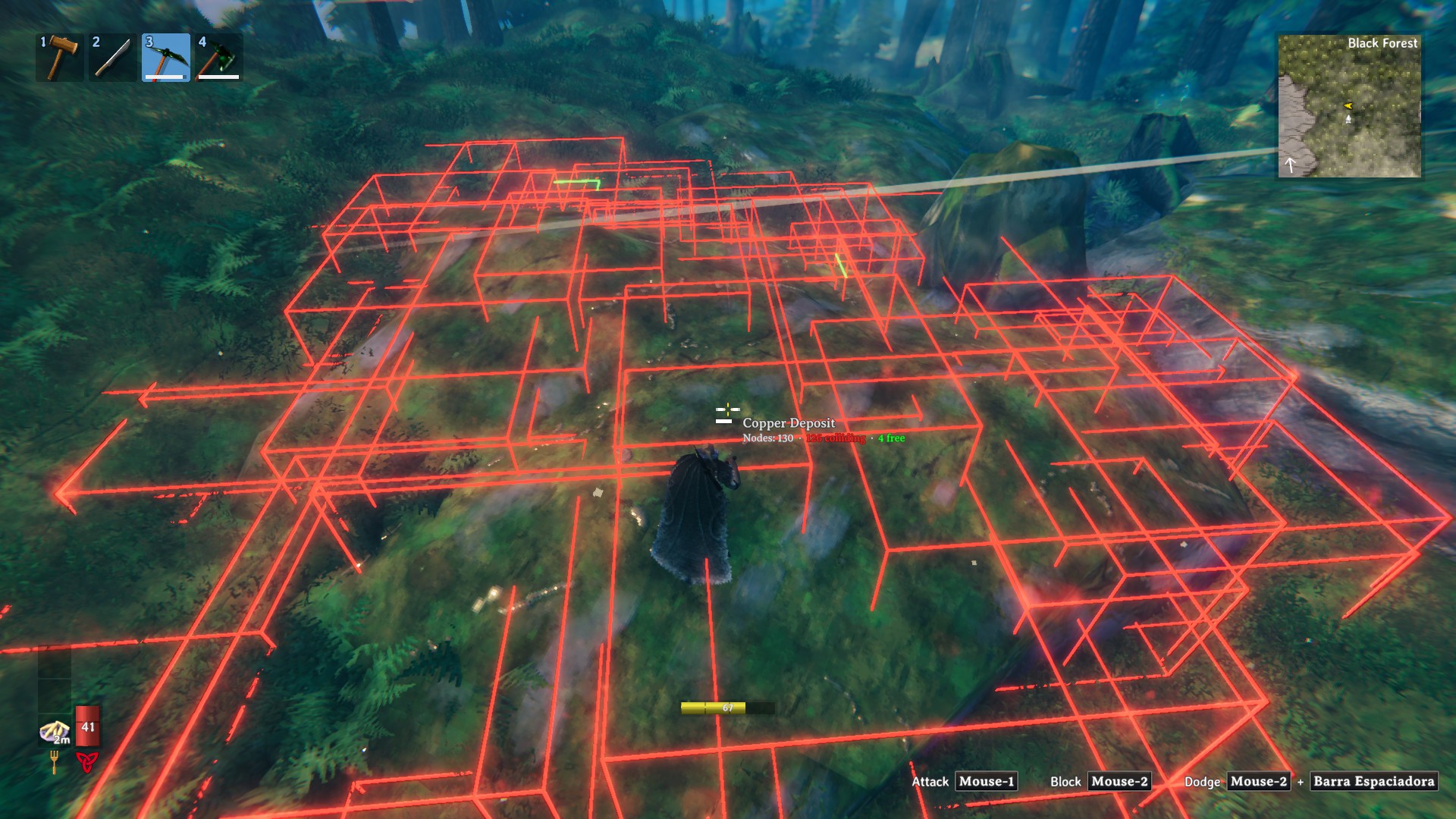
Every piece of a deposit (copper, silver, big rocks and any other MineRock5 rock) has a box. When you break a piece, the game checks which boxes are still touching something, and the pieces that touch nothing break off. This mod draws exactly that box:
- Red: the piece's hitbox is colliding with something (ground, another rock, a building) or is buried below the terrain.
- Green: the piece's hitbox is not touching anything.
Other pieces of the same deposit don't count as a collision.
Features
- Appears on the first hit: the hitboxes show up the moment you hit a deposit with a pickaxe.
- Live: the colours update while you mine.
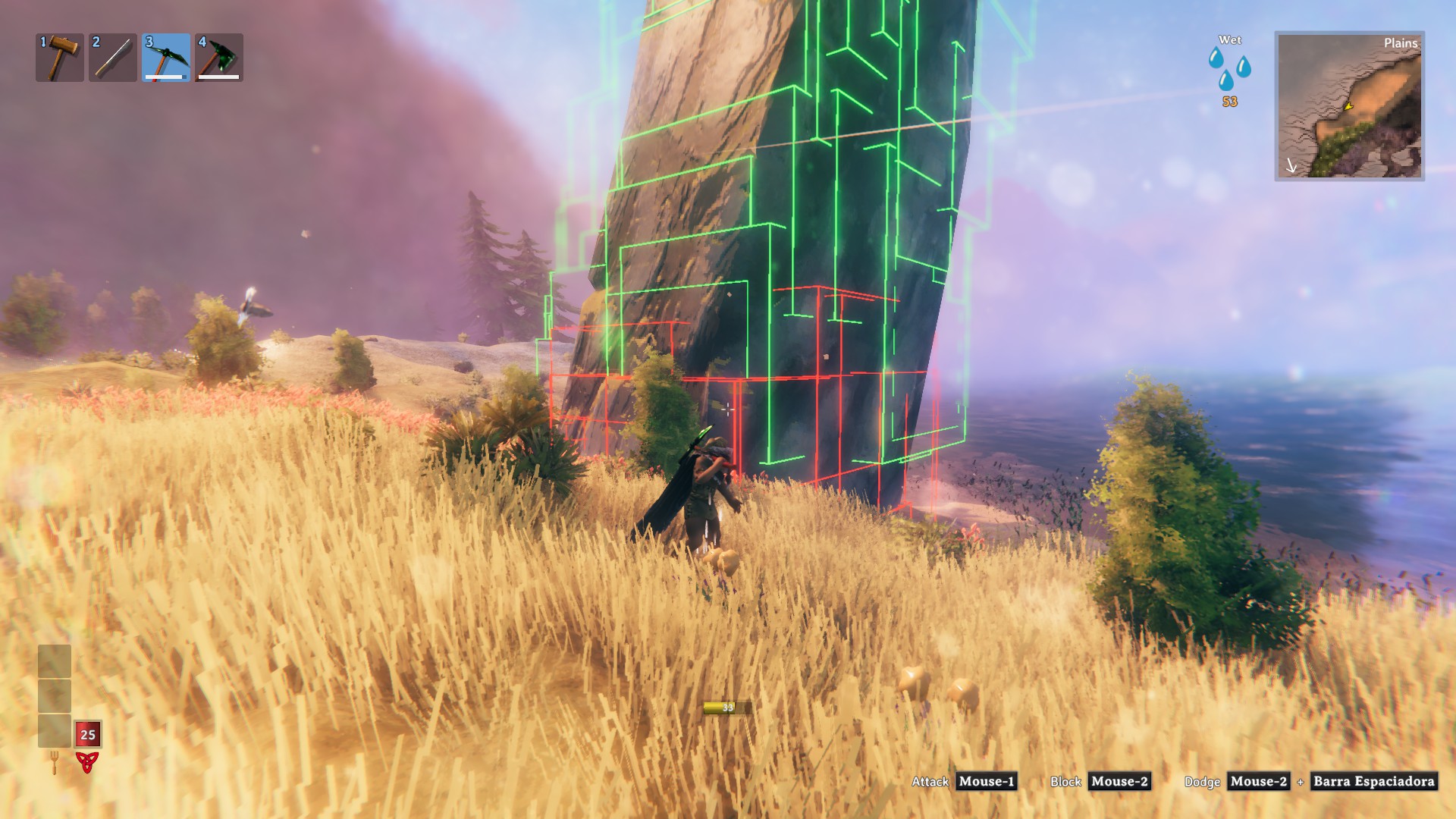
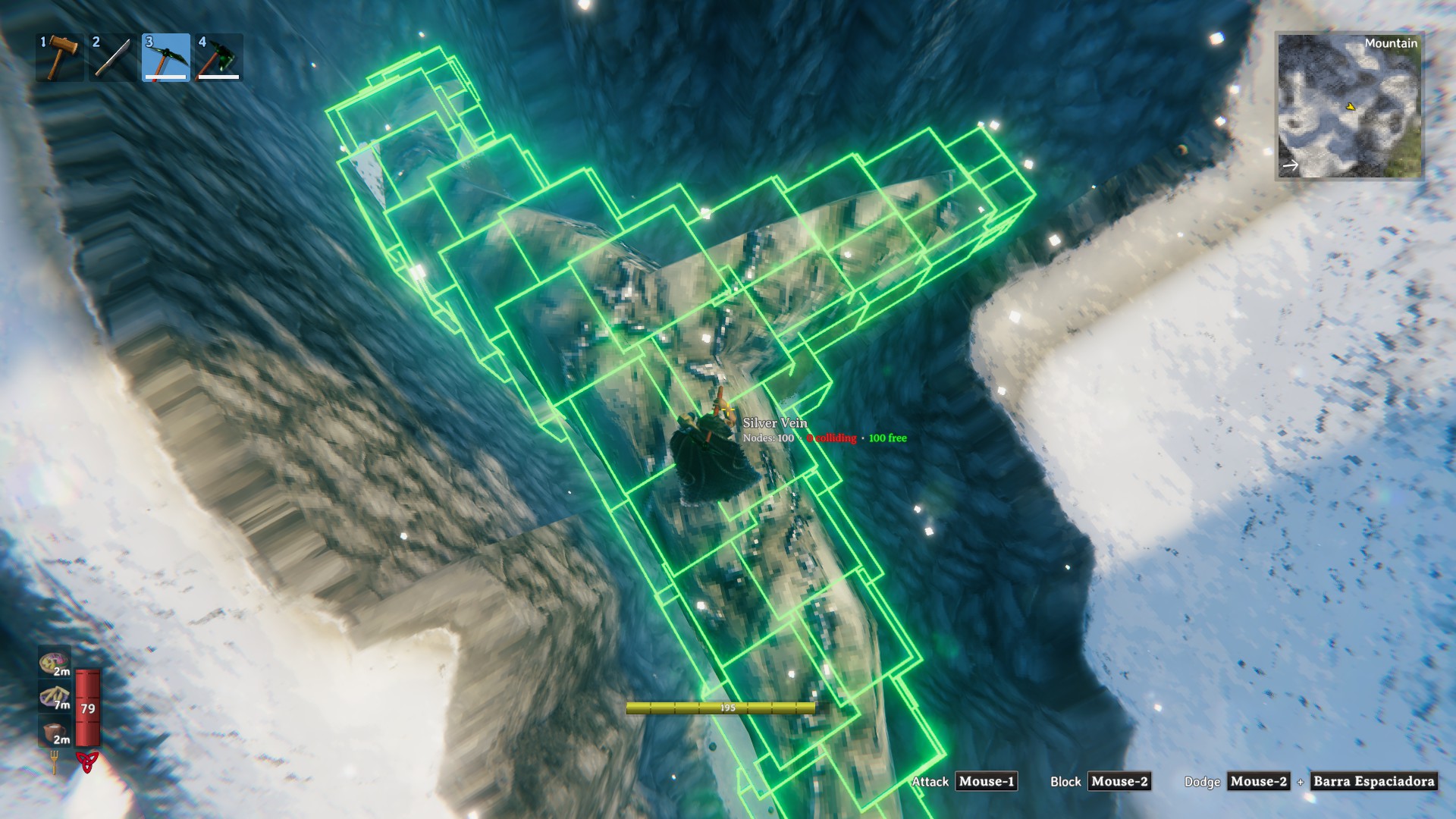
- Node count: aim at a deposit to see how many nodes (pieces) it has, how many are colliding and how many are free.
- Toggle key: press L (configurable) to show or hide them. The state is remembered.
- Exact: it is the same box the game uses for its support check, not an approximation. It is aligned to the world axes, so it can look bigger than the piece.
- Clean view: only the edges, and only the ones you can actually see. Edges behind the rock or the terrain are hidden, free (green) edges also hide behind other hitboxes, and colliding (red) ones are never hidden by other hitboxes.
- One deposit at a time: hitting a different deposit removes the hitboxes of the previous one.
- Auto clean-up: a deposit's hitboxes disappear when you walk away or the deposit is gone.
- Client-side only: other players and the server don't need it. It works on any server.
Configuration
BepInEx/config/OreHitboxVisualizer.adrirf7.cfg:
| Setting | Default | Description |
|---|---|---|
Enabled |
true |
Show the hitboxes (the toggle key changes it). |
ToggleKey |
L |
Key to show / hide the hitboxes. |
PickaxeOnly |
true |
Only show them when hitting with a pickaxe. |
Mode |
Collision |
Collision: red = touches something outside its own deposit, or is buried below the terrain. Support: the game's exact support rule; green = the piece will break off when the next piece is mined. |
HideDistance |
40 |
Metres after which a deposit's hitboxes are removed. |
HideAfterSeconds |
0 |
Seconds after the last hit to remove them (0 = never). |
ShowNodeCount |
true |
When you aim at a deposit, show under its name how many nodes (pieces) it has, how many are colliding and how many are free. |
CollidingColor / FreeColor |
red / green | Colours. |
LineThickness |
0.03 |
Edge thickness in metres. |
HideHiddenEdges |
true |
Only draw the edges you can see: edges behind the rock or the terrain are hidden, and free (green) edges also hide behind other hitboxes. Colliding (red) edges are never hidden by other hitboxes. false = draw every edge through everything. |
Installation
Install with r2modman / Thunderstore Mod Manager, or manually: put OreHitboxVisualizer.dll in BepInEx/plugins/OreHitboxVisualizer/.