
WorkbenchSearchFilters
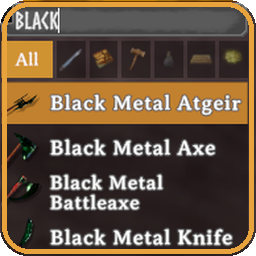
Search box and category filters for every crafting station. Food filters at the cauldron and prep table (health, stamina, eitr, balanced), sorted by stats. Empty categories are hidden. 22 languages, client-side only.WorkbenchSearchFilters
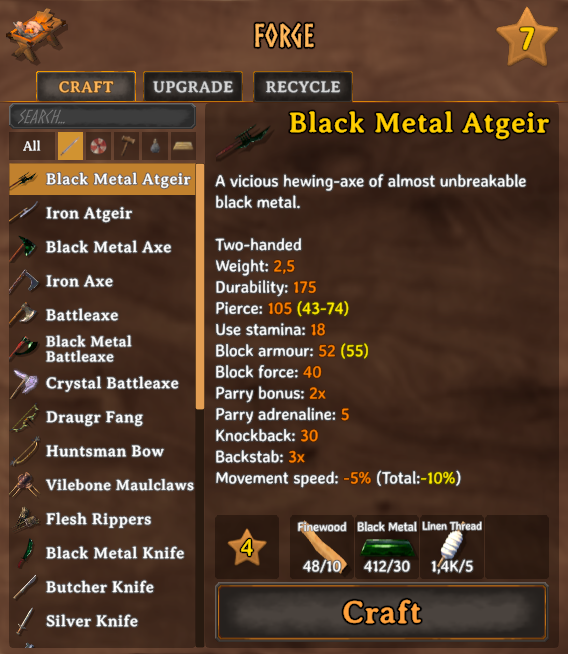
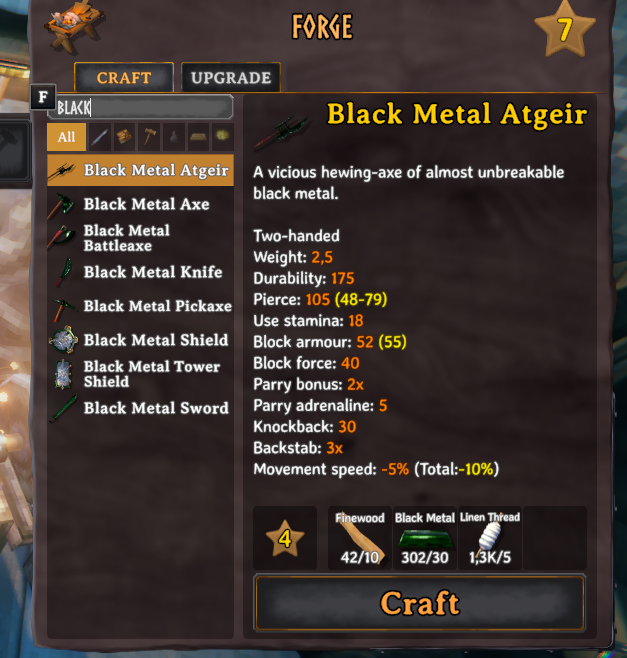
Tired of scrolling through dozens of recipes at the forge? WorkbenchSearchFilters adds a search box and category filters to the recipe list of every crafting station: workbench, forge, black forge, cauldron, artisan table, galdr table... and hand crafting too.
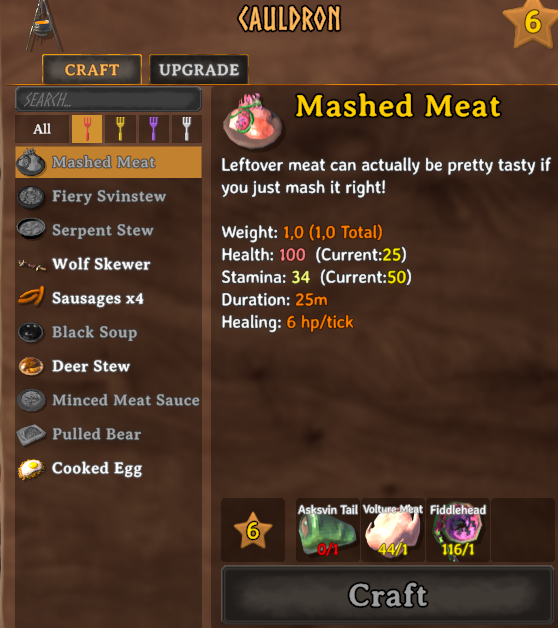
Features
- Search box: filters as you type by the item's name in the current game language. Case and accents are ignored.
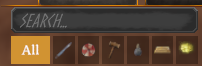
- Category buttons: All, Weapons, Armor, Tools, Consumables, Materials, Misc. Hover a button to see its name. Categories with no recipes at the current station are hidden; those with no results for the current search are dimmed.
- Food filters at the cauldron and the food preparation table: health, stamina, eitr and balanced food, each sorted from most to least health, stamina or eitr.
- Typing doesn't control the game: while the search box has focus, your character doesn't move and E or Tab don't close the inventory.
- Works in both Craft and Upgrade tabs, at every station, including modded ones.
- Translated: follows the game language, also when changed in Settings. 22 languages included; any other language falls back to English.
- Client-side only: nothing is needed on the server, and other players don't need the mod.
Categories
Items are sorted by their own game data, so items added by other mods are categorised automatically:
| Category | What goes in it |
|---|---|
| Weapons | Swords, axes, maces, spears, atgeirs, knives, bows, crossbows, staffs... |
| Armor | Helmets, chest and leg armor, capes, shields, belts, trinkets |
| Tools | Hammer, hoe, cultivator, pickaxes, fishing rod, torches |
| Consumables | Food, meads, arrows, bolts, bait, bombs, and oven / cooking station / fermenter ingredients (bread dough, uncooked pies, mead bases) |
| Materials | Crafting materials |
| Misc | Everything else (tankards, etc.) |
Not happy with where an item ended up? Every time you enter a world, BepInEx/config/WorkbenchSearchFilters.adrirf7.Categories.txt lists every craftable item with its prefab name and category. Add Prefab:Category to CategoryOverrides in the config to move it.
Food filters
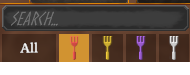
At the cauldron and the food preparation table, the category buttons become food filters with a colored fork:
| Filter | Fork | What goes in it |
|---|---|---|
| Health food | Red | Health is more than double the stamina |
| Stamina food | Yellow | Stamina is more than double the health |
| Eitr food | Purple | Eitr is more than double the health and the stamina |
| Balanced food | White | Everything else |
| Meads | Mead icon | Mead bases and other non-food items |
Same rule the game uses to color the food marker in your inventory. Each food filter is sorted from most to least health, stamina or eitr (balanced: health + stamina). Uncooked food counts as the food it becomes once cooked.
Configuration
BepInEx/config/WorkbenchSearchFilters.adrirf7.cfg:
ClearSearchOnClose(defaulttrue): clear the search text when the inventory is closed.RememberCategory(defaulttrue): keep the selected category between openings.CategoryOverrides: force the category of specific items, asPrefab:Categoryseparated by commas (Weapons,Armor,Tools,Consumables,Materials,Misc; at the cauldron and the food preparation table:FoodHealth,FoodStamina,FoodEitr,FoodBalanced,Meads,Misc).
Languages
English, Spanish, German, French, Italian, Portuguese (Brazil and Portugal), Russian, Ukrainian, Polish, Czech, Dutch, Swedish, Norwegian, Danish, Finnish, Turkish, Hungarian, Chinese (simplified and traditional), Japanese and Korean.
Changelog
- 1.1.0: food filters at the cauldron and the food preparation table (health, stamina, eitr and balanced food, each sorted by its stat, plus meads); categories with no recipes at the current station are hidden; new armor icon (red and white banded shield); removed the leftover "F" key hint next to the search box; the mod can be reloaded with ScriptEngine without duplicating the filter bar.
- 1.0.1: fixed recipes overlapping in the Recycle tab of Valheim Recycle (the filter now runs after other mods rebuild the list).
- 1.0.0: first release.