

CatosInventorySorter
Sort your player inventory by weight or quantity, with heaviest and largest stacks first.Catos Inventory Sorter
By Catosaur.
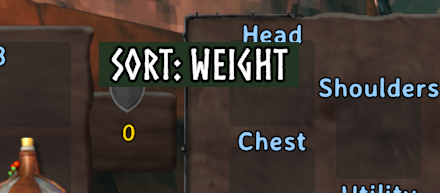
Sort your player inventory by weight or quantity. Weight sorting starts with the heaviest stacks; quantity sorting starts with the largest stacks. Click the in-game button or press F6 while your inventory is open.
The hotbar, equipped items, and bound items always stay in place. Client-side only; dedicated servers do not need this mod. It sorts player inventory, not chests.
Configuration
Edit BepInEx/config/com.catosaur.catosinventorysorter.cfg while the game is running. Changes are picked up automatically.
[Sorting]
SortMode = Weight
SpecialItemsMode = SortFirst
SpecialItemsOrder = Armor,Food,Arrows
SpecialItemsMode controls arrows, armor, and food:
SortFirst(default) moves them to the front of the sortable inventory area, before ordinary items.Ignoreleaves them in their current slots and sorts the remaining items around them.
SpecialItemsOrder controls the order of those categories. The default is armor first, then food, then arrows. Use any comma-separated order containing Armor, Food, and Arrows.
The regular sort can use Weight or Quantity. Both sort highest first by default; set WeightDescending or QuantityDescending to false for ascending order.
Installation
Install with a Valheim mod manager, or place CatosInventorySorter.dll in your client profile's BepInEx/plugins folder. BepInExPack Valheim is required.