

CatosTents
Adds four decorative placeable tent structures to Valheim.CatosTents
Build a market camp wherever the road takes you.
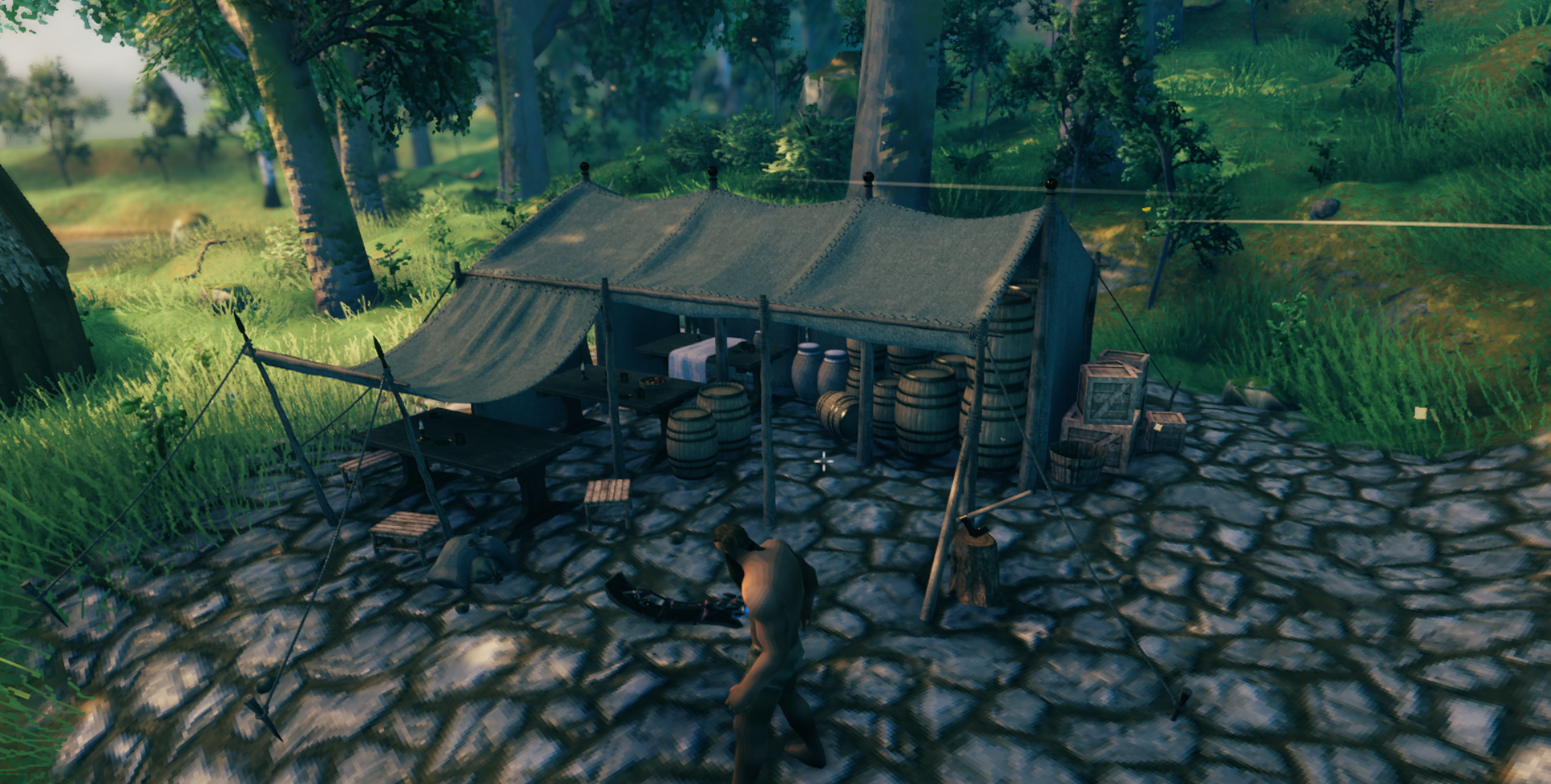
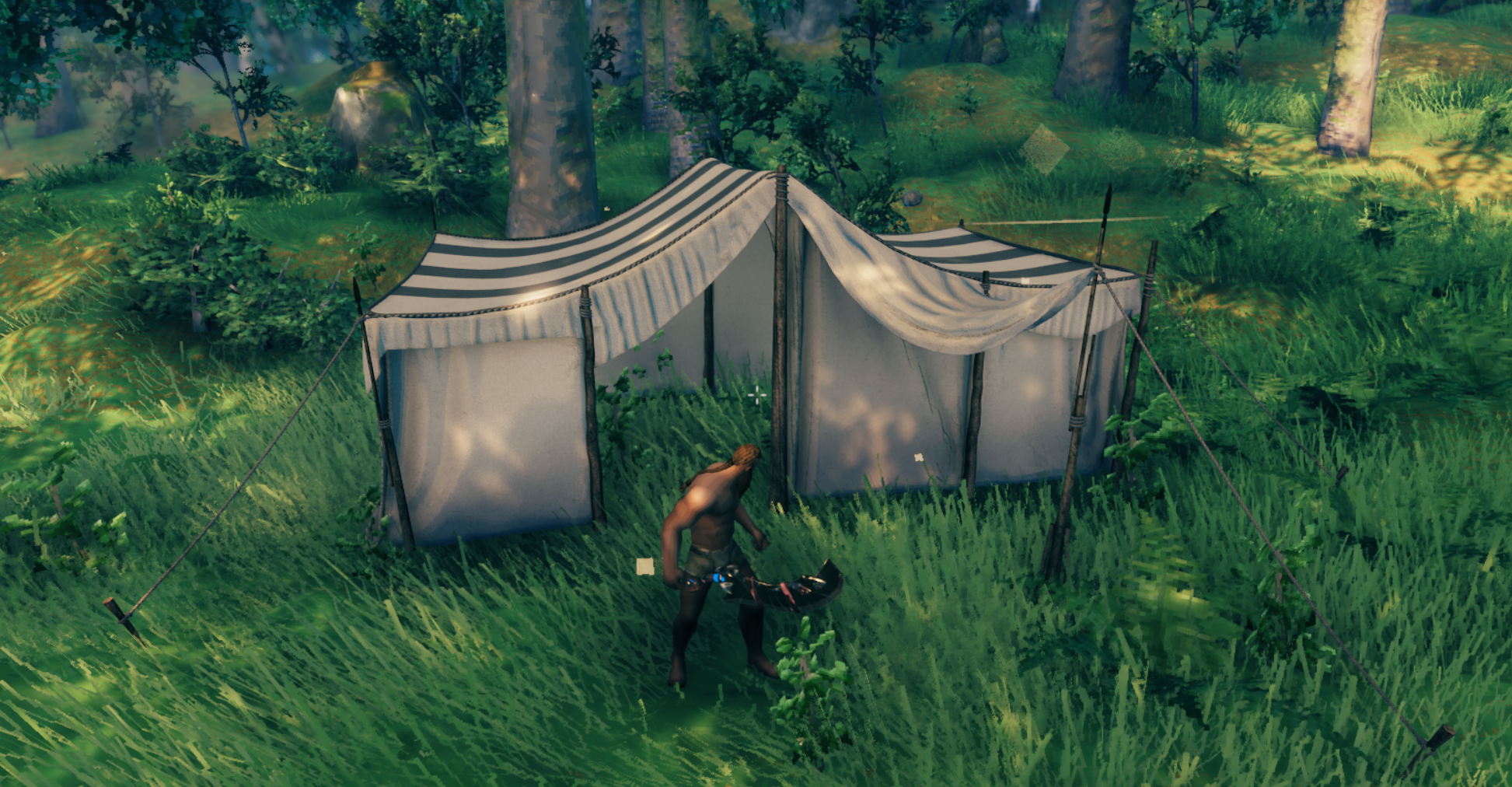
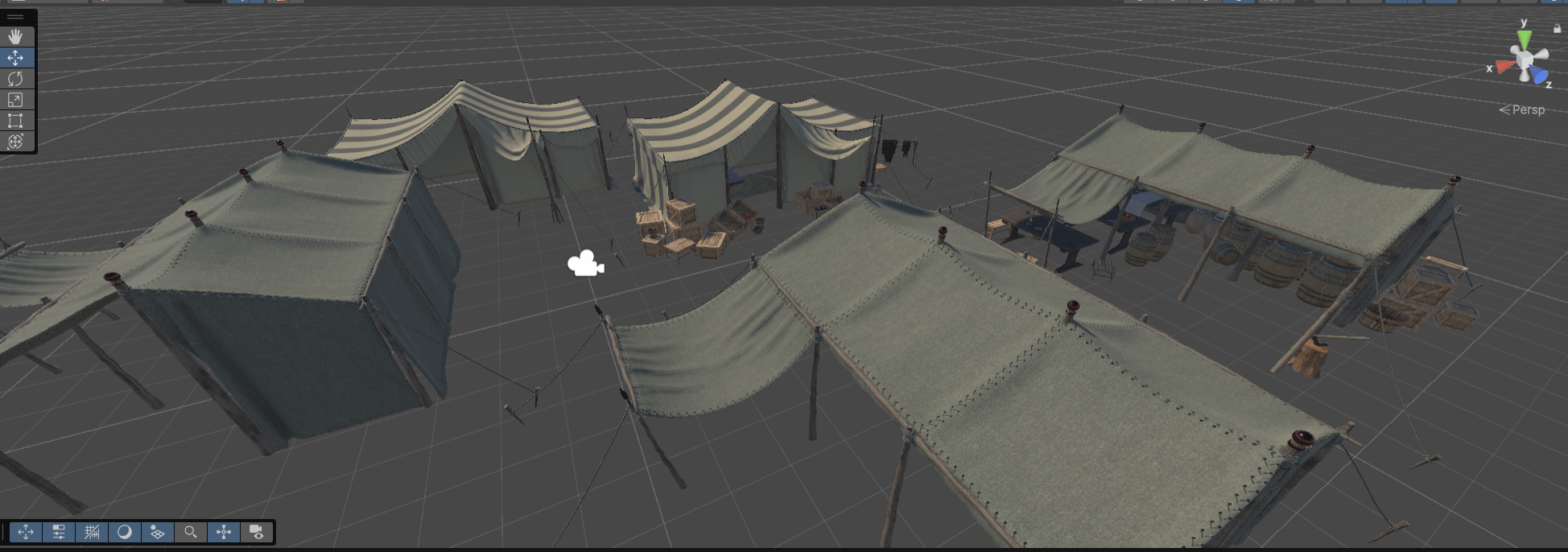
CatosTents adds four placeable tent structures to Valheim. Use them for market camps, temporary outposts, or decoration for a larger settlement.
Screenshots
Features
- Four tent designs with their own Hammer icons
- Place them from the Hammer under the
CatosTentscategory - Visual tent structures only: no beds, sleep interactions, or spawn points
- Market-prop variants for busier camps
Tent designs
| Name | Piece ID |
|---|---|
| Market Tent 01 | catostent_market_01 |
| Market Tent 02 | catostent_market_02 |
| Market Tent Props 01 | catostent_market_props_01 |
| Market Tent Props 02 | catostent_market_props_02 |
Requirements
- BepInExPack Valheim
- Jötunn
Install the required dependencies before launching Valheim.
Installation
Install the Thunderstore package with your preferred mod manager, or copy the mod files into your Valheim profile's BepInEx/plugins folder.
Restart Valheim after installing or updating the mod.
Using the tents
- Equip the Hammer.
- Open the build menu.
- Select the
CatosTentscategory. - Choose a tent and place it on suitable ground.
Each tent costs:
- 20 Wood
- 6 Deer Hide
- 4 Fine Wood
Troubleshooting
If a tent is missing from the Hammer menu, confirm that BepInExPack Valheim and Jötunn are installed and that the client and server are using the same mod version.