
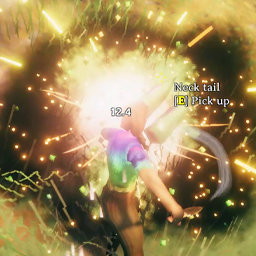
InstantMonsterLootDrop
Loot-flow overhaul for Valheim 1.0: instant drops, 2.5m auto-pickup, lingering bodies, and a stacked loot notification window.💀 InstantMonsterLootDrop
Updated for Valheim 1.0
Turn every kill into a satisfying loot experience! ⚔️
Based on the original InstantMonsterDrop by aedenthorn, this fork transforms Valheim's monster loot system with instant drops, improved auto-pickup, longer-lasting corpses, and a custom stacked loot notification window.
🔗 Links: Thunderstore · GitHub
✨ Features
⚔️ Instant Loot Drops
No more waiting for death animations to finish before collecting your rewards.
- ⚡ Drop Delay: Loot drops after just
0.05seconds. - 💀 Persistent Corpses: Bodies remain visible for
60seconds, so you can still see your kills. - 🧲 Improved Auto-Pickup: Automatically collects nearby loot after a
1-second delay, within a2.5-meter radius. - 📦 Stacked Loot Notifications: See everything you've collected in one compact window instead of watching vanilla's one-item-at-a-time messages.
- 🔢 Item Stacking: Identical items combine into a single line, such as
Wood x14. - 🎯 Animated Notifications: Loot entries slide in, pop, and fade away.
🖥️ Custom Loot Notification Window
A compact 250 × 120 loot panel, positioned in the bottom-right corner by default.
Designed to stay readable without unnecessary visual clutter, the window uses configurable text colors and outlines, with borders disabled by default.
Customize the display to suit your HUD:
- 📍 Corner Placement: Choose BottomRight, BottomLeft, TopRight, or TopLeft.
- ↔️ Position: Adjust
WindowXandWindowYoffsets. - 📐 Window Size: Customize width and height.
- 🌫️ Opacity: Adjust panel transparency.
- 🔠 Font Size: Change text size and accommodate larger item counts.
- ⏳ Notification Duration: Control how long each entry remains visible.
- 🖼️ Borders: Toggle the panel border on or off.
- 🎨 Text Styling: Customize item names, quantities, and outline colors.
- 🔔 Vanilla Messages: Disable the custom window to restore vanilla pickup notifications.
⚙️ Configuration
Launch the game once to generate the configuration file:
BepInEx/config/cjayride.InstantMonsterDrop.cfg
⚔️ Loot & Corpse Settings
| Setting | Default | Description |
|---|---|---|
DropDelay |
0.05 |
Delay before monster loot drops, in seconds. |
DestroyDelay |
60 |
Time before monster corpses are removed, in seconds. |
AutoPickupDelay |
1 |
Delay before automatic pickup begins, in seconds. |
AutoPickupRange |
2.5 |
Auto-pickup radius, in meters. |
🖥️ Notification Window Settings
| Setting | Default | Description |
|---|---|---|
Enabled |
true |
Enables the custom loot window. Set to false to restore vanilla pickup messages. |
Anchor |
BottomRight |
Screen corner used to position the window. Options: BottomRight, BottomLeft, TopRight, TopLeft. |
WindowX |
20 |
Horizontal offset from the selected corner, in pixels. |
WindowY |
20 |
Vertical offset from the selected corner, in pixels. |
WindowWidth |
250 |
Window width, in pixels. |
WindowHeight |
120 |
Window height, in pixels. |
Opacity |
0.72 |
Window transparency. |
Linger |
8 |
How long each loot entry remains visible, in seconds. |
FontSize |
15 |
Loot notification text size. |
ShowBorders |
false |
Enables the window border. |
TextOutline |
true |
Adds an outline around text for readability. |
TextColor |
White | Color of item names. |
AmountColor |
Warm cream | Color of item quantities. |
OutlineColor |
Black | Color of the text outline. |
💡 Updating from an older version? If the new defaults aren't applied, delete your existing configuration file or update the values manually.
🧹 Corpse Cleanup
If old monster corpses accumulate or fail to despawn, open the in-game console with F5 and run: imd_cleanup
This command force-removes leftover corpses.
🎮 Gameplay Notes
- You can still pick up items immediately using the Use key.
- Auto-pickup handles nearby loot after the configured delay.
- Disable the custom notification window whenever you prefer vanilla pickup messages.
📬 Contact
- 𝕏: x.com/cjayride
- Discord: discord.gg/cjayride — Find
cjayridenear the top of the user list. - Twitch: twitch.tv/cjayride
🤖 AI Disclosure
The code was not AI-generated. AI was used to help verify compatibility with the updated version of Valheim.