

MuninMap
A live web map your dedicated server hosts itself. 2D and 3D views, players and their stats, bases, portals, wards, bosses, runestones, lava and mist, explored fog. Server only: players install nothing.
Munin Map
A live map of your Valheim world that anyone can open in a web browser.
Install it on your dedicated server, then share a link like http://your-server:3000.
Your players don't install anything. It runs only on the server.
Named after Munin, one of Odin's two ravens, who flies over the world every day and brings back what it saw.
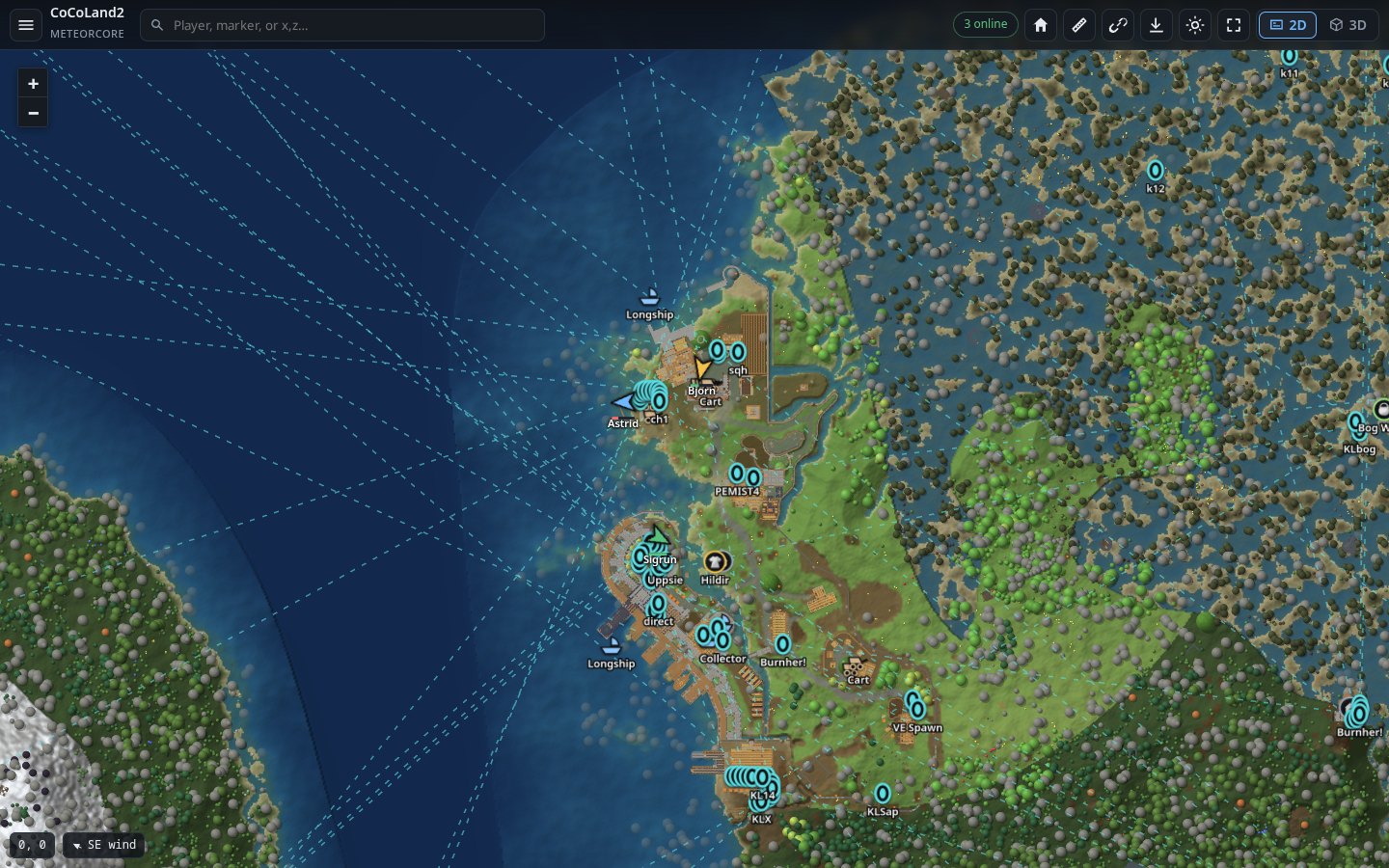
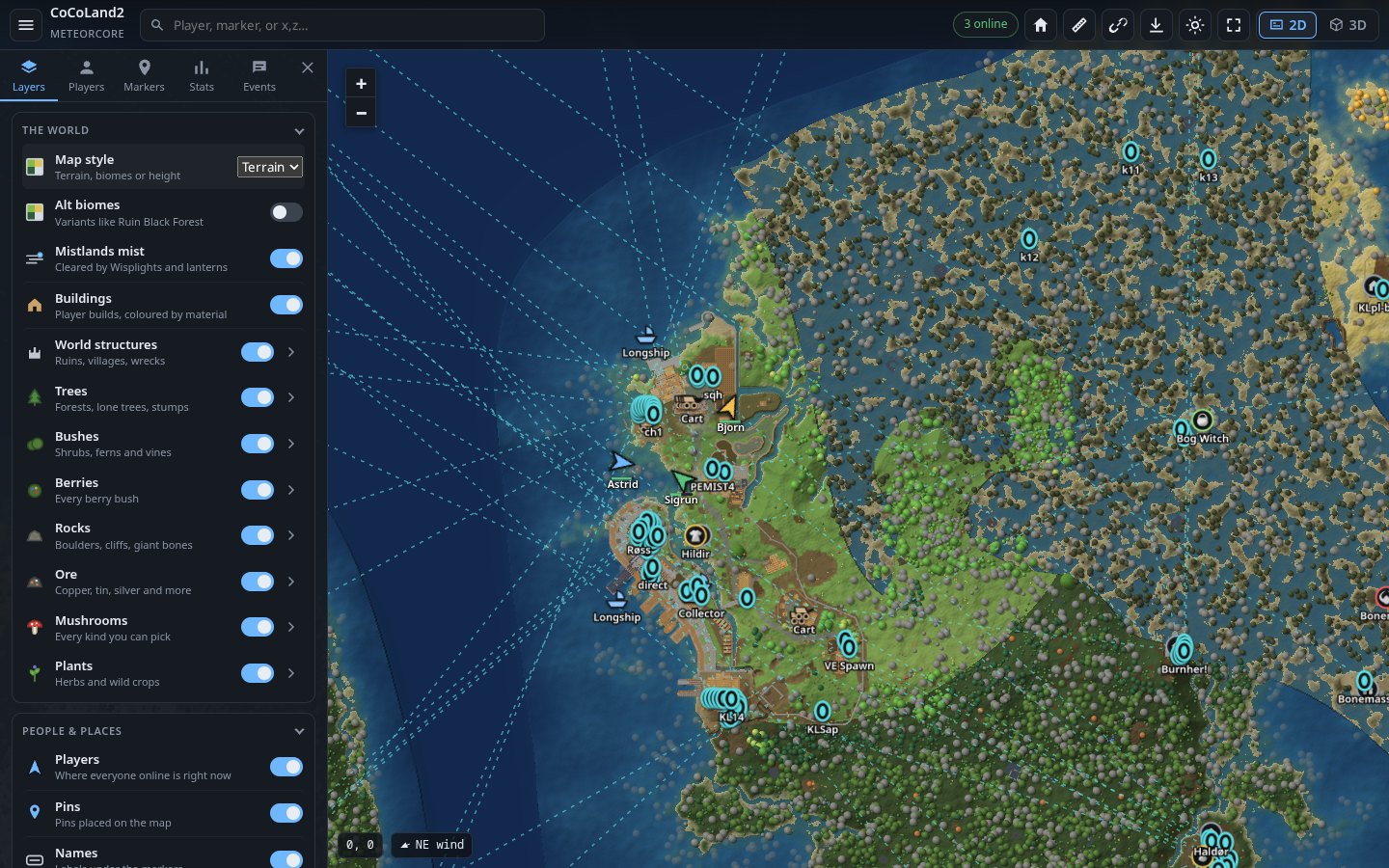
The 2D map, with players, buildings, boats and carts. One click switches to 3D:
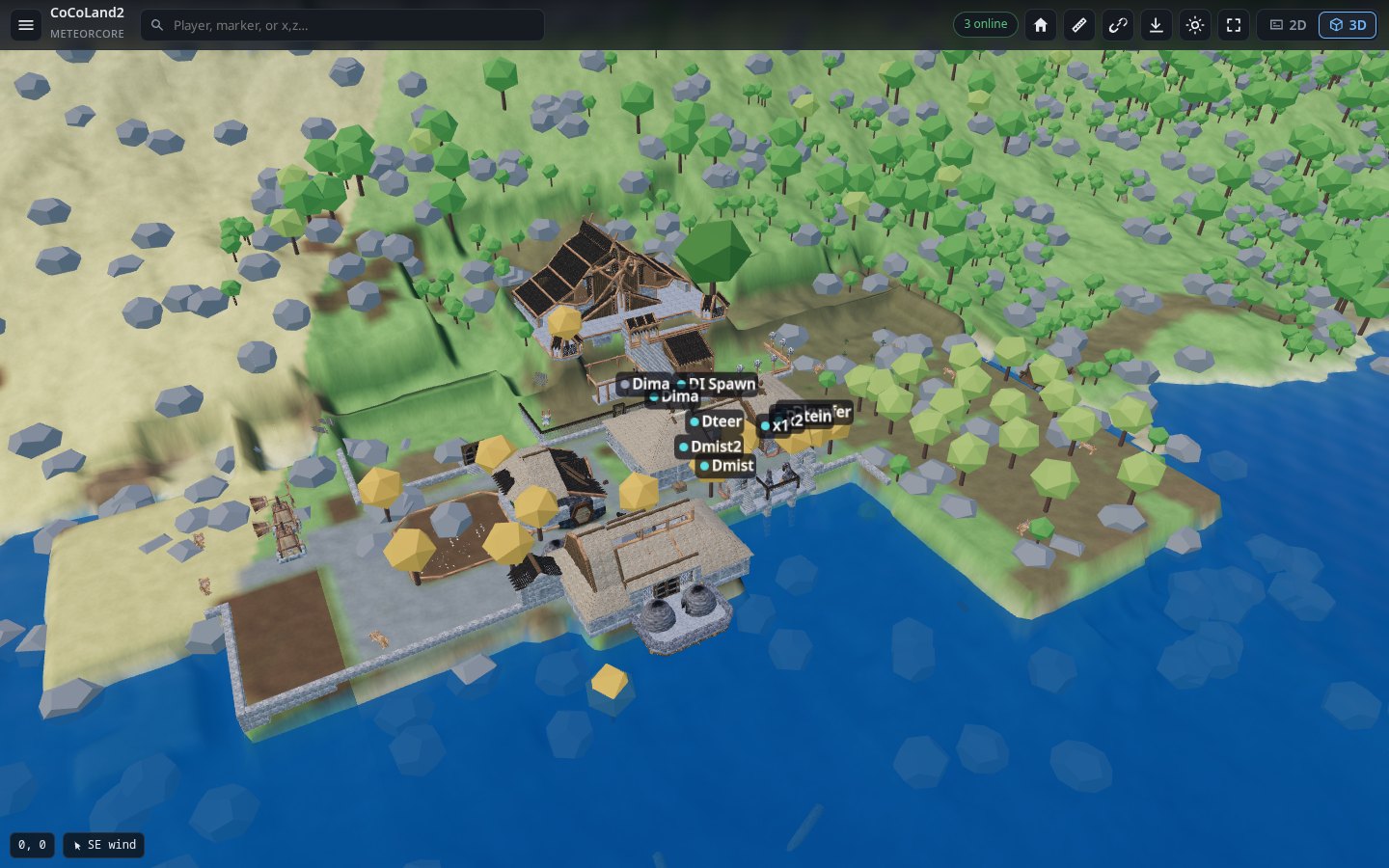
What's on it
Munin Map shows the whole world as your players explore it, live, and keeps the server light while it does:
- Smoother and lighter: the map is drawn on the graphics card, so dragging and zooming stay smooth. Tiles are smaller (WebP), so the server uploads far less. World scans are spread out so players don't feel a hitch.
- More of the world: lava in the Ashlands, mist in the Mistlands, raids and invasions as they happen, a biome view, and the weather where each player stands.
- More markers: wards and the ground they protect, runestones you can read, Vegvisirs, beds, dungeon entrances (with what's still inside), map table pins, Hildir's mini-boss lairs, and every kind of tree, rock and ore.
- More stats and events: boss progress, world modifiers, Hildir's quests, a leaderboard, boss kills, raids, first visits to each biome, and Discord posts for raids and invasions.
- More control: switch each kind of marker, tree and ruin on or off, rename bases from the page, and read the server log from the page.
What you get
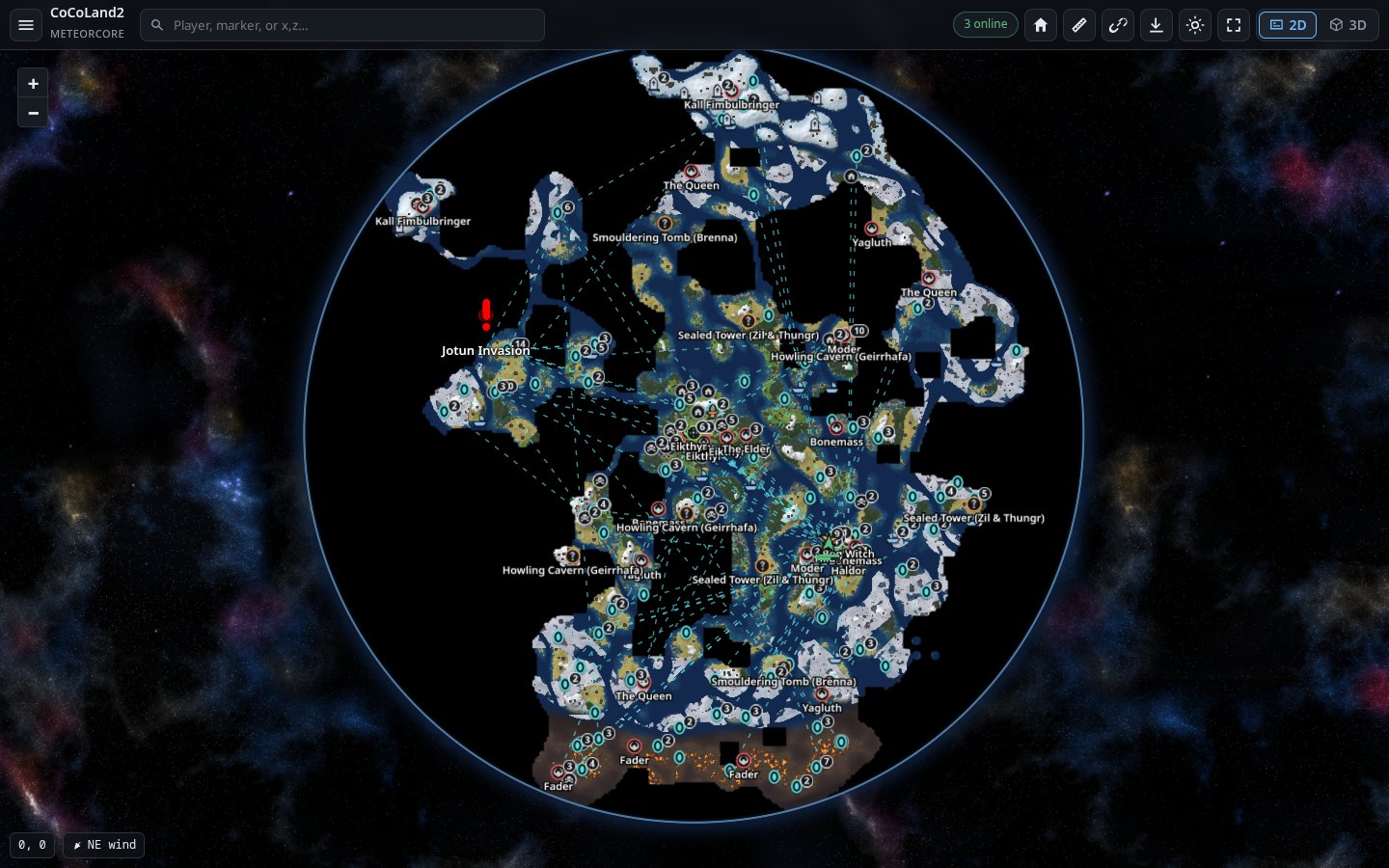
| The whole world, as you explored it | Ground nobody has seen stays black, like the in-game map. Zoom from the whole world down to single trees and walls. |
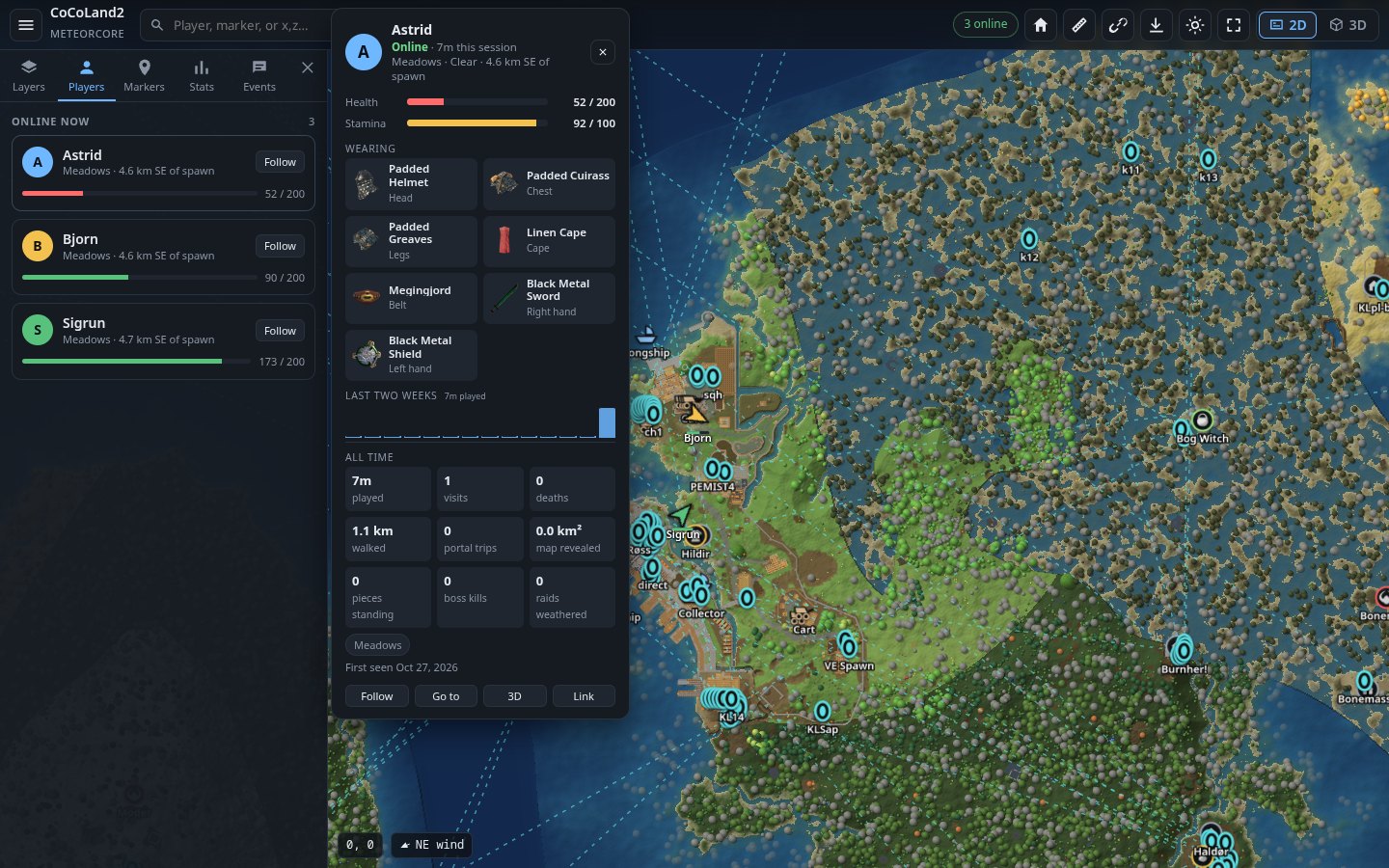
| Live players | Everyone online, where they're looking, their health, gear and weather. Click a player for their card, or follow them. |
| Everything you built | Every building piece, drawn in its material colour, updated as you build. Bases are found and named on their own. |
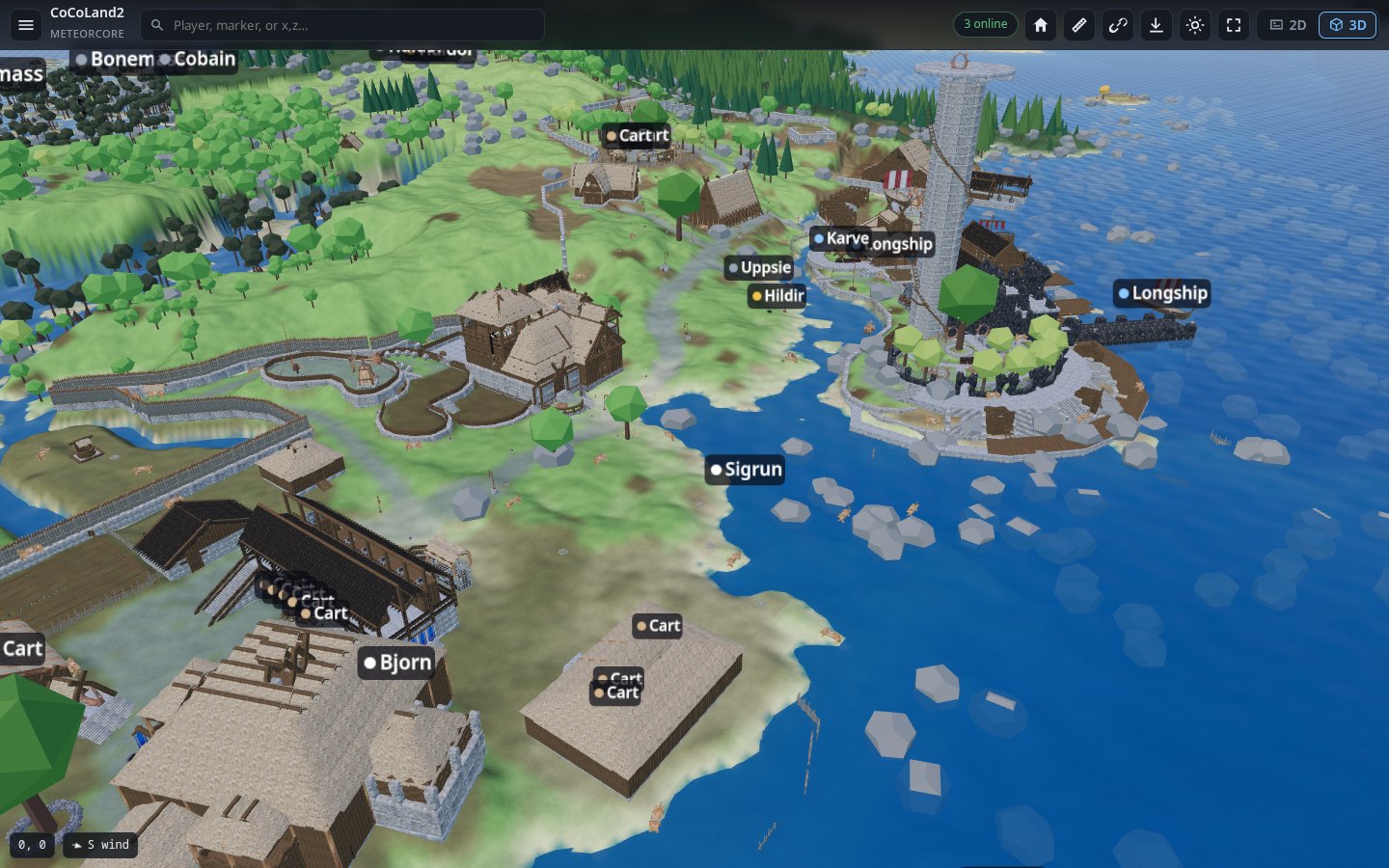
| 3D view | One click turns the map into 3D, using the game's own models, with sun, shadows and water. |
| Markers | Portals and where they lead, boss altars, traders, dungeons, tombstones, boats, carts and map table pins. You can also switch on wards, runestones (with their text), Vegvisirs and beds. |
| The world's events | Raids and invasions shown on the map as they happen. Lava in the Ashlands, mist in the Mistlands. |
| Stats | Time played, deaths, distance walked, bosses beaten, world modifiers, and who was online in the last day. |
| Events feed | Joins, deaths, chat, boss kills and raids, saved to a log. Can also post to Discord. |
| Works on phones | The same map, laid out for a small screen. |
| Light on your server | Drawing happens on a background thread, a little at a time, so players don't feel it. |
| No spoilers | Only what players have already explored is shown. The world seed is never sent out. |
Screenshots
 |
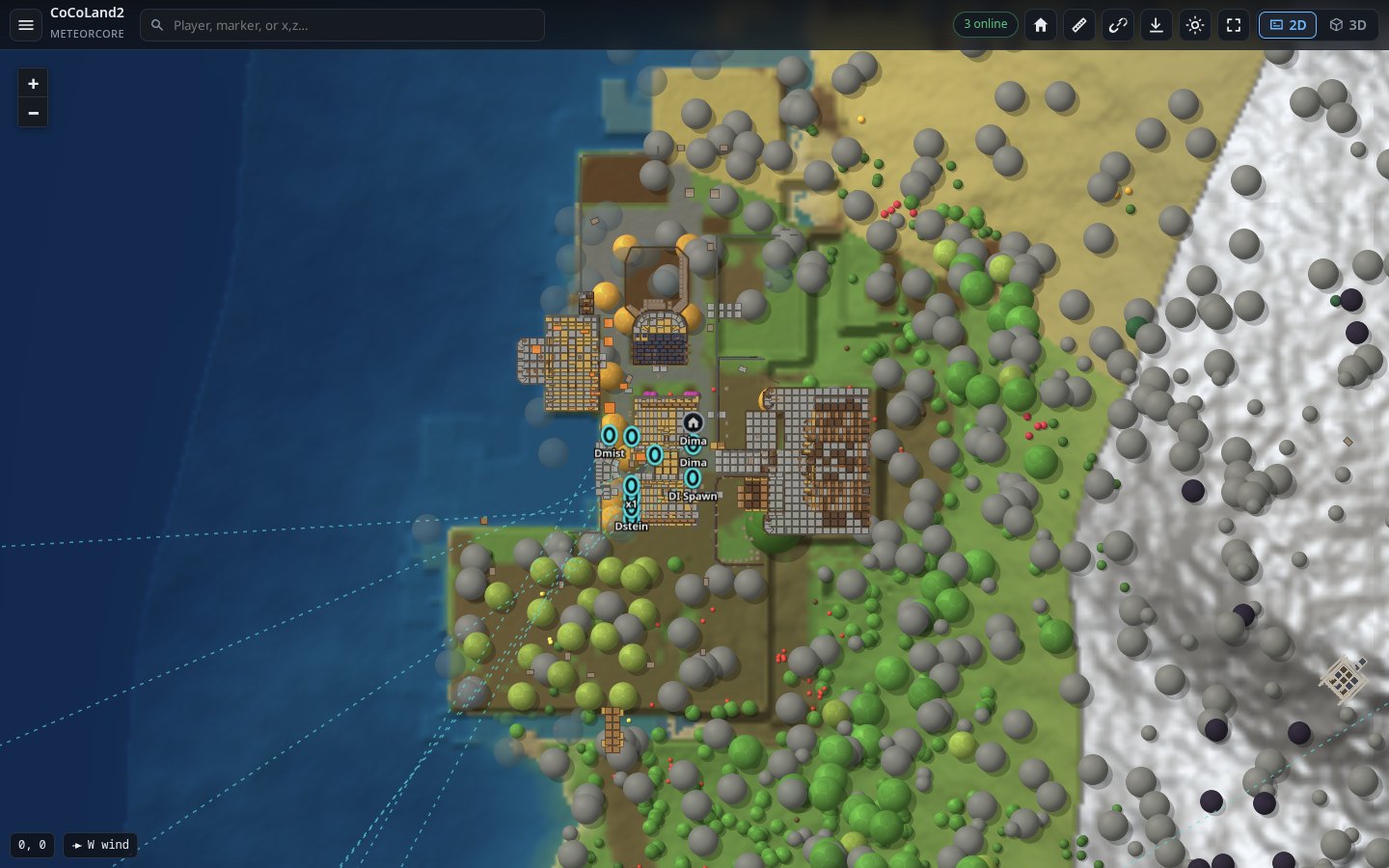 |
| The whole explored world | A base up close |
 |
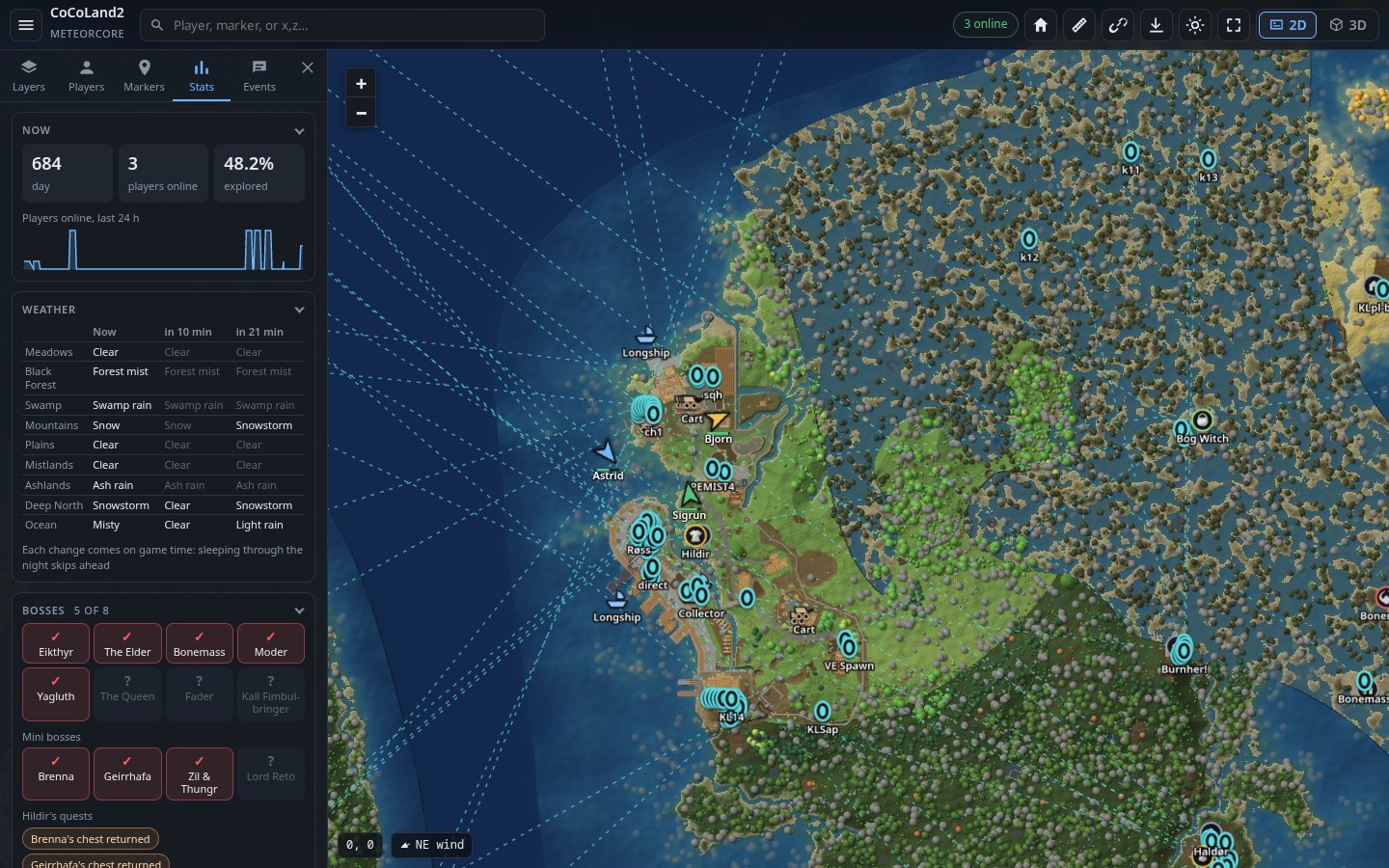 |
| Players and the player card | Stats |
 |
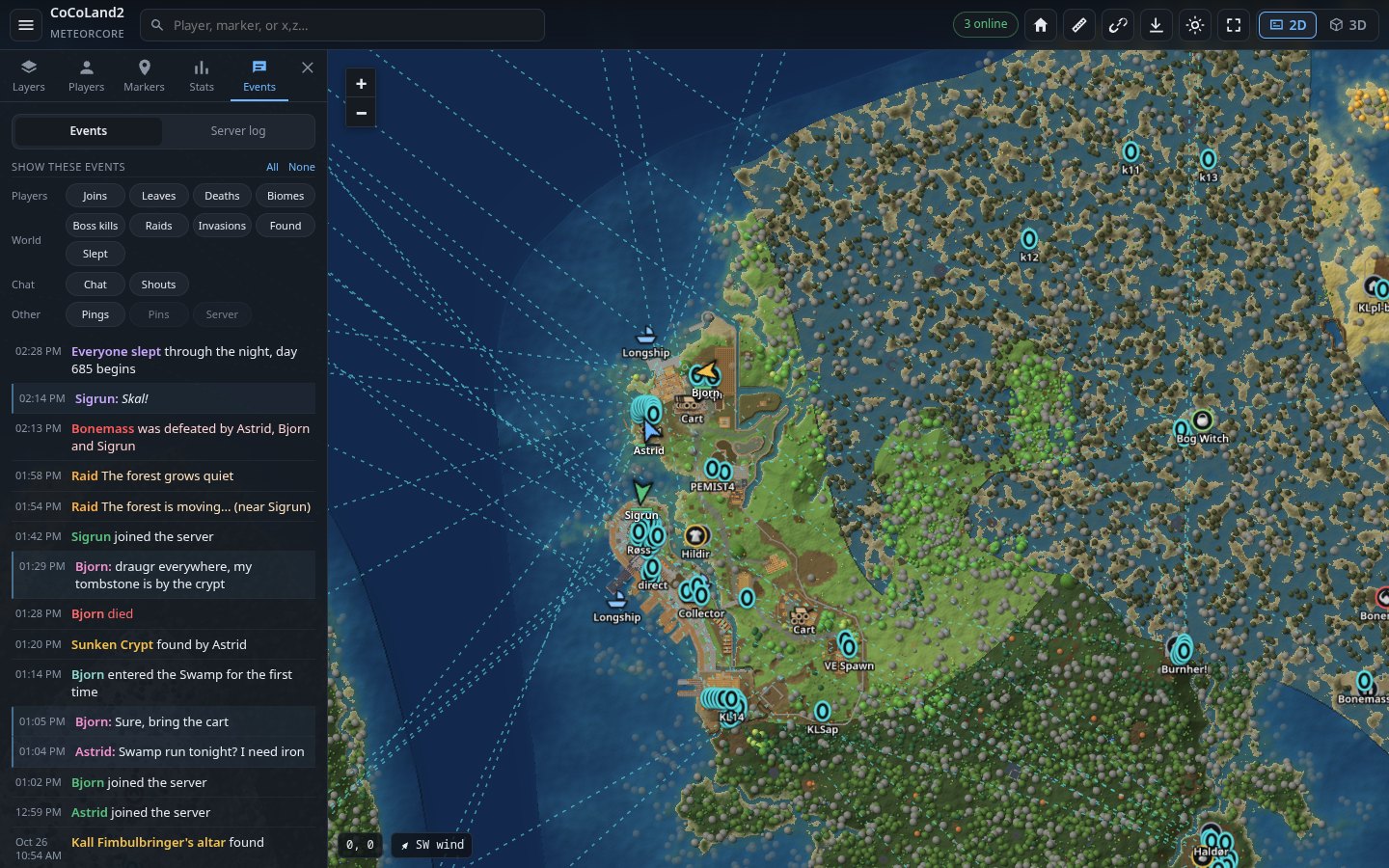 |
| 3D view | Events |
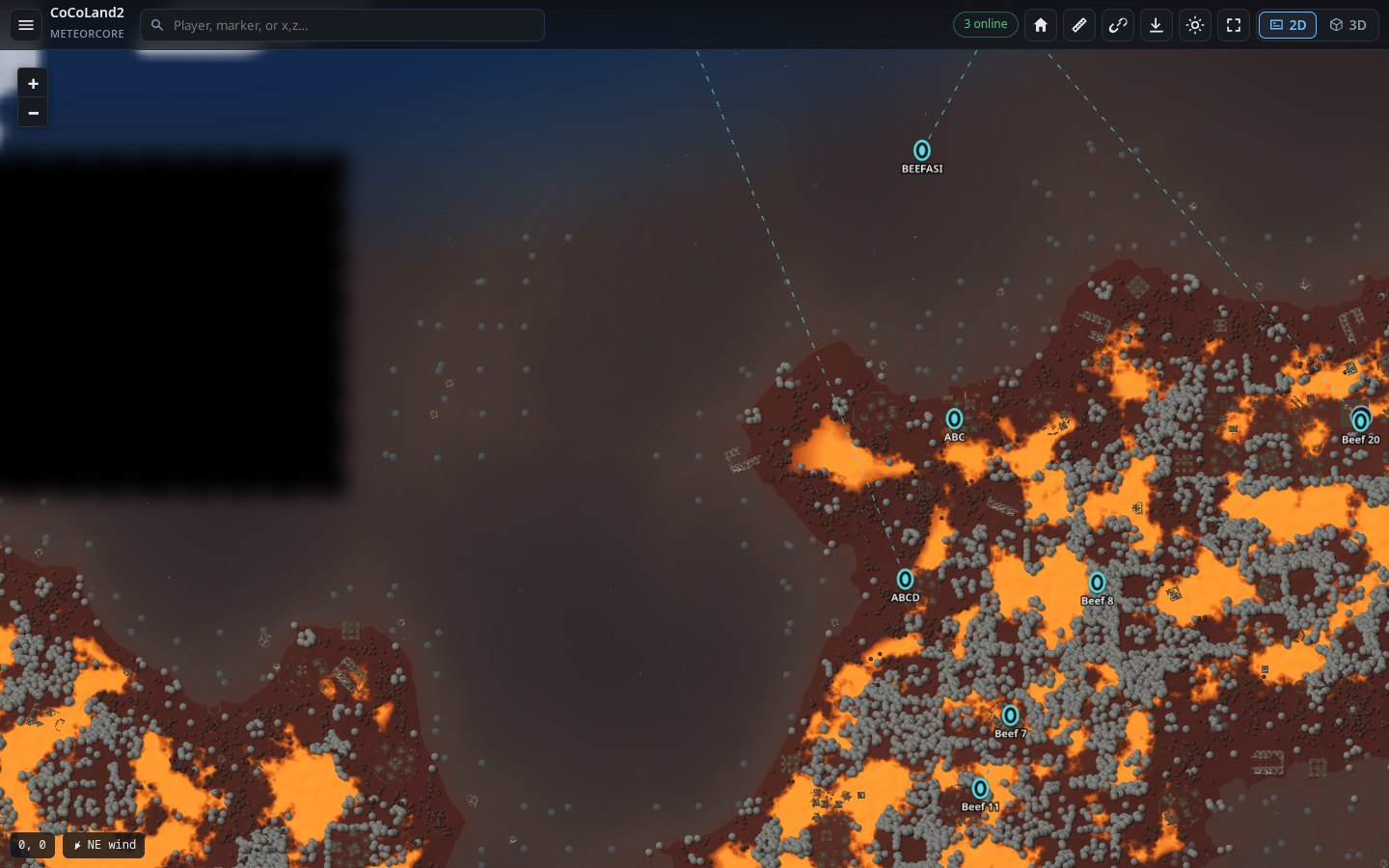 |
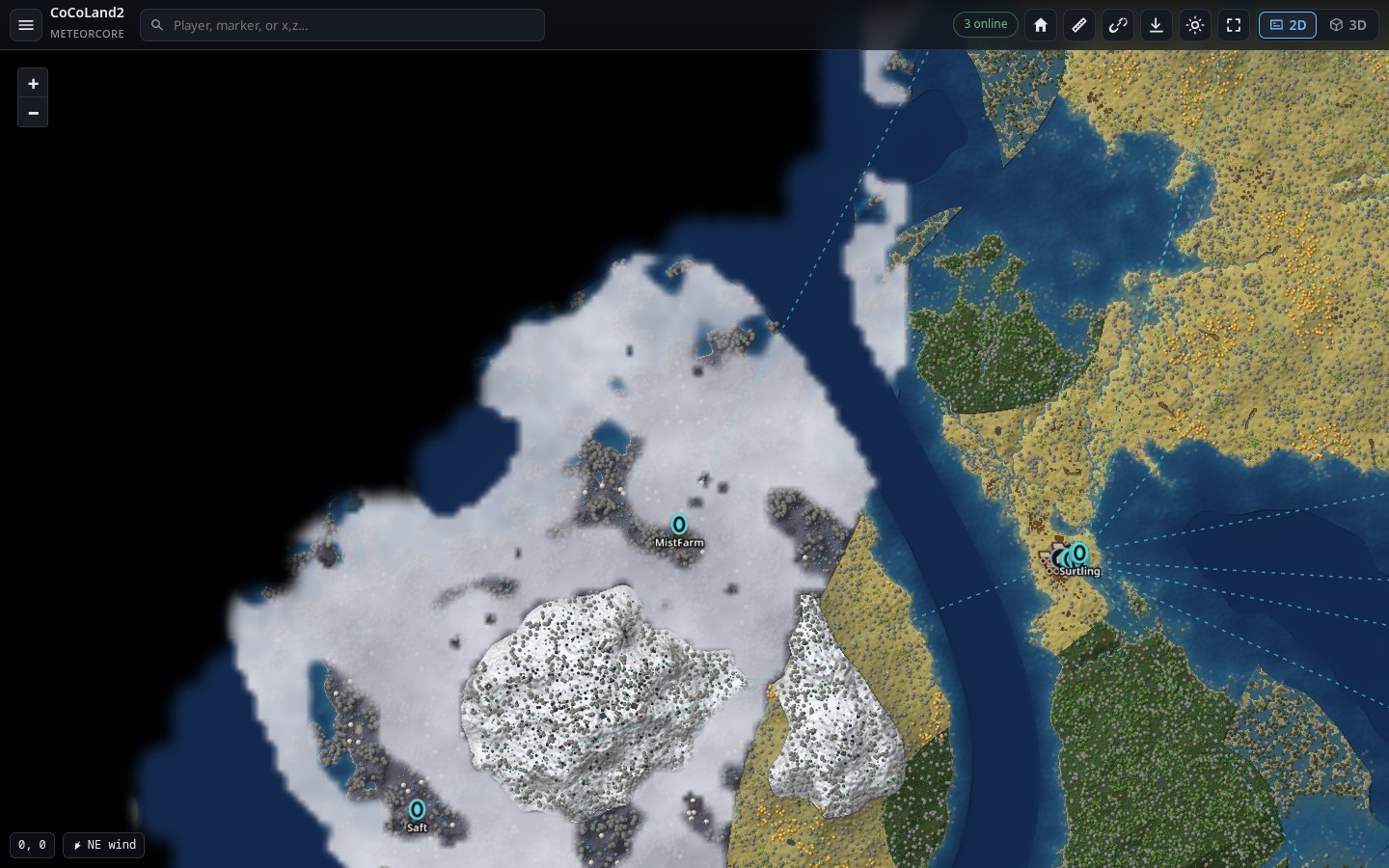 |
| The Ashlands | The Mistlands |
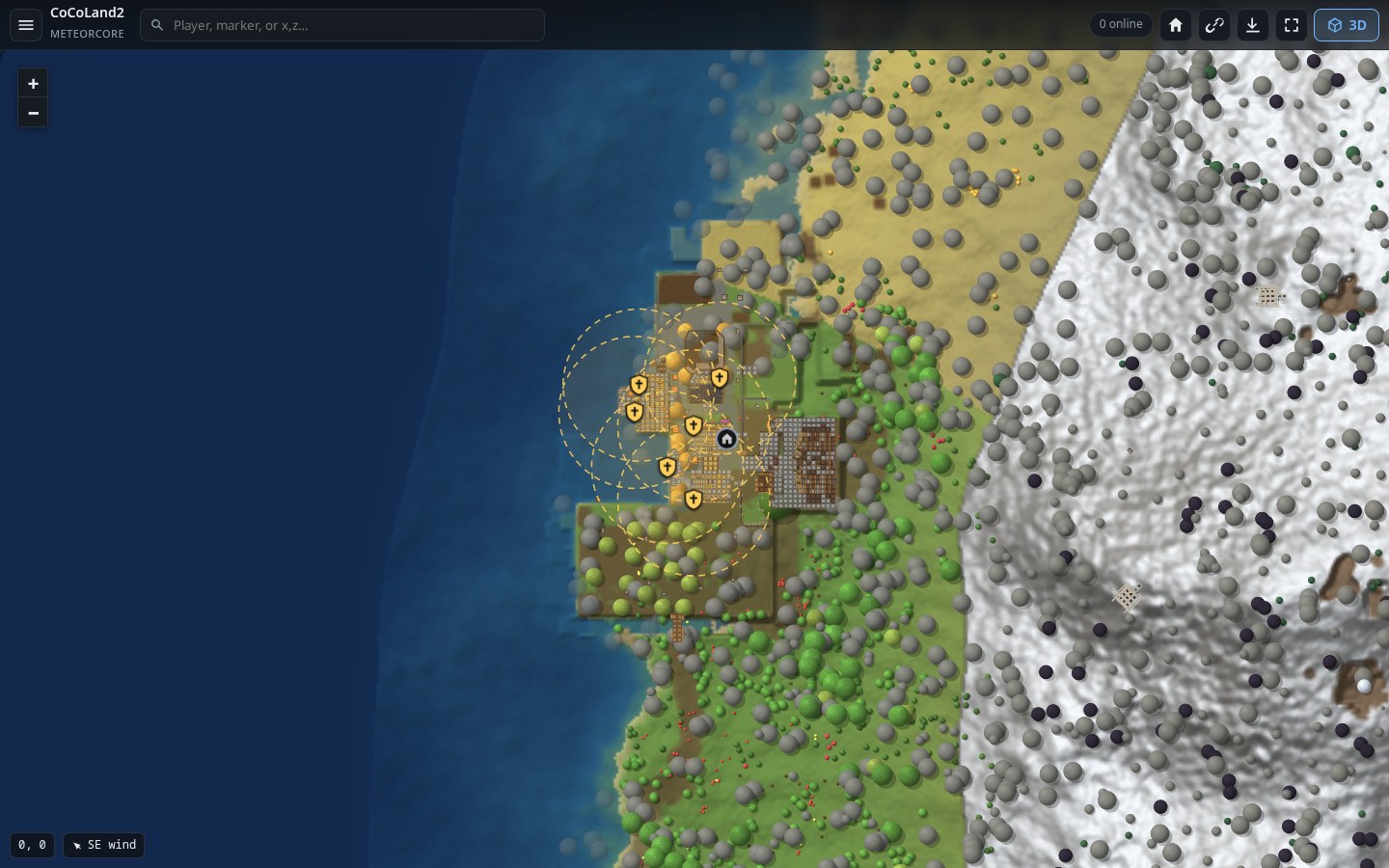 |
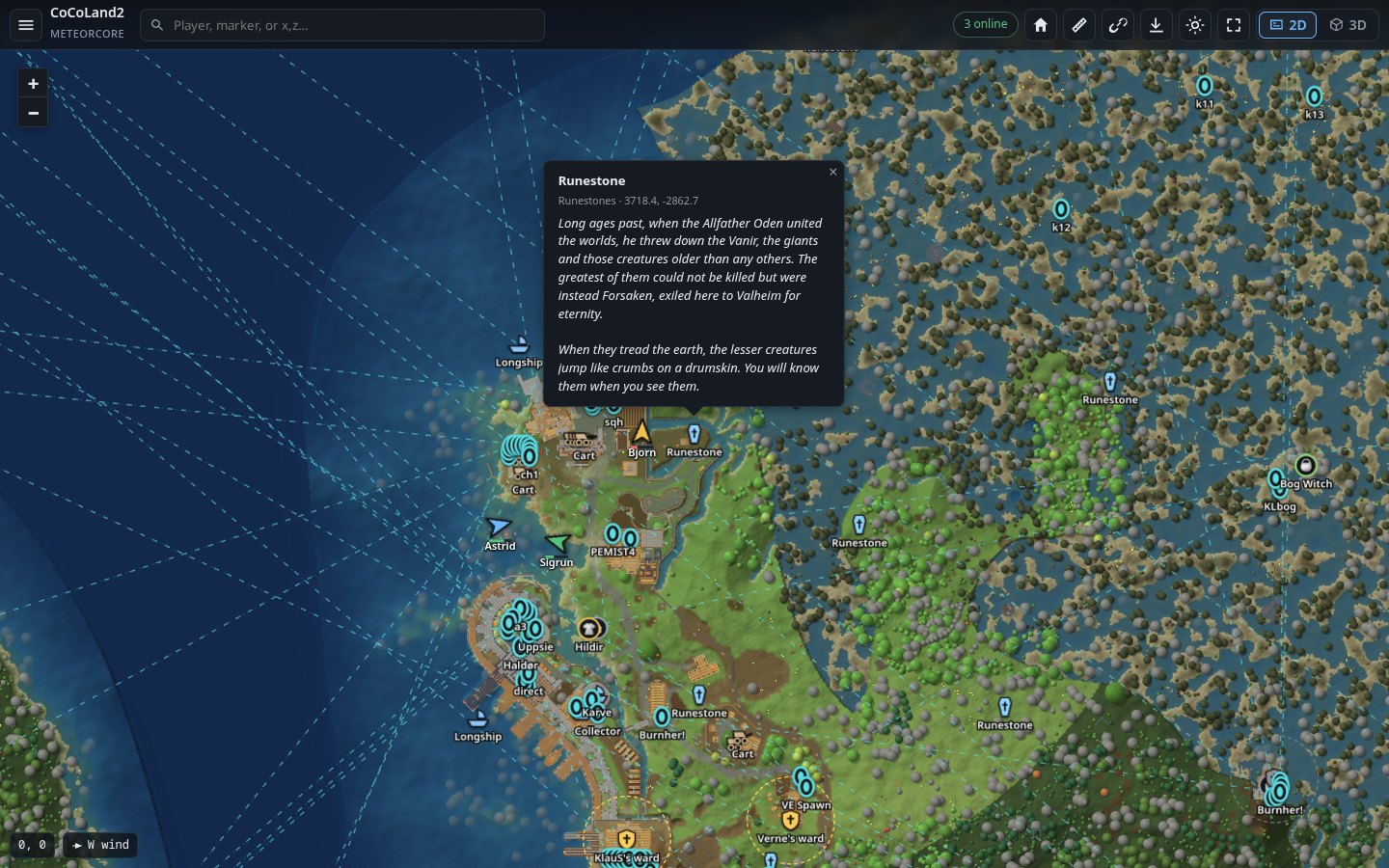 |
| Wards | Runestones |
 |
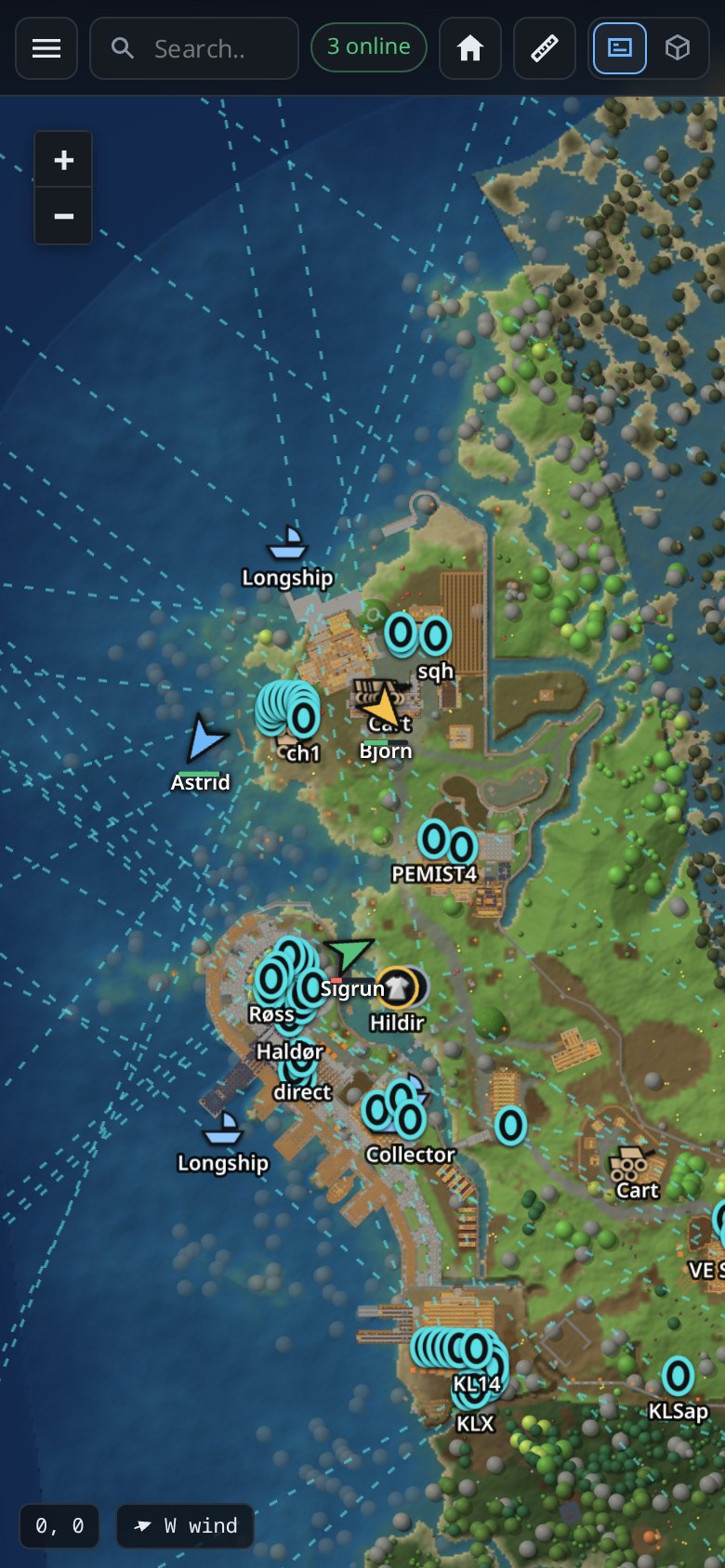 |
| Switch layers on and off | On a phone |
Install
You need a Valheim dedicated server with BepInEx on it (BepInExPack for Valheim). Most server hosts have a one-click option for BepInEx.
Step by step
-
Download
MuninMap-<version>.zipfrom Releases. -
Unzip it. Inside is a
plugins/MuninMapfolder. -
Copy the
MuninMapfolder into your server'sBepInEx/pluginsfolder, so you end up with:<server>/BepInEx/plugins/MuninMap/MuninMap.dll -
Start the server. In the server log you should see:
Munin Map 3.0.0 loaded -
Open port 3000 (TCP) in your firewall and, if you host at home, forward it on your router. (On a hosted server, look for "additional ports" in its panel.)
-
Open the map:
http://<your server's IP>:3000
That's it. Share the link with your players.
Using a mod manager (r2modman, Gale)? Use its "import local mod" option with the zip. It puts the files in the right place.
Using Docker (lloesche/valheim-server)?
Set BEPINEX=true, put the MuninMap folder in
/opt/valheim/bepinex/BepInEx/plugins/, and publish the port with
-p 3000:3000/tcp. There's a working example in
tools/docker-compose.test.yml.
The first start
The first time, the server needs a few minutes to get the map ready. You don't need to do anything, and the server stays playable.
- The map is drawn in the background: the zoomed-out view in a minute or two, then the close-up detail. Until a spot is ready, you'll see a blurrier version of it. A counter in the bottom-left corner shows what's left.
- The 3D models are read from the game files once. This takes a few minutes. Until then, some things show as simple boxes in 3D.
- Runestones and Vegvisirs are found once, in about 3 to 4 minutes.
After that, later starts are quick: everything is kept in
BepInEx/plugins/MuninMap/map_data.
Using the map
- Move around: drag, scroll to zoom. On a phone, use two fingers.
- 3D: the 3D button, top right. Right-drag (or two fingers) to turn the camera.
- Find something: type a player, a marker or
x,zcoordinates in the search box. - Switch things on and off: the menu (☰), then Layers. Wards, runestones, Vegvisirs, beds, dungeons and map table pins start switched off, because there can be hundreds of them.
- Share a view: the address bar always holds the spot you're looking at. Copy it (or press the link button) and the other person sees the same thing.
- Pin something: right-click the map (long press on a phone).
- Name a base: click its marker.
Keeping the map private
The map has no login. Anyone with the link can see it, including where everyone is right now. If that matters to you:
- Don't post the link publicly; give it to your players.
- Or put a password in front of it: Cloudflare Access, or basic auth on a reverse proxy (nginx, Caddy).
If you use Cloudflare or another cache in front of the map, purge it after each update, or set it not to cache the page itself.
Settings
Settings live in BepInEx/config/com.cocopuff2u.muninmap.cfg. The file
appears after the first start. Edit it while the server is stopped, or
restart the server afterwards. Each setting is explained in the file itself.
The ones people change most:
| Setting | Default | What it does |
|---|---|---|
server_port |
3000 |
The port the map is on. |
map_title |
(your server's name) | The title at the top of the page. |
enable_3d |
true |
Offer the 3D view. |
discord_webhook |
(empty) | A Discord webhook URL, to post joins, deaths, raids and more to a channel. |
discord_world_events |
true |
Also post raids and invasions to Discord. |
map_url |
(empty) | The map's address, for links in Discord posts. |
explore_radius |
110 |
How far around each player the fog clears, in metres. The game uses 100. |
reveal_visited |
true |
When first installed, clear the fog everywhere players have already been. |
always_visible |
false |
Show players even if they set themselves hidden on the in-game map. |
web_pins |
true |
Let people add pins from the web page. |
web_edit_bases |
true |
Let people rename or hide bases from the web page. |
max_render_zoom |
7 |
Closest zoom drawn. 6 uses a quarter of the disk space. |
Every setting is listed in docs/ADVANCED.md.
Admin extras
Make a file called announce.token next to MuninMap.dll with a secret word
in it. That secret lets you:
- See the server's log in the page: Events, then Server log, then enter the secret.
- Send a message to everyone in game:
curl -X POST -H "X-Announce-Token: <secret>" -d "Hello Vikings" http://localhost:3000/announce - Use the admin API calls: listed in docs/ADVANCED.md.
Troubleshooting
| Problem | Fix |
|---|---|
| The page doesn't open | Check that port 3000 (TCP) is open in the firewall, forwarded on the router, and allowed by your host. Check the log for HTTP server listening on port 3000. |
| Nothing in the log about Munin Map | BepInEx isn't running. Check that BepInEx/LogOutput.log exists and the server starts through BepInEx. |
Valheim WebMap is installed too in the log |
Switch one of the two off (see Coming from Valheim WebMap). |
| The map is blurry in places | It's still being drawn. Watch the counter in the bottom-left corner. |
| Boxes instead of models in 3D | The models are still being read from the game files. Give it a few minutes on the first start. |
| The page looks wrong after an update | Press Ctrl+Shift+R once. If you use Cloudflare, purge its cache. |
!pin in chat does nothing |
The game only sends chat through the server when two or more players are online. Right-click the map instead; that always works. |
Still stuck? Open an issue
and attach BepInEx/LogOutput.log.
Coming from Valheim WebMap
Munin Map can pick up where a Valheim WebMap install left off. It never touches the other mod's folder; you move things over yourself:
-
Stop the server.
-
Switch Valheim WebMap off (remove its DLL, or disable it in your mod manager). Both serve a map on the same port, so only one should run.
-
Move your map: move the
map_datafolder from Valheim WebMap's plugin folder intoBepInEx/plugins/MuninMap/. Copyannounce.tokentoo if you use one. -
Install Munin Map as above and start the server. Your settings are taken over by themselves (
com.valheimwebmap.server.cfgis copied tocom.cocopuff2u.muninmap.cfg), and the log says:MuninMap: settings taken over from .../com.valheimwebmap.server.cfg
Nothing is drawn again: explored area, tiles, 3D models, base names and
markers.json are all in map_data. Bookmarks and #x,z,zoom links to the
old map keep working. If you start Munin Map before moving the folder, the log
says where the old map is.
More
- docs/ADVANCED.md: every setting, your own markers, the HTTP API, server load and disk use, building from source.
- docs/EXPORT.md: exporting an area as a 3D scene for Blender, Unreal, Unity or Godot.
- docs/ARCHITECTURE.md: how it works inside.
- CHANGELOG.md: what changed in each version.
Credits
Munin Map is made by Cody Keats. It's based on Valheim WebMap, first made by Kyle Paulsen and carried on by Jeffrey Clark (h0tw1r3/valheim-webmap), and the version of it by f00d4tehg0dz and its contributors. Thank you all.
Licence
MIT. See LICENSE. The libraries it ships with keep their own licences: Leaflet (BSD-2), three.js (MIT), websocket-sharp (MIT), SixLabors.ImageSharp (Apache-2.0) and three Microsoft System libraries (MIT), given in full in THIRD-PARTY-NOTICES.md.