

You are viewing a potentially older version of this package. View Latest Version
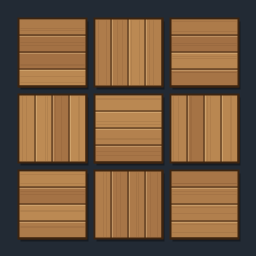
SmartBuild
Place floors, roofs, walls, smelters and more in a 3D grid. Hold X, Y or Z and press Up/Down to set width, height and depth, growing either way. Cost-checked, one-key undo. Client-side.Smart Build
Place floors, roofs, smelters and more in a grid instead of one piece at a time.
Controls (rebindable in the Jotunn config)
| Keys | Action |
|---|---|
| X + Up / Down | Width (X) +/- (hold Shift for steps of 10). Down from 1 goes to -2 and grows the other way from the piece you aim at (sizes run -2, 1, 2: a single piece is just 1) |
| Y + Up / Down | Height (Y) +/-: stacks layers upward, e.g. wall on wall |
| Z + Up / Down | Depth (Z) +/- |
| X, Y or Z together | Hold more than one axis key to change them at once |
| G + an axis key + Up / Down | Gap on that axis instead of the size (0.5 m per step) |
| B + an axis key + Up / Down | Stagger: X shifts each row sideways, Z shifts each column forward/back, Y leans each layer sideways (0.25 m per press, accumulates) |
| R + Up / Down | Rotate each piece a bit more than the last (5 degrees per press): bends the grid into an arc |
| H | Hold the blueprint in place (press again to release); place it from up to about 10 m away |
| Mouse wheel | Rotate the whole grid, as for a single piece |
| Ctrl + Z | Undo the last grid (refunds materials) |
Controls are active only while the hammer is equipped and a piece ghost is showing. Vanilla's Sit key is X and its holster key is R, so those two are blocked while you hold the matching key with a piece showing. All keys can be rebound in the config. A legend of them is drawn at the left of the screen (config: ShowControlsHint).
Rules
- The whole grid must be affordable when you click, or it is refused.
- If any cell is blocked (terrain, overlap, ward, out of range), the whole grid is refused.
- Size and gap reset to 1x1x1 after each grid placement. A grid is limited to 100 per axis and 10000 pieces in total (both configurable).
- Pieces spawn over several frames (25 per frame by default), and materials are charged as they spawn.
- Blocked means clipping into the world, a ward you lack access to, or a no-build zone. Biome and ground-only rules are not re-checked per cell.
- Grids over 400 cells show an outline instead of ghosts and are checked when you place.
- Client-side: servers and other players do not need the mod.
Known limits
- Spacing comes from each piece's snap points (mesh size if it has none), so gap 0 may leave tiny seams or overlaps on some pieces.
- Pieces that only touch (rather than snap) may get less structural support than hand-placed ones.
- Undo removes only pieces you created that still exist, and refunds their materials.


