

SmartBuild
Place floors, roofs, walls, smelters and more in a 3D grid. Hold X for width, Z for depth, or both for height, then press Up/Down or scroll, or press K to type exact values. Arcs, stagger, hold blueprint, undo. Client-side.Smart Build
Place floors, roofs, smelters and more in a grid instead of one piece at a time.
Features
Grid on three axes (X, Y, Z)
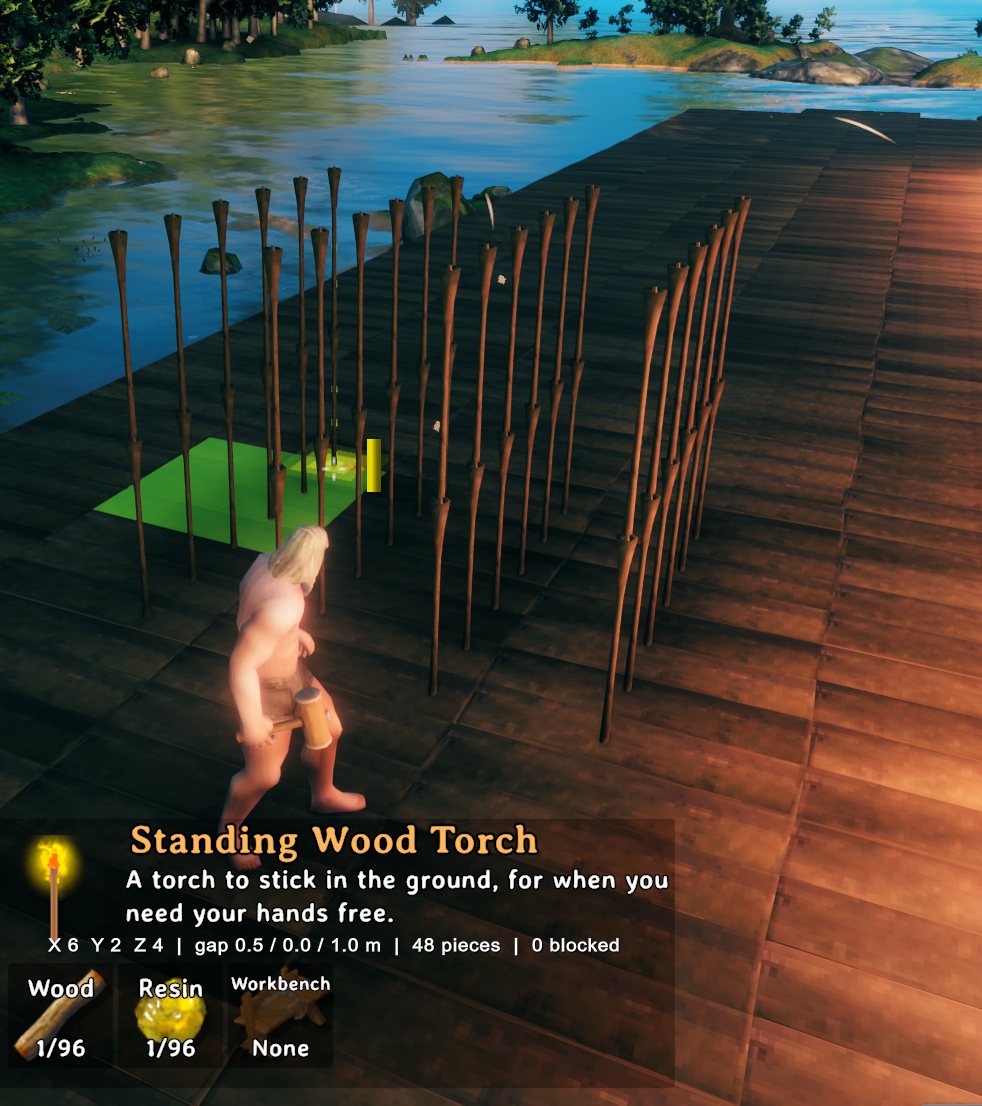
Set the size of the grid on each axis before you place it:
- Equip the hammer and pick a piece, so its ghost is showing.
- Hold X and press Up / Down (or scroll) to change the width.
- Hold Z and press Up / Down (or scroll) to change the depth.
- Hold X + Z together and press Up / Down (or scroll) to change the height. Extra layers stack upward.
- Aim where you want it and click. The whole grid is placed at once.
Hold Shift to change the size in steps of 10. Pressing Down at 1 flips that axis to grow the other way from the piece you aim at (the size becomes -2). With no key held, the mouse wheel turns the whole grid, as it does for a single piece. The size, gap, piece count and blocked count are shown on screen while you set it up.
Gap
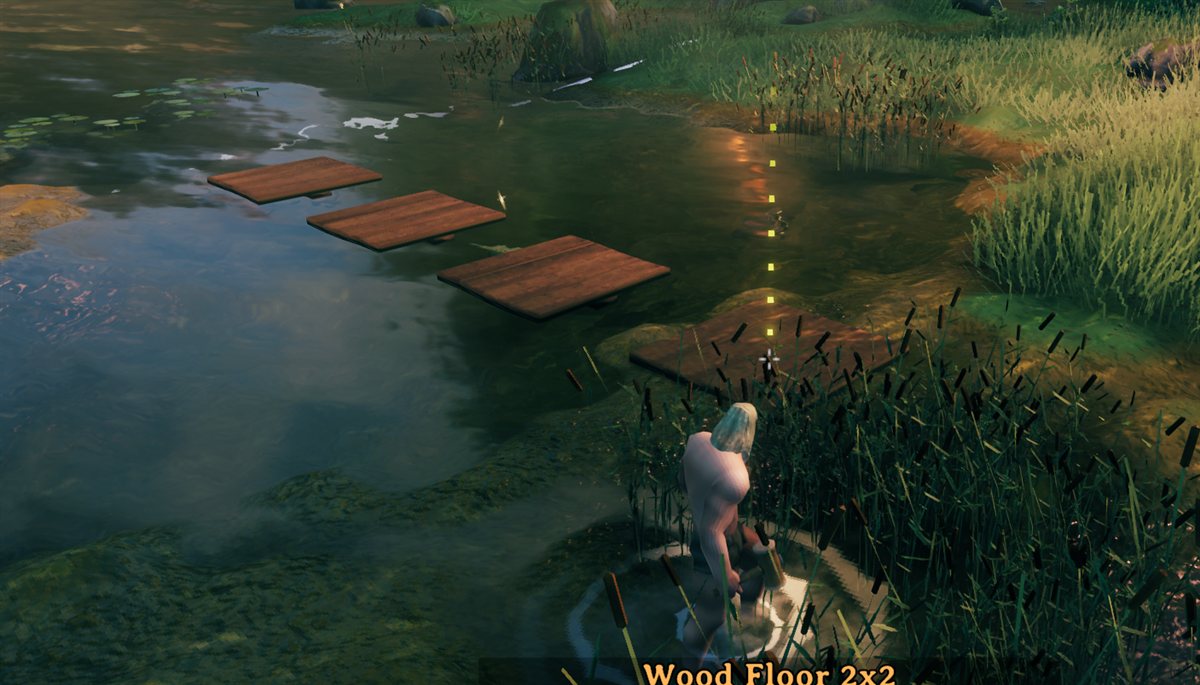
Each axis has its own gap, so you can space a row out along one direction and keep it tight along another.
Stagger
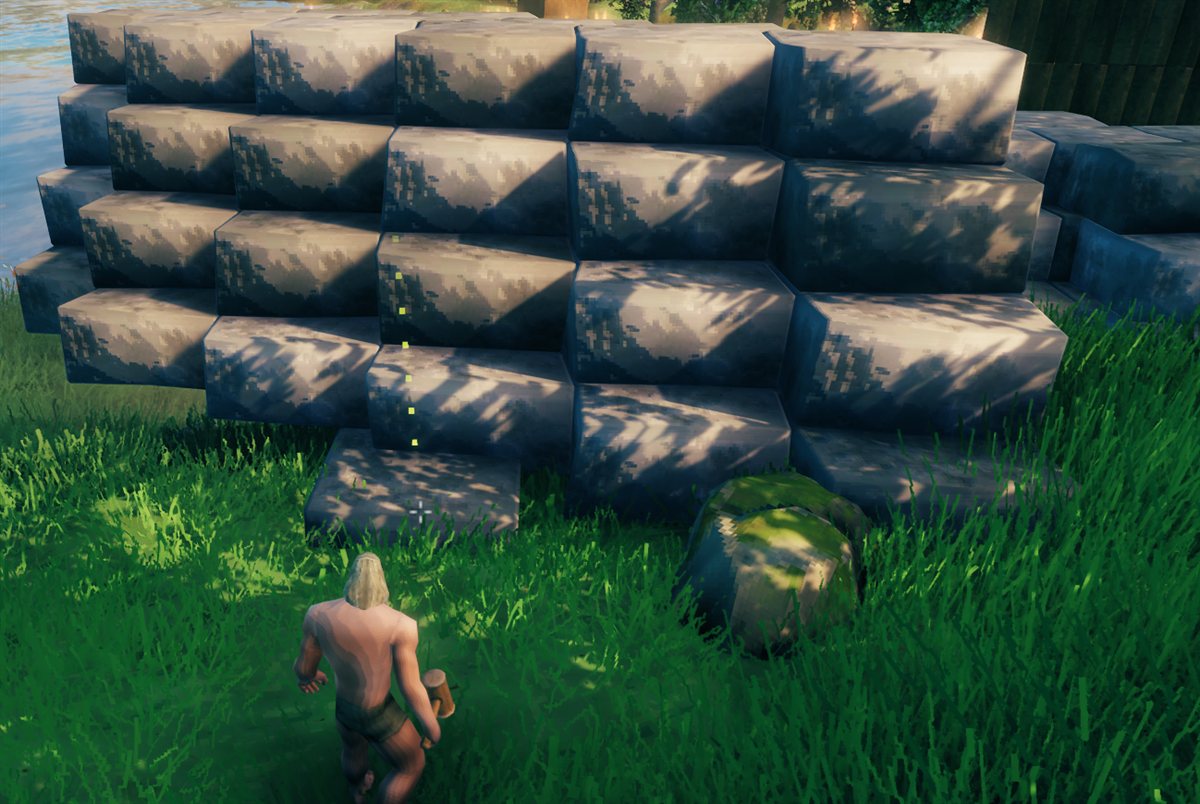
There are three stagger settings, one per axis: X shifts each row sideways, Z shifts each column forward or back, and Y leans each layer sideways so a stack tilts as it rises.
Rotation
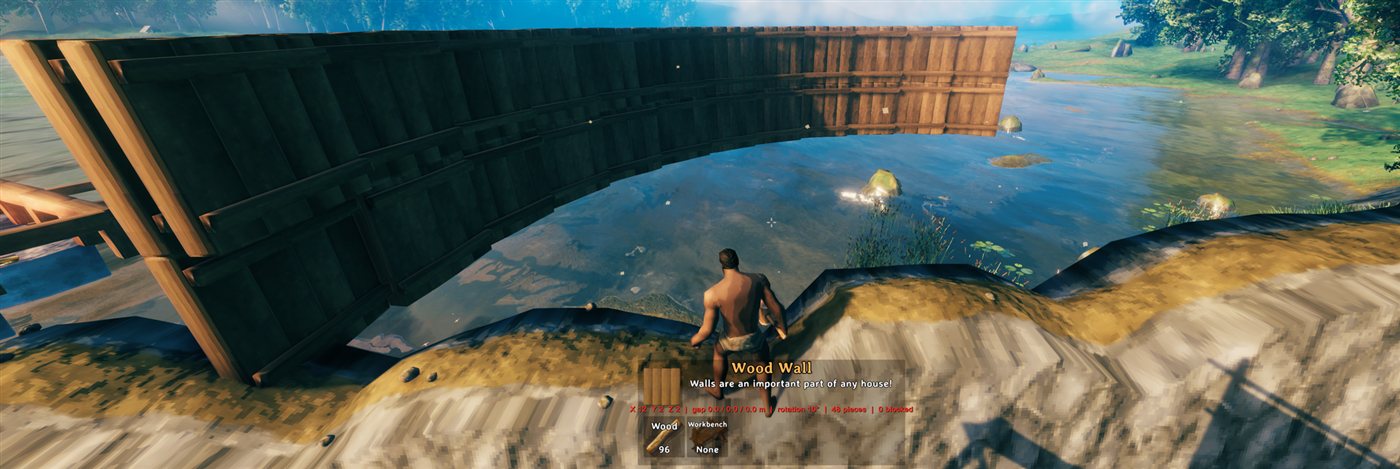
Each piece is turned a little more than the one before, so a row bends into an arc or a circle.
Controls (rebindable in the Jotunn config)
| Keys | Action |
|---|---|
| X + Up / Down / scroll | Width (X) +/- (hold Shift for steps of 10). Down from 1 goes to -2 and grows the other way from the piece you aim at (sizes run -2, 1, 2: a single piece is just 1) |
| Z + Up / Down / scroll | Depth (Z) +/- |
| X + Z + Up / Down / scroll | Height (Y) +/-: stacks layers upward, e.g. wall on wall |
| G + the size keys above | Gap on that axis instead of the size (0.5 m per step) |
| B + the size keys above | Stagger: X shifts each row sideways, Z shifts each column forward/back, Y leans each layer sideways (0.25 m per press, accumulates) |
| R + Up / Down / scroll | Rotate each piece a bit more than the last (5 degrees per press): bends the grid into an arc |
| H | Hold the blueprint in place (press again to release); place it from up to about 10 m away |
| K | Open the control panel: type exact sizes, gaps, stagger and rotation, or use its - / + buttons; also Reset, Hold and Undo buttons. The mouse is freed while it is open |
| Mouse wheel | Rotate the whole grid, as for a single piece (when none of the keys above is held) |
| Ctrl + Z | Undo the last grid (refunds materials) |
Scroll works like Up / Down: hold the key, then scroll (up = Up). While one of those keys is held the wheel does not rotate the piece or zoom the camera.
Other mods binding the same keys (for example a quick slot on Z) do not break these controls: SmartBuild reads the keyboard directly, blocks item use while its keys are held, and logs a Key clash warning at start-up naming any mod that shares one of its keys. Controls are active only while the hammer is equipped and a piece ghost is showing. Vanilla's Sit key is X and its holster key is R, so those two are blocked while you hold the matching key with a piece showing. All keys can be rebound in the config. A legend of them is drawn at the left of the screen (config: ShowControlsHint).
Rules
- The whole grid must be affordable when you click, or it is refused. If you use a build-from-chest mod (Valheim Plus's CraftFromChest, Craft From Containers, AzuCraftyBoxes and similar), materials in the chests it can reach count, and are taken from them as the pieces spawn. Undo refunds to your inventory.
- If any cell is blocked (terrain or another piece in the way, a ward you lack access to, a no-build zone, or the wrong biome), the whole grid is refused.
- Size, gap, rotation and stagger reset after each grid placement and when you switch to a different piece. A grid is limited to 100 per axis and 10000 pieces in total (both configurable).
- Pieces spawn over several frames (25 per frame by default), and materials are charged as they spawn.
- Blocked cells are checked for clipping into the world (for pieces that need it), wards, no-build zones and biome. Cultivated-ground and ground-only rules are not re-checked per cell.
- Grids over 400 cells show an outline instead of ghosts and are checked when you place.
- Client-side: servers and other players do not need the mod.
Known limits
- Spacing comes from each piece's snap points (mesh size if it has none), so gap 0 may leave tiny seams or overlaps on some pieces.
- Pieces that only touch (rather than snap) may get less structural support than hand-placed ones.
- Undo removes only pieces you created that still exist, and refunds their materials.
Please consider supporting development of this mod with a PayPal donation: Buy me a coffee


