
This package has been deprecated and may no longer be maintained. We recommend looking for an alternative.
InventorySorting
Adds inventory sorting buttons to containers and player inventory.Valheim Inventory Sorting
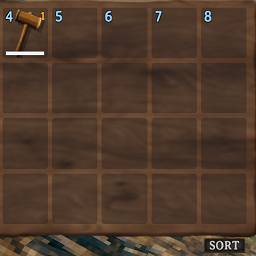
This BepInEx plugin adds inventory sorting buttons to Valheim. The player inventory is sorted excluding the hotbar, containers are sorted entirely. There is an auto-stacking feature (doesn't auto-stack hotbar) which can be disabled in the configuration file for the plugin.
Manual Installation
This is the recommended installation method.
- Copy the
InventorySort.dllfile to yourBepInEx/pluginsfolder
Script Engine Installation
This is not recommended and is only used for development, but the plugin is compatible.
- Install Script Engine to your game.
- Copy the
InventorySort.dllfile to yourBepInEx/scriptsfolder (Create the folder or run the game once if it does not exist.) - Press F6 when you load into the game (You can configure Script Engine to automatically load scripts on startup.)