

Bizare Score HUD
Time, kills, gold earned, score, personal best and co-op team totals for The Bizarre Valheim modpack. Movable, scalable HUD with English and Russian labels.Bizare Score HUD
A Valheim HUD showing time, kills, gold earned, score, personal best, and co-op team totals. Created for The Bizarre modpack.
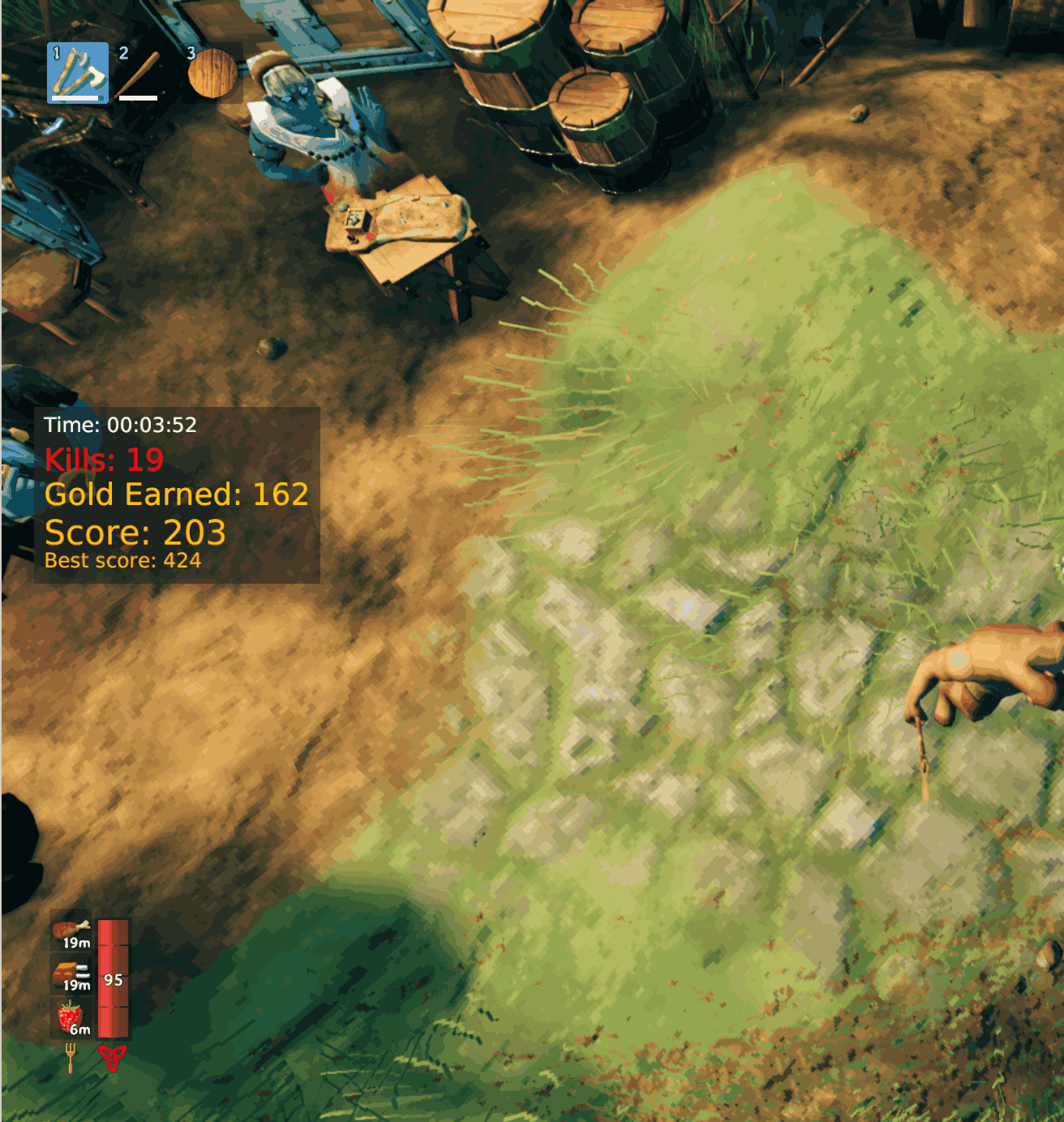
Installation requirements
- Valheim with BepInEx 5, Jötunn 2.30.2 or a compatible newer version, and JsonDotNET. Mod managers install these dependencies automatically.
- Install
BizareScoreHUD.dllinBepInEx/plugins/BizareScoreHUD/on every client and the server, then restart the game.
HUD settings and repositioning
- Size: Open Settings → Graphics → Bizare HUD Scale to adjust the HUD from 50% to 200%. OK saves; Back/Escape cancels the preview.
- Position: Open your inventory, then hold the left mouse button anywhere on the HUD panel or its header and drag it.
- Position and scale are saved locally.
- Labels follow Valheim’s language setting. English and Russian are included; other languages use English.
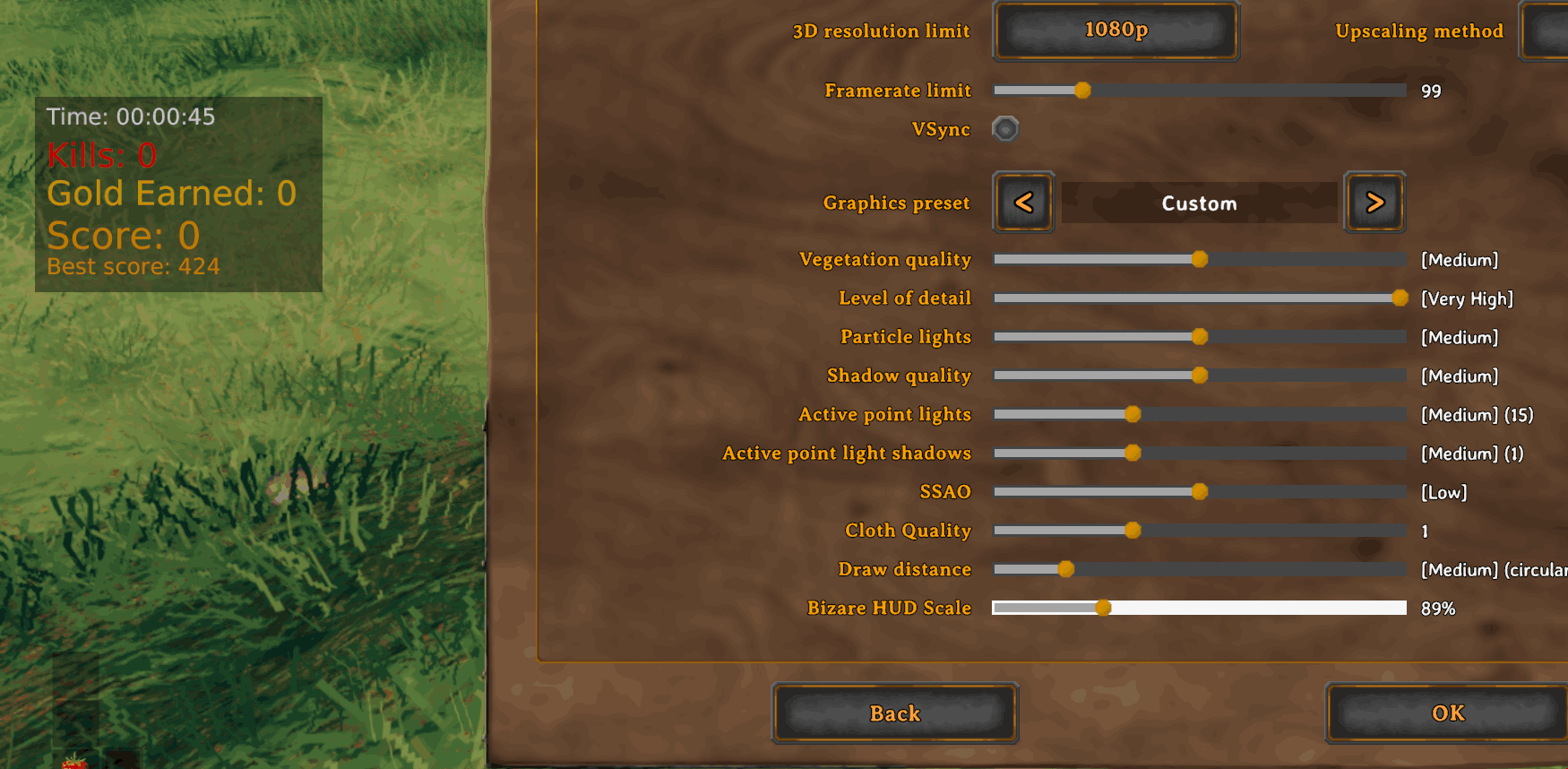
Building the upload package
Install the .NET 8 SDK and Python 3. The build references your local Valheim and mod assemblies; copy Local.props.example to Local.props if you need to configure their locations.
python3 build/package.py
This builds Release without deploying to the game and creates dist/Bizare_Score_HUD-1.0.0.zip. Upload this ZIP to the Valheim community on Thunderstore. It contains the plugin DLL, manifest, README, changelog and 256×256 icon, with no bundled game or dependency assemblies.
For future releases, update manifest.json, the project version and PluginVersion together, and add a changelog entry before rebuilding.