

Keepsake
Keep your own value for any mod setting on a shared profile. Kept settings survive profile syncs and are back in place before mods load. Browse and search every mod's settings in one panel, with descriptions, defaults and what changed this session.Keepsake
Keep your own value for any mod setting on a shared profile. When a profile sync would put the profile's value back, Keepsake puts yours in first, before any mod reads it.
AI notice
Most of Keepsake was written by Claude Code (Anthropic), which did the heavy lifting on implementation and design. Heads-up so you can judge for yourself.
Getting started
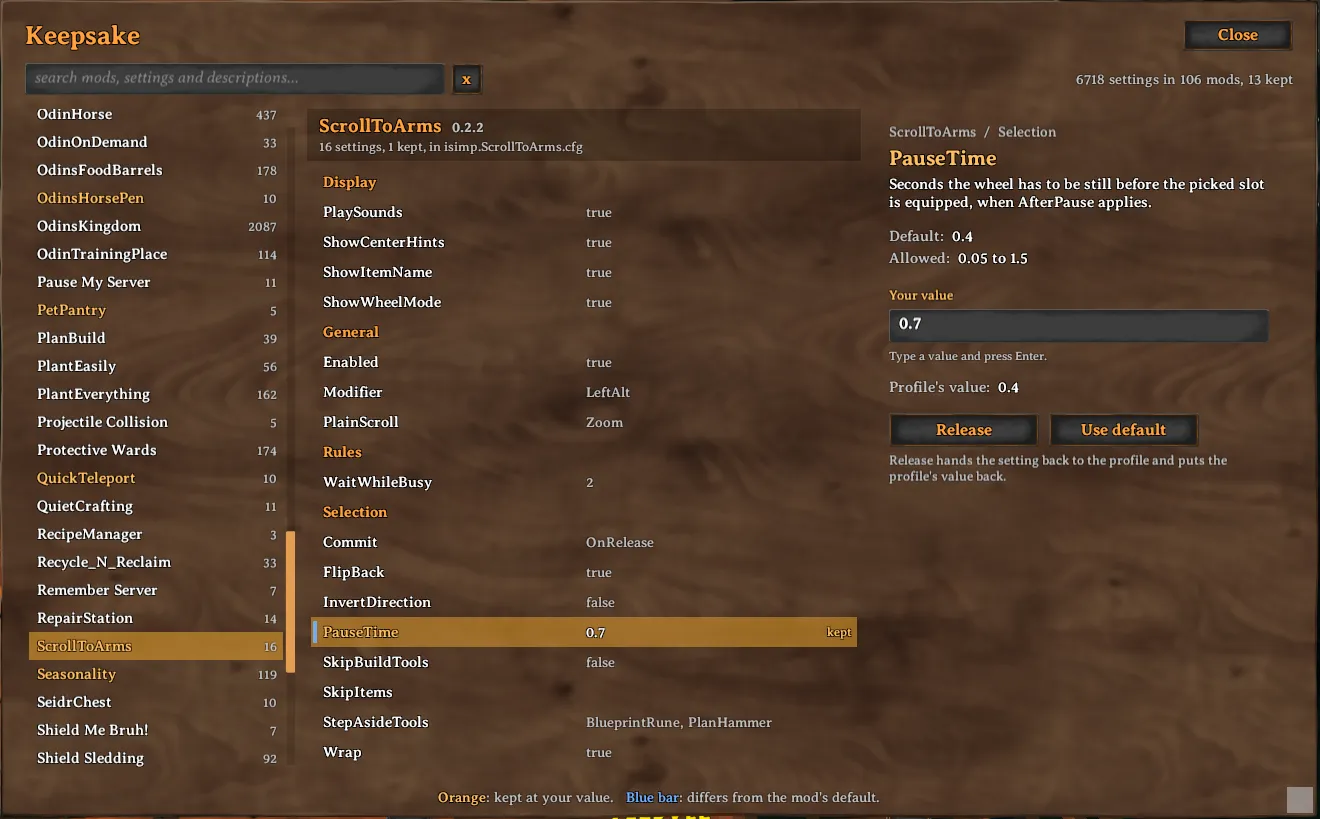
Press Home to open the panel. Pick a mod on the left or search, select a setting and press Keep. You can change a kept value right there or in any config manager, and Keepsake follows along. Release hands the setting back to the profile.
What else it does
Changed this session lists what you just tried out in a config manager, and Keep all keeps that whole list, or all of a mod's settings, in one click.
When the profile changes a value you keep, Keepsake tells you once your character appears, and you choose whether to take the new value. A setting the profile changes all the time, such as a volume, can be made quiet.
Files a mod keeps its state in, such as Seasonality's timer for each world, can be kept whole from the Files place, so your own worlds carry on where you left them. Whatever Keepsake replaces or releases is set aside first, and a file's last five Earlier versions can be looked at and put back from its detail.
Good to know
Settings a server hands out while you are connected still follow the server, and your value is back when you leave. Keepsake runs on your own machine only and needs Jotunn.
If you are the one sharing the profile, what you keep goes out to everyone who follows it, because kept values are written into the mods' own config files.
Keybinds are left to Bindrune when it is installed, which keeps them the same way and shows every keybind of the game and your mods in one panel. Bindrune is on Thunderstore at https://thunderstore.io/c/valheim/p/isimp/Bindrune/ and on Hexium at https://valheim.hexium.gg/mods/isimp/Bindrune
Profile updates
| Update | Kept settings | Kept files |
|---|---|---|
| Gale profile sync, or a Gale import into the same profile | Yes | Yes |
| Installing or updating a modpack, in any mod manager | Yes | Yes, when the game last closed normally |
| Thunderstore Mod Manager or r2modman, Update existing profile | Yes, once you allow a spare copy | Yes, once you allow a spare copy |
| Importing as a new profile, in any mod manager | Carried over by hand | Carried over by hand |
Update existing profile in Thunderstore Mod Manager and r2modman replaces the whole profile folder. For their profiles Keepsake asks, once you keep something, whether it may keep a spare copy of what you kept next to the profiles folder, in Keepsake and the profile's name; it then brings the copy back at the first launch after such an update. Nothing is written there before you answer, and the Spare copy button at the top of the panel changes the answer. A profile imported as new starts with nothing kept; to bring it along, copy keepsake.pins, keepsake.files, keepsake.changes and the keepsake-files folder from the old profile's BepInEx folder into the new one's.
Settings
All settings are in BepInEx/config/isimp.Keepsake.cfg, each with a description. They include the key that opens the panel, the panel's size, its sounds and the notice about profile changes. Whether to keep a spare copy is asked in the panel instead and kept with Keepsake's own files, so a shared profile never answers it for you.
More
Technical notes and build instructions are on GitHub at https://github.com/isimp/Keepsake


